Looking to migrate from Allure TestOps? Compare Allure TestOps vs TestDino. TestDino groups errors, embeds traces, and feeds AI coding agents.
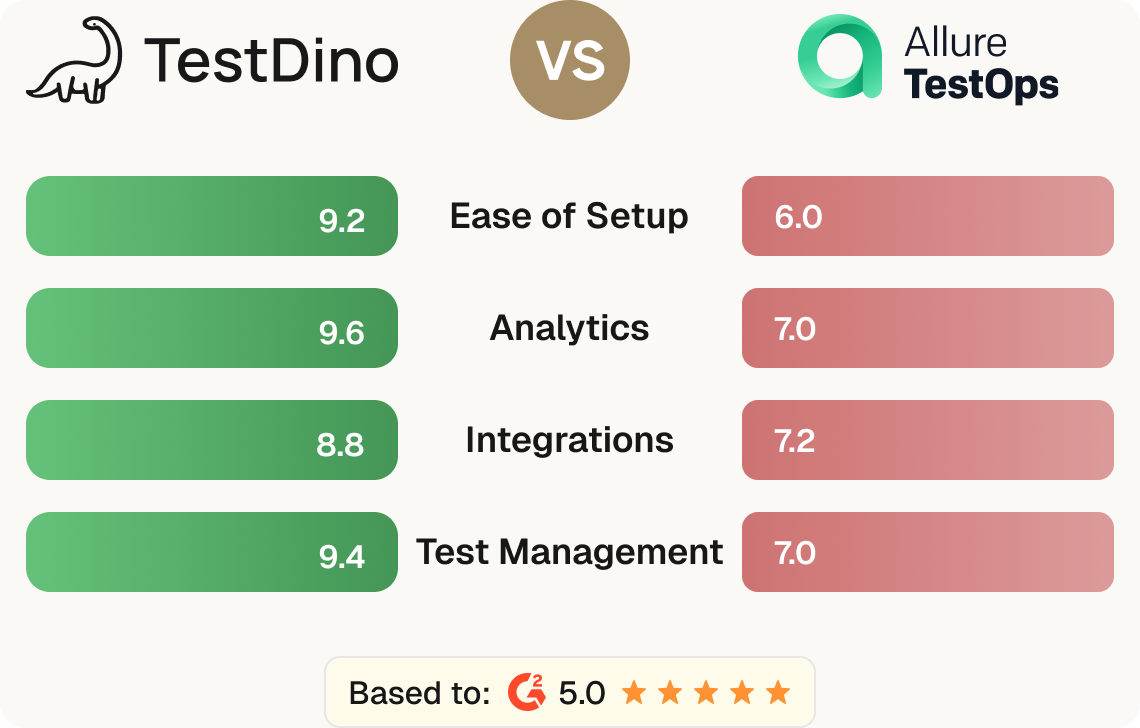
Allure TestOps is a test management platform with AQL-driven dashboards and an on-premise deployment option. TestDino ships the parts Allure TestOps leaves out. In the Allure TestOps vs TestDino comparison, the split is clear: TestDino is a Playwright-focused test intelligence platform. Manual and automated cases live in the same workspace, exploratory sessions roll up under date-bound releases, and the entire test record is queryable by Claude Code, Cursor, or any MCP-compatible agent, so your AI coding tools aren't debugging blind. Beyond test management, TestDino ships a reporting layer shaped around how Playwright actually runs in 2026. Errors group by root cause across message, stack, and failure location. The Playwright trace viewer renders inline on every failure. Each run is linked to its PR via a dedicated Pull Request view that tracks KPI tiles, the latest test run, and a Test Results Trend graph for the branch.
Allure TestOps vs TestDino comes down to what's native and what's bolted on. Here's where TestDino pulls ahead, and where Allure TestOps doesn't keep up.
Native Playwright reporter
The reporter plugs into your playwright.config.ts with one npm package. Test runs flow into the dashboard with project structure, browser channels, retries, and annotations as first-class concepts.
Inline failure context
Every failed test opens with an embedded trace viewer showing DOM snapshots, network calls, and console logs, plus screenshots, video, and error groups by message, stack trace, and location.
Agent-native test intelligence
The TestDino MCP Server connects Cursor and Claude Code to your Playwright run history as a first-party install. Agents debug failures with debug_testcase, query runs by branch, and create manual cases without leaving the editor.
Flat $39 per month for up to 3 users
Pricing scales by team size: $39/month covers up to 3 users with 25,000 executions. The free tier covers 5,000 executions and every core feature.

Per-user pricing that scales fast
Allure TestOps charges $39/user/month on Cloud and on-prem. A 5-person team is $195 per month. Smaller teams that benefit from a managed dashboard often find the per-user model adds up faster, especially when read-only stakeholders also need access.
allurectl CLI for Playwright integration
Playwright tests don't connect through a native reporter. Instead, the team installs the allurectl CLI on each CI agent and wraps npx playwright test with allurectl watch, which streams allure-results files to the server.
Community-built MCP only
A community-built MCP for Allure TestOps is available on Docker Hub. Teams adopting it accept responsibility for maintenance and security themselves.
No native AI failure intelligence
There's no AI failure classification or AI-generated summaries. Failure analysis depends on the team building dashboards through AQL and manually reviewing trends across runs.
Feature
Feature-by-feature breakdown showing how each tool handles the areas that matter most to testing teams.
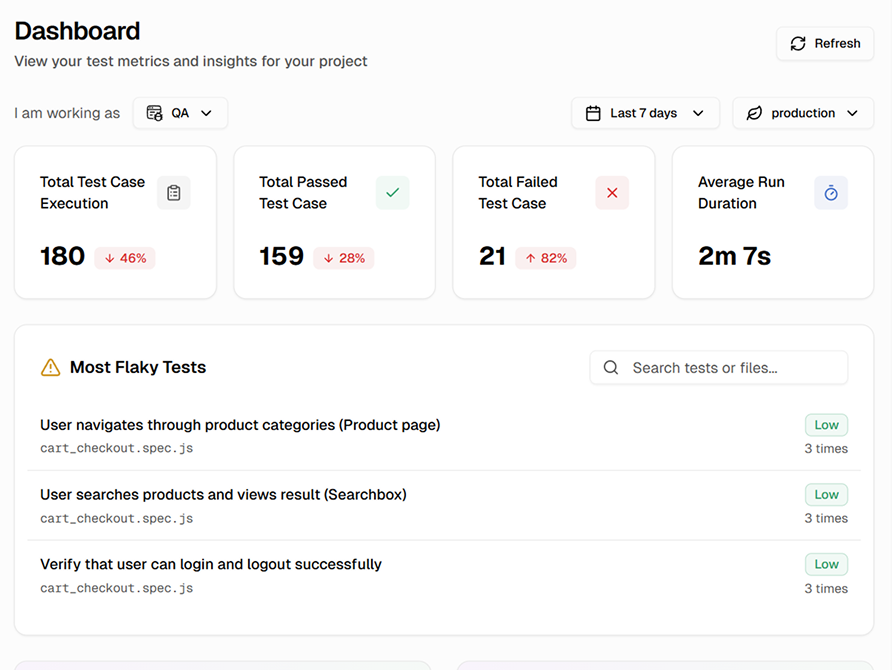
Reporting in Allure TestOps centers on launches and aggregated test results. There's no PR view tied to commits and files changed, and scheduled PDF exports require custom report configuration.
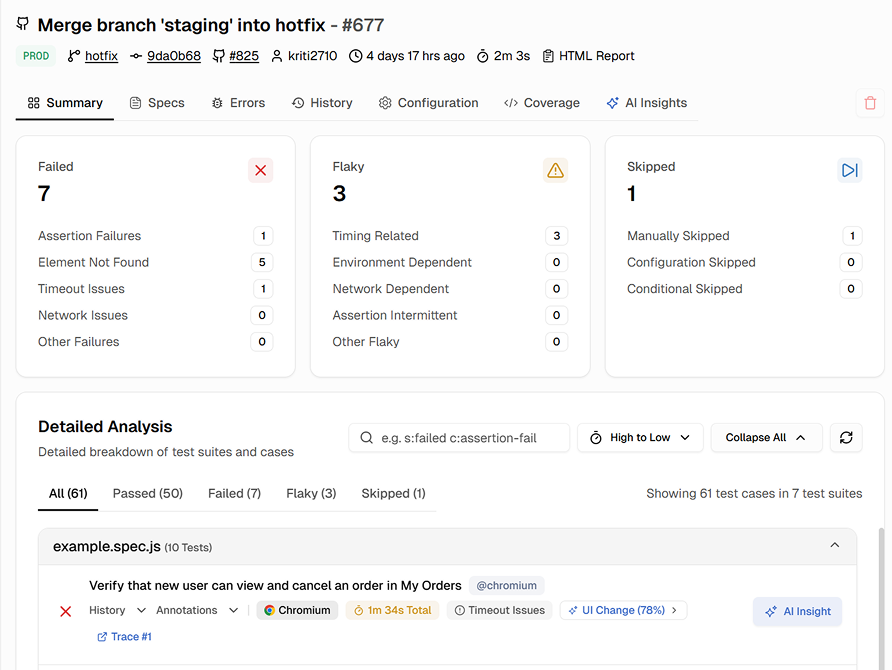
Playwright traces, screenshots, and videos auto-attach to each failed test through the allurectl streaming pipeline, accessible from the test detail panel. There's no inline trace viewer — the trace file opens externally.
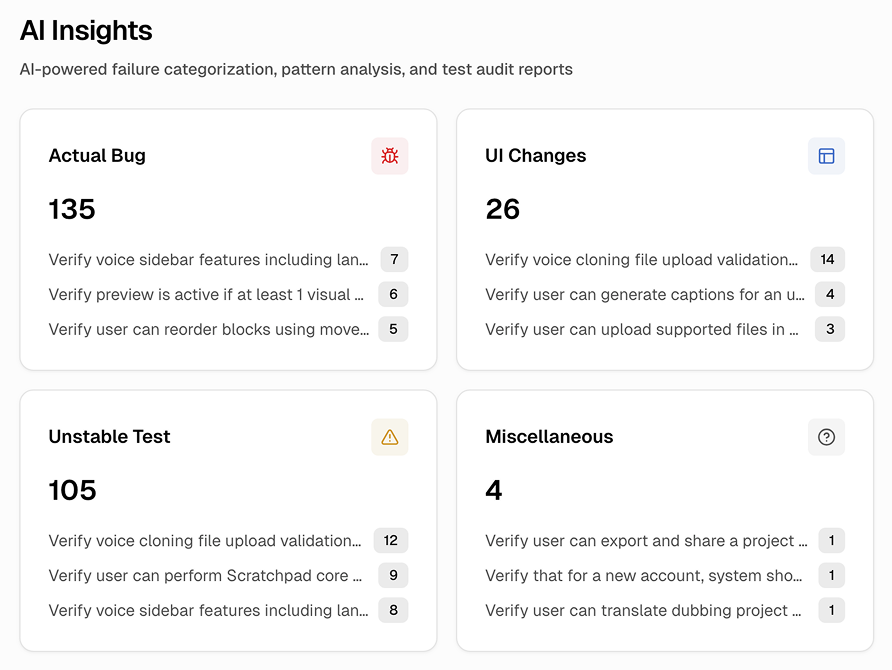
There's no AI in Allure TestOps. Failure analysis works through manual triage in the launch view. Classification and prioritization are handled by the team rather than the platform.
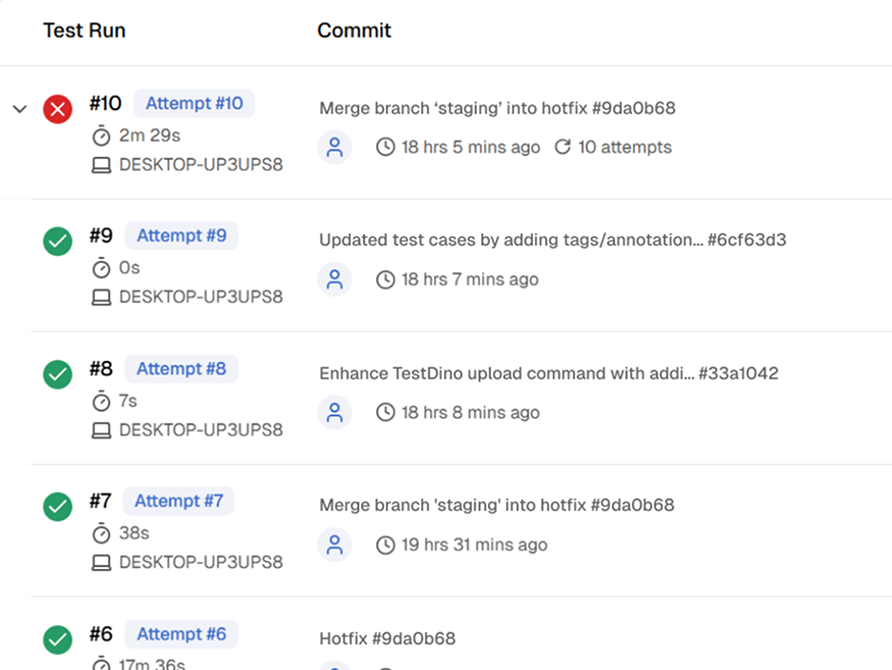
Qameta doesn't ship an official MCP Server. A community-built MCP is available on Docker Hub, but teams adopting it accept responsibility for maintenance and security themselves.
Purpose-built capabilities that help Playwright teams ship faster and debug smarter.
Query failures from Claude Code, Cursor, or Claude Desktop, and create test cases without leaving the editor.
Manual and automated tests with nested suites, custom fields, and bulk operations.
Watch test results stream as each test completes. Shard-aware, no refresh needed.
Screenshots, video, and retry-level evidence are attached to every failed test attempt.
Step through Playwright traces inline with DOM snapshots, network, and console.
Cluster failures by message, stack trace, and location instead of one dimension only.
Where each platform leads, and where it falls short.
Allure TestOps is a test management platform with framework-agnostic aggregation, manual plus automated workflows, and cloud or on-premise deployment.
Mature Test Management
Test plans combining manual and automated runs, custom fields with multi-tree hierarchies, and audit trails for regulated environments.
Framework-Agnostic Aggregation
Aggregates results from any framework that speaks Allure: Playwright, Cypress, Pytest, JUnit, Cucumber, RSpec, and more.
On-Premise and Two-Way CI
On-premise deployment with full data control, plus two-way CI integration that triggers builds from the dashboard.
TestDino is a Playwright-native AI test intelligence platform that brings inline trace viewing, AI classification, and failure analytics into one focused reporter.
AI-Powered Failure Classification
Every failure is tagged. Triage starts at the top of a prioritized list, not at the bottom of a manual review queue.
Inline Playwright Debugging
Trace viewer, screenshots, video, and console logs all open inline on the failed test.
TestDino MCP Server for AI Agents
Coding agents in Claude Code, Cursor, and Claude Desktop query failures, pull trace context, and create test cases directly from the editor.
Flat Pricing for Up to 3 Users
$39 per month with SSO, MCP, and AI included. A 5-user team pays $39 versus $195. A 10-user team pays $39 base versus $390.
Allure TestOps charges per user across Cloud and on-premise tiers. TestDino offers flat monthly pricing for Playwright-focused teams.
Per-user pricing on Cloud and on-premise. 5-user minimum on on-premise. 50+ users require a sales contact.
60 GB cloud storage included
Manual and automated test management
Allure Query Language for custom dashboards
Two-way CI integration
Native Atlassian integrations
Quality gates focused on launches
On-premise deployment available
For dev teams shipping to production. Flat pricing, no per-user or per-test overage.
25,000 test executions per month
Up to 3 users
90-day data retention
AI failure classification with confidence scores
TestDino MCP Server with test case writes
PR view and CI/CD optimization
Embedded trace viewer and debugging features
Integrations with Jira, Linear, Asana, Slack
Enterprise-grade security so your team can focus on shipping instead of worrying about data.
Secure authentication, role-based access control, and data encryption safeguard your test data in transit and at rest.
Persistent analytics with historical tracking deliver reliable insights about test performance, coverage, and release readiness.
Automated backups and retention policies maintain a complete history of test data. Project-scoped access prevents unauthorized changes.
Yes. TestDino plugs into playwright.config.ts as a native reporter, so project structure, browser channels, retries, and traces flow in as first-class data without a CLI binary on each CI agent.
Side-by-side comparisons of features, pricing, and integrations to help you pick the right testing tool.