Best AI Test Generation Tools for Playwright in 2026
AI can generate Playwright tests in seconds, making them stable in CI is the real challenge. Here’s how to choose the right tools and turn AI-generated drafts into reliable tests.

AI test generation tools for Playwright are widely used in 2026. However, generating test code is only the first step. The real challenge is producing tests that remain stable and reliable in CI.
This guide reviews the best AI test generation tools for Playwright in 2026 and explains how to refine generated drafts into production ready tests. The process is straightforward: generate a test, run it in CI, review the results, address failures, and repeat until the test consistently passes.
TL;DR
| Tool | Best for | Quick setup | Ship it |
|---|---|---|---|
| Playwright Codegen | Fast drafts from real clicks | Run npx playwright codegen, record the flow, copy the test | Refactor locators, add asserts, run in CI and validate failures with traces and screenshots in TestDino |
| Playwright CLI | Running, debugging, and iterating tests from terminal | Use commands like npx playwright test, npx playwright install, and npx playwright show-report. See the TestDino Playwright CLI guide for a deeper walkthrough | Use CLI runs as your source of truth, then stream CI runs to TestDino for shared evidence, history, and failure analysis |
| Playwright MCP Server | Agent driven generation with live DOM context | Add the MCP server to your client, then let the agent explore and generate | Keep guardrails tight. No sleeps. Stable locators. Validate runs and flaky patterns in TestDino |
| GitHub Copilot | Generate specs that match your repo style | Give it fixtures and one good example spec, then ask for the next spec in the same pattern | Always run the generated PR in CI. Use TestDino AI Insights to separate product bugs from test bugs |
| Cursor | Repo aware edits and fast suite expansion | Pin your Playwright conventions and ask Cursor to generate new tests inside that structure | Stream runs into TestDino so every failure has evidence, not guesswork |
| Claude | Suite level refactors and multi file changes | Ask for a diff. Keep constraints strict. Provide 1 to 2 example specs | Ground fixes in real failures via TestDino MCP so Claude patches what actually broke |
What counts as AI test generation for Playwright
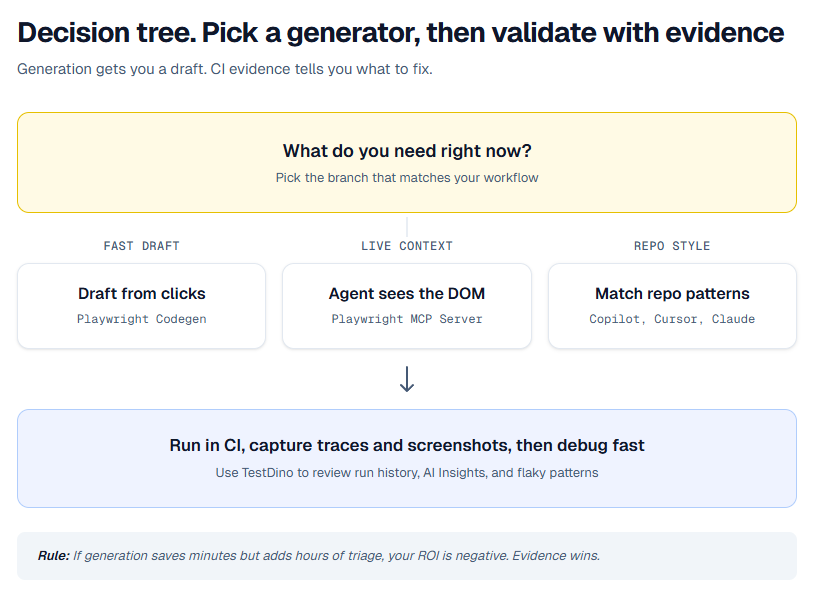
When someone searches "best AI test generation tools for Playwright", they usually mean one of these:
| Type | What it produces | Typical tool | Common failure mode |
|---|---|---|---|
| Recorder driven | Spec file from real clicks | Playwright Codegen | Noisy locators, missing structure, weak asserts |
| Agent with browser control | Specs from live DOM inspection | Playwright MCP Server | Writes brittle flows unless you enforce patterns |
| IDE copilot | New specs, refactors, fixtures, helpers | Copilot and Cursor | Guessed selectors, unstable waits, hidden shared state |
1. Playwright Codegen
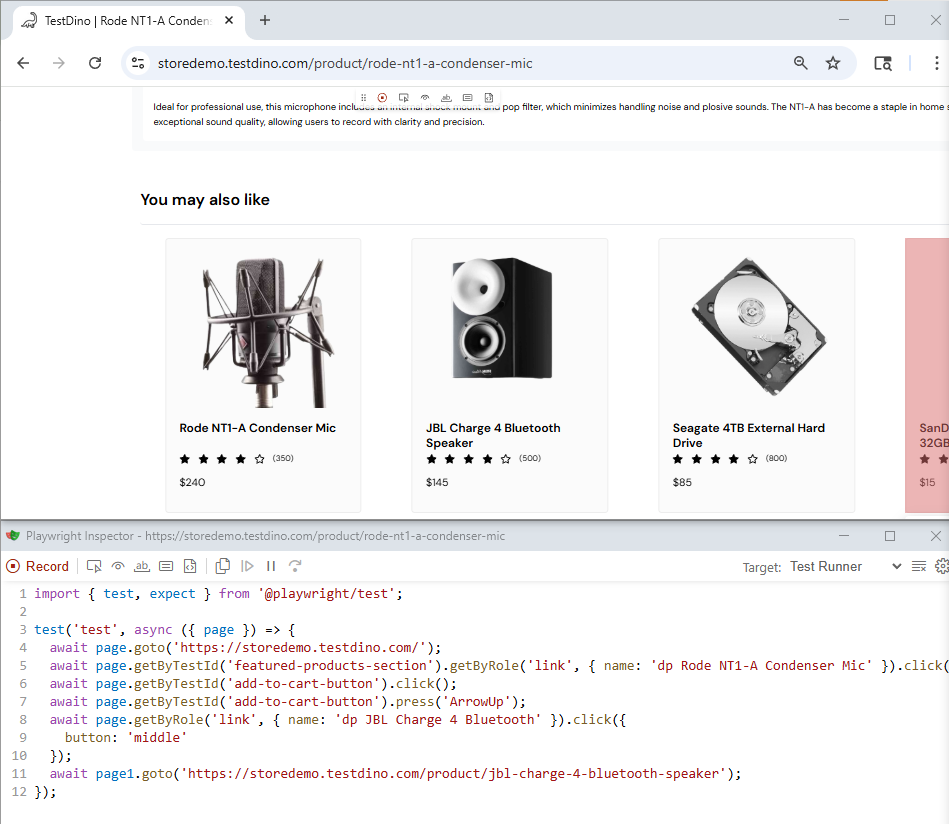
Playwright Codegen is still the speedrun for test generation. You click through the UI, it records actions, and you get runnable code fast.
The right mindset is simple. Codegen gives you a draft. You own the refactor.
Quick integration
Install Playwright, then record a flow.
npm init playwright@latest
npx playwright codegen https://storedemo.cms.testdino.com/
When the inspector generates code, copy it into your test file. Then do these minimum edits before you even think about merging:
-
Replace fragile selectors with role based locators or test ids.
-
Add assertions that prove the outcome, not just clicks.
-
Move login and setup into fixtures so the test stays small.

Tip: Codegen hardening checklist
Before you merge, replace at least one brittle selector with getByRole or getByTestId, add one real assertion on outcome, and move login into a fixture.
If you cannot explain why each wait exists, delete it and wait on a real UI state instead.
Ship it with evidence
Run the new test in CI with traces on. When it fails, open the run in TestDino so the failure comes with trace and screenshot evidence. Fix the exact line that broke, not the whole test.
A trace is a full timeline of the test run, actions, network, console, and DOM snapshots. When CI goes red, the trace tells you what actually happened, not what you think happened.
Let the agent see the DOM before it writes
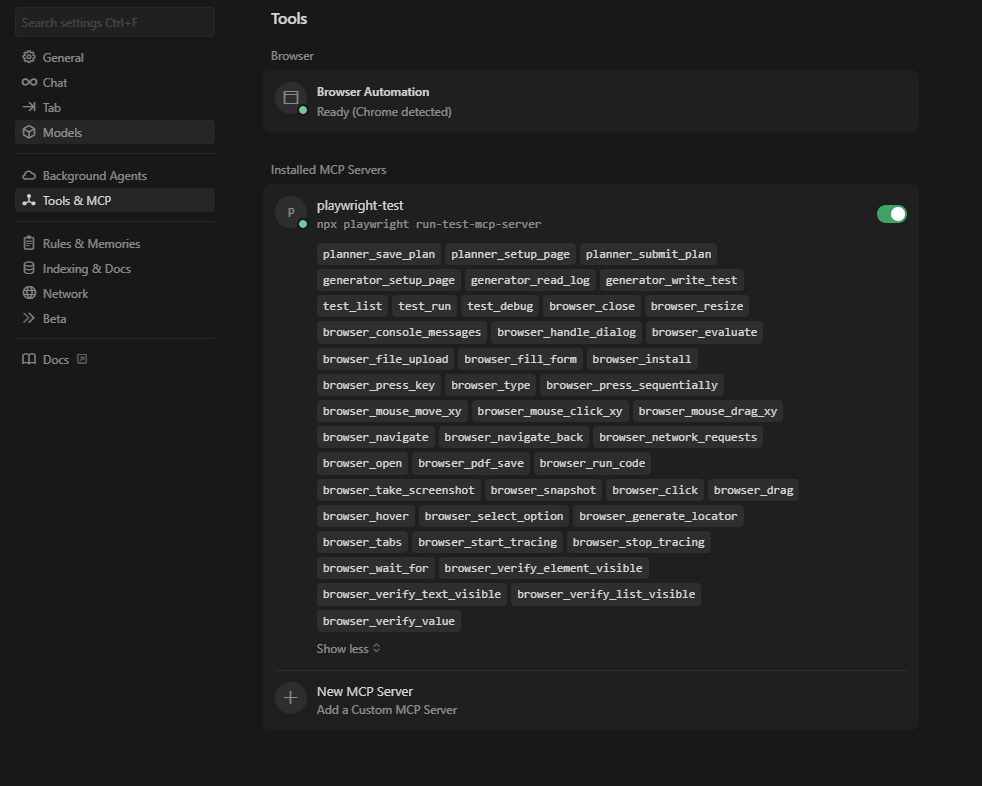
A text only prompt often leads to guessed selectors. Playwright MCP Server changes that by letting an MCP capable client call Playwright tools while generating tests.
That usually means better locators and fewer fake assumptions, especially on dynamic UIs.
Quick integration
If you use Cursor, add the server in MCP settings and point it to the Playwright MCP command.
Example command:
npx @playwright/mcp@latestThen prompt the agent like you would prompt a senior SDET. Be explicit about patterns.
Use these constraints in your first message:
Write Playwright Test specs.
Prefer getByRole and getByTestId locators.
Do not use fixed waits.
Make assertions on stable UI state.
Keep tests small and isolate data per test.
Ship it with evidence
Even with MCP, generation is not validation. Run in CI, then open failures in TestDino. If a test flakes, look at retry patterns and traces before you touch locators.
3. GitHub Copilot
GitHub shines when you already have one good Playwright spec that represents how your team writes tests. It will clone the structure fast.
The failure mode is predictable. If your prompt is vague, Copilot will invent selectors and sometimes sneak in unstable waits.
Quick integration
Give Copilot context, then request the next test in the same style.
-
Open a clean example spec and your fixture setup in the editor.
-
Ask Copilot to generate a new spec that follows the same fixture, locator, and assertion pattern.
-
Ask it to extract repeated blocks into helpers instead of copy pasting.
Prompt you can reuse:
Generate a Playwright test for the Checkout happy path.
Follow the structure of features checkout smoke spec.
Use existing fixtures and helper functions.
Prefer getByRole and getByTestId.
No fixed waits. Add assertions for the outcome.
Return a diff.Note: What "return a diff" means
You want a patch you can review in a PR, not a wall of code.
It keeps changes scoped and makes it obvious what the assistant actually modified.
Ship it with evidence
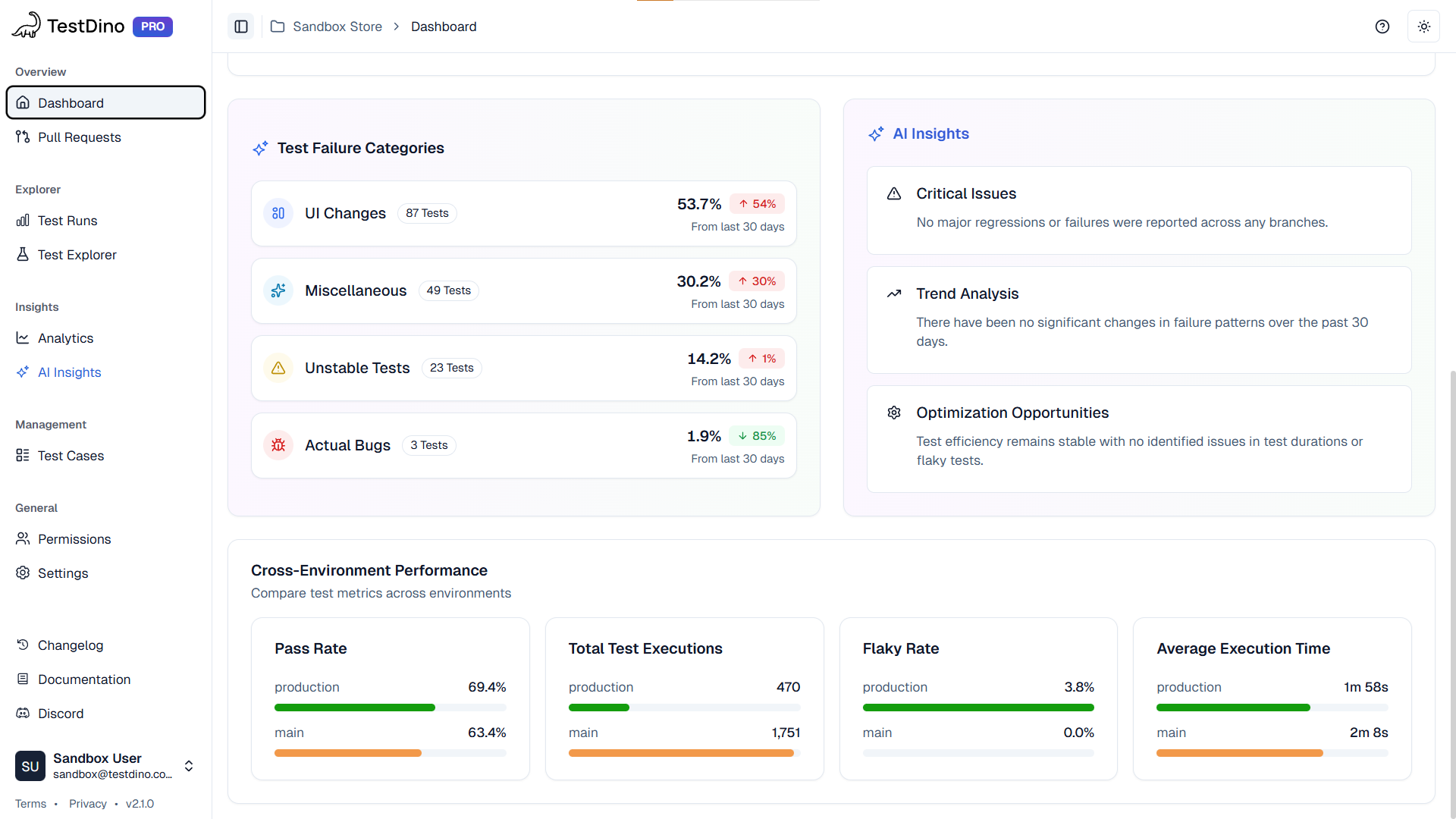
Run the PR in CI and review failures in TestDino AI Insights. If AI Insights flags flaky patterns or repeated timeouts, fix the waiting strategy and shared state before adding more tests.
4. Cursor
Cursor is strong when you want test generation that stays consistent with your repo. The key is rules. If you do not tell Cursor how your suite is structured, it will invent structure.
Quick integration
Do this once, then you can scale generation safely.
-
Create a short Playwright conventions doc in your repo. Include folder layout, fixtures, and locator rules.
-
Pin that file in Cursor context before you generate.
-
Ask Cursor to generate one test, run it, then generate the next test based on what passed.
Ship it with evidence
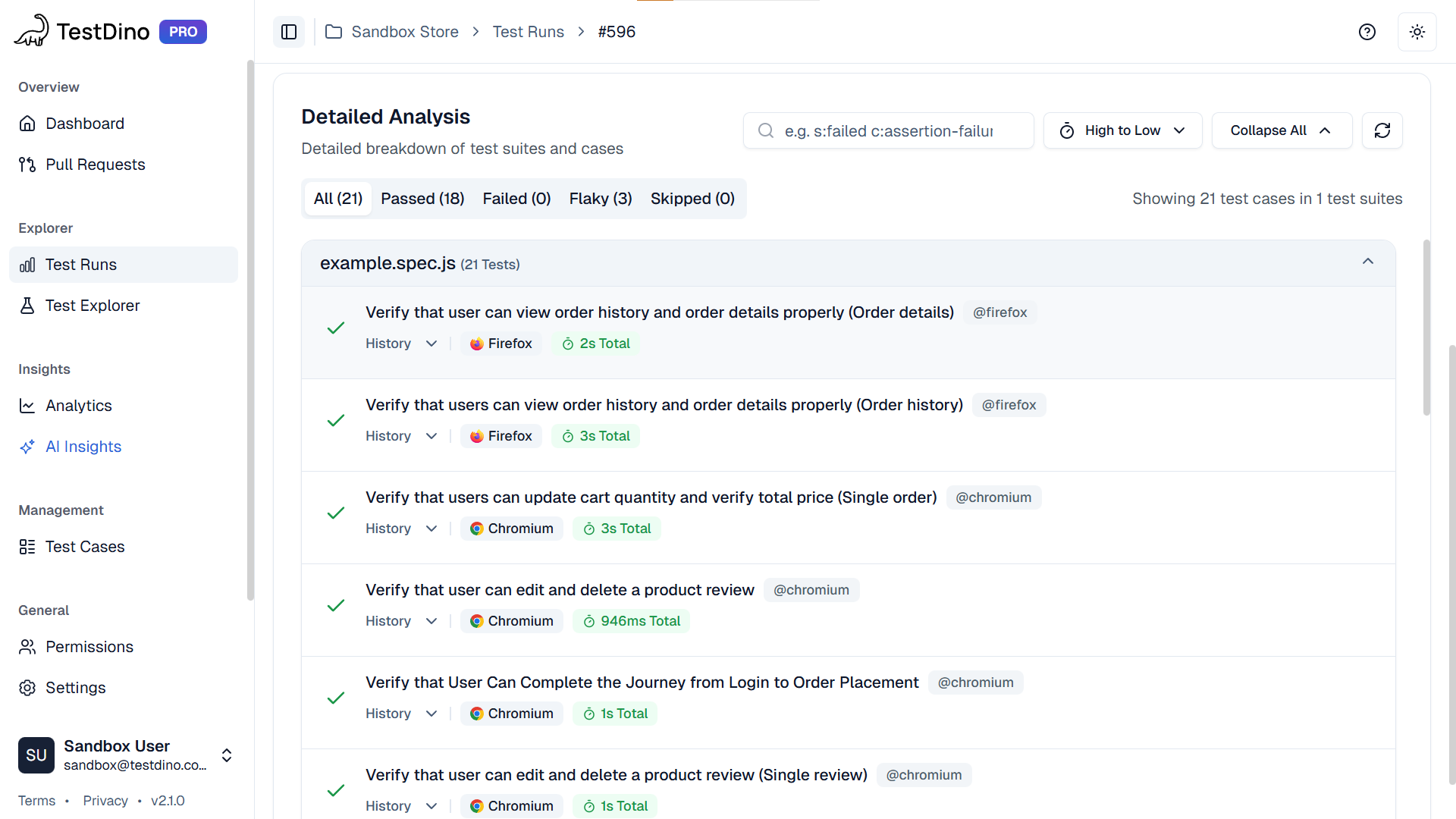
Use the TestDino CLI to keep your loop tight. Stream the run, then debug failures from trace and screenshot artifacts without switching tools.
5. Claude
Claude is useful when you need multi file refactors, not a single spec. Examples: moving to page objects, rebuilding auth fixtures, or reorganizing a suite by feature.
Claude is best when you ask for diffs and you keep constraints strict.
Quick integration
Ask for a diff, and keep the request scoped.
-
Provide 1 to 2 example specs and your fixtures.
-
State repo conventions and locator rules.
-
Ask for a patch diff only.
Prompt you can reuse:
Refactor these Playwright specs to use the existing CheckoutPage page object.
Do not change test intent.
Prefer getByRole and getByTestId.
No fixed waits.
Return a diff only.
Ship it with evidence
If Claude is connected through TestDino MCP, it can read the failing run and propose fixes grounded in the real trace. That is the difference between a generic rewrite and a clean patch.
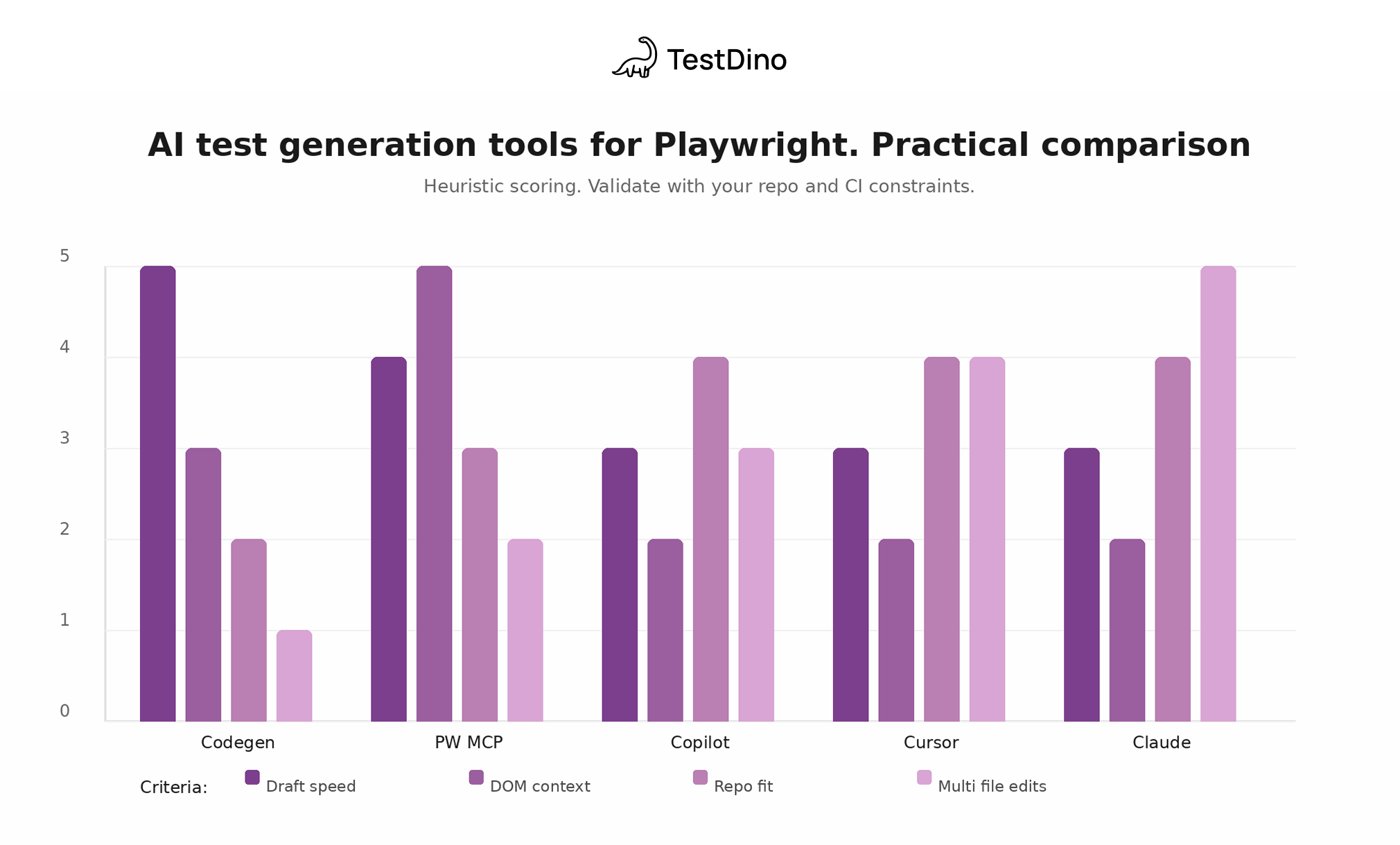
Generator comparison chart
This is a heuristic view of what each generator is good at. It is not a benchmark.
Use it to decide what to try first, then validate with your repo.
After generation. How to make AI generated tests stable in CI
This is the part that decides whether AI helps your team or adds chaos. Generated tests fail for the same reasons as hand written tests, just faster.
What you need is evidence, run history, and a tight feedback loop. That is where TestDino fits. It is not a generator. It is how you validate and fix generated tests at scale.
What TestDino gives you for generated suites
| Capability | Why it matters after generation |
|---|---|
| Traces and screenshots | Every failure has proof, so you stop guessing |
| Run history | You can compare commits and branches and see when a test started drifting |
| AI Insights | You can separate product regressions from test regressions faster |
| Flaky tracking | You can see retry patterns and quarantine intentionally |
| MCP integration | Your assistant can propose fixes grounded in real run artifacts |
Setup
Add the TestDino reporter to your Playwright config so every run streams to TestDino with its traces and screenshots attached.
// playwright.config.ts
import { defineConfig } from '@playwright/test';
export default defineConfig({
  use: {
    trace: 'on-first-retry',
    screenshot: 'only-on-failure',
  },
  reporter: [
    ['list'],
    ['@testdino/playwright', {
      token: process.env.TESTDINO_TOKEN,
    }],
  ],
});
Install it with npm install @testdino/playwright, set TESTDINO_TOKEN as a CI secret, and run npx playwright test. Results stream to TestDino during the run, so the team has one place for failures and artifacts — no upload step.
MCP
If your assistant can only see code, it guesses. If it can see run history, traces, and screenshots, it can patch precisely via TestDino MCP.
Prompt you can use:
Open the latest failed run for branch main.
Find the first failing Checkout test.
Read the trace and screenshot.
Explain the root cause in one paragraph.
Then propose a patch as a diff that fixes the locator or wait strategy.
Do not add sleeps.
Conclusion
AI test generation for Playwright in 2026 is easy. Shipping those generated tests in CI without flaky chaos is the real game.
Use the generators for what they are good at:
-
Codegen to get a quick first draft from real user flows.
-
Playwright MCP Server when you want the agent to see the DOM and stop hallucinating selectors.
-
Copilot, Cursor, Claude when you need repo friendly tests, refactors, and suite scale changes.
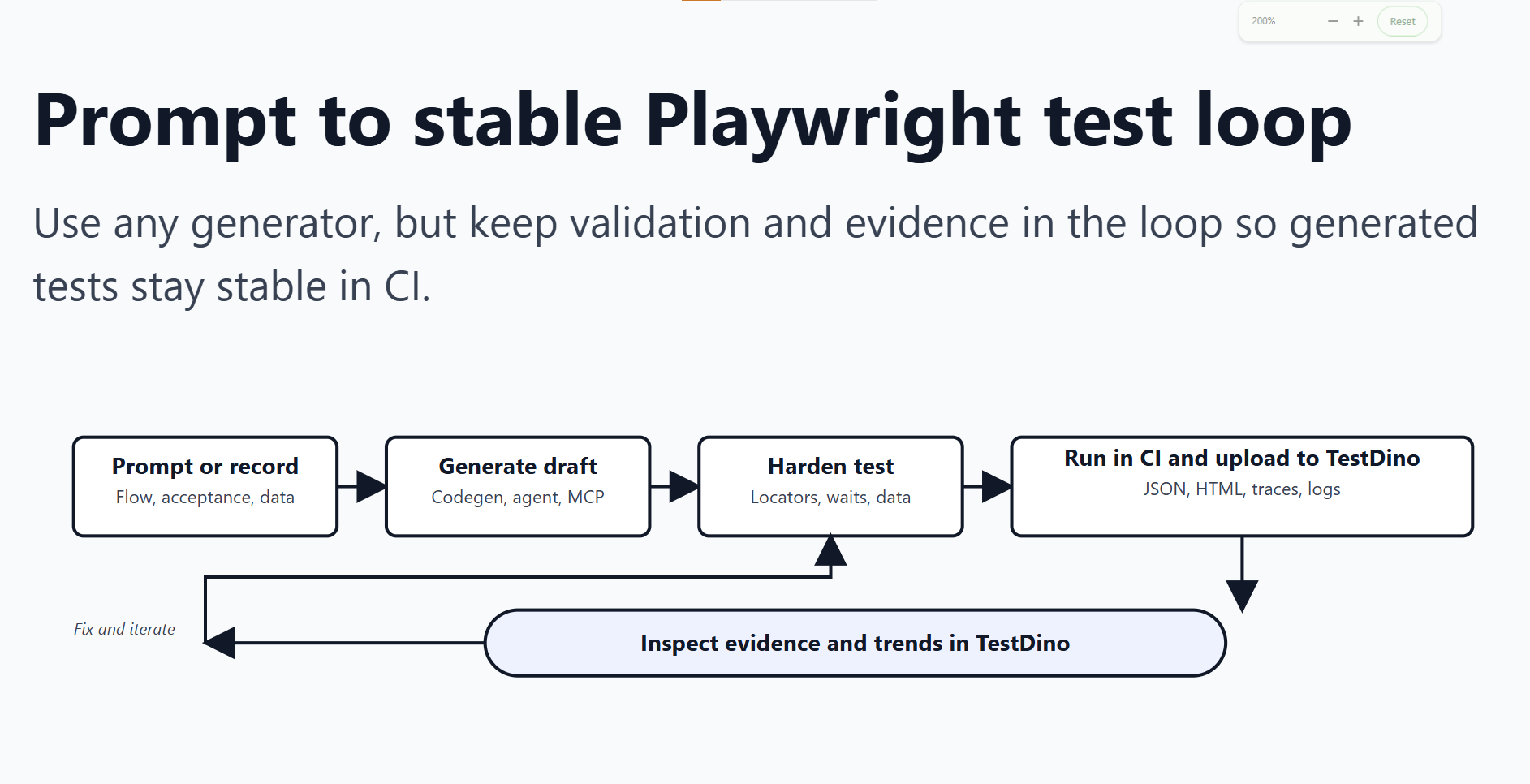
Then lock in a boring, repeatable loop:
Generate. Run in CI. Collect trace and screenshots. Fix the real root cause. Repeat.
If you want that loop to stay fast as the suite grows, push your CI evidence, run history, and flaky patterns into TestDino. It is not a generator, but it is how generated tests become reliable, debuggable, and actually shippable.
FAQs

Vishwas Tiwari
Software Engineer