Puppeteer vs Playwright: Key Differences & Which to Use
Puppeteer is best for simple Chrome automation and scraping. Playwright is better for scalable, cross-browser testing with built-in tools and stability.
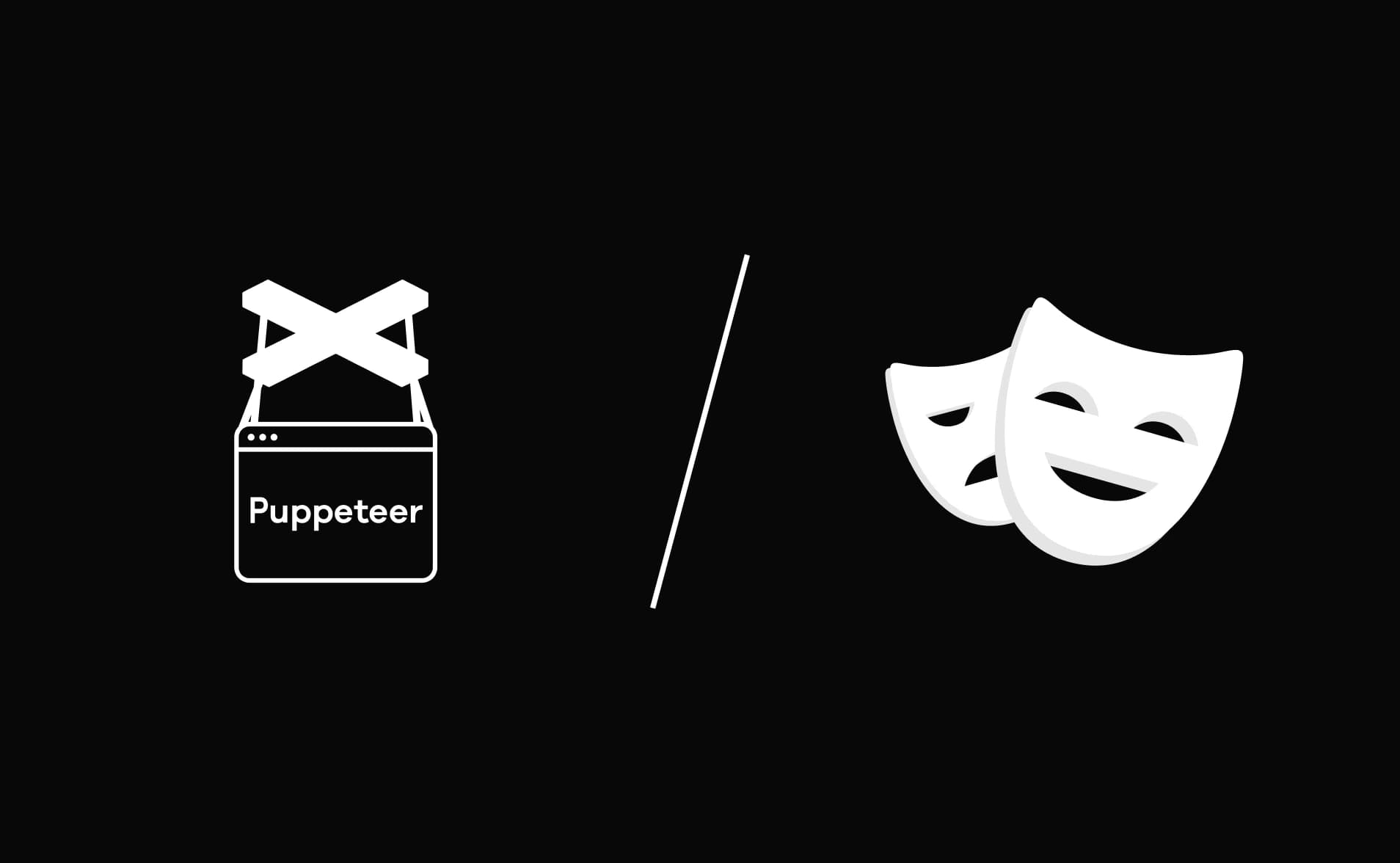
There was a time when browser automation meant writing fragile scripts, adding manual waits everywhere, and debugging CI failures that magically “worked on my machine” but broke in production.
Then Puppeteer arrived and gave developers clean, programmatic control over Chromium. Not long after, Playwright entered the ecosystem and quietly raised the bar with multi-browser support and a more structured execution model.
Fast forward to 2026, and the real debate isn't about which tool is newer; it's about which one fits your architecture, your scaling strategy, and your long-term maintenance plan.
If you're stuck between Puppeteer vs Playwright, you're not just picking between two APIs; you're deciding how your automation will scale, how much control you want, and how much complexity you're willing to manage long term.
In this guide We’ll break down Playwright vs Puppeteer from a systems perspective, architecture, isolation models, performance behavior, CI impact, and real-world scaling. By the end, you’ll know not just which tool to use, but why.
What is Playwright?
Playwright is a modern end-to-end testing framework built by Microsoft. It is designed for fast, reliable, and cross-browser automation.
Playwright allows you to automate Chromium, Firefox, and WebKit using a single API. This makes it one of the most powerful browser automation frameworks in 2026.
Playwright is not just for UI testing. It also supports API testing, mobile web emulation, parallel execution, and network interception. If you are building modern web apps and want stable automation, Playwright automation is built for that purpose.
Key Features of Playwright
Playwright is powerful because it solves many problems that older automation tools struggled with.
-
Supports Chromium, Firefox, and WebKit (true cross-browser testing)
-
Built-in auto-waiting system (no manual waits needed)
-
Native test runner with parallel execution
-
API testing support using the request context
-
Mobile device emulation
-
Network interception and request mocking
-
Trace viewer with screenshots and videos
-
Built-in retries and test isolation
This makes Playwright a complete end-to-end testing framework.
Advantage of Playwright
Playwright solves real-world automation problems that developers face daily.
-
Very stable and reduces flaky tests
-
cross-browser testing without extra setup
-
Built-in parallel execution for faster pipelines
-
Supports modern CI/CD environments easily
-
Can combine UI testing and API testing in one framework
-
Strong debugging tools like the trace viewer
If you are comparing Puppeteer vs Playwright, stability is where Playwright wins strongly.
Disadvantage of Playwright
Even though Playwright is powerful, it has some limitations.
-
Slightly heavier installation size
-
Learning curve if you are new to testing
-
Overkill for very small scraping projects
If your project is very small and only needs Chromium automation, Playwright may feel too large.
What is Puppeteer?
Puppeteer is an open-source Node.js library that provides a high-level API to control Chromium-based browsers through the Chrome DevTools Protocol (CDP). It was originally developed by the Chrome DevTools team at Google to enable reliable, scriptable browser automation directly on top of Chromium's debugging interface.[/tips_banner]
At its core, Puppeteer establishes a direct CDP session with a browser instance, allowing developers to programmatically control pages, intercept network requests, execute JavaScript in the browser context, and simulate user interactions with precision. Because it communicates directly with Chromium, it exposes powerful low-level capabilities while maintaining a relatively simple API surface.
Key Features of Puppeteer
-
Provides direct programmatic control over Chromium through the Chrome DevTools Protocol.
-
Supports both headless and headed browser execution modes.
-
Delivers fast execution due to tight integration with Chromium.
-
Offers a clean and minimal API for browser automation tasks.
-
Enables network interception and request/response manipulation.
-
Works well for scraping, performance analysis, and automation workflows.
-
Officially supports Chromium-based browsers only.
Advantages of Puppeteer
-
Lightweight and straightforward to set up in Node.js environments.
-
Ideal for Chrome-only automation use cases.
-
Well-suited for scraping and custom automation scripts.
-
Strong integration with Chrome DevTools for debugging and tracing.
-
Flexible enough to build internal automation tools and utilities
-
Minimal abstraction makes low-level control easier.
Disadvantages of Puppeteer
-
No official cross-browser support beyond Chromium.
-
Does not include a built-in test runner.
-
Parallel execution requires external tooling.
-
No native API testing framework support.
-
Maintenance overhead increases in large-scale test suites.
-
Scaling requires custom orchestration and infrastructure decisions.
Installation, Setup, and the Script
Let's install both tools step-by-step.
Installing Puppeteer
#Option 1: Full install: downloads Chrome automatically
npm install puppeteer
# Option 2: puppeteer-core:  no browser download (you manage Chrome yourself)
npm install puppeteer-core
# Check installed version
npx puppeteer --version
After npm install puppeteer, it automatically downloads a compatible version of Chrome into your local cache (~/.cache/puppeteer). You don't need Chrome installed on your machine; Puppeteer brings its own.
First Puppeteer script :
import puppeteer from 'puppeteer';async function run() {// 1. Launch the browser const browser = await puppeteer.launch({ headless: true });
  // 2. Open a new tab (page)
  const page = await browser.newPage();
  // 3. Navigate to a URL
  await page.goto('https://quotes.toscrape.com');
  // 4. Wait for the quotes to appear on screen
  await page.waitForSelector('.quote');
  // 5. Extract all quote texts from the page
  const quotes = await page.$$eval('.quote .text', elements =>
    elements.map(el => el.textContent)
); console.log('Scraped Quotes:'); quotes.forEach((q, i) => console.log(`${i + 1}. ${q}`));
  // 6. Always close the browser — leaving it open leaks memory
  await browser.close();
}
run();
Run it:
node puppeteer-first-script.jsYou'll see a list of quotes printed in your terminal. The browser opened, navigated, scraped, and closed all in seconds.

Installing Playwright
# Option 1: Full project scaffold (recommended for new projects)
npm init playwright@latest
# Option 2: Add to existing project
npm install -D @playwright/test
# Install only Chromium (lighter for CI)
npx playwright install chromium
# Install all browsers with OS-level dependencies (best for Linux CI)
npx playwright install --with-deps
# Check version
npx playwright --version
When you run npm init playwright@latest, it asks you a few questions:
✔ Do you want to use TypeScript or JavaScript? · JavaScript
✔ Where to put your end-to-end tests? · tests
✔ Add a GitHub Actions workflow? · true
✔ Install Playwright browsers? · true
It creates this structure:
playwright.config.ts → Central configuration file
tests/example.spec.ts → Sample test file
package.json → Project dependencies and scripts configuration
First Playwright script:
const { test, expect } = require('@playwright/test');
test('scrape quotes from toscrape', async ({ page }) => {
  // 1. Navigate to the page
  // Playwright auto-waits for the page to load
  await page.goto('https://quotes.toscrape.com');
  // 2. Playwright auto-waits for the locator to be visible
  const quoteLocators = page.locator('.quote .text');
  // 3. Extract all quote texts
  const quotes = await quoteLocators.allTextContents();
  console.log('Scraped Quotes:');
  quotes.forEach((q, i) => console.log(`${i + 1}. ${q}`));
  // 4. Assert at least one quote was found
expect(quotes.length).toBeGreaterThan(0);
});
Run it:
npx playwright test tests/example.spec.js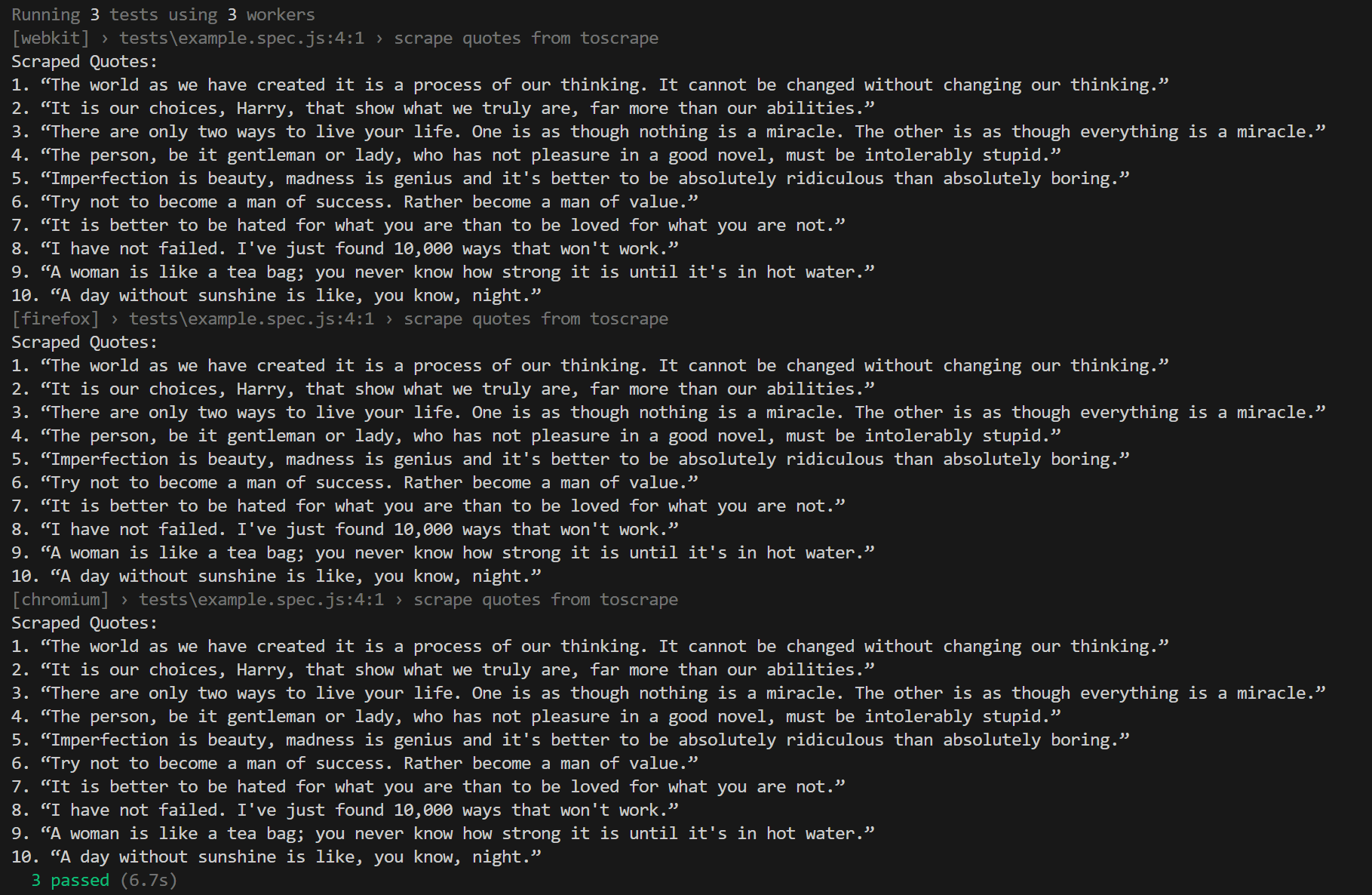
Notice what's missing in the Playwright version: there's no waitForSelector, no manual browser closing, and no try/catch block for cleanup.
Playwright automatically handles browser launch and teardown through its built-in fixture system ({ page }). That means you don't have to manually open or close the browser; Playwright does it for you.
This doesn't just make the code shorter. It makes your tests safer and more reliable because resource management is handled consistently behind the scenes. For advanced debugging visibility during failures, explore Playwright Trace Viewer.
Network Interception, Request Mocking, and Proxy Architecture
Network interception lets you catch and control API requests made by a webpage. This is extremely useful in testing because you often don't want real external systems (like payment gateways or analytics tools) to run during automation.
For example, when testing a checkout page, you don't want to actually charge a credit card every time. Instead, you intercept the payment API request and return a fake "success" response. Both Puppeteer and Playwright support this, but they handle it in different ways.
Why Network Interception Matters
Imagine you're testing a checkout flow:
-
The page sends a request to /api/payment
-
Normally, this would charge a real card
-
In automation, you intercept it
-
You return a fake successful response
This process is called request mocking, and it makes tests faster, safer, and more predictable.
Network Interception in Puppeteer
import puppeteer from 'puppeteer';
const browser = await puppeteer.launch();
const page = await browser.newPage();
// ⚠️ This enables interception for ALL requests on the page
// You MUST handle every single request — or the page hangs
await page.setRequestInterception(true);page.on('request', (request) => { const url = request.url(); if (url.includes('/api/payment')) { // Mock the payment API response request.respond({ status: 200, contentType: 'application/json', body: JSON.stringify({ success: true, transactionId: 'MOCK-123' }) }); } else if (url.includes('analytics.google.com')) { // Block analytics — we don't want tracking noise in tests request.abort(); } else {// ← You MUST call this for every other request or the page freezes request.continue(); } });
await page.goto('https://shop.example.com/checkout');
await browser.close();
What's Important Here:
-
setRequestInterception(true) turns interception on for all requests.
-
You must handle every request manually.
-
If you forget request.continue() for even one request type, the page will hang.
-
This is a very common source of confusing Puppeteer test failures.
Puppeteer gives you full control, but that also means full responsibility.
Network Interception in Playwright
const { test } = require('@playwright/test');
test('checkout with mocked payment API', async ({ page, context }) => {
  // Intercept only the payment API
  await context.route('**/api/payment', async (route) => {
    await route.fulfill({
      status: 200,
      contentType: 'application/json',
      body: JSON.stringify({ success: true, transactionId: 'MOCK-123' })
    });
  });
  // Block analytics requests
  await context.route('**/analytics/**', route => route.abort());
  // All other requests continue automatically
  await page.goto('https://shop.example.com/checkout');
  // Verify order confirmation appears
  await page.waitForSelector('.order-confirmation');
});
What's Different Here
-
context.route() only intercepts the URLs you define.
-
All other requests automatically continue.
-
No need for a request.continue() logic.
-
Routes apply to all pages inside the same BrowserContext.
This reduces boilerplate and lowers the risk of accidentally freezing the page.
What Makes Playwright's Approach Cleaner
-
Interception is opt-in, not global.
-
Non-matching requests flow normally.
-
Matching supports glob patterns like **/api/**.
-
Routes can be set at the context level, not just per page.
This design makes large test suites easier to manage.
Proxy Setup Comparison
Sometimes you need your browser to run through a proxy server.
Puppeteer Proxy
const browser = await puppeteer.launch({
 args: ['--proxy-server=https://proxy.example.com:8080']
});
In Puppeteer:
-
Proxy is set when launching the browser.
-
All pages share the same proxy.
-
You cannot easily assign different proxies per test.
Playwright Proxy (Per Context)
const { chromium } = require('playwright');
(async () => {
  const browser = await chromium.launch();
  const context = await browser.newContext({
    proxy: {
      server: 'http://proxy.example.com:8080',
      username: 'proxyuser',
      password: 'proxypass'
    }
  });
  const page = await context.newPage();
  await page.goto('https://example.com ');
  await browser.close();
})();
In Playwright:
-
Proxy can be set per BrowserContext.
-
Different tests can use different proxies.
-
Parallel tests can run with separate proxy configurations.
This gives more flexibility in distributed or geo-based testing setups.
Migration Complexity, Long-Term Maintenance, and the Decision Matrix
Choosing a tool is not just about features; it's about how hard it is to switch later and how much maintenance it creates over time.
Let's break this down clearly and practically.
If you're starting a new automation project in 2026, Playwright is usually the safer default. You get auto-waiting, a built-in test runner, cross-browser support, and Trace Viewer without adding extra tools.
Puppeteer still makes sense from scratch if:
-
You need raw CDP access for deep DevTools-level automation.
-
You are building a Chrome-only scraping tool and want to use the puppeteer-extra-plugin-stealth ecosystem.
-
Your team is fully invested in JavaScript + Jest and does not want to change tooling.
Migrating from Puppeteer to Playwright
Migration is possible, but it's not just a simple find-and-replace. Some APIs map directly, but the structure of your test suite usually needs changes.
Here is a practical API comparison.
API Translation Guide
| Action | Puppeteer | Playwright |
|---|---|---|
| // Browser launch | puppeteer.launch() | chromium.launch() |
| // New page | browser.newPage() | context.newPage() |
| // Navigate | page.goto(url) | page.goto(url) |
| // Wait for element | page.waitForSelector('.btn') | page.locator('.btn').waitFor() |
| // Click | page.click('.btn') | page.locator('.btn').click() |
| // Type into the input | page.type('#input', 'hello') | page.locator('#input').fill('hello') |
| // Extract text | page.$eval('h1', el => el.textContent) | page.locator('h1').textContent() |
| // Extract multiple elements | page.$$eval('.item', els => els.map(...)) | page.locator('.item').allTextContents() |
| // Wait for navigation | page.waitForNavigation() | page.waitForURL() // or auto-handled |
| // Network interception | page.setRequestInterception(true) | context.route('**', route => ...) |
| (Continuation of network interception) | page.on('request', req => req.continue()) | (not needed — auto-continues) |
| // Screenshot | page.screenshot({ path: 'sc.png' }) | page.screenshot({ path: 'sc.png' }) |
| // Evaluate JavaScript | page.evaluate(() => document.title) | page.evaluate(() => document.title) // same |
| // Create an incognito context | browser.createBrowserContext() | browser.newContext() |
About 60% of migration work is simple API translation like this. The remaining 40% is structural.
What Cannot Be Replaced Automatically?
These changes require deeper refactoring:
Test structure:
Puppeteer tests often manually manage the browser and page in beforeEach and afterEach.
Playwright uses the test({ page }) fixture model, so tests must be rewritten.
Network interception:
setRequestInterception() logic must be replaced with context.route() patterns.
This is not a one-line change.
Parallel execution:
If you built custom Jest workers to control browser instances, that setup is replaced by the playwright.config.ts worker configuration.
Migration is less about syntax and more about architecture.
Long-Term Maintenance Cost
Puppeteer Long-Term Costs
These issues often appear gradually:
-
Manual wait logic increases as UI complexity grows.
-
No built-in trace system means CI failures require local re-runs.
-
Cross-browser requests from stakeholders require separate tooling.
-
Using Jest or Mocha means maintaining multiple configuration layers.
None of these are blockers, but they increase operational overhead over time.
Playwright Long-Term Advantages
These benefits compound as the suite grows:
-
Auto-wait reduces flakiness caused by timing issues.
-
StorageState centralizes authentication setup.
-
Frequent releases keep browser compatibility updated.
-
Trace Viewer allows debugging CI failures without re-running locally.
Over large test suites, this can significantly reduce maintenance effort.
The Developer Decision Matrix
Use this table based on your situation:
| Your Situation | Choose |
|---|---|
| Starting a new test suite in 2026 | Playwright |
| Need Chrome, Firefox, Safari coverage | Playwright |
| Python / Java / .NET team | Playwright |
| Large team (5+ engineers) | Playwright |
| Need CI trace debugging | Playwright |
| Heavy parallel execution (50+ tests) | Playwright |
| Existing stable Puppeteer suite | Puppeteer |
| Chrome-only scraping with stealth plugins | Puppeteer |
| Need raw CDP protocol access | Puppeteer |
| Solo developer writing quick scripts | Puppeteer |
| Budget-sensitive CI (Chromium only) | Puppeteer |
| Fully invested in the Jest ecosystem | Puppeteer (short-term) |
The real question in playwright vs puppeteer is not which one is better in general. It's which one fits your current architecture, your scaling needs, and your long-term maintenance strategy.
Comparison Table: Playwright vs Puppeteer (2026)
| Feature | Playwright | Puppeteer |
|---|---|---|
| Headless Mode | ||
| Headed Mode | ||
| Scraping | ||
| Cross-Browser Support | Chromium, Firefox, WebKit | Chromium-based only |
| Built-in Test Runner | Playwright Test | Requires Mocha/Jest |
| API Testing | Native request context | Needs external library |
| Parallel Execution | Built-in workers | Manual implementation |
| CI/CD Ready | Zero config for most pipelines | Manual setup required |
| Maintenance for Large Projects | Test isolation + fixtures | Custom structure needed |
| Auto-Waiting | Built-in smart waiting | Manual waits required |
| Network Interception | Context-based routing | Supported but manual |
| Mobile Emulation | Built-in device presets | Basic emulation |
| Test Isolation | Context-level isolation | Manual browser management |
| Debugging Tools | Trace viewer, video, screenshots | Basic debugging |
| Multi-Tab Handling | Native support | More manual work |
| Test Retries | Built-in | Manual implementation |
| Code Structure | Opinionated & structured | Fully manual structure |
| TypeScript Support | First-class support | Supported but not native-first |
| Community Maturity | Rapidly growing | Mature but slower innovation |
| Performance | Very fast with parallel support | single-thread focus |
| Learning Curve | Slightly higher | Easier for small scripts |
| Best For | Scalable automation & testing | Scraping & Chrome-only automation |
Puppeteer vs Playwright: Which to Choose?
Let's make this simple. After comparing everything, the right choice depends on your situation and what you're building.
Choose Playwright if...
Playwright is a better fit when you are building or maintaining a real test suite for a web application. This is where it performs best.
1. You care about flakiness:
- Playwright's auto-wait feature automatically waits for elements to be ready before interacting.
- In large test suites, this reduces random failures and saves many debugging hours in CI.
2. You need cross-browser testing:
- With Playwright, you can write one test and run it on Chrome, Firefox, and Safari.
- This is very useful if your users use different browsers.
3. Your team is growing:
- Playwright has a structured setup with fixtures, config files, and projects.
- This makes it easier to manage as more engineers join the team.
4. You want easier CI debugging:
- Playwright's Trace Viewer lets developers see exactly what happened during a failed test.
- Even junior developers can debug failures without asking senior engineers for help.
In short, Playwright is better for structured, scalable, team-based automation projects.
Choose Puppeteer if...
1. Puppeteer is a better choice when you have a specific and focused use case.
- You're building a scraping tool and need stealth:
- The puppeteer-extra-plugin-stealth ecosystem is mature and widely used for avoiding bot detection.
2. Playwright can do similar things, but Puppeteer's ecosystem here is more established.
- You need direct Chrome DevTools access:
- Puppeteer connects directly to Chrome's DevTools Protocol.
- This is useful for performance profiling, coverage reporting, or sending custom CDP commands.
3. You already have a stable Puppeteer test suite:
- If your existing tests are stable, Chrome-only, and working well, migrating may not be worth the time and cost.
4. You're writing a small automation script:
- For quick scripts or small scraping tasks, Puppeteer's simpler model may feel lighter and more straightforward.
- Puppeteer is still actively maintained and works very well for Chrome-focused automation.
Conclusion
Choosing between Puppeteer vs Playwright is not just about features, but about how your automation will scale over time.
If your goal is reliable end-to-end testing, cross-browser coverage, built-in parallel execution, and API testing within the same framework, Playwright is the stronger long-term investment.
However, if your primary need is lightweight Chromium automation, web scraping, or building small internal tools with minimal setup, Puppeteer remains fast and practical.
In 2026, most growing engineering teams prefer Playwright because it reduces flakiness, simplifies CI/CD integration, and supports modern web application testing at scale.
FAQs

Dhruv Rai
Product & Growth Engineer