Best Open Source Testing Tools in 2026: The Complete QA List
Not every QA budget allows for enterprise licenses. This curated list of the best open source testing tools covers UI automation, API testing, performance, and mobile - all free and CI-ready.




The global test automation market crossed USD 26 billion in 2025 and is projected to reach USD 66 billion by 2032, according to Fortune Business Insights. That growth is largely fueled by open source testing tools, where community-driven frameworks now dominate npm downloads, GitHub stars, and CI pipelines across every major engineering organization.
The problem is not a lack of options. It is the opposite. There are hundreds of free test automation frameworks available, and picking the wrong one costs weeks of migration effort later. Teams often choose a tool based on a single blog post comparison, only to find that it does not fit their CI workflow, language requirements, or protocol needs.
This guide breaks down the best open source testing tools across five core categories. Every recommendation is backed by adoption data, GitHub metrics, and real-world CI/CD compatibility - not opinions.
What open source testing tool means in 2026
Not every “free” tool is open source. Postman provides a free plan but is not open source. Cypress has an open source test runner, but its cloud dashboard (Cypress Cloud) is a paid commercial product.
When evaluating open source QA tools, check three things:
-
License type. MIT and Apache 2.0 are the most permissive. GPL has share-alike requirements that may affect internal distribution.
-
Community activity. Look at GitHub commit frequency, open issue response times, and contributor diversity. A project maintained by one person carries more risk than one backed by a foundation.
-
Commercial backing. Playwright is backed by Microsoft. Grafana k6 is maintained by Grafana Labs. Selenium is governed by the Software Freedom Conservancy. Corporate or foundation sponsorship generally means faster releases and better documentation.
The 5 categories every QA stack must cover before you pick a single tool
Choosing open source testing tools one at a time leads to fragmentation. You end up with overlapping coverage in some areas and zero coverage in others. Before evaluating any specific tool, define what your QA stack needs to cover.
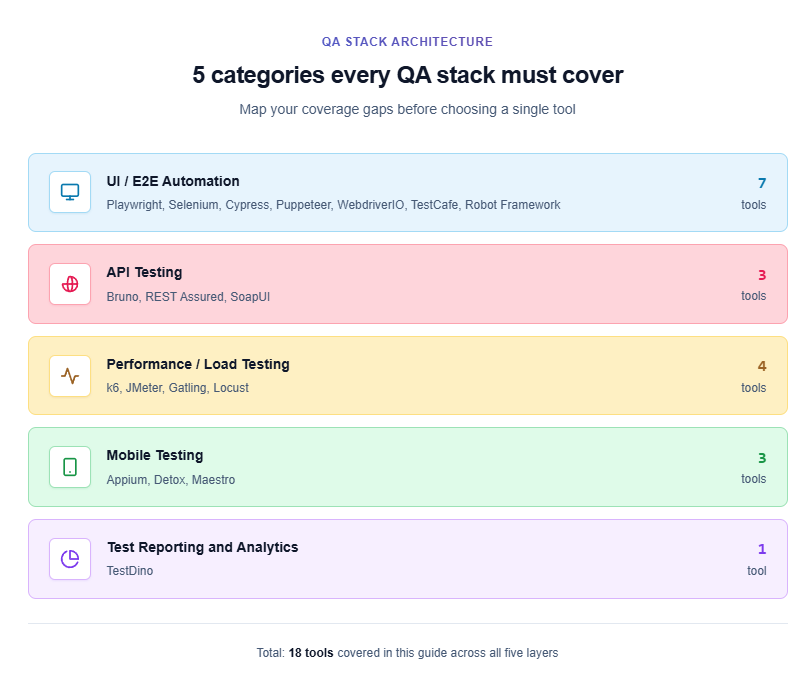
Here are the five categories that every modern testing pipeline requires:
-
UI/E2E automation. Tools that open a real browser, simulate user interactions, and verify visual and functional outcomes. This is where Playwright, Selenium, Cypress, Puppeteer, WebdriverIO, TestCafe, and Robot Framework live.
-
API testing. Tools that validate REST, GraphQL, gRPC, and WebSocket endpoints for correctness, schema compliance, and response times. Recent API testing statistics show that over 60% of production bugs now originate at the API layer.
-
Performance and load testing. Tools that simulate hundreds or thousands of concurrent users to measure throughput, latency, and system stability under stress.
-
Mobile testing. Tools that automate native, hybrid, and mobile web applications on iOS and Android. Cross-platform coverage is still a major gap in most free QA stacks.
-
Test reporting and analytics. Tools that aggregate test results, track failure trends, and surface flaky tests across branches and CI runs. Raw pass/fail output is not enough when you run 500+ tests per pipeline.

Tip: Map your current testing gaps before choosing any tool. If you already have strong API testing but zero performance testing coverage, start there instead of replacing a working UI framework.
The rest of this guide ranks the best open source testing tools in each category, starting with UI automation.
Best open source UI automation testing tools (ranked by CI stability)
UI automation is the most crowded category in the open source testing tools space. The market has shifted dramatically over the past three years, with newer tools gaining ground on established players. Here are the seven that matter most in 2026.
1. Playwright
Playwright is a cross-browser automation framework maintained by Microsoft. It communicates directly with browser engines through native protocols instead of going through an intermediate driver layer.
Why it ranks first for CI stability:
-
Auto-waiting. Every action call checks six conditions before executing. This eliminates the timing issues that cause most flaky tests in CI.
-
Built-in parallelism. Workers and sharding are first-class features. Playwright parallel execution lets you split 200 tests across 4 CI agents without any external grid.
-
Trace Viewer. Failed tests produce trace files with DOM snapshots, network logs, and a visual filmstrip for fast post-mortem debugging.
Adoption metrics (Q1 2026, per npm trends and GitHub): ~85,000 GitHub stars, ~33 million weekly npm downloads, supports TypeScript, JavaScript, Python, Java, and C#.
Teams looking to get started can follow the Playwright E2E testing setup guide for a working configuration in under 10 minutes.
2. Selenium
Selenium is the longest-running browser automation project in the industry. It uses the W3C WebDriver protocol and supports more languages and browser versions than any other framework.
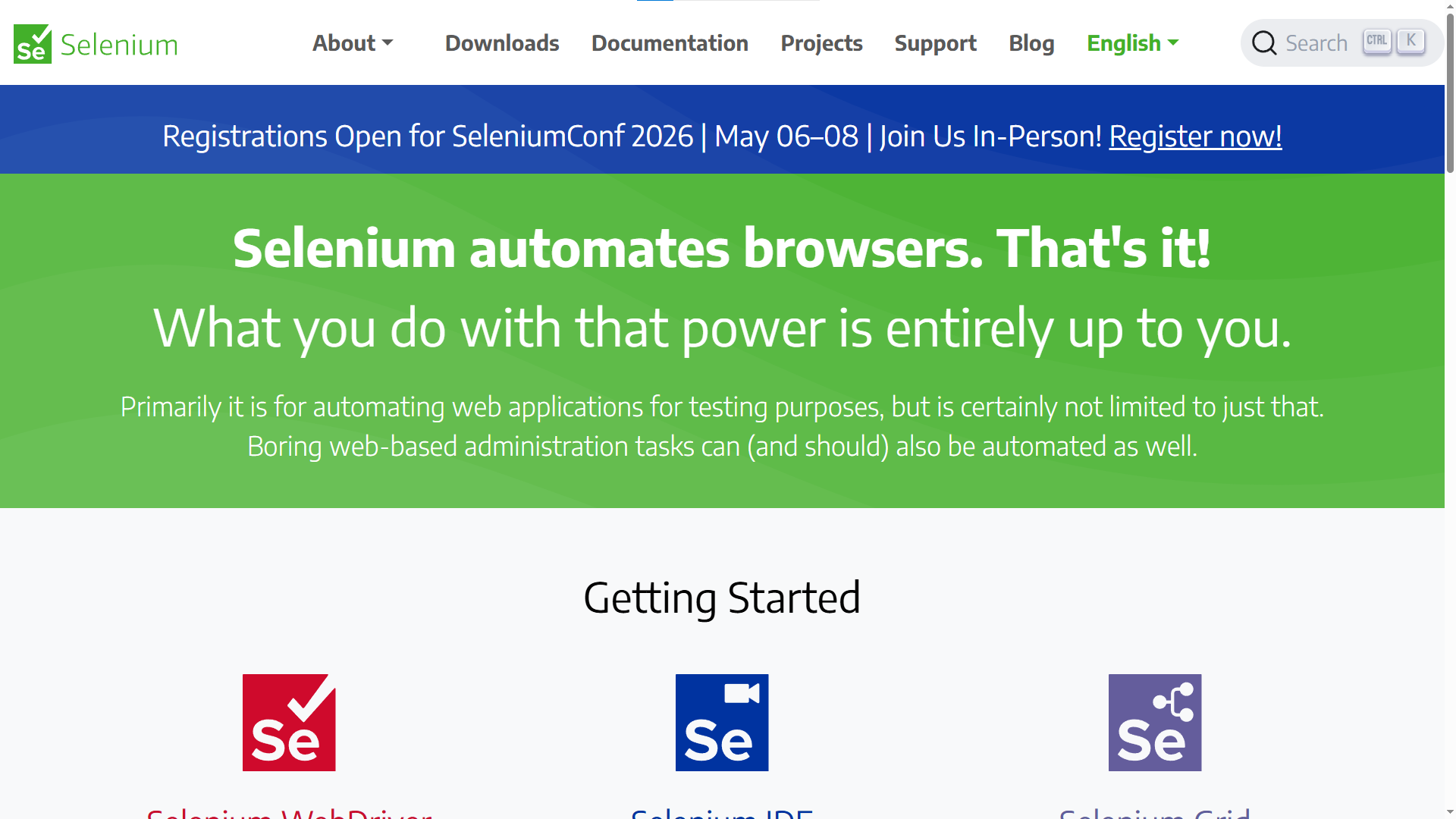
Where it leads: broadest language support (Java, Python, C#, Ruby, JS, Kotlin), legacy browser compatibility, Appium integration for mobile, and Selenium Grid for distributed execution.
Where it falls behind: manual wait strategies, separate driver binaries, no built-in trace viewer, higher resource consumption per session.
For teams considering a move, the Selenium to Playwright migration guide covers a phased approach that avoids a full rewrite.
3. Cypress
Cypress runs inside the browser itself using JavaScript injection. This gives it deep DOM access and a real-time interactive test runner that is hard to match for local development feedback. Strengths: time-travel debugging, automatic screenshot and video capture, extensive plugin ecosystem, and strong component testing for React, Vue, and Angular.
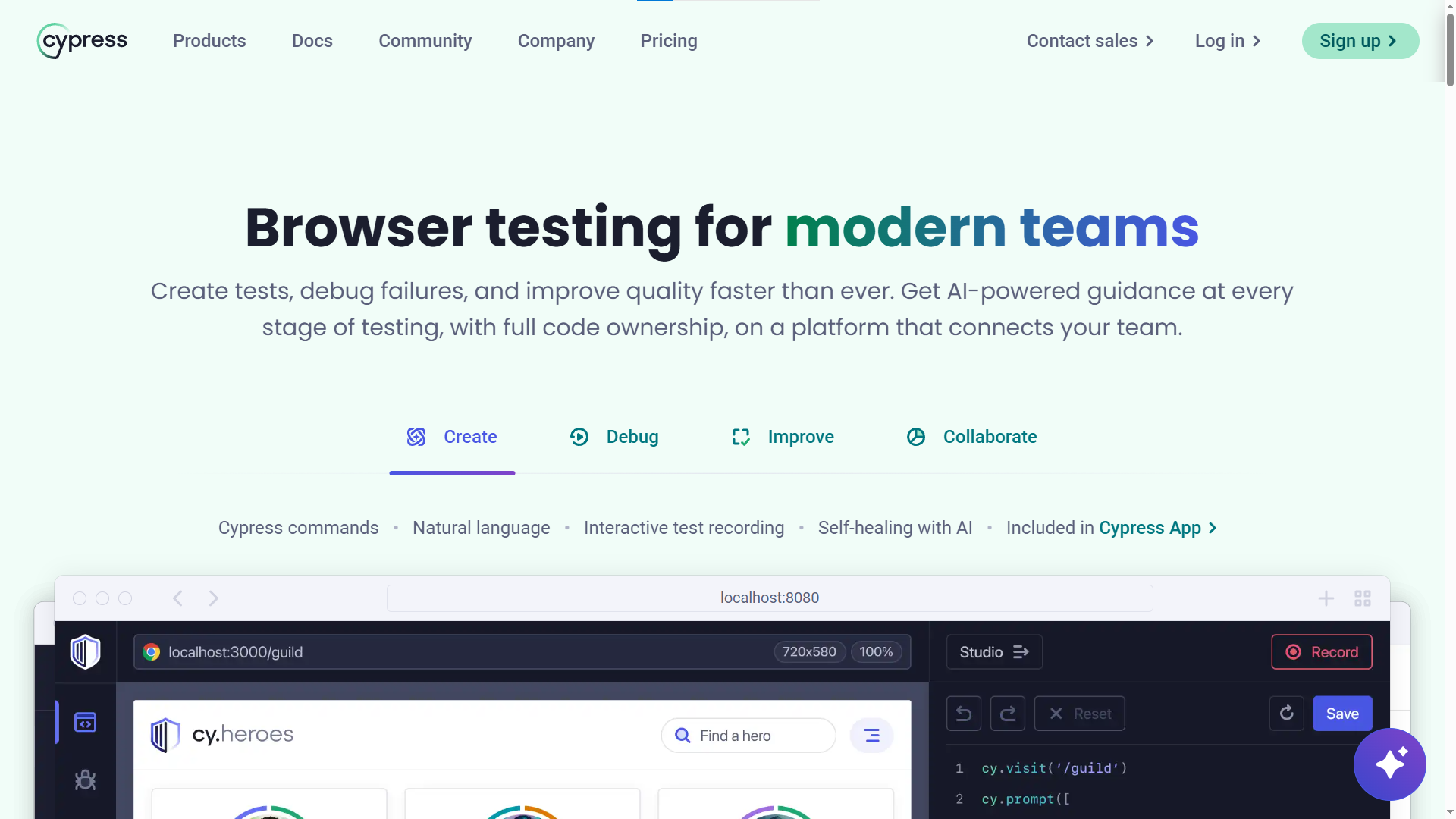
Limitations: JS/TS only, limited cross-browser coverage (no full WebKit/Safari), restricted multi-tab support, and the cloud dashboard is a paid product.
4. Puppeteer
Puppeteer is a Node.js library maintained by Google's Chrome DevTools team. It provides a high-level API for browser automation over the Chrome DevTools Protocol. Adoption metrics (Q1 2026): ~94,000 GitHub stars (the highest on this list), ~8.6 million weekly npm downloads.
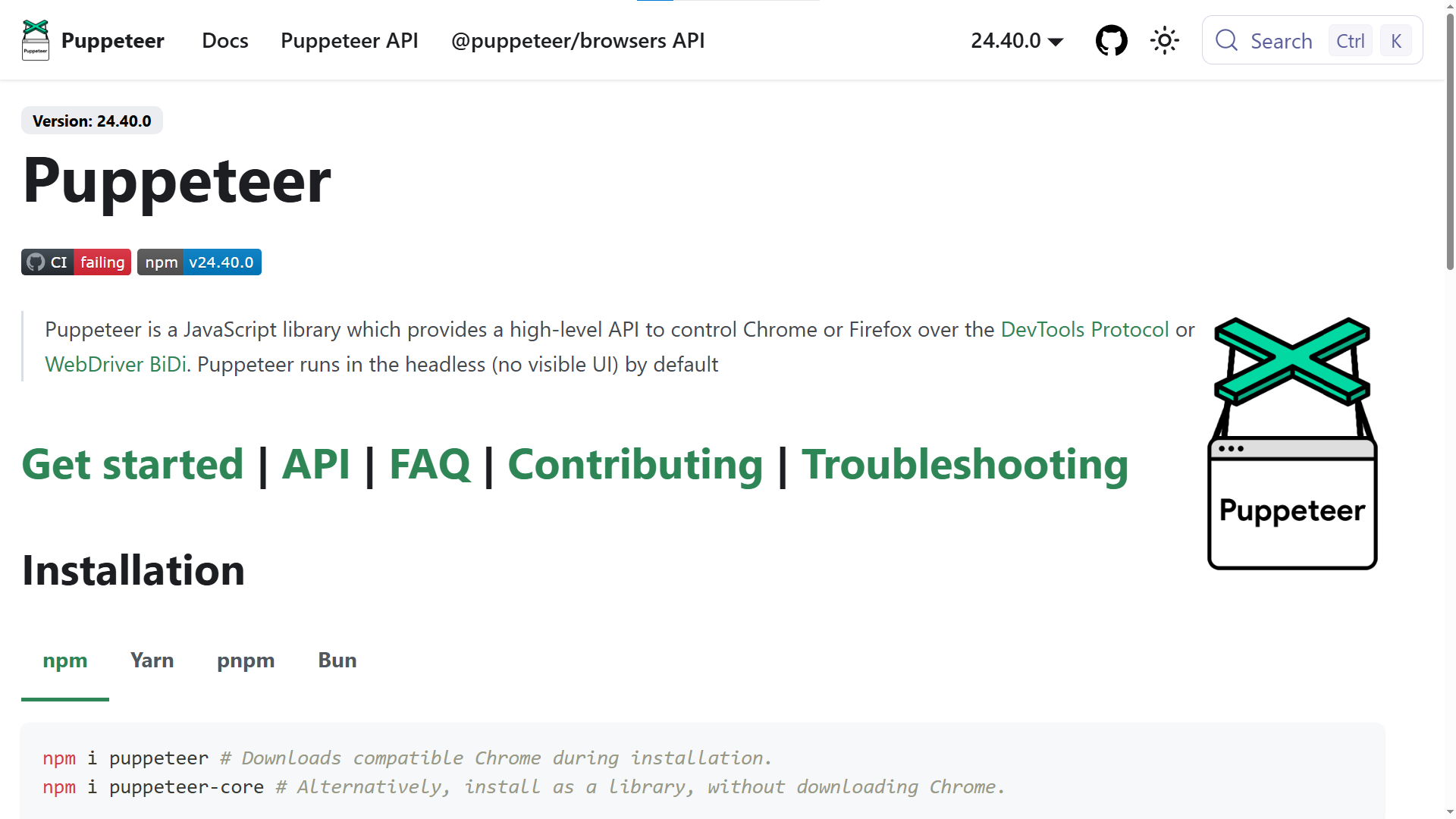
Puppeteer is not a test framework. It is a browser control library. Many teams use it for web scraping, PDF generation, and screenshot automation alongside their test suites. For testing, it pairs with Jest, Mocha, or any assertion library.
Best for: teams that need programmatic browser control beyond testing - crawling, rendering pipelines, and automation scripts. For dedicated E2E testing, Playwright offers more features out of the box.
5. WebdriverIO
WebdriverIO is a progressive automation framework governed by the OpenJS Foundation. It supports both the WebDriver protocol and Chrome DevTools Protocol, giving teams flexibility in how they communicate with browsers. Adoption metrics: ~9,800 GitHub stars, actively maintained with v9 releases shipping in 2026.
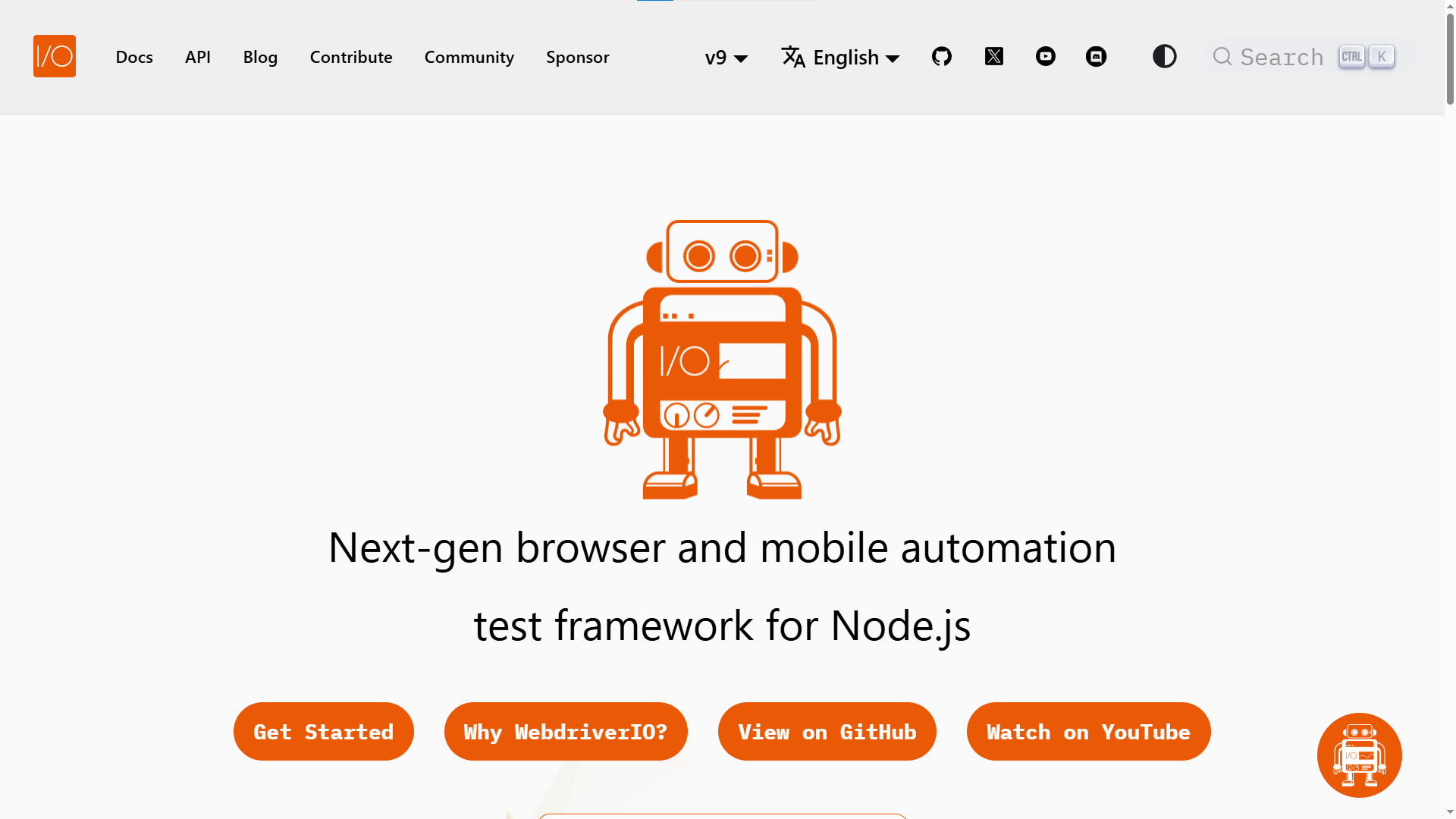
Key strengths:
-
Unified framework for E2E, unit, and component testing
-
Built-in auto-wait and smart waiting mechanisms
-
Native Appium integration for mobile testing
-
Built-in Lighthouse support for performance and accessibility audits
-
Works with Mocha, Jasmine, and Cucumber out of the box
Best for: teams that need a single Node.js framework covering both web and mobile automation through the same API.
6. TestCafe
TestCafe is an open source test framework by DevExpress. It runs tests through a URL-rewriting proxy, which means it does not require browser drivers at all. Install it, point it at a browser, and run. Adoption metrics: ~9,800 GitHub stars, latest release v3.7.4 (January 2026).
Key strengths:
-
Zero WebDriver dependency - no ChromeDriver, no Geckodriver
-
Built-in auto-waiting for page loads and XHR requests
-
Live Mode for instant test reruns during development
-
Native parallel execution across browser instances
Limitations: JS/TS only, smaller community than Playwright or Cypress, fewer CI integration examples in the documentation.
Best for: teams that want the simplest possible setup with zero driver management overhead.
7. Robot Framework
Robot Framework is a keyword-driven automation framework built on Python. Its plain-text syntax makes tests readable for non-technical stakeholders, which is why it is widely adopted in Acceptance Test-Driven Development workflows.It is not a browser tool on its own. It integrates with SeleniumLibrary or BrowserLibrary (Playwright-based) for web, and AppiumLibrary for mobile.
Best for: Teams spanning web, API, desktop, and mobile layers who need a readable, keyword-driven syntax that QA managers and product owners can review directly.
| Tool | GitHub Stars | Language Support | Cross-Browser | Auto-Waiting | Parallelism |
|---|---|---|---|---|---|
| Playwright | ~85,000 | JS/TS, Python, Java, C# | Chromium, Firefox, WebKit | Yes (6 checks) | Workers + Sharding |
| Puppeteer | ~94,000 | JS/TS | Chromium, Firefox (experimental) | Manual | Manual (multi-page) |
| Cypress | ~49,600 | JS/TS only | Chromium, limited Firefox/WebKit | Retry-ability | Cypress Cloud (paid) |
| Selenium | ~34,000 | Java, Python, C#, JS, Ruby | All via drivers | No (manual waits) | Selenium Grid |
| Robot Framework | ~10,000 | Python, Java (via libraries) | Via library integration | Via library | Pabot plugin |
| WebdriverIO | ~9,800 | JS/TS | All via WebDriver + CDP | Yes (smart waits) | Built-in |
| TestCafe | ~9,800 | JS/TS | All major (proxy-based) | Yes | Built-in |

Best open source API testing tools: strengths and trade-offs
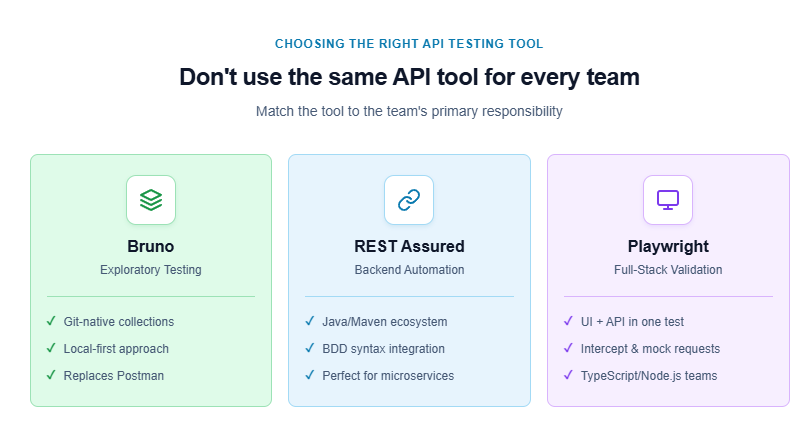
More than 60% of production defects now trace back to the API layer, according to recent API testing statistics. Open source API testing tools fall into two groups: GUI clients for exploratory testing and code-first libraries for CI automation.
Bruno (GUI client, Git-native)
Bruno is an offline-first, open source API client. It stores collections as plain-text .bru files on your local filesystem. That means you can commit API test collections to Git, branch them, and review them through pull requests - something Postman’s proprietary format makes unnecessarily difficult.
Key differentiator: No cloud sync. No account required. Collections live alongside your application code.
npm install -g @usebruno/cli
bru run --env staging
Bruno supports request chaining, environment variables, JavaScript-based pre/post-request scripts, and assertion checks. It covers REST, GraphQL, and WebSocket protocols.
REST Assured (code-first, Java ecosystem)
REST Assured is a Java library that provides a fluent, BDD-style DSL for automated API testing. If your team writes Java, this is the standard choice for CI-integrated API regression suites.
import static io.restassured.RestAssured.*;
import static org.hamcrest.Matchers.*;

given()
  .header("Authorization", "Bearer " + token)
  .queryParam("status", "active")
.when()
  .get("/api/users")
.then()
  .statusCode(200)
  .body("users.size()", greaterThan(0));
REST Assured integrates directly with JUnit and TestNG, making it a natural fit for teams already using Maven or Gradle in their build pipeline.
SoapUI (GUI, protocol-heavy)
SoapUI has been around for over 15 years. Its open source edition supports REST, SOAP, GraphQL, JMS, and JDBC testing. The strength is protocol breadth. The weakness is a dated user interface and heavier resource usage compared to Bruno.
Where one falls short
Bruno excels at exploratory and manual API testing, but it is not designed for large-scale automated regression suites running in CI. It lacks the programmatic assertion depth and CI plugin ecosystem that REST Assured or Playwright’s built-in request API provide.
Decision rule: Use a code-first library as your primary CI automation tool. Use Bruno for rapid prototyping and team collaboration through Git
Performance testing tools that don’t come with a license fee
Performance testing is the category most teams skip until production goes down under load. The open source options here are mature, battle-tested, and actively maintained.
Grafana k6
k6 is a developer-focused performance testing tool written in Go. You write load tests in JavaScript, version-control them like any other code, and run them inside CI/CD pipelines without any additional infrastructure setup.
Prerequisites: Node.js is not required. k6 is a single binary. Install it via brew install k6 on macOS or from the official k6 releases page on Linux and Windows.
import http from 'k6/http';
import { check, sleep } from 'k6';

export const options = {
  stages: [
    { duration: '30s', target: 50 },   // ramp up to 50 VUs
    { duration: '1m', target: 200 },   // hold at 200 VUs
    { duration: '30s', target: 0 },    // ramp down
  ],
};

export default function () {
  const res = http.get('https://api.example.com/products');
  check(res, {
    'status is 200': (r) => r.status === 200,
    'response time < 500ms': (r) => r.timings.duration < 500,
  });
  sleep(1);
}
A single k6 instance on a modest CI runner can simulate thousands of virtual users. It integrates natively with the Grafana/Prometheus observability stack for real-time metric visualization.
Apache JMeter
JMeter is the most widely deployed open source performance testing tool in the industry. It covers protocols that k6 does not, including JDBC, JMS, FTP, SMTP, and LDAP.
Where JMeter leads: legacy protocol coverage, a GUI-based test plan builder, and a massive plugin ecosystem built over 20+ years of active development.
Where it falls behind: it runs on the JVM, which means higher memory and CPU consumption per virtual user. Distributed testing requires a master/slave setup that adds operational complexity, especially in containerized CI environments.
Gatling
Gatling is a high-performance load testing tool written in Scala. It uses a code-first DSL that compiles down to a highly efficient asynchronous execution engine, making it capable of generating significantly higher throughput per machine than JMeter.
Key strengths:
-
Asynchronous, non-blocking execution model for very high VU counts
-
Detailed HTML reports generated automatically after each run
-
Supports Java, Kotlin, and Scala DSLs as of Gatling 3.9+
-
Strong CI integration via Maven and Gradle plugins
Best for: teams that need to simulate very large user loads - 10,000+ VUs - from a single machine, particularly in Java/Kotlin shops.
Locust
Locust is a Python-based load testing framework. You define user behavior in plain Python code, run it in distributed mode across multiple worker machines, and monitor real-time results through a built-in web UI.
from locust import HttpUser, task, between

class ProductUser(HttpUser):
    wait_time = between(1, 3)

    @task(3)
    def browse_products(self):
        self.client.get("/api/products")

    @task(1)
    def view_product(self):
        self.client.get("/api/products/42")
Key strengths:
-
Pure Python - no new DSL to learn for Python teams
-
Built-in distributed mode via master/worker topology
-
Real-time web UI for live result monitoring
-
Extensible via standard Python libraries
Best for: Python teams who want a scriptable, distributed load testing tool without leaving their existing language ecosystem.
Quick comparison: k6 vs JMeter vs Gatling vs Locust
| Feature | Grafana k6 | Apache JMeter | Gatling | Locust |
|---|---|---|---|---|
| Scripting | JavaScript (ES6+) | GUI-based (XML) | Scala/Java/Kotlin DSL | Python |
| Written in | Go (binary) | Java (JVM) | Scala (JVM) | Python |
| Resource usage | Low per VU | High per VU | Very low (async) | Medium |
| Protocol coverage | HTTP, WS, gRPC, Browser | HTTP, JDBC, JMS, FTP, SMTP | HTTP, WebSocket | HTTP, WebSocket |
| CI/CD fit | Native (CLI-first) | Possible, needs JVM | Maven/Gradle plugins | CLI + headless mode |
| Best for | Modern APIs, cloud-native | Legacy protocols, non-coders | High-throughput Java teams | Python teams, distributed |
Choose k6 if your team writes JavaScript and wants a CI-native tool. Choose JMeter for legacy protocol coverage or a visual builder. Choose Gatling for maximum throughput in a JVM environment. Choose Locust if your team is Python-first.
Open source mobile testing tools
Mobile remains the hardest layer to cover with free tools alone. These three frameworks represent the most viable open source options in 2026.
Appium 3
Appium is the most widely adopted open source mobile automation framework. It uses platform-native automation APIs - XCUITest for iOS and UIAutomator2 for Android - exposed through a WebDriver-compatible interface. This lets the same test code drive both platforms.
According to Appium market share data, it remains the dominant open source mobile testing framework by a wide margin.
Key strengths:
-
Single API for iOS, Android, and Flutter apps
-
Multi-language support (Java, Python, JS/TS, C#, Ruby)
-
Large community and enterprise adoption
-
Compatible with Selenium Grid and cloud device farms
Limitation: Setup complexity is significant. Configuring the Appium server, device capabilities, and correct driver versions requires careful documentation.
Detox
Detox is a gray-box E2E testing framework for React Native apps, maintained by Wix. Unlike Appium, it runs the test runner in the same process as the app, enabling reliable synchronization without explicit waits.
Key strengths:
-
Near-zero flakiness due to deep app-process synchronization
-
First-class support for React Native animations and async operations
-
Works with Jest as the test runner
Limitation: Designed specifically for React Native. It cannot test native iOS or Android apps built in Swift/Kotlin.
Maestro
Maestro is a fast, YAML-based mobile UI automation framework that supports iOS, Android, and React Native without requiring any code changes to the application under test.
appId: com.example.myapp
---
- launchApp
- tapOn: "Sign In"
- inputText:
    text: "[email protected]"
    label: "Email"
- tapOn: "Continue"
- assertVisible: "Welcome back"
Key strengths:
-
No Appium server, no driver setup - runs directly from the CLI
-
YAML syntax means non-engineers can read and contribute test flows
-
Built-in Studio for visual recording (iOS and Android)
-
Fast test execution compared to Appium for simple UI flows
Best for: teams who want fast onboarding and low-friction mobile test authoring without diving into Appium’s configuration depth.
A note on security testing: OWASP ZAP
No guide on free testing tools is complete without mentioning OWASP ZAP (Zed Attack Proxy). It is the most widely used open source Dynamic Application Security Testing (DAST) tool, maintained by the OWASP Foundation.
ZAP runs as a proxy between your test runner and your application, passively intercepting traffic to flag security vulnerabilities - or actively scanning endpoints for injection, authentication, and configuration issues.
It integrates into CI/CD pipelines via its Docker image and REST API, which means you can attach automated security scans to the same pipeline that runs your Playwright and k6 tests. For regulated industries, this eliminates the need for a separate, expensive DAST license.
When to use open source testing tools vs commercial alternatives
Open source is not always the right call. Being honest about the trade-offs prevents wasted engineering effort.
Where open source wins: zero licensing cost, full infrastructure control, no vendor lock-in, and community-driven innovation. Playwright, Selenium, k6, and Appium are completely free to run on your own CI runners.
Where commercial tools fill gaps: managed device farms (BrowserStack, Sauce Labs), enterprise SSO and compliance (SAML, SOC 2), AI-powered visual regression (Percy, Applitools), and dedicated support SLAs with response time guarantees.
Note: The most effective approach for most teams is a hybrid stack: open source frameworks for core test authoring and execution, plus targeted commercial tools only where open source falls short - such as device farms or visual regression at scale.
The biggest gap in most open source stacks is not the tools themselves. It is the reporting layer that sits on top. Running 500 tests means nothing if the only output is a terminal log. Teams pair their open source testing frameworks with test automation analytics platforms to get failure trends, flakiness metrics, and CI health dashboards.
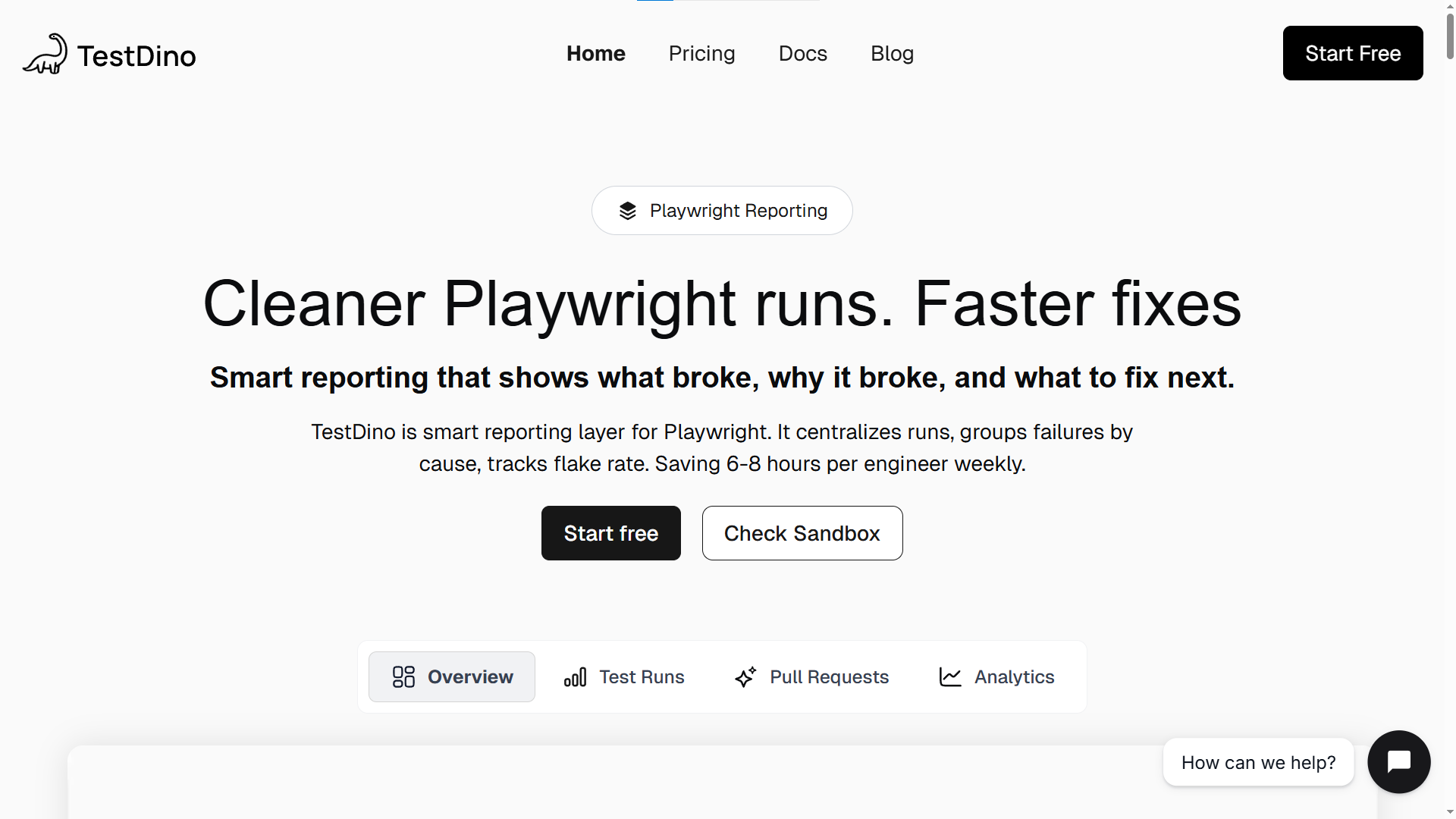
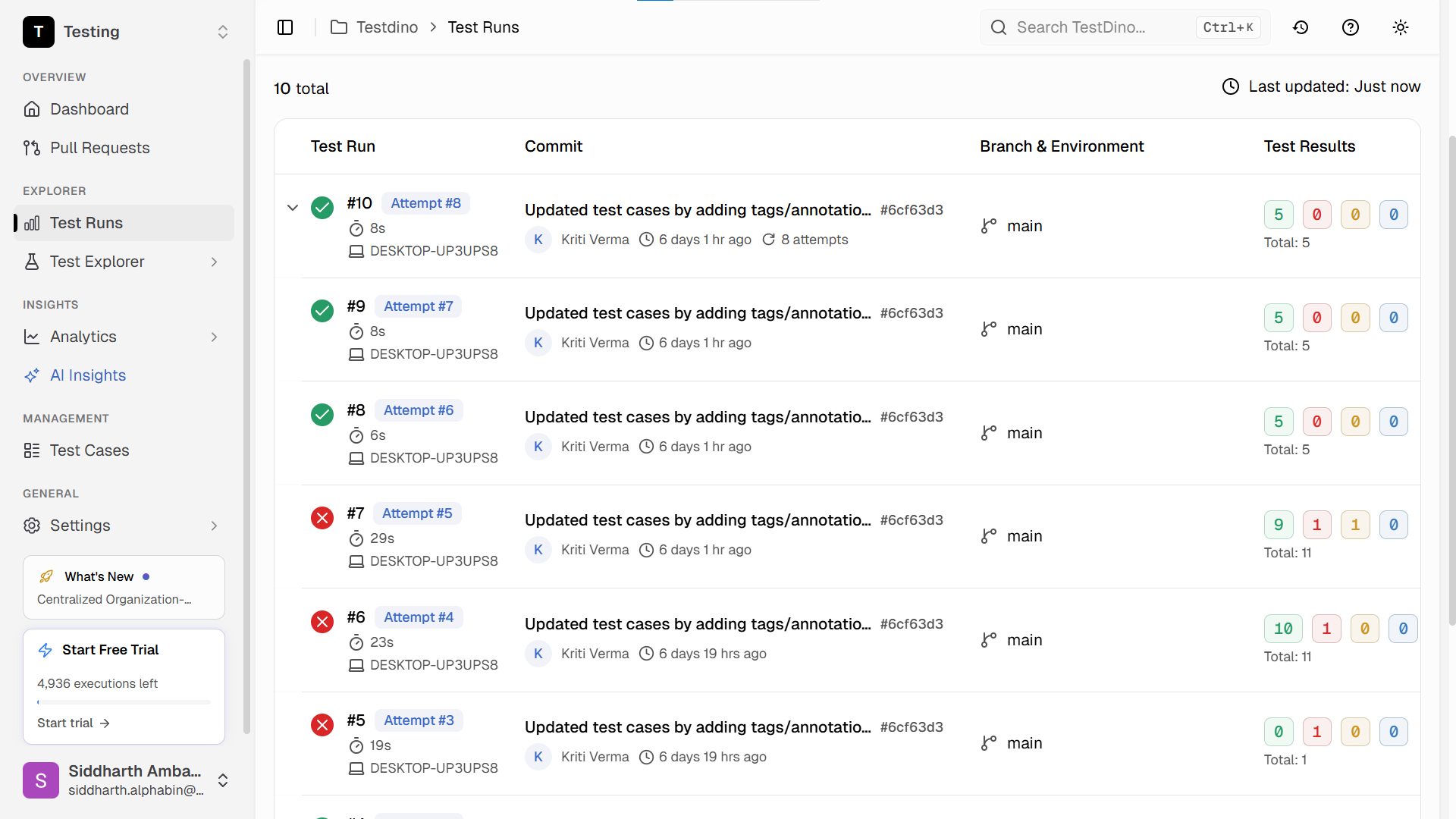
TestDino fills this gap specifically for Playwright teams. It ingests test results from every CI run, classifies failures by root cause (timeouts, selector mismatches, assertion errors), and surfaces Playwright flaky tests that would otherwise go unnoticed across branches.
How to build a complete QA stack using only free tools
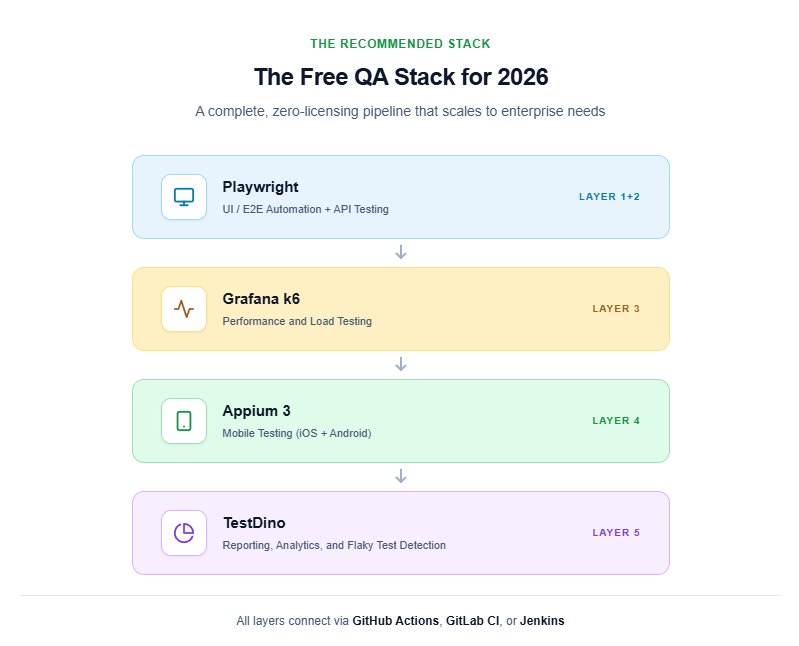
Here is a concrete, production-ready stack that covers all five categories using only open source testing tools. Teams at early-stage startups and open source projects actively run this exact combination.
The recommended free QA stack
Layer 1 & 2: UI/E2E automation + API testing
Use Playwright. Install it with one command and get cross-browser coverage out of the box:
npm init playwright@latest
Follow the Playwright best practices guide for production-ready configuration settings. For API testing within the same suite, use Playwright’s built-in request fixture - no separate tool needed for most teams.
import { test, expect } from '@playwright/test';

test('GET /api/users returns 200', async ({ request }) => {
  const response = await request.get('/api/users');
  expect(response.status()).toBe(200);
  const body = await response.json();
  expect(body.users.length).toBeGreaterThan(0);
});
Layer 3: Performance testing
Use Grafana k6 for load tests. Write them in JavaScript, run them in CI, and pipe metrics to Grafana dashboards.
Layer 4: Mobile testing
Use Appium 3 for broad cross-platform coverage. Use Detox if your app is React Native and flakiness is a concern. Use Maestro if your team wants the fastest possible onboarding path.
Layer 5: Test reporting
Use the built-in Playwright HTML reporter for local debugging. For CI pipelines running across multiple branches and shards, connect results to TestDino for aggregated dashboards, failure classification, and flaky test tracking.
How these tools connect in a CI pipeline
Here is a GitHub Actions workflow tying the first three layers together. Prerequisites: a repository with npm dependencies installed and tests/load/smoke.js present.
name: Full QA Pipeline

on:
  push:
    branches: [main]
  pull_request:
    branches: [main]

jobs:
  e2e-tests:
    runs-on: ubuntu-latest
    steps:
      - uses: actions/checkout@v4
      - uses: actions/setup-node@v4
        with:
          node-version: 20
      - run: npm ci
      - run: npx playwright install --with-deps chromium
      - run: npx playwright test
      - uses: actions/upload-artifact@v4
        if: always()
        with:
          name: playwright-report
          path: playwright-report

  load-tests:
    runs-on: ubuntu-latest
    needs: e2e-tests
    steps:
      - uses: actions/checkout@v4
      - uses: grafana/setup-k6-action@v1
      - run: k6 run tests/load/smoke.js
Teams using test generation strategies can accelerate the test authoring phase by generating initial test boilerplate from application code or API specs.
The 4 mistakes teams make when choosing open source testing tools
Mistake 1: choosing a tool based on GitHub stars alone
GitHub stars measure popularity, not CI reliability. A framework can have 80,000 stars but still fail you if it does not support the protocol, language, or browser your project requires.
Instead, look at:
-
Open issue resolution time (median days to close a bug report)
-
Release frequency over the past 12 months
-
Active contributors beyond the core maintainer team
-
Whether the tool ships CI/CD integration examples in its official documentation
Mistake 2: ignoring test data management
Many teams pick a great automation tool but never solve the test data problem. Tests fail because they depend on shared staging data that other tests - or manual QA - modified between runs.
Each test should seed its own data and clean up after itself. Test data management tools exist specifically to handle isolated test environments, synthetic data generation, and data masking for compliance requirements.
Mistake 3: skipping the reporting layer
Running 500 tests means nothing if the only output is a terminal log showing “200 passed, 14 failed.” Without a reporting layer, you cannot answer:
-
Which tests have been flaky this week?
-
Is the failure rate increasing after last Thursday’s deploy?
-
Which test file takes the longest to execute in CI?
Open source tools like Allure Report cover basic HTML dashboards. For deeper analytics across multiple CI runs and branches, TestDino classifies every failure by root cause and flags flaky patterns automatically - so your QA team spends time fixing real bugs instead of re-running pipelines.
Mistake 4: building a stack that no one else can maintain
If one engineer sets up Playwright, k6, Appium, and a custom reporting pipeline, then leaves the company, the entire stack becomes a liability. Institutional knowledge disappears with them.
Reduce this risk by:
-
Documenting every tool choice with a one-page rationale
-
Keeping all configurations in version control
-
Choosing tools with strong community documentation
-
Writing a “getting started” guide that any new team member can follow in under 30 minutes
Tip: Before adopting any new open source testing tool, run a two-week proof of concept on a single feature module. This validates CI compatibility, developer experience, and reporting integration before a full rollout commitment.
For a data-driven comparison of how major frameworks perform under identical benchmark conditions, see the Playwright, Cypress, and Selenium benchmarks report.
Conclusion
Open source testing tools have matured to the point where a team with zero licensing budget can build a world-class QA pipeline. Playwright, Selenium, Cypress, Puppeteer, WebdriverIO, TestCafe, and Robot Framework cover the UI layer. k6, JMeter, Gatling, and Locust handle performance. Appium, Detox, and Maestro cover mobile. OWASP ZAP fills the security DAST gap. And reporting platforms like TestDino tie everything together with failure analytics and flaky test tracking.
The key is to choose tools category by category - not one at a time. Map your testing gaps first, evaluate each layer against your CI workflow and team language preferences, and run a proof of concept before committing to a full rollout.
Every tool in this guide ships updates on a regular cycle. The community-driven testing frameworks landscape is moving faster than the commercial market, which means your free stack improves without spending a dollar more.
FAQ
Table of content
Flaky tests killing your velocity?
TestDino auto-detects flakiness, categorizes root causes, tracks patterns over time.
Follow Us