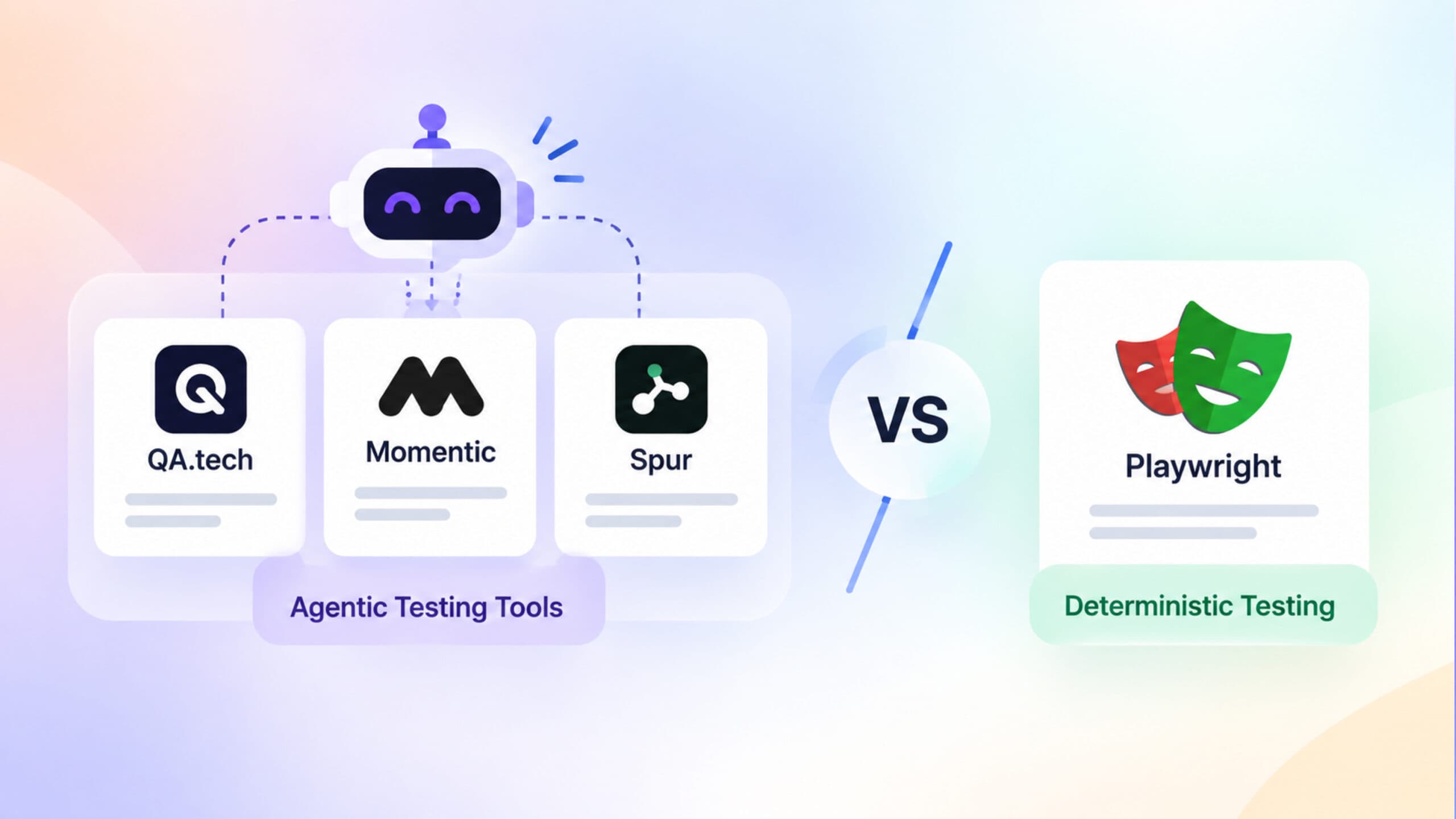
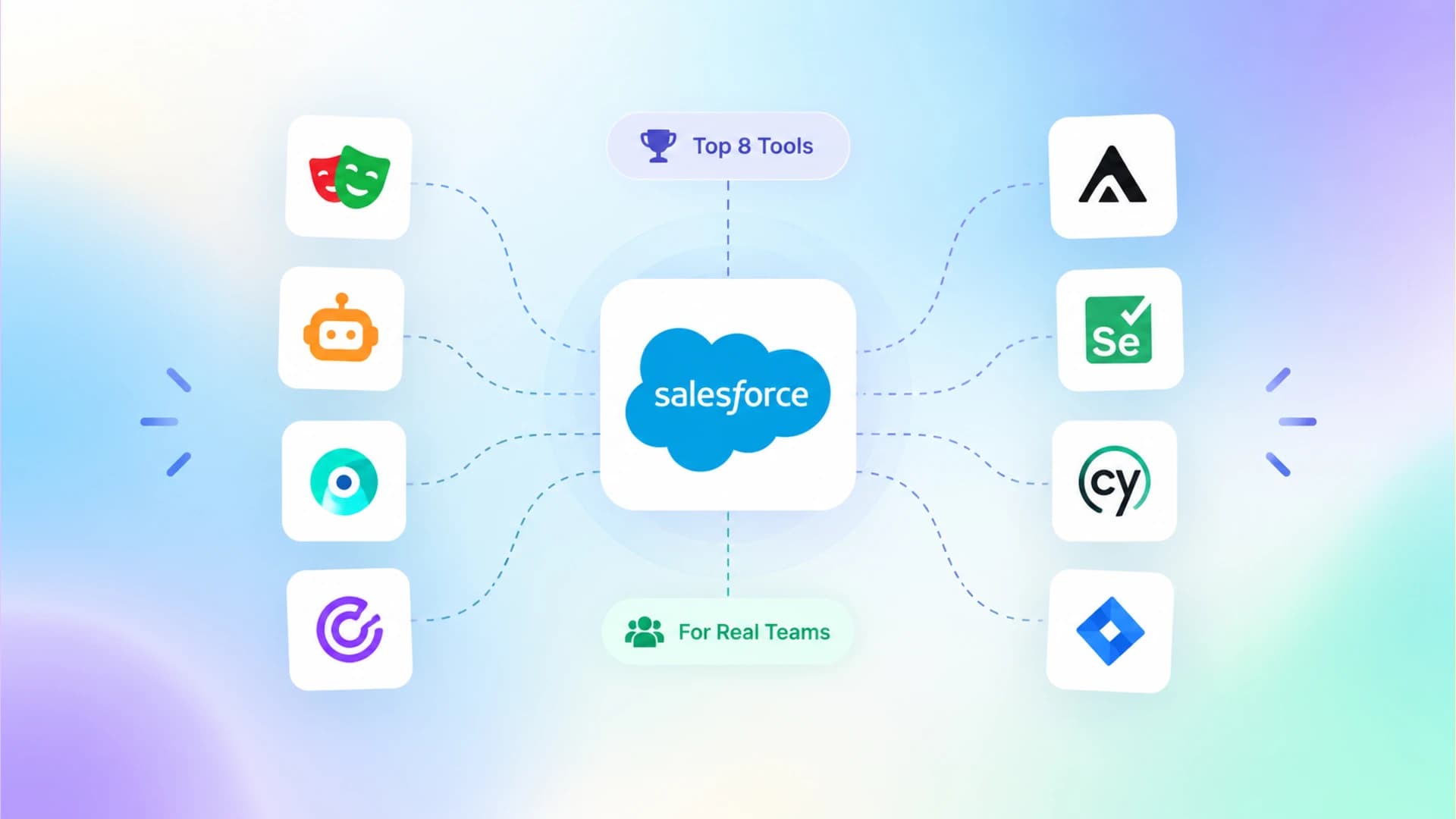
Best Automation Tools for Functional Testing to Validate Scaled Software
Struggling to pick the right functional testing tool for your growing product? This guide compares 10 tools across real-world scalability factors.
Every major production outage in the past year, from banking apps crashing during payroll runs to e-commerce checkouts silently dropping orders, traces back to one root cause: a functional test that either did not exist or stopped working months ago.
The test automation trends for 2026 report shows that 72% of engineering teams now use at least two automation tools, yet most still cannot answer a basic question: did the last deploy break anything important?
The problem is not a lack of tools. It is that teams pick a tool for 20 test cases and then try to stretch it across 2,000. Execution times balloon from 5 minutes to 90. Maintenance consumes 40% or more of the automation budget, according to TestGuild's 2025 survey. Flaky tests pile up until nobody trusts the CI pipeline anymore.
This guide compares 10 automation tools for functional testing, ranked by how well they handle the real challenges of scaled software: parallel execution, test maintenance, environment isolation, failure intelligence, and CI/CD integration depth.
What is functional testing and why does it break at scale
Functional testing verifies that each feature of an application works according to its requirements. It checks inputs, outputs, data handling, and user workflows without looking at internal code structure.
Functional testing answers one question: does this feature do what the spec says it should do?
That includes login flows, payment processing, search filters, form validations, and API responses. It is one of the most common types of software testing and sits at the core of any QA strategy.
At small scale, functional testing is manageable. But once a product crosses 50 features and 10 contributing engineers, four failure modes emerge simultaneously:
At small scale, functional testing is manageable. But once a product crosses 50 features and 10 contributing engineers, four failure modes emerge simultaneously:
-
Execution bottleneck. Running 500+ functional tests sequentially in CI takes 30 to 90 minutes. Engineers stop waiting and merge without green builds. Deployment velocity drops.
-
Maintenance tax. Every UI change ripples across dozens of test files. Industry data from Gartner's 2025 Automated Testing MQ shows that organizations spend 40% or more of their test automation budget on maintenance alone.
-
Flaky erosion. Network timing, shared test data, and environment inconsistencies cause tests to fail randomly. Without proper test failure analysis, teams lose trust in results and start ignoring red pipelines entirely.
-
Tool sprawl. Different teams adopt different tools. Frontend uses Cypress. Backend uses REST Assured. Mobile uses Appium. Nobody has a unified view of what is passing, failing, or flaky across the entire product.
The right automation tool does not just run tests. It needs to parallelize them, isolate environments, adapt to UI changes, and surface failure intelligence that a 20-person team can act on within minutes, not hours.
How to evaluate automation tools for functional testing
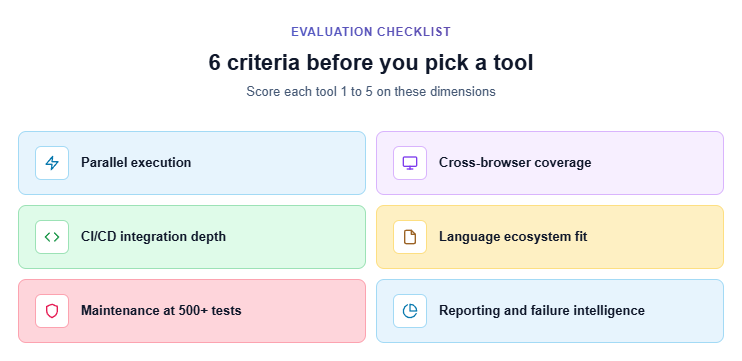
Before looking at any specific tool, define what "works at scale" means for your team. Here are the six criteria that matter most when comparing functional testing automation tools for growing software:
1. Parallel execution support
Can the tool run 200 tests across 10 workers simultaneously? Tools with native parallel execution cut CI times from hours to minutes. This is the single biggest differentiator for scaled pipelines.
2. Cross-browser and cross-platform coverage
Does the tool cover Chromium, Firefox, and WebKit in a single run? Mobile viewports? If your product serves users across browsers, your functional tests must validate across browsers.
3. CI/CD integration depth
Shallow integration means "can run in a container." Deep integration means native reporters, artifact collection, sharding across CI agents, and automatic retries on failure. Evaluate CI/CD integrations before committing to a tool.
4. Language and ecosystem fit
A tool's language support determines who on your team can write and maintain tests. Java shops need Selenium or TestComplete. TypeScript teams lean toward Playwright or Cypress. Mismatched ecosystems create silos.
5. Test maintenance at 500+ cases
AI-powered selectors, auto-waiting, and self-healing locators reduce the per-test maintenance cost. Tools without these features require manual updates every time the UI changes, and that cost compounds fast.
6. Reporting and failure intelligence
Raw pass/fail counts do not help at scale. You need failure grouping, flaky test detection, execution time trends, and root cause classification to make sense of 500+ test results per pipeline run.
Best open source automation tools for functional testing
Open source tools dominate functional test automation because they offer zero licensing cost, full infrastructure control, and massive community-driven innovation. But "free" does not mean "no cost." The real cost is setup time, maintenance effort, and the engineering hours you invest in building reporting and CI infrastructure around the framework.
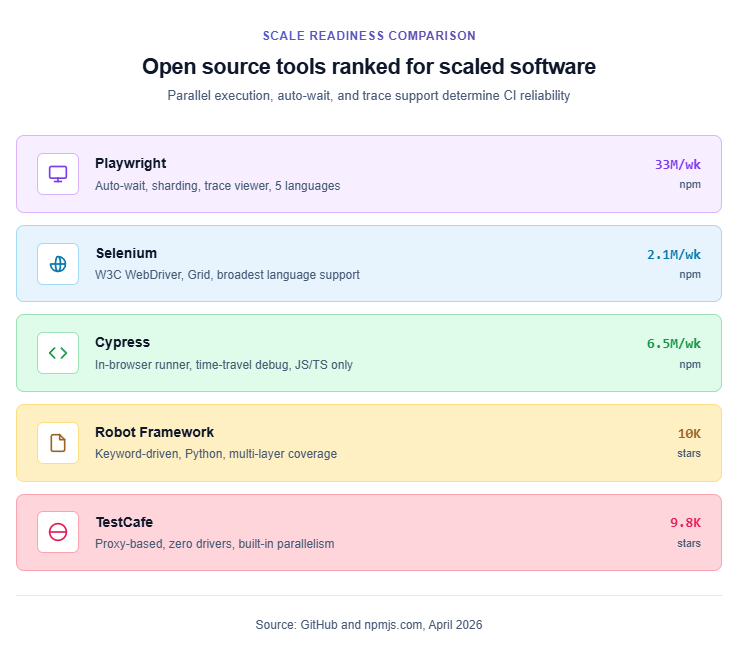
Here are the five most adopted open source functional testing automation tools in 2026, ranked by how well they hold up past 500 test cases.
1. Playwright
Playwright is a cross-browser automation framework maintained by Microsoft. Unlike Selenium, which communicates through the W3C WebDriver protocol via separate driver binaries, Playwright talks directly to Chromium, Firefox, and WebKit through native browser protocols.
This architectural difference is what makes its auto-waiting, network interception, and tracing features possible without third-party plugins.
Why teams pick it for functional testing at scale:
-
Auto-waiting. Every action checks actionability (visible, enabled, stable, receives events, attached, editable) before executing. This single feature eliminates the majority of timing-related flaky tests in CI.
-
Native parallelism. Workers and sharding split large suites across CI agents. A 500-test suite that takes 45 minutes sequentially finishes in under 8 minutes across 6 shards.
-
Trace Viewer. Failed tests produce trace files with DOM snapshots, network waterfalls, console logs, and a visual filmstrip. This replaces hours of "reproduce locally" debugging.
-
AI codegen. The Playwright AI codegen tool generates initial test scripts by recording user interactions, which accelerates functional test authoring for new features.
-
Multi-language support. TypeScript, JavaScript, Python, Java, and C#. One framework for frontend and backend teams.
Adoption (April 2026): 82,000+ GitHub stars, 33M+ weekly npm downloads.
Teams starting fresh can follow a Playwright framework setup guide for a production-ready config in under 15 minutes.
import { test, expect } from '@playwright/test';
test('user can log in with valid credentials', async ({ page }) => {
  await page.goto('/login');
  await page.getByLabel('Email').fill('qa@example.com');
  await page.getByLabel('Password').fill('securePass123');
  await page.getByRole('button', { name: 'Sign In' }).click();
  await expect(page.getByText('Dashboard')).toBeVisible();
});
2. Selenium
Selenium is the longest-running browser automation project and the industry foundation for functional test automation. It uses the W3C WebDriver protocol, which means every major browser vendor maintains official driver support. According to Selenium market share data, it still powers the majority of enterprise test suites globally, particularly in Java-dominant organizations.
Where Selenium still leads:
-
Language breadth. Java, Python, C#, Ruby, JavaScript, Kotlin. No other framework matches this range.
-
Selenium Grid 4. Distributed execution across hundreds of nodes with native Docker support, session queuing, and observability hooks.
-
Ecosystem maturity. 20+ years of community plugins, patterns, wrappers (like Selenide, FluentLenium), and Stack Overflow answers.
-
Enterprise CI integration. Native plugins for Jenkins, Azure DevOps, Bamboo, and TeamCity.
Where it falls behind at scale: Manual wait strategies require explicit waits in every test. No built-in trace viewer. Separate driver binaries need version management. Higher per-session memory and CPU usage.
For a detailed breakdown, the Playwright vs Selenium comparison covers architecture, speed, and CI reliability side by side.
3. Cypress
Cypress runs inside the browser through JavaScript injection, giving it deep DOM access and a real-time interactive runner ideal for local development.
Strengths: Time-travel debugging, automatic screenshots and video, strong component testing for React and Vue, and a large plugin ecosystem.
Limitations for scaled software: JavaScript/TypeScript only, limited WebKit/Safari support, restricted multi-tab and multi-origin handling, and parallel execution requires a paid Cypress Cloud subscription.
Teams considering a switch from Cypress can follow the Cypress to Playwright migration guide for a phased approach.
4. Robot Framework
Robot Framework is a keyword-driven automation platform built on Python. Its plain-text syntax makes functional tests readable for non-technical stakeholders, which works well in organizations where product managers or business analysts review test cases.
It supports web testing through SeleniumLibrary or BrowserLibrary (Playwright-based), API testing through RequestsLibrary, and mobile testing through AppiumLibrary.
Best for: Enterprise teams that need one framework spanning web, API, desktop, and mobile with a syntax that QA managers can review directly.
5. TestCafe
TestCafe runs through a URL-rewriting proxy, meaning zero browser driver installation. It offers built-in auto-waiting, parallel execution across instances, and a Live Mode for instant reruns during development.
Best for: Small to mid-size teams that want minimal setup friction and no WebDriver dependency.
Best commercial automation tools for functional testing
Open source is not always enough. Enterprise teams with legacy systems, SAP integrations, or low-code requirements often need commercial functional testing automation tools with dedicated support and governance features.
6. Katalon Platform
Katalon bridges low-code and scripted testing in a single platform. It supports web, mobile, API, and desktop automation with a built-in object repository, record-and-playback, and Groovy/Java scripting for advanced scenarios.
Strengths for scaled functional testing:
-
TestOps module provides centralized analytics, execution scheduling, and failure triage across teams.
-
AI-powered self-healing adapts to minor UI changes without breaking tests.
-
Freemium model makes it accessible for smaller teams, with Enterprise tiers for governance needs.
Best for: Cross-functional teams that need both no-code and scripted capabilities in one platform.
7. Tricentis Tosca
Tosca uses a model-based test automation (MBTA) approach that separates test logic from technical implementation. This drastically reduces maintenance when the UI changes, because the model layer absorbs the update instead of every test script.
Strengths:
- Deep support for SAP, Salesforce, Oracle, and other enterprise packaged applications.
- Risk-based testing prioritizes test execution by business impact.
- Service virtualization simulates unavailable dependencies during test runs.
Best for: Large enterprises running complex, heterogeneous application landscapes where test maintenance is the primary bottleneck.
8. SmartBear TestComplete
TestComplete provides flexible GUI automation for desktop, web, and mobile applications. It supports scripting in Python, JavaScript, and VBScript alongside a codeless record-and-replay mode. Where tools like Playwright focus exclusively on web browsers, TestComplete covers Win32, WPF, and .NET desktop controls alongside web and mobile surfaces.
Strengths:
-
Advanced object recognition engine with AI-driven self-healing that adapts to UI changes automatically.
-
Supports over 500 third-party controls (DevExpress, Telerik, Syncfusion).
-
Parallel testing across 1,500+ remote environments through the SmartBear ecosystem.
Best for: Teams automating functional tests across a mix of modern web and legacy desktop applications.
9. OpenText UFT One
UFT One (formerly QTP) supports over 200 GUI and API technologies. It is the go-to tool for organizations dealing with complex legacy systems, mainframe applications, and regulated environments that require end-to-end governance.
Best for: Enterprise teams in banking, insurance, and healthcare with deep legacy stack dependencies.
10. Virtuoso QA
Virtuoso is an AI-native platform where tests are authored in plain English. It verifies functionality across UI, APIs, and databases in a single test, and uses machine learning to self-heal when the application changes.
Best for: Teams that want maximum speed in test creation with minimal technical expertise required.
Head-to-head comparison: 10 functional testing tools ranked
| Tool | Type | Languages | Parallel Execution | Self-Healing | Best For |
|---|---|---|---|---|---|
| Playwright | Open Source | JS/TS, Python, Java, C# | Native (Workers + Sharding) | No (stable locators) | Modern web, cross-browser |
| Selenium | Open Source | Java, Python, C#, Ruby, JS | Selenium Grid | Enterprise, legacy support | |
| Cypress | Open Source | JS/TS | Cypress Cloud (paid) | JavaScript-heavy SPAs | |
| Robot Framework | Open Source | Python (keyword syntax) | Pabot plugin | Cross-layer, readable tests | |
| TestCafe | Open Source | JS/TS | Built-in | Zero-driver setup | |
| Katalon | Commercial (Freemium) | Groovy/Java | Built-in | Yes (AI) | Low-code + scripted hybrid |
| Tricentis Tosca | Commercial | Model-based (no-code) | Distributed execution | Model layer absorbs changes | SAP, Oracle, legacy ERP |
| TestComplete | Commercial | Python, JS, VBScript | 1,500+ environments | Yes (AI) | Desktop + web mix |
| UFT One | Commercial | VBScript (heritage) | Distributed | Yes (AI + OCR) | 200+ technology stacks |
| Virtuoso QA | Commercial | Plain English (NLP) | Cloud-based | Yes (ML) | No-code, AI-first teams |
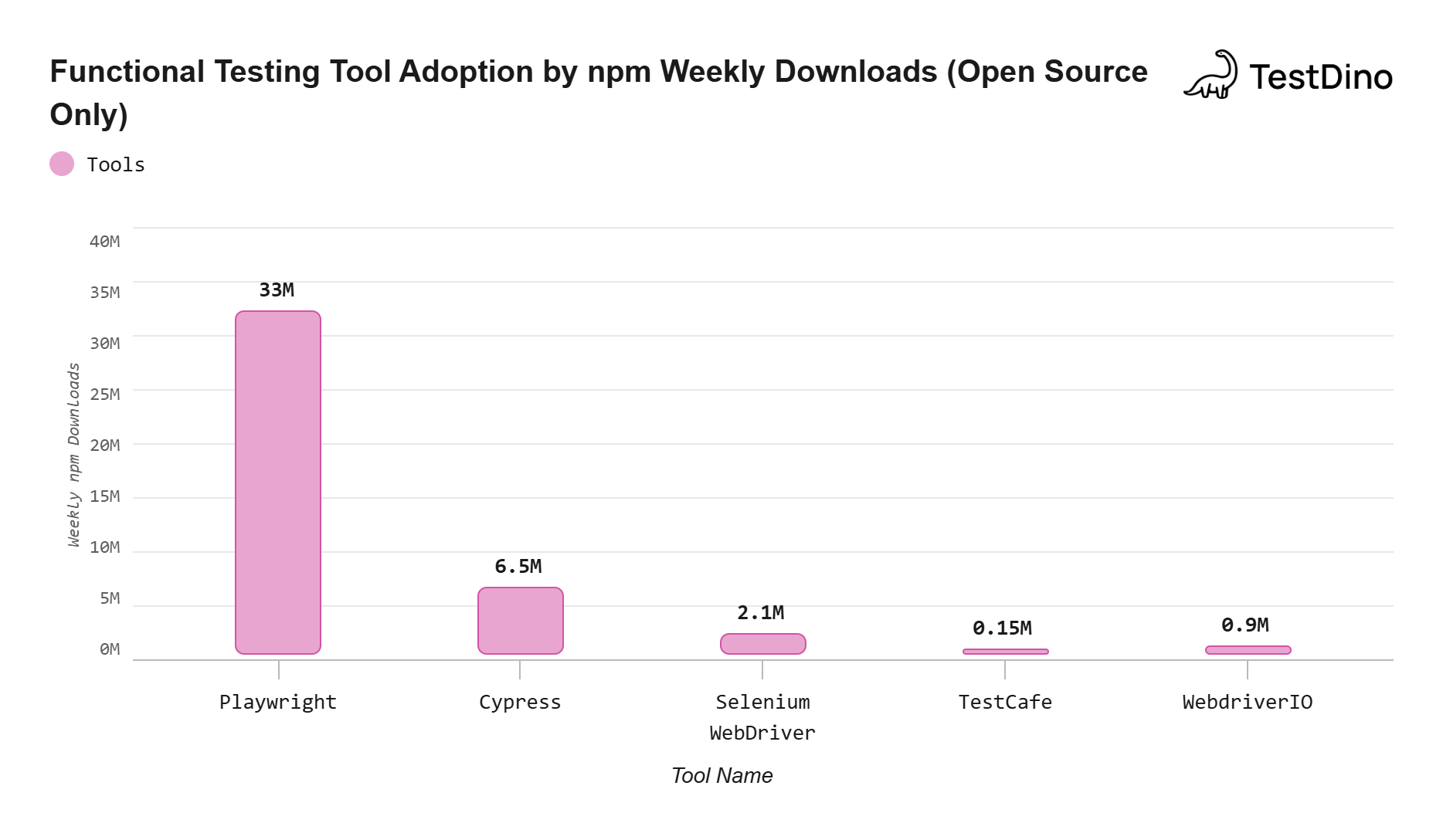
Source: npmjs.com package statistics, April 2026
How to choose the right tool for your team size and stack
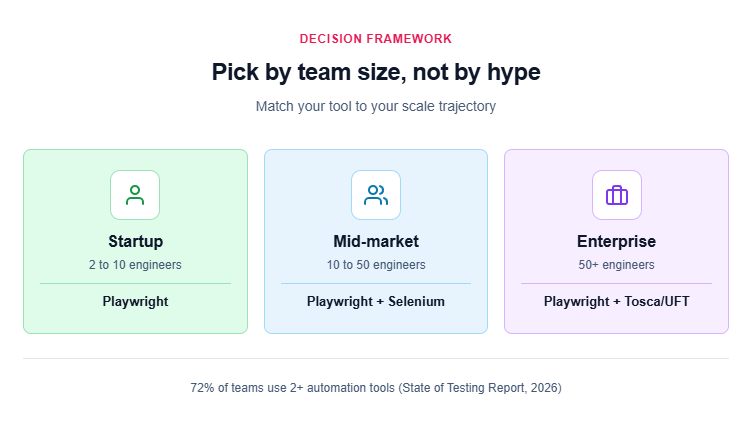
The "best" functional testing tool depends entirely on your context. Here is a decision framework based on team size and technology stack:
Startup (2 to 10 engineers, single product)
Pick Playwright. It covers web UI, API, and cross-browser testing in one framework. Zero licensing cost. You can start with npm init playwright@latest and have functional tests running in CI within an hour. Follow the Playwright E2E testing setup guide.
Mid-market (10 to 50 engineers, multiple services)
Playwright or Selenium, depending on language. Java-heavy backends pair naturally with Selenium and REST Assured. TypeScript frontends pair with Playwright. Add test management tools once your suite exceeds 300 test cases to track coverage and ownership.
Enterprise (50+ engineers, legacy + modern systems)
Combine tools. Use Playwright for modern web surfaces, Selenium Grid for legacy browser requirements, and Tosca or UFT One for SAP/Oracle integrations. Centralize reporting through a platform like TestDino that aggregates results across all frameworks.

Tip: Start with the smallest possible tool that covers your current needs. You can always add a commercial platform later. Ripping one out after 6 months of test investment is far more painful.
The test automation trends for 2026 report shows that 72% of teams now use at least two automation tools across their stack. Picking the right primary tool matters more than finding a single tool that "does everything."
What scaled teams actually get wrong about functional testing
After looking at how dozens of engineering organizations run functional testing, three patterns consistently lead to failure at scale.
Treating every test as equally important
Not all functional tests carry the same business risk. A checkout flow failure costs revenue. A tooltip alignment check does not. Without risk-based prioritization, teams run 2,000 tests on every commit when 200 would cover 90% of business-critical paths.
Ignoring test data isolation
Functional tests that share a staging database fail unpredictably. One test creates a user, another test deletes it, and a third test looking for that user fails. Each functional test should seed its own data and clean up after execution.
Scaling test count without scaling observability
Going from 100 to 1,000 functional tests without a reporting layer turns your CI pipeline into a black box. You need failure grouping, execution time tracking, and flaky test detection to maintain confidence in results.
The best test automation tools all have reporting integrations, but the quality of that reporting determines whether your 50-person team can actually act on failures or just re-run pipelines and hope.
TestDino addresses this gap specifically for Playwright teams. It ingests results from every CI run, classifies failures by root cause (selector changes, timeout, assertion mismatch, environment error), and flags flaky patterns across branches and shards.
Note: Scaling functional testing is not about running more tests. It is about running the right tests fast, with clear visibility into what failed and why.
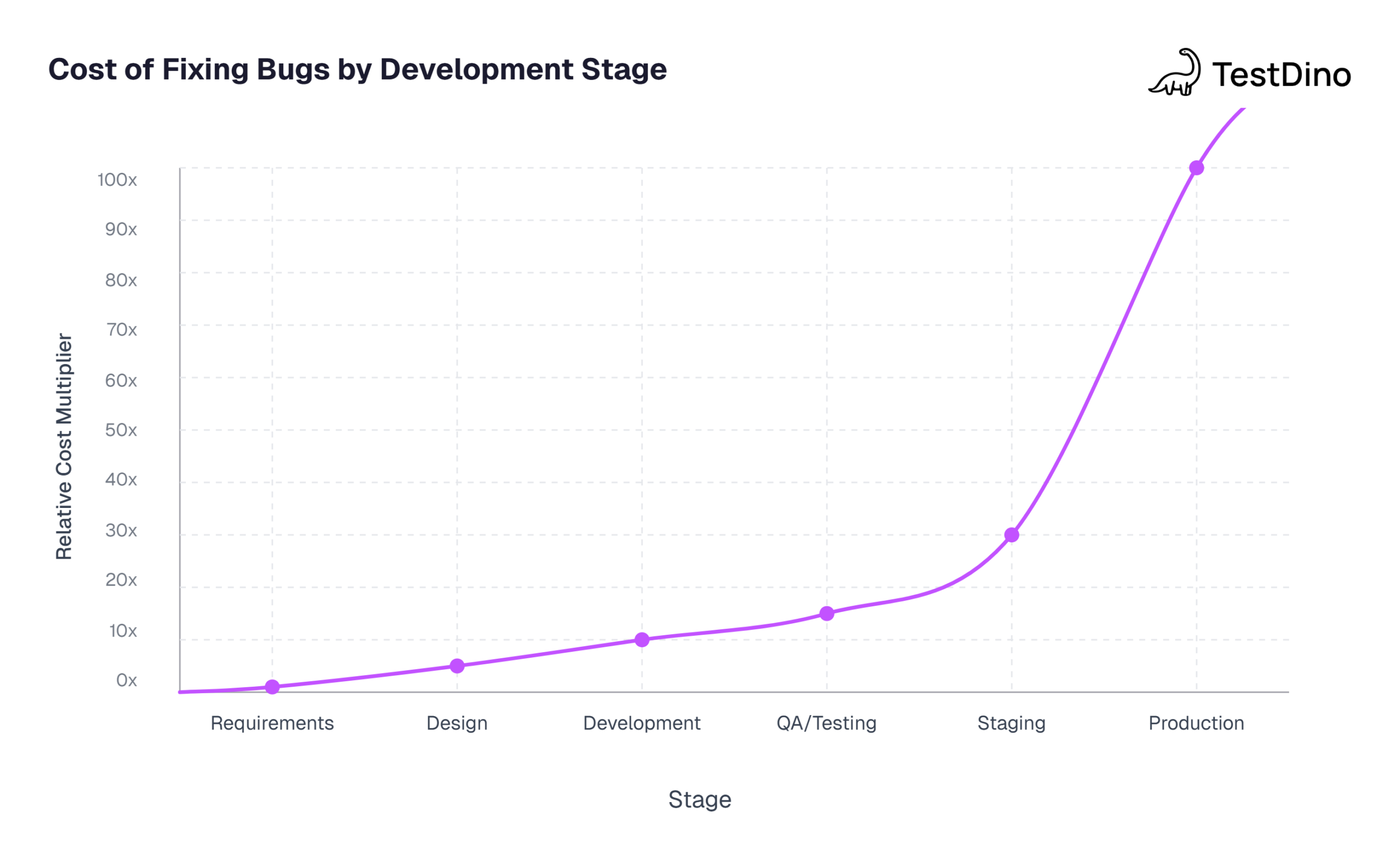
Source: IBM Systems Sciences Institute / NIST Planning Report 02-3
Conclusion
Picking automation tools for functional testing is not about finding the "best" tool in isolation. It is about matching the tool to your software's architecture, your team's skills, and your scale trajectory.
For most teams starting out or growing rapidly, Playwright provides the best balance of features, community support, and CI stability. Enterprise teams with legacy dependencies will likely combine Playwright with a commercial platform like Tosca or TestComplete for full coverage.
The tool is only half the equation. Without parallel execution, proper test data isolation, and a reporting layer that surfaces actionable insights, even the best framework will buckle under 1,000+ functional tests. Invest in observability alongside automation, and your functional testing pipeline will scale with your product instead of against it.
FAQs

Jashn Jain
Developer Advocate