
See test results as they run, not after they finish.
TestDino streams Playwright results to your dashboard as each test completes, across all shards and environments.









You wait for CI to finish before
seeing a single result
Your suite takes 20 minutes across 8 shards and you see nothing until every shard finishes.

If CI crashes mid-run, you lose everything
Your CI crashes halfway through the run. Since HTML reports only generate after everything finishes, you get nothing — zero results. You have to restart the entire pipeline from scratch.
Staring at a CI spinner for 20 minutes
Your tests run across multiple shards in GitHub Actions or GitLab CI. Until every shard finishes and the report generates, you have zero visibility into what passed or failed.
Sharded results arrive as disconnected fragments
Each shard produces its own HTML report or JSON output. You either wait for a merge step or manually open separate artifact folders trying to build the full picture.
Your team finds out about failures from Slack
Someone spots the red X in GitHub, posts in Slack, and the thread begins. That signal should arrive automatically, not via Slack threads.
Your shards are running. You have no idea what's passing.
Tests pass. You still don't know.
Results stream in as tests run.
How real-time streaming works
Works out of the box on your first CI run. No config, no websocket setup, no custom reporters beyond the one-liner.
Add the TestDino reporter
One line in your Playwright config. TestDino starts receiving results the instant each test completes - not when the run finishes.

reporter: [
  ['@testdino/playwright', {
    token: process.env.TESTDINO_TOKEN
  }],
],
Results stream as tests finish
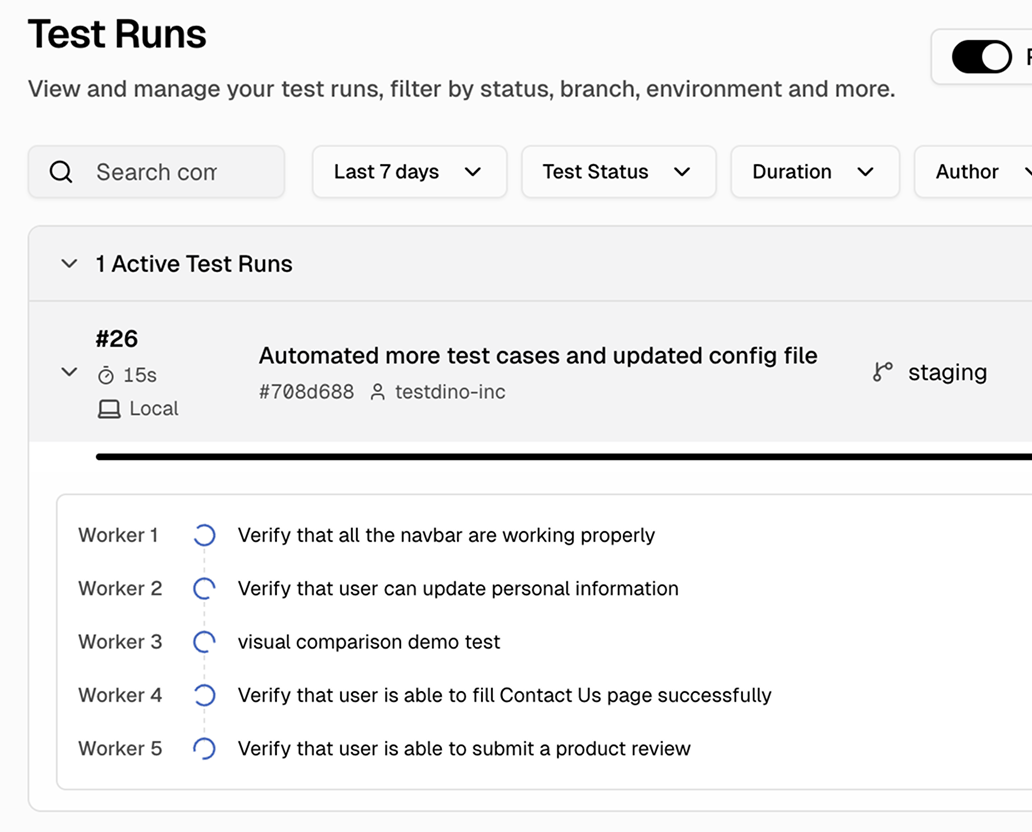
Open your TestDino dashboard and results flow in live. Each test shows its status, duration, and error message the moment it completes. Failures surface immediately.

All shards in one view
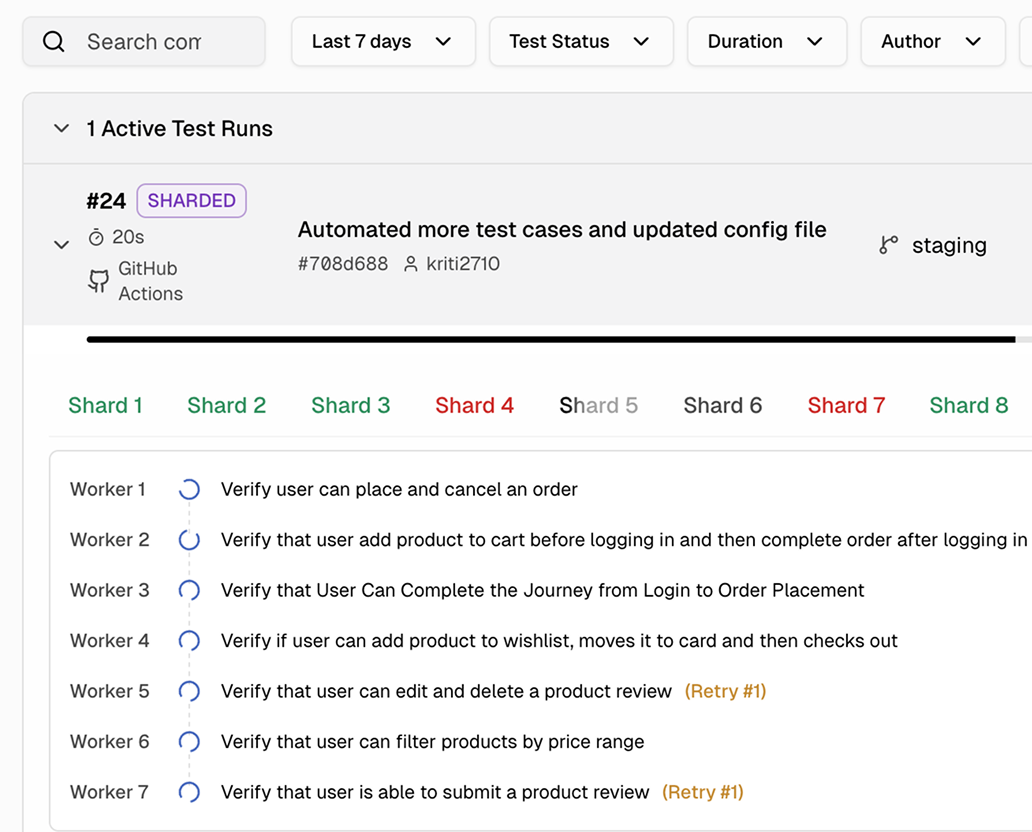
Running 8 or 40 shards? Every result streams into one dashboard, one timeline, one progress bar. No merging artifacts, no opening multiple tabs.
Live visibility into every
Playwright test as it runs
Live pass/fail as each test completes
Every test result visible the instant it finishes, whether it passed, failed, or was flagged as flaky.
Unified view across all CI shards
Results from every parallel shard stream into one dashboard. One progress bar, one failure list, one timeline.
Failures visible before the run ends
Failed tests appear in your dashboard the moment they complete. See what broke at minute two of a twenty-minute run.
Live progress per worker and shard
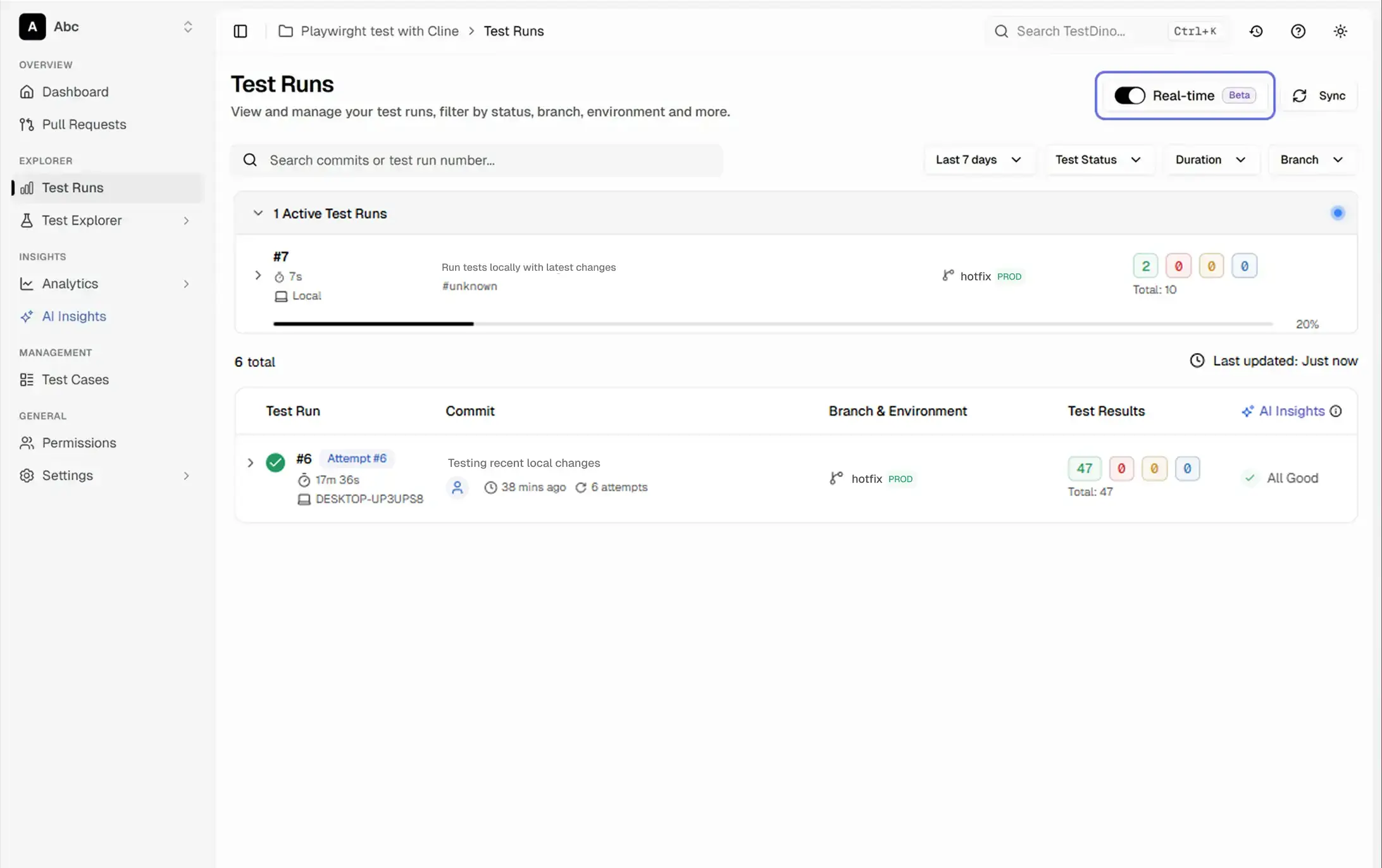
The Active Test Runs section shows a live progress bar, pass/fail/skip counts, and per-worker activity for every shard in your run.
Branch and commit metadata per run
Each live run shows its branch, commit, and CI source so you know exactly which push triggered it without leaving the dashboard.
Multi-tab support with WebSocket coordination
Open the dashboard in multiple tabs and results stay in sync. One tab holds the WebSocket connection; others update via BroadcastChannel automatically.
What you get with real-time streaming
See how TestDino streams results live from every shard and branch.
Historical comparison as results land
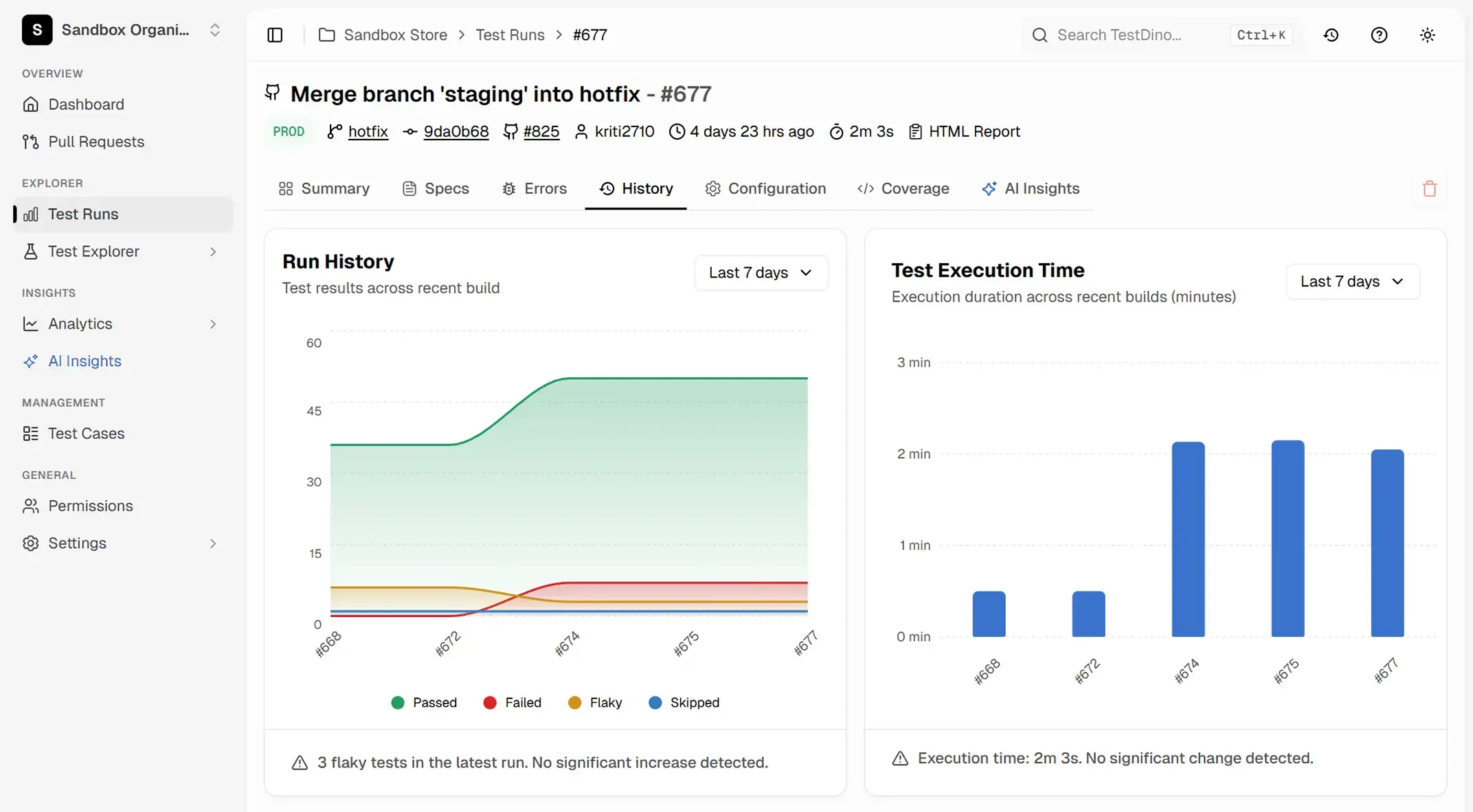
As each test completes, TestDino compares it against recent history so you can tell whether a failure is new, recurring, or already known while the run is still in progress.
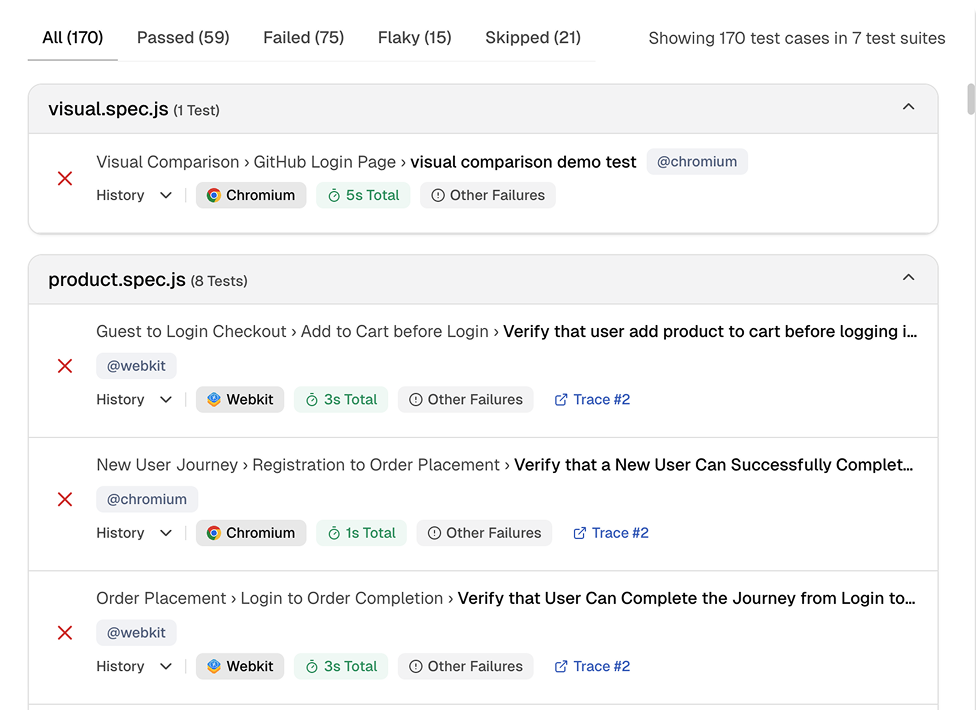
Instant failure visibility while the suite is still running
Failures appear in your dashboard the second they happen. Expand any spec file to see which tests failed and which passed, then drill into the specific failure without waiting for the full run to finish.
Live progress tracking per shard and worker
The Active Test Runs section shows a progress bar, live pass/fail/skip counts, and per-worker activity for every shard. Each shard gets its own tab so you can drill into what each worker is executing right now.
Works with your favourite tools
Connect Jira, Slack, GitHub, Linear, Azure DevOps, Asana, and monday to keep your workflow smooth and your team aligned.





FAQs
Real-time test streaming means each Playwright test result is sent to your TestDino dashboard the moment that individual test completes - not when the entire suite finishes. You see pass/fail status, error messages, and duration for every test as it happens, without refreshing the page.