
Debug failures from your editor.
No dashboard needed.
TestDino MCP server lets your AI agent query test runs, debug failures, and manage test cases directly from your editor.









Your AI agent is flying blind
without test context
You copy-paste error logs into AI chat and still debug the same flaky test for the third time this week.

Copy-pasting stack traces into chat windows
Every time a test fails, you open CI, find the run, copy the error, paste it into your AI assistant, and hope it has enough context. It never does. You end up pasting more logs, more config, more code.
Your AI assistant has no test suite context
Without access to historical runs, pass rates, or flakiness data, your coding agent gives generic advice. It cannot tell you this test has failed 4 out of the last 7 runs or that it only fails on Chrome.
Debugging requires five different tabs
CI logs in one tab, test report in another, source code in a third, AI chat in a fourth, and Slack in a fifth. By the time you piece the picture together, you have lost 30 minutes.
Test history resets with every AI conversation
Your AI suggestions ignore your test data. Every new chat session starts with zero knowledge of what failed last week, which tests are flaky, or what your suite's pass rate actually is.
How the MCP server works
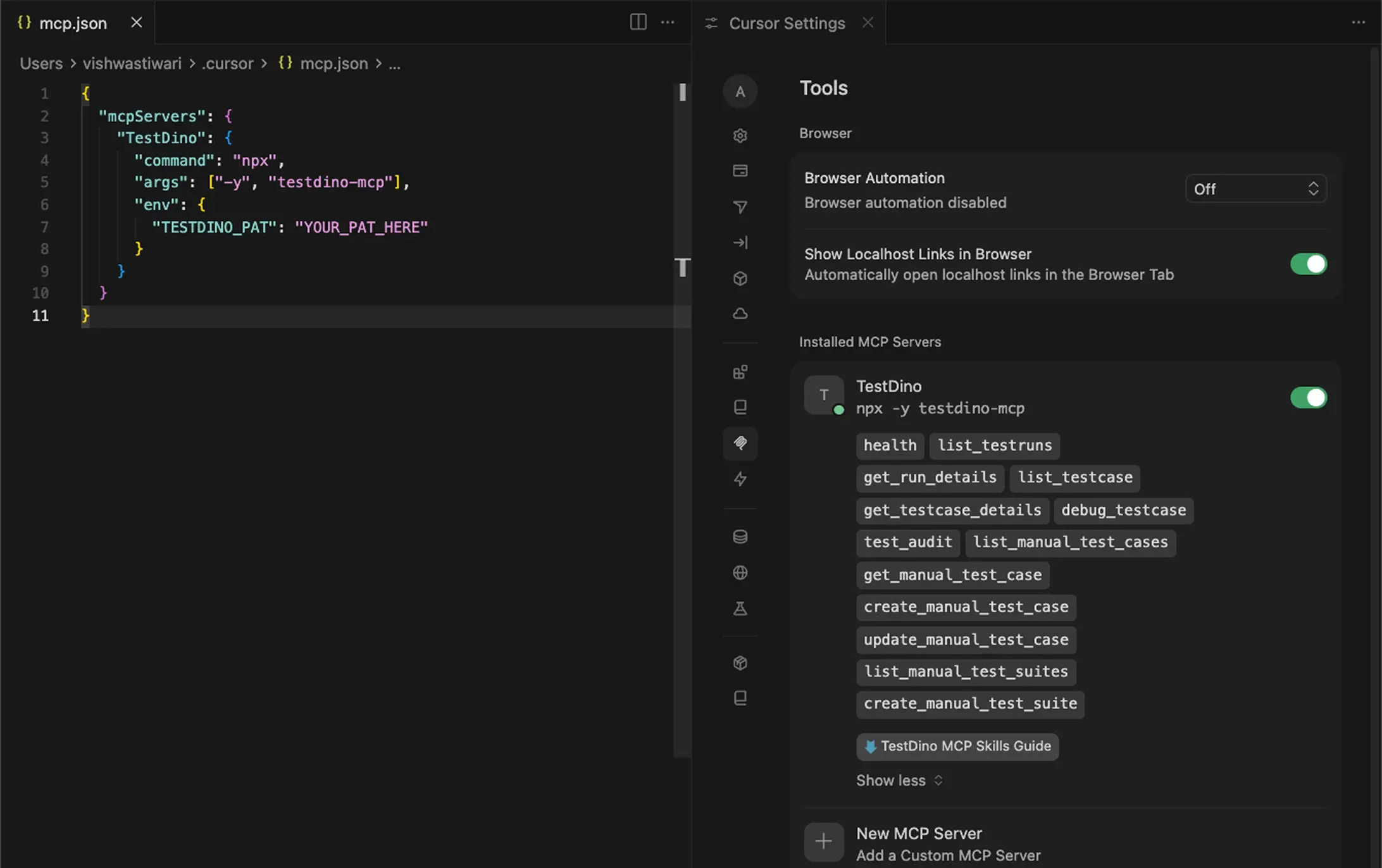
Connect the TestDino MCP server to your AI coding agent in four steps. No SDK changes, no infrastructure work - just configuration.
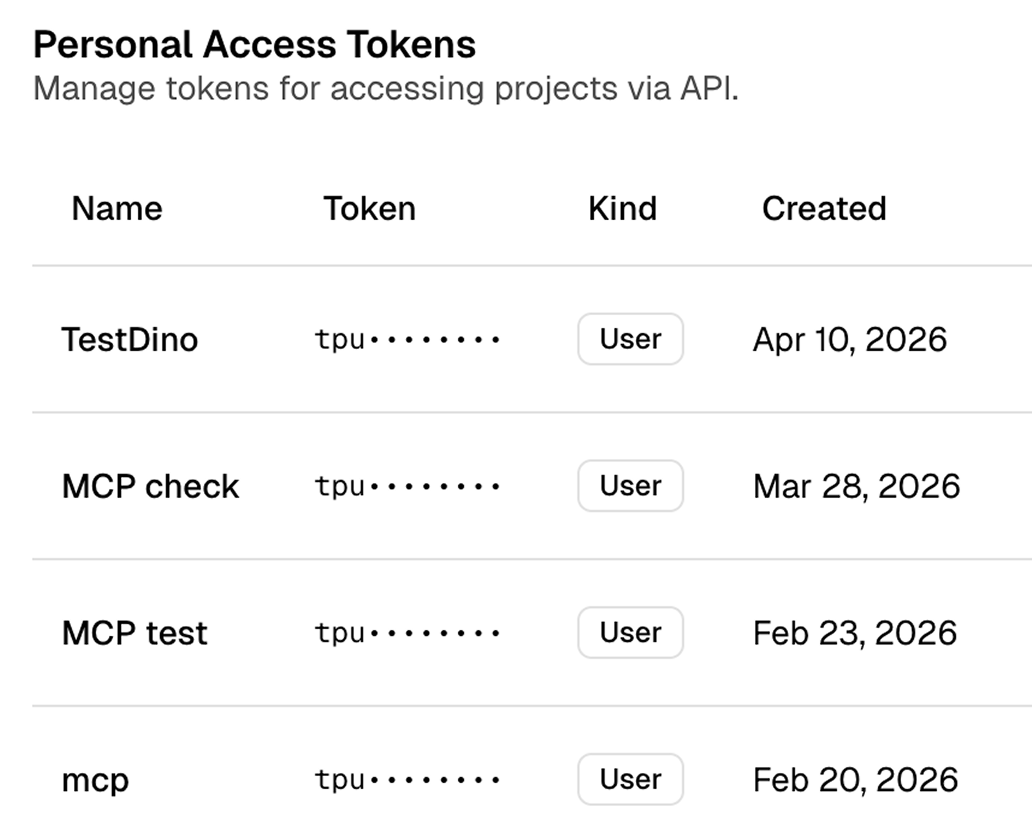
Generate a personal access token
Go to app.testdino.com, open User Settings, and create a Personal Access Token with access to your project. Select the modules you need: Test Runs, Manual Tests, or both.

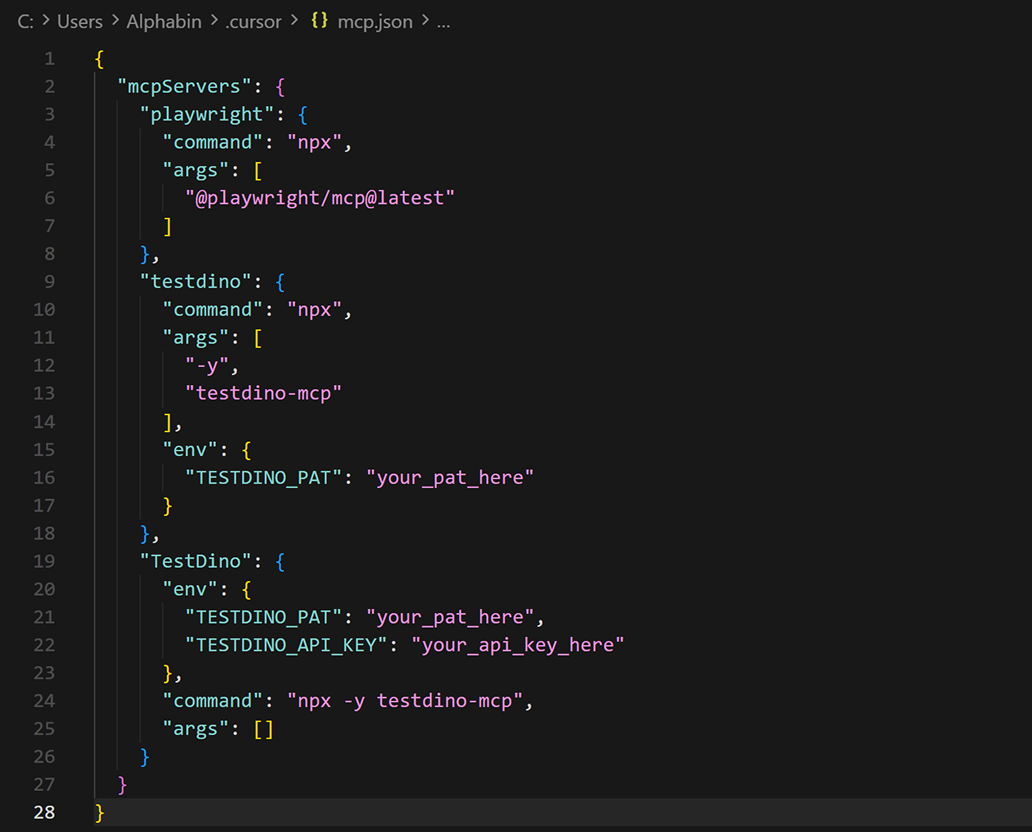
Add the MCP server to your editor
For Claude Code, run: claude mcp add testdino --env TESTDINO_PAT=your-token -- npx -y @testdino/mcp@latest. For Cursor or Claude Desktop, add the @testdino/mcp server config with your TESTDINO_PAT as an environment variable.

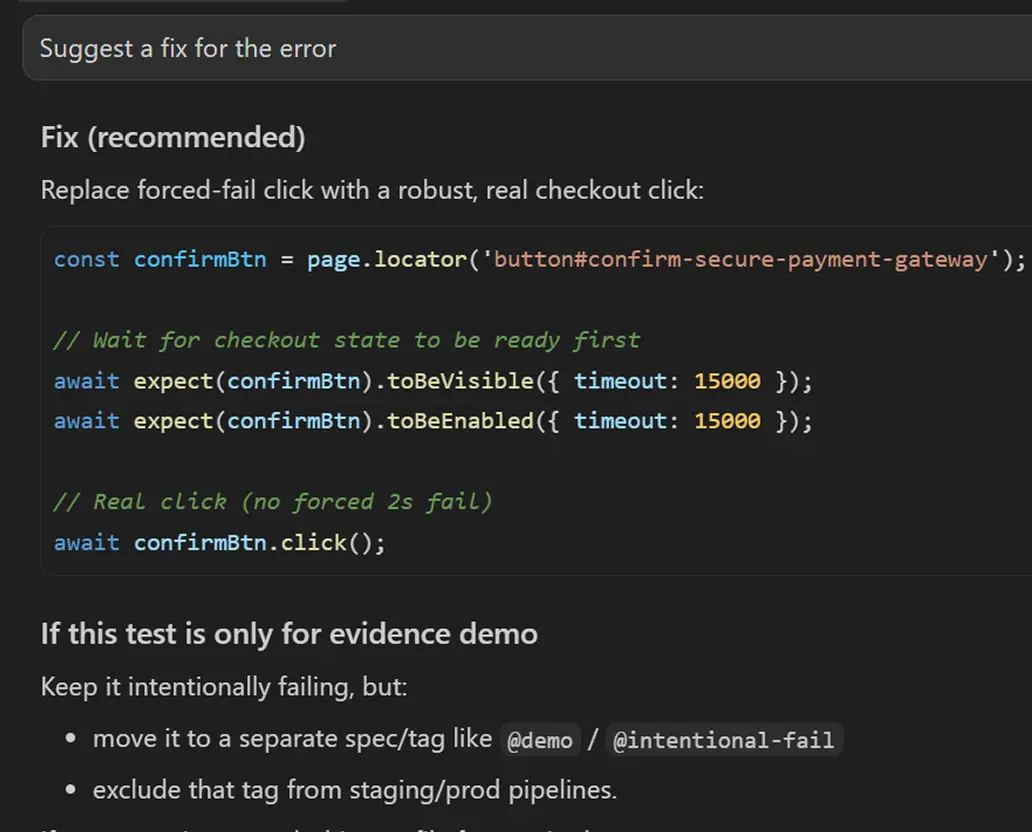
Get fix suggestions from real test data
Your agent reads the failure context from TestDino and suggests concrete code fixes. It knows the error, the locator, the retry history, and the environment, so the fix is specific to your test, not generic advice.
What the MCP server gives
your AI agent
TestDino MCP server: query runs by branch, environment, time, or commit
List recent runs filtered by any combination of branch, environment, author, or time window. Drill into the exact run you need.
Local and remote MCP server
Run it locally for Claude Code, Cursor, and Claude Desktop, or connect the remote server to ChatGPT and Claude on the web. Same tools either way.
Full REST API for anything you script
Every platform operation is available over the API, from test runs and analytics to manual cases and releases, so agents and pipelines can act without the dashboard.
Full failure details with retries and artifacts
Your agent can fetch a failed test case with its error details, retry context, and the artifacts TestDino stored for that case.
Flaky and failed test-case filtering
Filter test cases by status, tag, browser, error category, runtime, artifacts, branch, and time window to focus on the exact slice of failures you need.
Manual test case search and detailed lookup
Search manual test cases by suite, status, priority, severity, type, layer, behavior, tags, or automation status, then open full case details including steps.
Create and update manual test cases, plus create suites
Your agent can create manual test cases, update existing ones, list suite hierarchies, and create new suites as part of your test management workflow.
Branch, browser, and environment-aware debugging
Ask whether a failure only appears on a specific branch, browser, or environment and let the agent answer from the matching TestDino records.
What you get with MCP
A bridge between your test infrastructure and AI workflow.
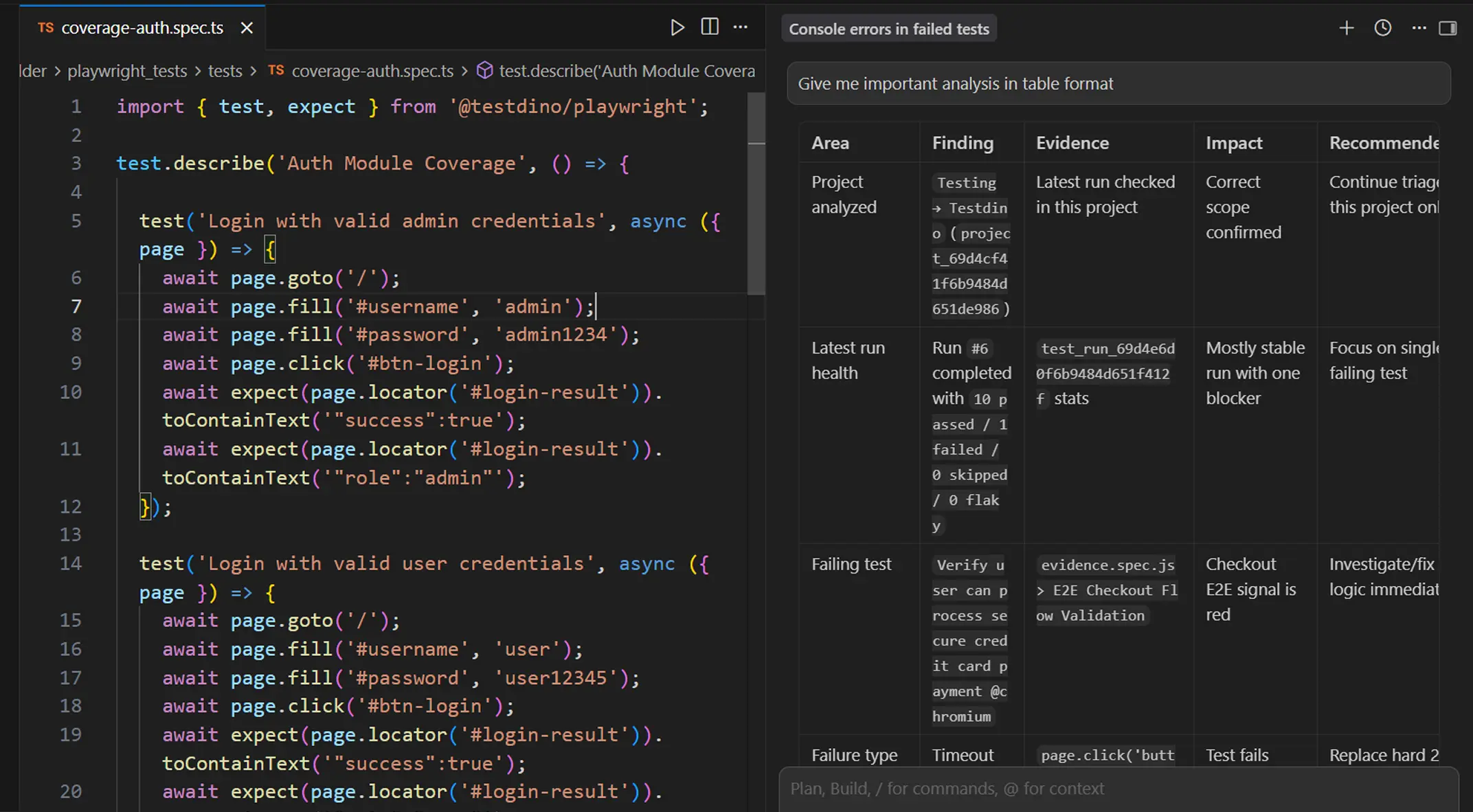
Faster triage with structured test data
The MCP server returns typed, structured responses instead of raw HTML or JSON blobs. Your AI agent can parse failure reasons, compare runs, and prioritize what needs human attention.
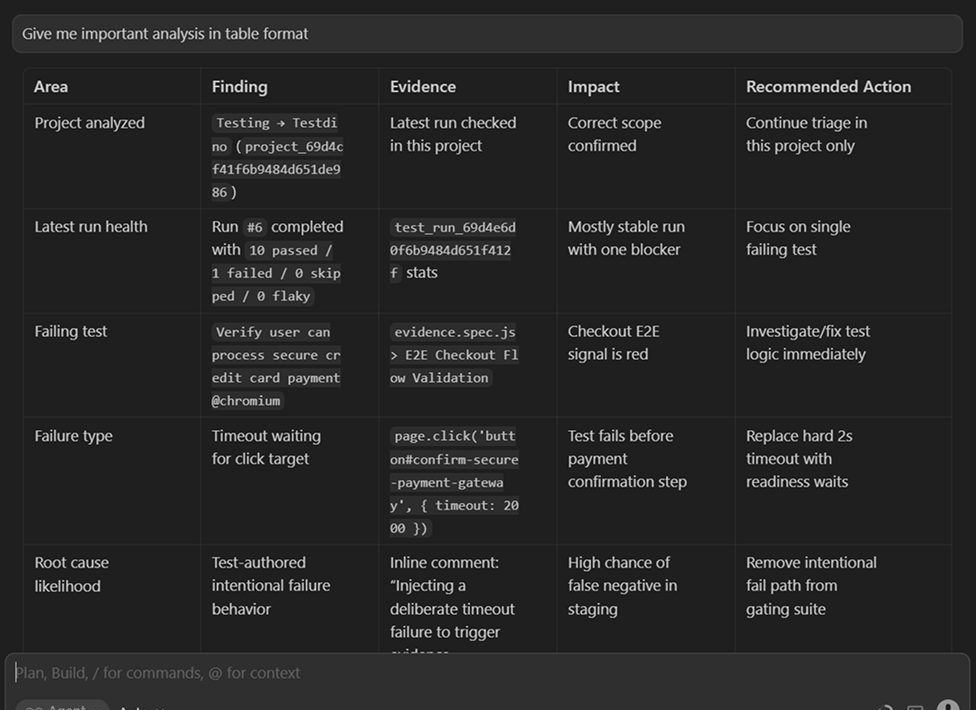
Structured analysis table with findings and recommendations
Your agent organizes TestDino data into a table with Area, Finding, Evidence, Impact, and Recommended Actions columns. Each row covers a different aspect of the failure so you can prioritize what to fix first.
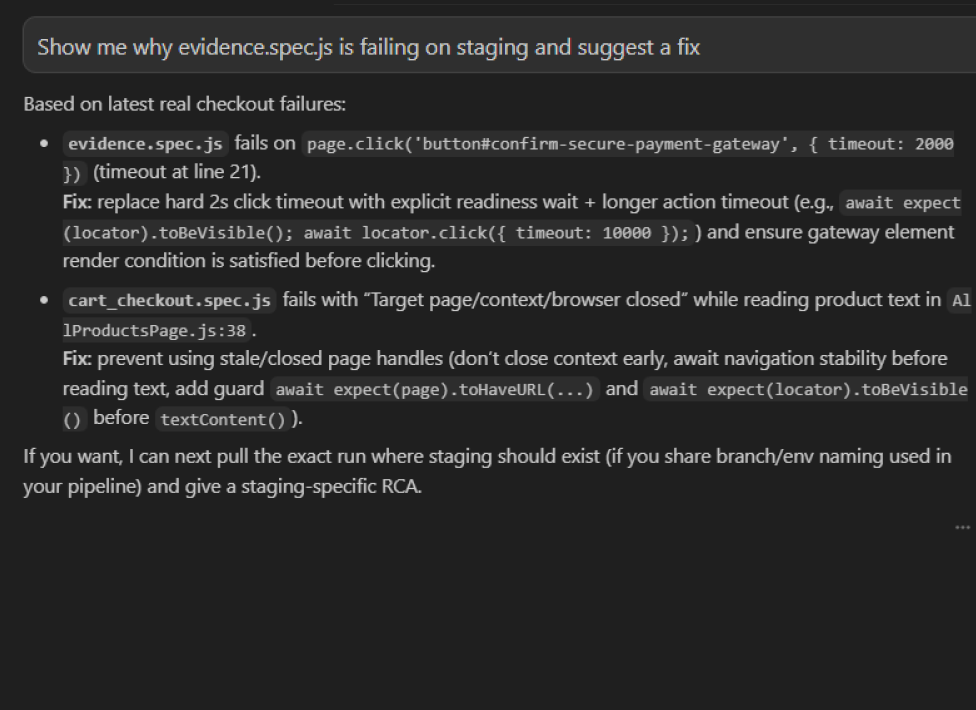
Root cause analysis across runs with one prompt
Use debug_testcase to get failure patterns, error categories, and fix suggestions for any test case across its recent history. Ask "why is checkout.spec.ts failing on staging" and get a structured answer, not raw logs.
Works with your favourite tools
Connect Jira, Slack, GitHub, Linear, Azure DevOps, Asana, and monday to keep your workflow smooth and your team aligned.





FAQs
The TestDino MCP server is a Model Context Protocol endpoint that lets MCP-compatible assistants query your TestDino workspace directly. Your agent can work with test runs, failed test cases, artifacts, and manual test cases from the editor.