
Manage automated and manual test cases in one place.
Playwright tests auto-sync as managed cases. Add manual plans alongside them with suites and custom fields.

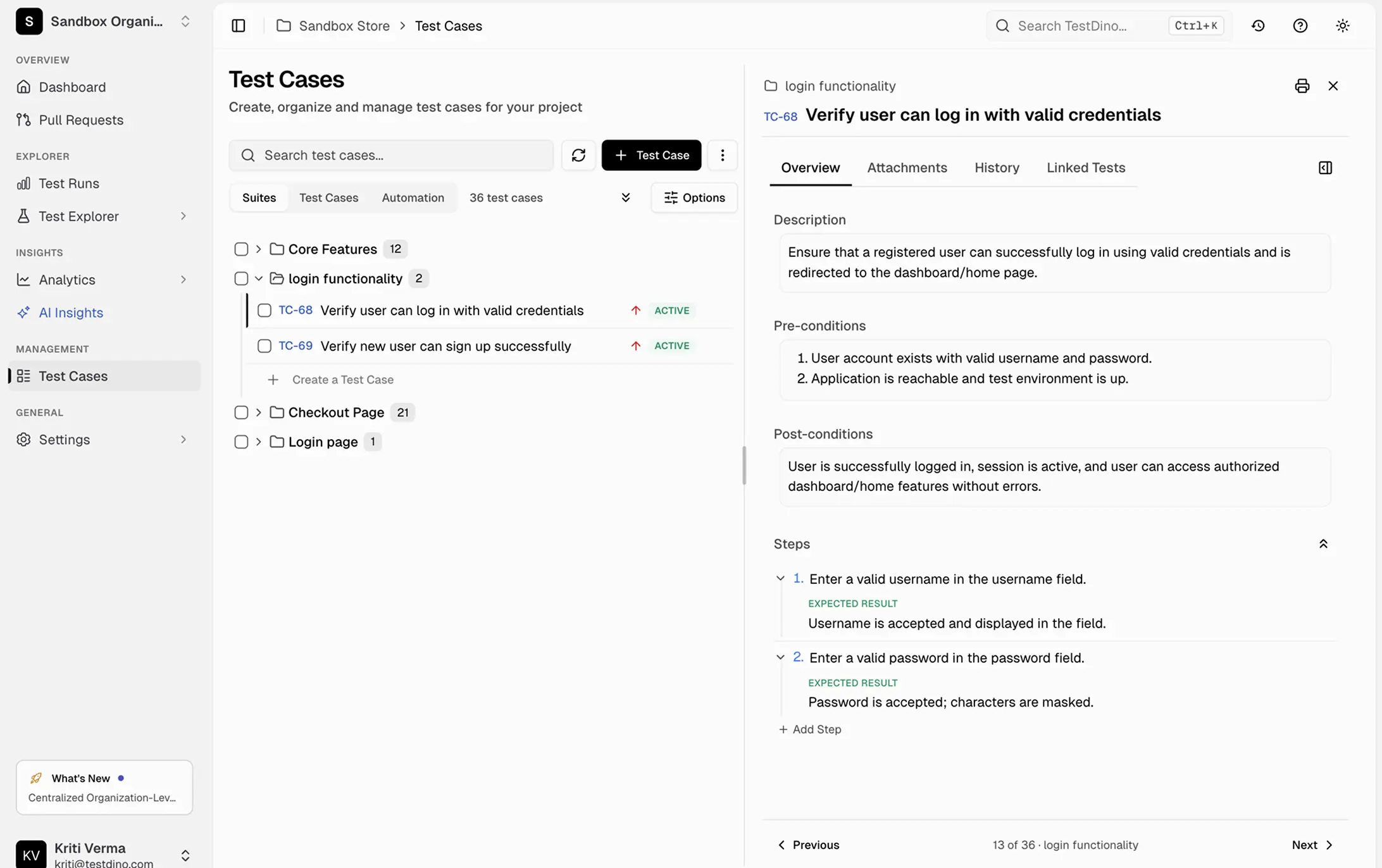








Test cases live in five places
and none of them are in sync
Automated tests in your repo, manual plans in spreadsheets, QA notes in Confluence.

Automated and manual test cases tracked in separate systems
Playwright tests live in GitHub. Manual test plans live in a spreadsheet or TestRail. There is no single view showing both, so coverage gaps hide in the space between systems.
No version history on test case changes
Someone updated a test case last week and now it does not match the actual test. No history, no diff, no way to see who changed what or why.
Bulk updates require editing cases one by one
Renaming a tag across 200 test cases means clicking into each one individually. No bulk operations, no find-and-replace, no way to apply changes across a filtered set.
Test suites have no logical structure beyond file paths
Your test cases are organized by file path because that is all your test runner gives you. No way to group by feature, priority, sprint, or any dimension that matters to your team.
A flat test list breaks
as your suite grows.
A flat list. No structure.
Suites, priorities, statuses. Organized.
How test case management works
Get your test cases organized in four steps. Link automated runs to manual cases, add structure, and keep everything in one workspace.
Add the TestDino reporter
One line in your Playwright config. Every test name, suite, tag, and annotation is automatically indexed from your first run.

reporter: [
  ['@testdino/playwright', {
    token: process.env.TESTDINO_TOKEN
  }],
]
npx playwright testCreate and organize into suites
Fill in title, status, description, suite, severity, priority, type, layer, behavior, and automation status. Add test steps in Classic or Stories format. Group cases into nested suites that mirror your application structure.

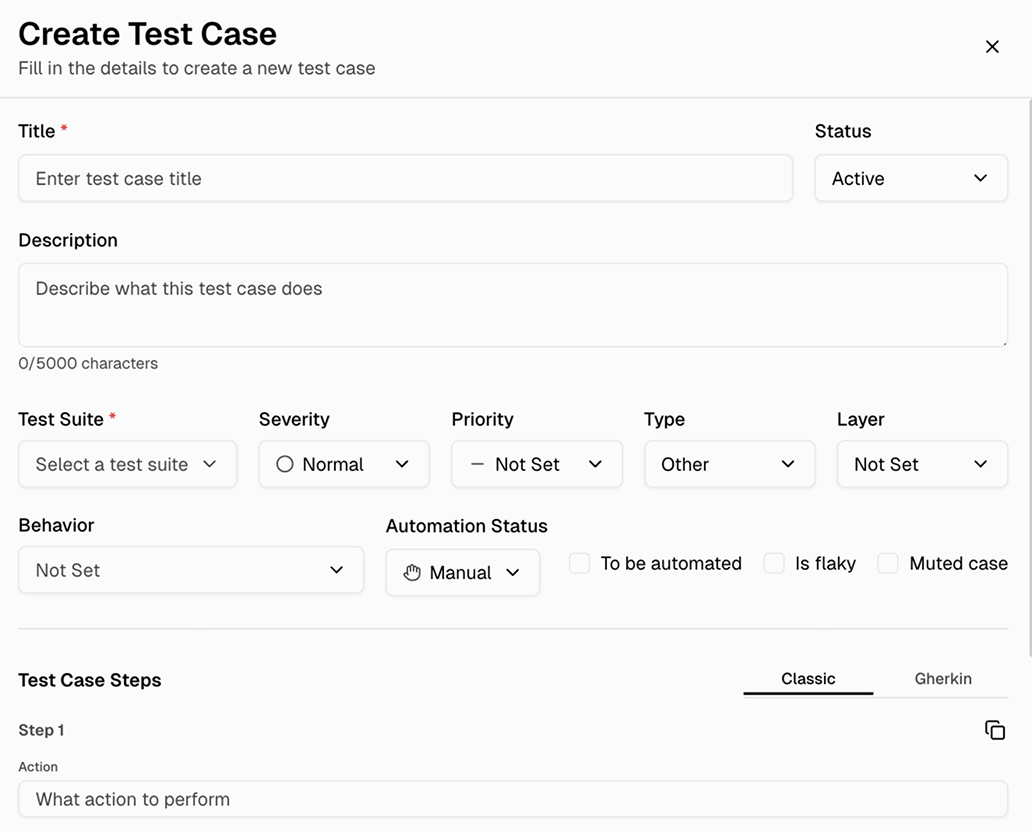
Add custom fields and tags
Attach custom fields like priority, component, owner, or estimation to any test case. Filter and search across your entire suite using any combination of fields.
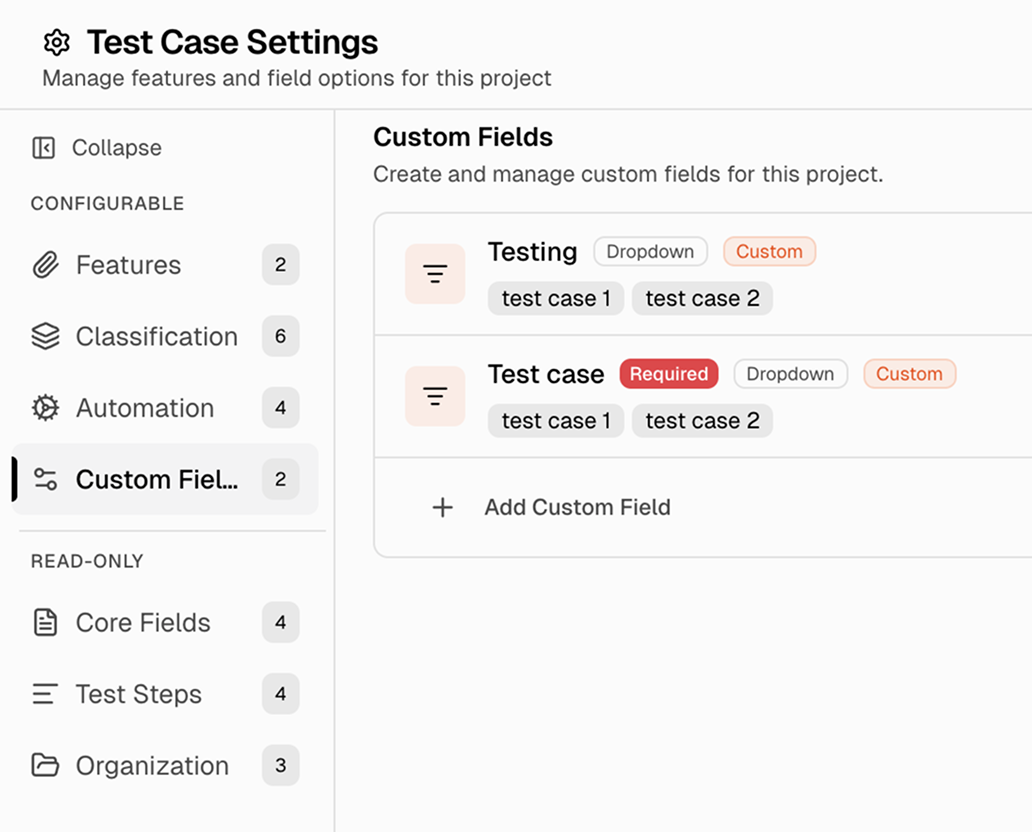
Let your AI agent manage test cases
Connect TestDino's MCP server to Cursor, Claude Code, or Copilot. Your AI agent lists, creates, and updates test cases and suites right from your editor without switching to the dashboard.

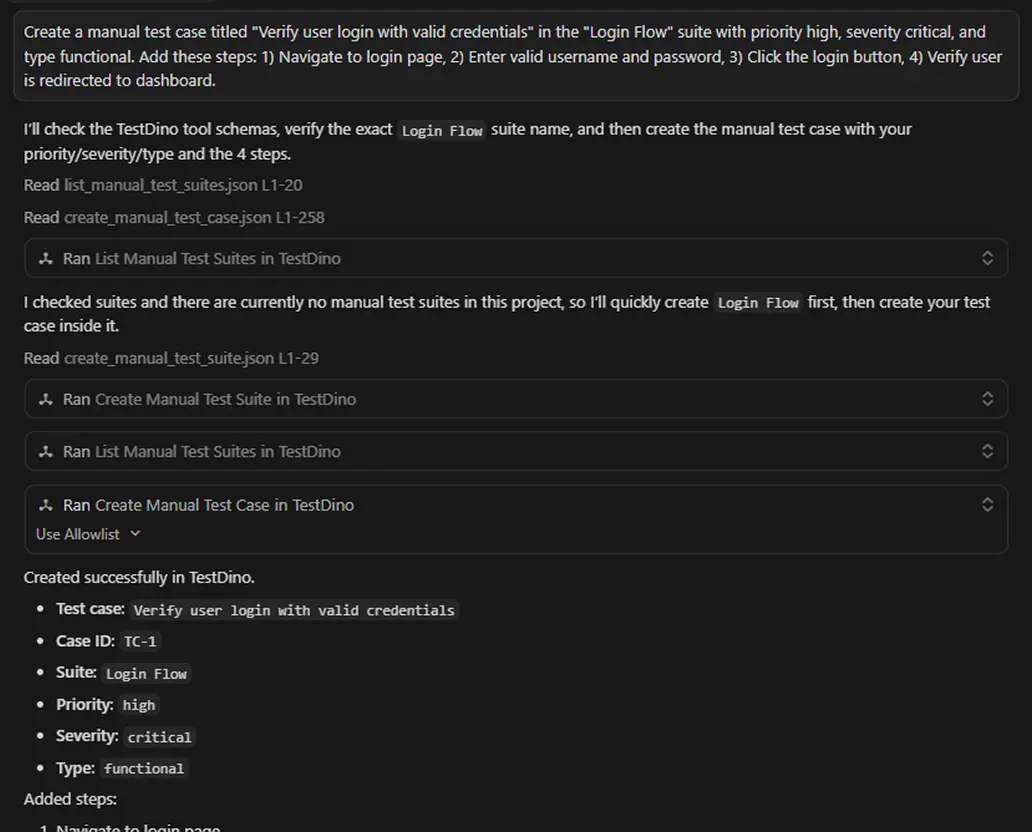
Everything you need to manage
test cases at scale
Automation status tracking per test case
Mark each test case as Manual, Automated, or To Be Automated. Filter by automation status to see coverage gaps and prioritize what to automate next.
Nested suites up to 6 levels deep
Create a hierarchy that mirrors your application structure. Drag cases between suites, collapse and expand the tree, and reorder with bulk operations on up to 200 cases at once.
Custom fields for any metadata you need
Add text, dropdown, date, or numeric fields to test cases. Track priority, complexity, ownership, sprint assignment, or anything else.
Version history with diff view and restore
Enable version history per project to track every change. Compare any two versions side-by-side with a diff view and restore to a previous version when needed.
Bulk operations across filtered sets
Filter and select matching cases, then apply changes in one action: rename tags, update priorities, move suites, or archive.
Classic and Gherkin step formats
Define steps as Action/Test Data/Expected Result in classic mode, or use Given/When/Then/And/But keywords in Gherkin mode. Attach up to 5 files per test case.
What you get with test case management
One workspace that scales from 50 cases to 50,000.
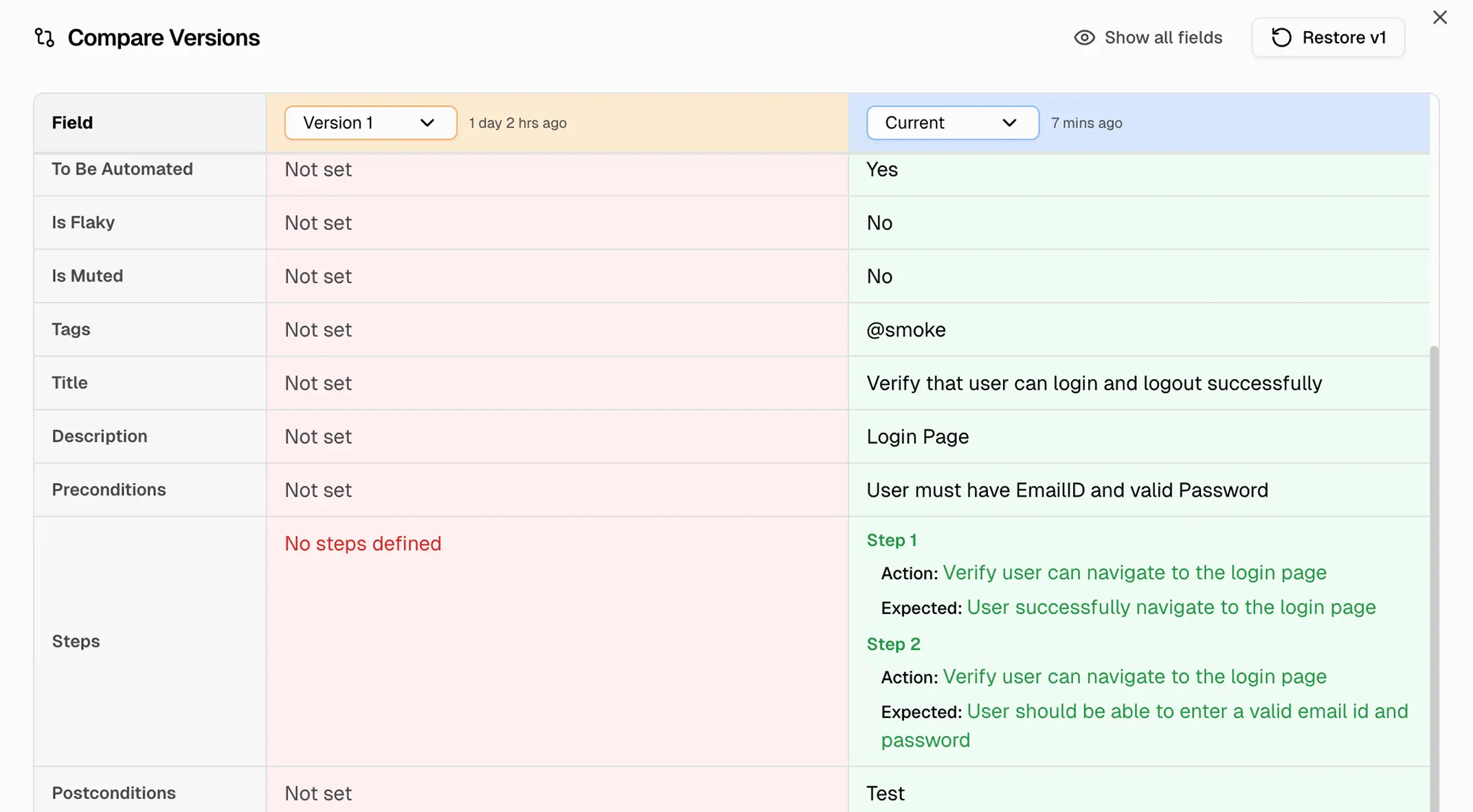
Version history with diff view and restore
Enable version history per project to track every change to a test case with author and timestamp. Compare any two versions side-by-side with a diff view and restore to a previous version when needed.
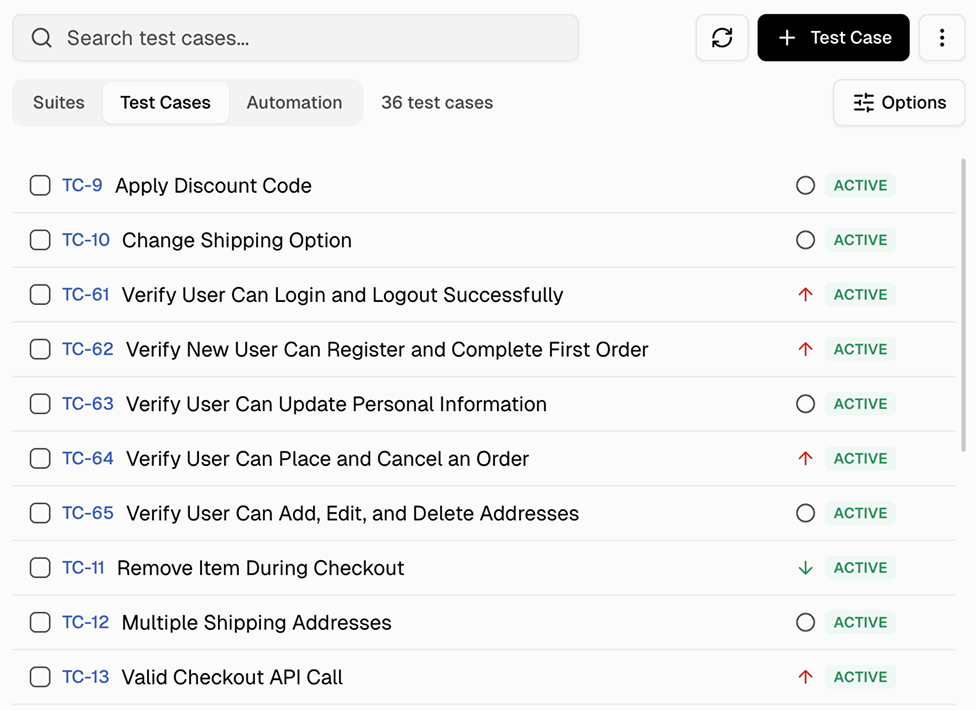
Sortable test case list with status and automation tracking
Browse all test cases in a sortable list with key, title, and status columns. See which cases are active at a glance and navigate directly to any case for full details.
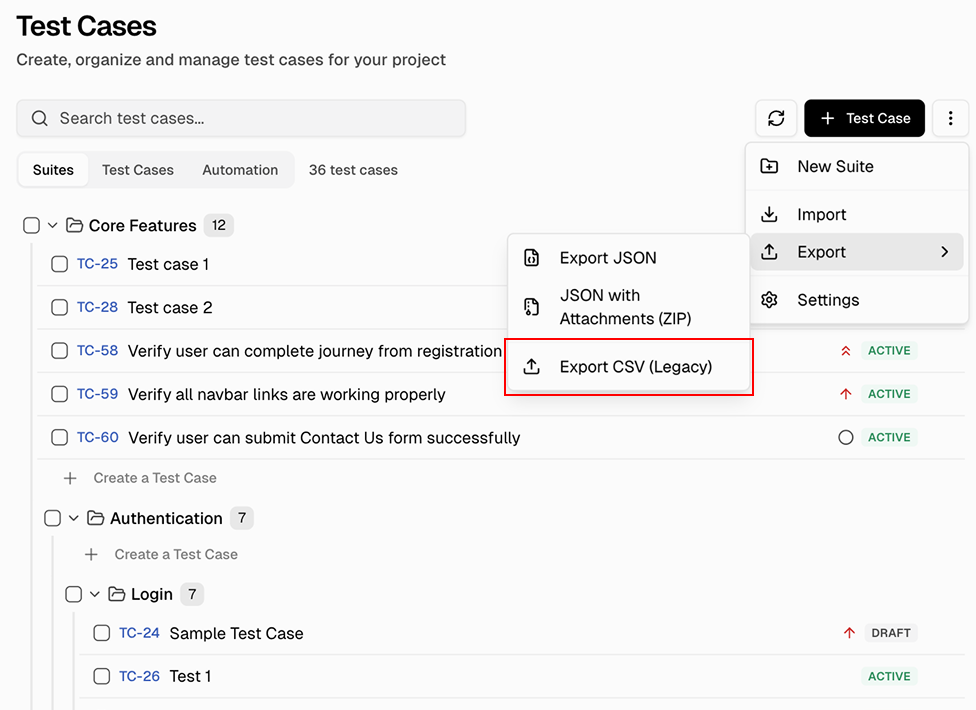
Export test cases as JSON or CSV
Select test cases and export as JSON or CSV directly from the suite view. Use CSV (Legacy) for spreadsheet compatibility or JSON for structured data. Import from CSV or TestRail with column mapping is also supported.
Works with your favourite tools
Connect Jira, Slack, GitHub, Linear, Azure DevOps, Asana, and monday to keep your workflow smooth and your team aligned.





FAQs
Yes. Create manual test cases in the workspace and track their automation status as Manual, Automated, or To Be Automated. Automated Playwright tests sync separately from your CI runs. Both exist within the same project for visibility.