Flaky Test GitHub Actions: Detect, Quarantine, and Fix Unstable Tests
Stop letting flaky tests break your GitHub Actions pipeline. Learn how to detect, quarantine, and fix unstable tests with real workflow examples.
Your CI pipeline just went red. A test failed, you check the code, nothing changed, and you re-run the job - only for it to pass. That right there is the classic flaky test GitHub Actions experience that frustrates modern engineering teams daily.
Flaky tests erode trust in your entire test suite, causing developers to ignore failures and letting genuine bugs slip into production. Every re-run burns compute minutes and engineers' focus, slowly decaying confidence in your CI pipeline.
This guide walks you through a complete strategy to detect unstable tests automatically. You will learn how to quarantine them without blocking deployments and fix the root causes for good with copy-paste ready workflows.
What are flaky tests and why do they haunt CI pipelines?
A flaky test is a test that produces different outcomes (pass or fail) on the same code, without any changes to the source. It is non-deterministic. The test itself, not the code under test, is unreliable.
The difference between a failing test and a flaky test
Instead of guessing, rely on data. Analyze your CI metrics or TestDino dashboard to see when the test flakes. Does it only fail when run in parallel with the billing suite? Does it fail more often on Mondays when the API is under heavy load?

A failing test catches a real bug. It fails consistently and points you to the problem. A flaky test fails randomly. It passes on retry, fails on the next commit, and passes again an hour later. The table below shows the key differences.
| Attribute | Failing test | Flaky test |
|---|---|---|
| Behavior | Fails consistently | Fails intermittently |
| Root cause | Bug in application code | Issue in test code or environment |
| Reproducible | Yes, every run | No, random failures |
| Impact on CI | Blocks pipeline (correctly) | Blocks pipeline (incorrectly) |
| Developer action | Fix the bug | Investigate test, environment, or timing |
According to a Google research paper published at ICSE 2020 titled "Flaky Tests at Google and How We Mitigate Them," approximately 16% of their tests exhibit some level of flakiness. That is roughly 1.5% of all test executions producing non-deterministic results. If Google struggles with this, smaller teams face it even harder.
Why flaky tests are worse in CI than locally
Locally, you re-run a flaky test and move on. In CI, the story changes.
GitHub Actions runs workflows on shared runners. Network latency, CPU contention, and disk I/O vary between runs. A test that passes locally in 200ms might timeout in CI because the runner was under load. Flaky tests are among the most common complaints from teams running automated tests in continuous integration.
Every re-run burns GitHub Actions minutes. On a team plan, those minutes are not free. Multiply a few flaky tests across dozens of daily PRs and the cost adds up fast. That is both the financial cost and the human cost of context-switching.
How flaky tests slip through GitHub Actions undetected
Most teams discover flaky tests the hard way. A PR build fails. Someone checks the diff. Nothing relevant changed. They hit re-run. It passes. Nobody logs the incident. The flaky test stays in the suite, silently draining trust.
The re-run trap
GitHub Actions lets you rerun failed tests github actions directly from the UI. This feature is useful. It is also dangerous. When re-running becomes the default response to failures, flaky tests never get flagged. They just get re-run. The same test might fail three times this week, but because three different engineers each hit re-run once, nobody connects the pattern.
No built-in flaky test tracking
As of 2026, GitHub Actions does not include native flaky test detection or tracking. There is no dashboard that says "this test failed 4 out of the last 10 runs." You get pass or fail per run. That is it. Without historical test result analysis, flaky tests blend in with legitimate failures and get dismissed with a re-run.
This gap means you need to build detection into your workflow yourself. Or use test automation tools that plug into your CI and do the tracking for you.

Tip: Set up a Slack or Teams notification for every re-run. If you see the same workflow re-run more than twice in a week, you likely have a flaky test hiding in that job.
How to detect a flaky test GitHub Actions issue
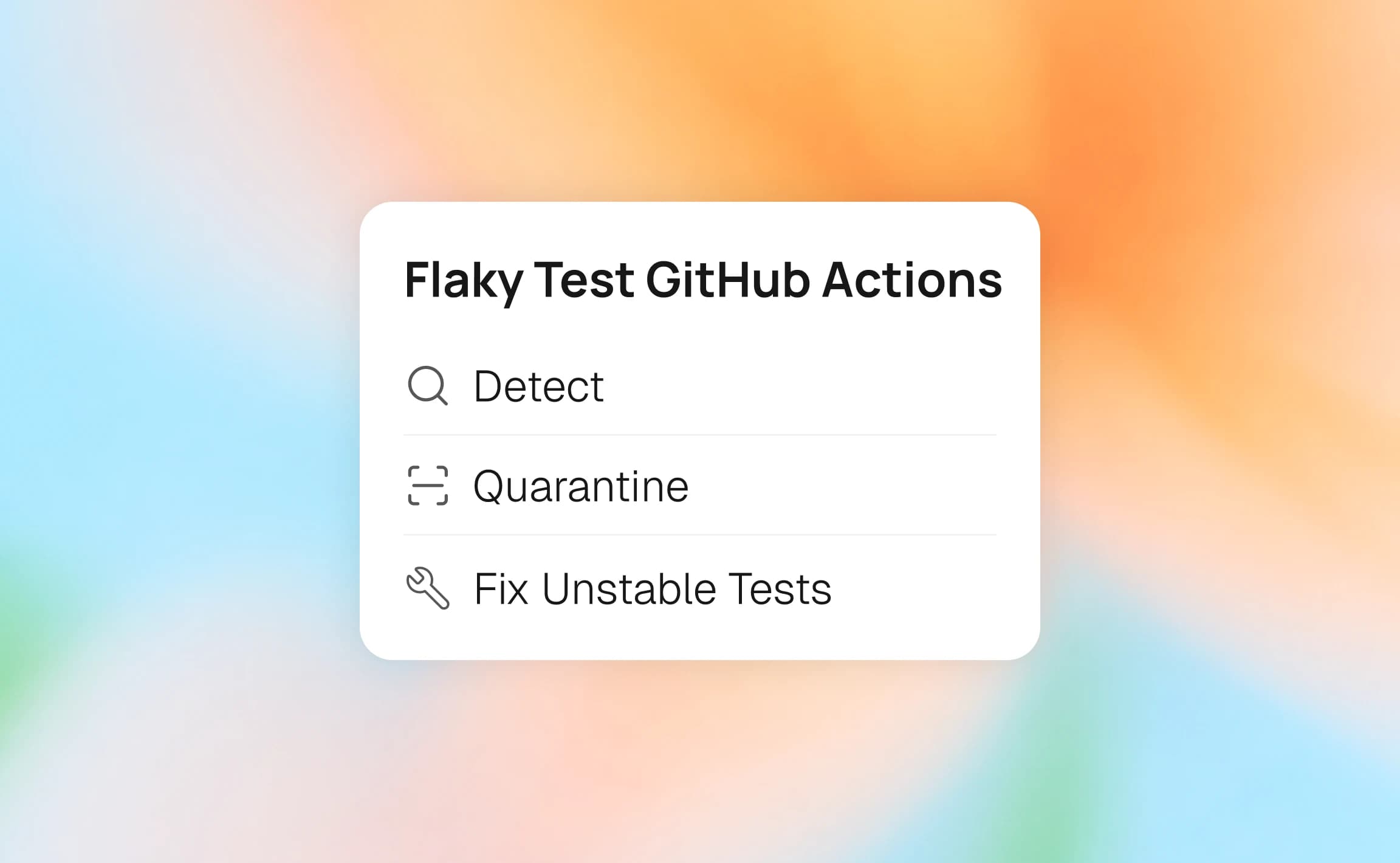
Detection is the first step. You cannot fix what you cannot see. There are three primary approaches to detect flaky tests in your pipeline: retry-based detection, multi-run comparison, and historical analysis.
Approach 1: retry-based detection with Playwright
The simplest method uses your test framework's built-in retry mechanism. Playwright test retry support marks tests that fail initially but pass on retry as "flaky" in the report.
import { defineConfig } from '@playwright/test';
export default defineConfig({
  retries: 2,
  reporter: [
    ['html', { open: 'never' }],
    ['json', { outputFile: 'test-results/results.json' }]
  ],
});
When a test fails and then passes on retry, Playwright marks it with a yellow "flaky" indicator in the HTML report. This is immediate, zero-infrastructure detection. The trade-off is that you only catch a test as flaky when it happens to fail on that particular run.
You can combine this with Playwright GitHub Actions workflows to automate report uploads as CI artifacts for later analysis.
Approach 2: multi-run comparison
Run your test suite multiple times in the same workflow. Tests that produce inconsistent results across runs are flaky.
name: Flaky Test Detection
on:
  schedule:
    - cron: '0 2 * * 1' # every Monday at 2 AM
jobs:
  detect-flaky:
    runs-on: ubuntu-latest
    strategy:
      matrix:
        run-attempt: [1, 2, 3]
    steps:
      - uses: actions/checkout@v4
      - name: Install dependencies
        run: npm ci
      - name: Run tests (attempt ${{ matrix.run-attempt }})
        run: npx playwright test --reporter=json --output=results-${{ matrix.run-attempt }}
        continue-on-error: true
      - name: Upload results
        uses: actions/upload-artifact@v4
        with:
          name: test-results-${{ matrix.run-attempt }}
          path: results-${{ matrix.run-attempt }}/
This approach uses a matrix strategy to run the same suite three times in parallel. After all three finish, a downstream job can compare the JSON reports. Any test that passed in one run but failed in another is a flaky test candidate.
Approach 3: historical analysis across CI runs
The most robust method to detect flaky tests in CI/CD tracks test results over time. You store the pass/fail status of every test across multiple CI runs and flag tests whose failure rate sits between, say, 5% and 95%. A test that always fails is broken. A test that sometimes fails is flaky.
This approach requires a storage layer. You could use GitHub Actions cache, an external database, or a service like TestDino that automatically tracks historical test results and identifies patterns in your test automation CI/CD pipeline.
How to quarantine a flaky test GitHub Actions failure
Detection tells you which tests are flaky. Quarantine keeps those tests from blocking your deployments while you work on fixing them.
Test quarantine is the practice of isolating known flaky tests from the main test suite. Quarantined tests still run, but their results do not affect the pass/fail status of the build. This prevents unreliable tests from blocking CI pipelines.
The quarantine lifecycle
When teams look to quarantine flaky tests CI pipelines become instantly more reliable. Quarantining is not the same as deleting or skipping a test. It is a structured process:
- Identify the test as flaky through detection methods.
- Tag the test with a quarantine label or annotation.
- Separate the test run so it does not block CI.
- Monitor the quarantined test to see if the flakiness persists.
- Graduate the test back to the main suite once fixed.
This lifecycle ensures flaky tests stay visible. Teams that simply test.skip() flaky tests often forget about them entirely. Playwright annotations like test.fixme() or custom tags provide a structured way to mark tests without losing track of them.
Tagging tests for quarantine in Playwright
Use Playwright's tag-based filtering to separate quarantined tests from stable ones.
import { test, expect } from '@playwright/test';
test('checkout completes successfully @quarantine', async ({ page }) => {
  // This test is known to be flaky due to third-party payment gateway timing
  await page.goto('/checkout');
  await page.fill('#card-number', '4242424242424242');
  await page.click('#submit-payment');
  await expect(page.locator('.confirmation')).toBeVisible();
});
The @quarantine tag does not change test behavior by itself. The magic happens in the CI workflow, where you run tagged tests separately.
Splitting the CI workflow
In your GitHub Actions workflow, run stable and quarantined tests as separate jobs. Only the stable test job should gate your PR merge.
name: Test Suite
on: [push, pull_request]
jobs:
  stable-tests:
    runs-on: ubuntu-latest
    steps:
      - uses: actions/checkout@v4
      - run: npm ci
      - name: Run stable tests
        run: npx playwright test --grep-invert "@quarantine"
  quarantined-tests:
    runs-on: ubuntu-latest
    steps:
      - uses: actions/checkout@v4
      - run: npm ci
      - name: Run quarantined tests (non-blocking)
        run: npx playwright test --grep "@quarantine"
        continue-on-error: true
      - name: Upload quarantine report
        if: always()
        uses: actions/upload-artifact@v4
        with:
          name: quarantine-report
          path: playwright-report/
The stable-tests job uses --grep-invert "@quarantine" to exclude all quarantined tests. If any stable test fails, the PR is blocked. The quarantined-tests job runs only the tagged tests with continue-on-error: true. Their pass/fail status does not affect the build.
This approach maps directly to how GitHub's own engineering team handles flaky tests. They auto-quarantine tests that exceed a failure threshold, run them separately, and create tickets for investigation.

Practical flaky test GitHub Actions workflow for detection
Here is a complete, production-ready workflow that detects flaky tests, logs them, and separates them from stable runs. This combines retry-based detection with JUnit XML analysis.
Step 1: configure Playwright for detection
import { defineConfig } from '@playwright/test';
export default defineConfig({
  retries: 2,
  reporter: [
    ['html', { open: 'never' }],
    ['junit', { outputFile: 'test-results/junit.xml' }],
    ['json', { outputFile: 'test-results/results.json' }]
  ],
  use: {
    trace: 'retain-on-failure',
    screenshot: 'only-on-failure',
  },
});
Enabling trace: 'retain-on-failure' captures Playwright trace viewer data for any test that fails. This is critical for debugging flaky tests later. The JUnit reporter produces XML output that can be parsed by CI tools.
Step 2: create the detection workflow
name: Flaky Test Detection & Quarantine
on:
  push:
    branches: [main]
  pull_request:
    branches: [main]
jobs:
  test:
    runs-on: ubuntu-latest
    steps:
      - uses: actions/checkout@v4
      - name: Setup Node.js
        uses: actions/setup-node@v4
        with:
          node-version: 20
          cache: 'npm'
      - name: Install dependencies
        run: npm ci
      - name: Install Playwright browsers
        run: npx playwright install --with-deps chromium
      - name: Run stable tests
        run: npx playwright test --grep-invert "@quarantine" --retries=2
        id: stable-tests
        continue-on-error: true
      - name: Check for flaky tests
        if: always()
        run: |
          # parse-flaky-results.sh
          node -e "
          const fs = require('fs');
          const results = JSON.parse(fs.readFileSync('test-results/results.json', 'utf8'));
          const flaky = results.suites
            .flatMap(s => s.specs)
            .filter(spec => spec.tests.some(t =>
              t.results.length > 1 && t.results.some(r => r.status === 'passed')
            ));
          if (flaky.length > 0) {
            console.log('::warning::Flaky tests detected:');
            flaky.forEach(f => console.log('  - ' + f.title));
            fs.writeFileSync('flaky-tests.txt', flaky.map(f => f.title).join('\n'));
          } else {
            console.log('No flaky tests detected in this run.');
          }
          "
      - name: Upload test artifacts
        if: always()
        uses: actions/upload-artifact@v4
        with:
          name: test-results
          path: |
            test-results/
            playwright-report/
            flaky-tests.txt
      - name: Fail if stable tests failed
        if: steps.stable-tests.outcome == 'failure'
        run: exit 1
Step 3: add a scheduled deep-scan for flakiness
Run a weekly job that executes each test multiple times. This catches flaky tests that only fail occasionally and might slip through single-run detection.
name: Weekly Flaky Test Scan
on:
  schedule:
    - cron: '0 3 * * 0' # every Sunday at 3 AM UTC
jobs:
  deep-scan:
    runs-on: ubuntu-latest
    strategy:
      fail-fast: false
      matrix:
        attempt: [1, 2, 3, 4, 5]
    steps:
      - uses: actions/checkout@v4
      - run: npm ci
      - run: npx playwright install --with-deps chromium
      - name: Test run ${{ matrix.attempt }}
        run: npx playwright test --reporter=json --output=run-${{ matrix.attempt }}
        continue-on-error: true
      - uses: actions/upload-artifact@v4
        with:
          name: scan-results-${{ matrix.attempt }}
          path: run-${{ matrix.attempt }}/
  analyze:
    needs: deep-scan
    runs-on: ubuntu-latest
    steps:
      - uses: actions/checkout@v4
      - name: Download all results
        uses: actions/download-artifact@v4
        with:
          pattern: scan-results-*
      - name: Analyze flaky patterns
        run: |
          # analyze-flaky.sh
          echo "Comparing results across 5 runs..."
          node scripts/compare-results.js
This workflow runs the full suite five times in parallel using Playwright sharding principles. The analyze job downloads all results and runs a comparison script. Tests with inconsistent outcomes across the five runs are flagged.
Note: Running five parallel attempts consumes 5x the compute minutes. Schedule this for off-peak hours and limit it to weekly or bi-weekly runs. The detection value is worth the cost if you have a large end-to-end testing suite.
This technique scales well for massive test suites where flakiness is common but immediate retries are too noisy.

How to fix flaky tests at the root cause
Quarantine buys you time. Fixing the root cause is the goal. Most flaky tests fall into a handful of categories. Once you know the category, the fix is usually straightforward.
Race conditions and timing issues
This is the most common cause. A test clicks a button before the page finishes loading. Or it asserts a value before an API response arrives.
// BAD: timing-dependent
test('dashboard shows user data', async ({ page }) => {
  await page.goto('/dashboard');
  // This might fail if the API is slow
  const userName = await page.textContent('.user-name');
  expect(userName).toBe('Alice');
});// GOOD: waits for the element
test('dashboard shows user data', async ({ page }) => {
await page.goto('/dashboard');
  // Playwright auto-waits for the element to appear
  await expect(page.locator('.user-name')).toHaveText('Alice');
});
Playwright auto-waiting handles most timing issues. Use expect with locators instead of raw textContent calls. The assertion will retry until the condition is met or the timeout expires.
Shared state between tests
Tests that depend on a specific database state, a logged-in session, or a file on disk can flake when run in a different order or in parallel.
// GOOD: isolated test with its own fixture
test('add item to cart', async ({ page, context }) => {
  // Each test gets a fresh browser context
  await page.goto('/products/widget-a');
  await page.click('button:has-text("Add to cart")');
  await expect(page.locator('.cart-count')).toHaveText('1');
});
Playwright fixtures give each test an isolated browser context by default. Avoid sharing state across tests. If you need setup data, create it in a beforeEach hook or use a test-specific API call to seed the database.
Environment-specific failures
Tests that pass locally but fail in CI often struggle with differences in:
- Timeouts: CI runners are slower. Increase Playwright timeouts in your CI configuration.
- Screen resolution: Headless browsers on CI may use different viewport sizes.
- Network: External APIs are slower or unreliable on shared CI runners.
export default defineConfig({
  timeout: process.env.CI ? 60_000 : 30_000,
  expect: {
    timeout: process.env.CI ? 10_000 : 5_000,
  },
  use: {
    viewport: { width: 1280, height: 720 },
  },
});
Setting explicit timeouts and viewport sizes in your Playwright configuration eliminates environment-dependent failures.
Tip: Use Playwright debugging tools like trace viewer and screenshots to reproduce flaky failures. Attach traces as CI artifacts so any team member can inspect the exact state of the browser when the test failed.
Third-party dependencies
Tests that call external APIs, payment gateways, or third-party services are inherently flaky. Mock these dependencies in your test environment.
test('payment processes correctly', async ({ page }) => {
  // Mock the payment API
  await page.route('**/api/payment', route =>
    route.fulfill({
      status: 200,
      contentType: 'application/json',
      body: JSON.stringify({ status: 'success', id: 'txn_123' }),
    })
  );
  await page.goto('/checkout');
  await page.click('#pay-now');
  await expect(page.locator('.success-message')).toBeVisible();
});
Mocking removes the external dependency entirely. The test becomes deterministic because it no longer depends on a third-party server's availability or response time.
Tools and strategies to prevent future flakiness
Fixing existing flaky tests is reactive. Building a system that prevents new flakiness is proactive. Here are strategies that teams with the most stable CI pipelines follow.
Run tests in parallel with isolation
Parallel tests in Playwright run each test file in its own worker process. This isolates state and catches tests that accidentally depend on execution order.
export default defineConfig({
  workers: process.env.CI ? 4 : undefined,
  fullyParallel: true,
});
Measure your flaky test cost
Before you can justify spending engineering time on flaky tests, quantify the cost. You can calculate the yearly cost of flaky tests using TestDino's free tools. Their Flaky Cost Calculator puts a dollar figure on debug hours, CI reruns, and engineer days lost per year.

Adopt a flaky test SLA
Set a team policy. For example:
- Any test flagged as flaky must be quarantined within 24 hours.
- Quarantined tests must have an owner and a ticket.
- If a quarantined test is not fixed within 2 weeks, it gets reviewed for deletion.
- "Flaky test GitHub Actions" pipeline results are reviewed weekly.
This turns flaky test management from an ad-hoc chore into a structured process.
Use Playwright best practices from the start
Prevention starts at test design. Playwright best practices include using web-first assertions, avoiding hard-coded waits, isolating test data, and preferring locators over CSS selectors.
Integrate flaky test reporting into your workflow
Generate Playwright test reports and upload them as artifacts on every CI run. Over time, these reports reveal patterns. Maybe a specific test file flakes every Monday morning when the staging database refreshes. Or a test only fails on the webkit browser.
The Playwright Skill by TestDino can help automate the analysis of these reports and surface actionable insights.
Note: GitHub's own engineering team maintains dedicated resources for test health. Their approach: auto-quarantine, auto-ticket, and weekly review. You can replicate this pattern at any scale with the workflows shown in this guide.
Conclusion
Flaky tests will always appear in any sufficiently large test suite. The difference between teams that ship fast and teams that fight CI fires is a structured flaky test GitHub Actions strategy. Detect flaky tests early using retries and multi-run analysis. Quarantine them immediately so they stop blocking merges. Fix root causes by category: timing, shared state, environment, or external dependencies. Prevent new flakiness with parallel execution, explicit timeouts, and web-first assertions. If you want to automate this lifecycle and track your suite's health over time, fix flaky tests faster with TestDino's detection and monitoring capabilities.
FAQs

Vishwas Tiwari
Software Engineer