How to write Playwright tests using Cline
AI assistants often output Playwright specs that look fine until CI runs them. This guide shows how to use Cline with Playwright MCP and project rules so tests match your real UI, follow web-first assertions, and plug into a clear reporting workflow.
Teams are shipping faster, and everyone wants automated checks that keep up without constant babysitting.
The pain is not typing a test. It is brittle selectors, missing assertions, and advice that never touched your real page, so CI breaks while the chat looked fine.
This guide walks through Cline with Playwright MCP and .clinerules so tests match your UI and your standards, plus how to run and read results in a serious workflow.
What Cline is, why Playwright, and how it compares
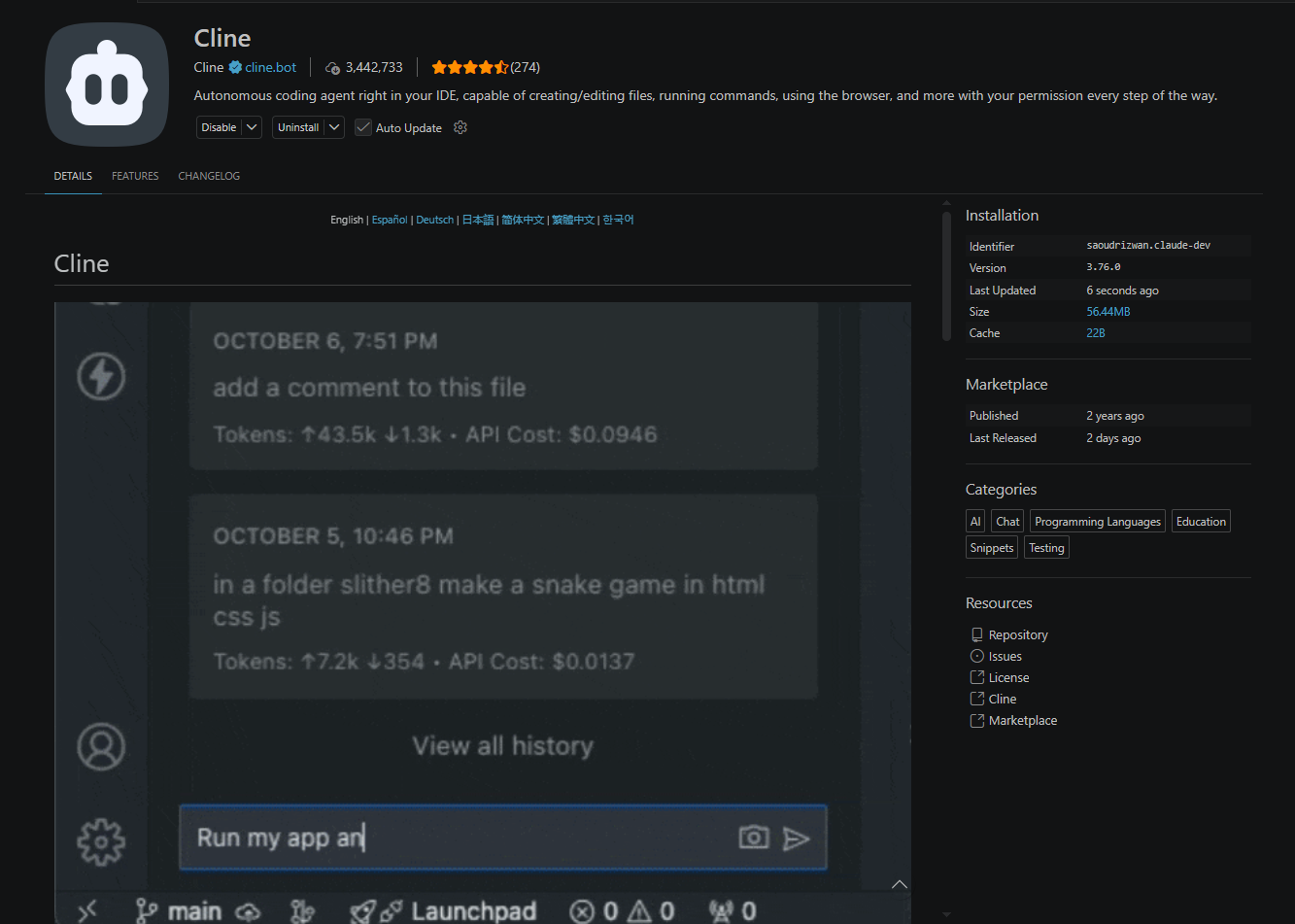
Cline is an AI coding agent that lives inside editors such as VS Code, JetBrains IDEs, Cursor, Windsurf, and VSCodium. It can read your repo, propose edits, run terminal commands with approval, and use tools exposed through the Model Context Protocol (MCP).
For Playwright work, Cline stands out in three ways:
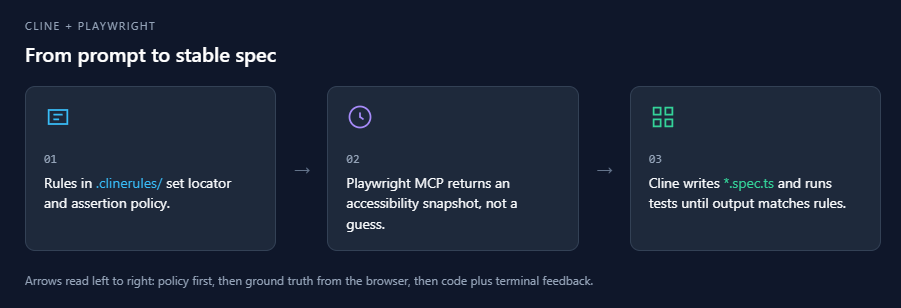
Autonomous file and command loops. You describe a flow or point at a feature folder. Cline can iterate on specs, run npx playwright test, and adjust code from real output instead of stopping at a single snippet.
MCP-native browser access. When you add Microsoft's Playwright MCP server, Cline can drive a real browser session, request accessibility snapshots, and align locators with what is on screen. That is the same structured approach described in the broader Playwright AI ecosystem story around MCP, agents, and maintainable tests.
Rules you can version. Workspace rules in .clinerules/ carry your locator policy, assertion style, and file layout. Cline merges them into context so you are not retyping standards every session. The format is compatible with ideas from Playwright best practices posts: prefer roles, isolate tests, and avoid arbitrary sleeps.
Note: Cline accounts and model access are managed through app.cline.bot. You can also bring your own API keys for certain providers. Check current pricing and limits on the official site because plans change over time.
If you have tried other assistants, the mental model is close. The difference is the combination of deep workspace access, MCP tools, and first-class rules files rather than a single giant prompt.
How Cline compares for Playwright teams
Not every assistant exposes MCP the same way or stores rules in the same place. Here is a practical comparison for Playwright teams.
| Feature | Cline | Cursor | GitHub Copilot | OpenAI Codex (IDE / ChatGPT workflows) |
|---|---|---|---|---|
| IDE surface | VS Code, JetBrains, VSCodium, Windsurf, more | Cursor, VS Code-style | VS Code, JetBrains, Neovim | Varies by product surface |
| MCP server support | Yes (UI + cline_mcp_settings.json) | Yes | Growing (depends on client) | Depends on host app MCP support |
| Project rules | .clinerules/ plus imports from .cursorrules, Windsurf, AGENTS.md | .cursorrules, project docs | copilot-instructions.md and repo context | Project instructions vary by integration |
| Browser control via Playwright MCP | Yes, when configured | Yes, when configured | Yes, when the client supports MCP | Only where MCP is wired |
| Agentic multi-step edits | Yes, with approvals | Yes | Agent mode in supported clients | Task-style runs in supported UIs |
Codex-style flows often shine at inline edits and short tasks. Cline's sweet spot for testers is long-running loops that combine MCP snapshots, terminal runs, and repo-wide edits. Neither replaces the other in every situation. Many teams mix tools and still standardize on Playwright and shared test automation practice in CI.
For a wider market view of codegen tools, the AI test generation tools overview lists several options and how teams pair them with Playwright.
Readers who are new to the stack may want the Learn Playwright in 2026: The Complete Roadmap sequence first, then return here for the Cline-specific wiring.
Prerequisites and project setup
Before you connect MCP, line up a clean Playwright baseline. That makes AI output easier to review.
System expectations
-
Node.js 18 or newer for @playwright/test (Node 20+ is required if you also use the Cline CLI per current docs).
-
VS Code or another editor where the Cline extension installs.
-
A Playwright project, new or existing.
Install Cline in VS Code
Open Extensions (Ctrl+Shift+X on Windows), search for Cline, and install the extension published for your marketplace. Sign in through the flow so model access is configured.
code --install-extension saoudrizwan.claude-devExtension IDs can change slightly by fork. If the command fails, install from the Extensions UI.
Initialize Playwright if needed
npm init playwright@latestPick TypeScript when asked if you want stronger checks for growing suites. This gives you playwright.config.ts, a starter spec, and scripts.
Install browsers
npx playwright install
Tip: If MCP later errors about project root or config paths, run the Playwright MCP process from the same workspace that contains playwright.config.ts and node_modules. Community threads on the Playwright MCP and Cline repos discuss cwd and explicit --config flags for monorepos.
Align your local setup with the same browsers and projects you use in CI. Mixed baselines create failures that look flaky but are really environment drift. The Playwright debugging guide explains why traces and consistent configs matter when you debug those mismatches.
How to connect Playwright MCP to Cline
MCP is an open standard for tool calls between apps and helpers. Microsoft's Playwright MCP server exposes browser actions and structured snapshots so models interact through real automation, not vibes.
Without MCP, Cline only knows what you type. With MCP, it can navigate, snapshot the accessibility tree, and ground locators in the current DOM. That lines up with how the accessibility tree makes automation more stable than raw CSS alone.
Add the server in Cline
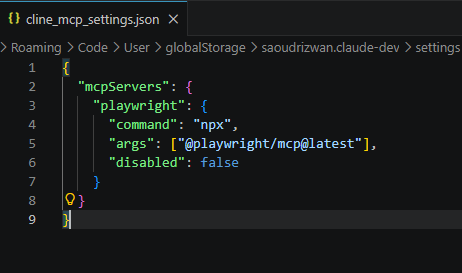
Open the MCP Servers area from Cline's navigation, choose Configure, then edit the JSON Cline uses (cline_mcp_settings.json per documentation). For a stdio server, the shape looks like this:
{
  "mcpServers": {
    "playwright": {
      "command": "npx",
      "args": ["@playwright/mcp@latest"],
      "disabled": false
    }
  }
}
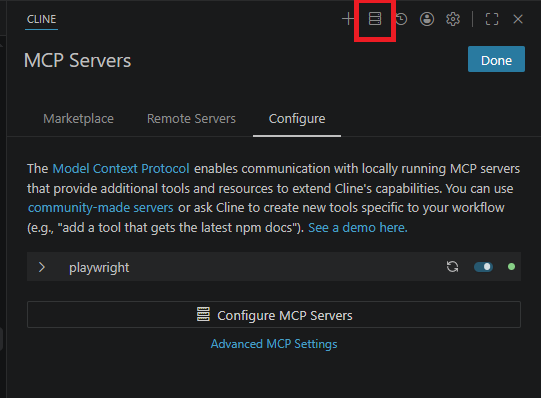
You can pass environment variables if your server needs them, and you can list alwaysAllow tool names once you trust the workflow. Restart the server after edits.
Official references: Cline's Adding & Configuring Servers page and Microsoft's @playwright/mcp package.
Smoke test the connection
Ask Cline to open a staging URL you control and return a snapshot. If MCP is healthy, you will see structured tree output rather than a generic description.
For a conceptual comparison of terminal-only flows versus MCP, the Playwright CLI vs MCP article walks through when each style fits.
Setting up Cline rules for Playwright
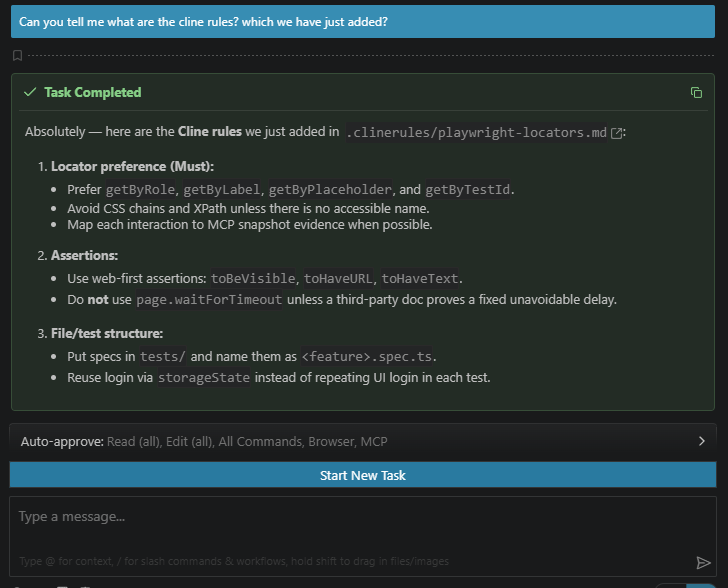
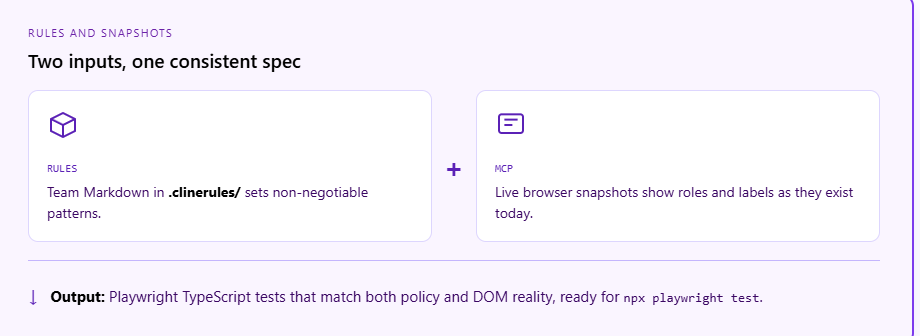
Rules turn preferences into defaults. In Cline, primary workspace rules live in .clinerules/ as Markdown. Cline also ingests compatible rules from .cursorrules, Windsurf rules, and AGENTS.md if present.
Create focused files instead of one mega file. Example names: playwright-locators.md, playwright-assertions.md, playwright-auth.md.
Example rule file:
<!-- .clinerules/playwright-locators.md -->
# Playwright locator policy

## Must
- Prefer `getByRole`, `getByLabel`, `getByPlaceholder`, and `getByTestId`.
- Avoid CSS chains and XPath unless there is no accessible name.
- Map each interaction to the snapshot evidence from MCP when possible.

## Assertions
- Use web-first assertions (`toBeVisible`, `toHaveURL`, `toHaveText`).
- Never add `page.waitForTimeout` unless a third-party doc proves the delay is fixed and unavoidable.

## Files
- Put specs in `tests/` as `<feature>.spec.ts`.
- Share login via `storageState`, not repeated UI logins.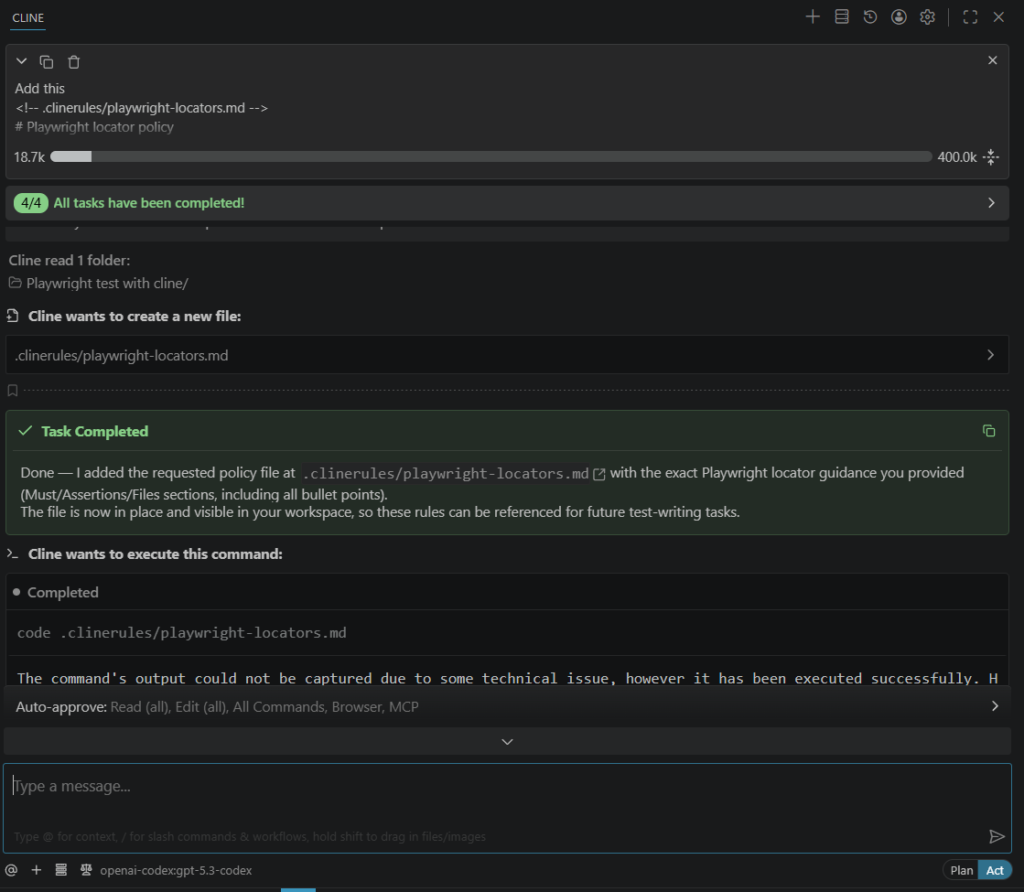
Use optional YAML front matter with paths: if you want rules to activate only for **/*.spec.ts files. That keeps context lean when you are not editing tests.
Note:Conditional rules are powerful but easy to overfit. Start broad, then narrow globs once you see which files Cline touches during test work.
Why this matters for codegen
The Playwright AI codegen discussion shows how recorded flows often need cleanup. Rules give Cline a checklist before it writes or refactors specs.
Reporting cost context (verified external benchmark)
Large teams pay a real time tax when failures are noisy. Slack’s engineering organization reported spending 553 hours per quarter triaging test failures before stronger automation around flaky tests, a figure cited in industry writeups and summarized in reporting discussions such as The Playwright reporting gap: why test reports don’t scale.
Creating your first Playwright test with Cline
Once MCP is connected and your rules are in place, the fastest way to see everything working is to generate a real test. Start with a simple, concrete prompt that targets your application.
Prompt to create your first test
Open the Cline chat and type a prompt like this:
Go to https://storedemo.cms.testdino.com, search for a product, add it to the cart, and verify the cart count updates. Use Playwright MCP to inspect the page and write a spec file at tests/add-to-cart.spec.ts.
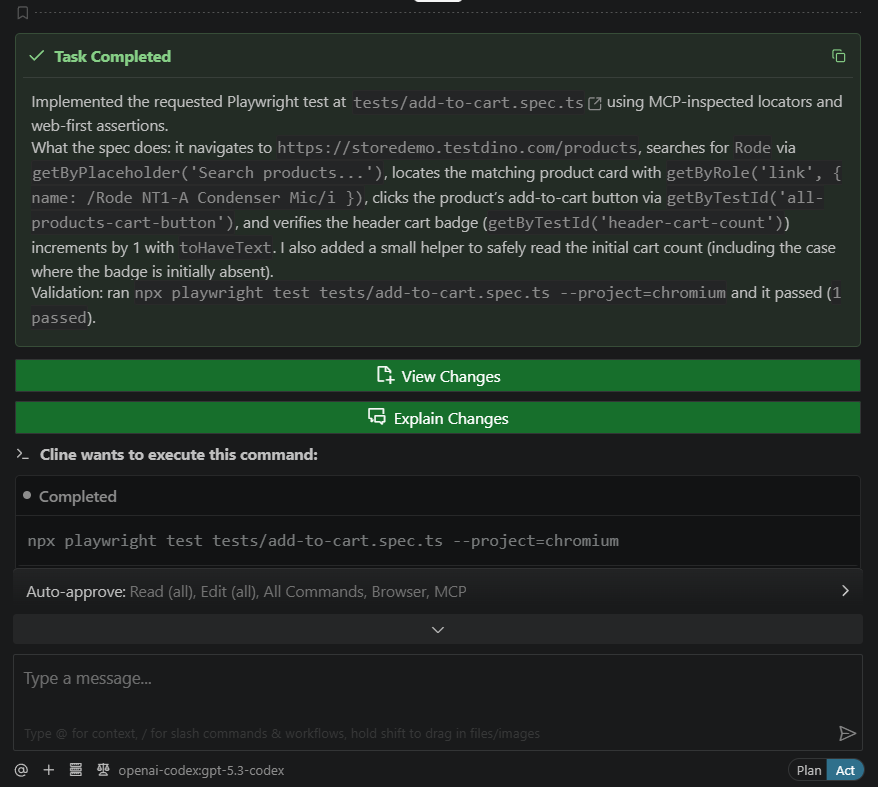
Cline will use MCP to open the site, take an accessibility snapshot, identify the correct roles and labels, and write a spec that follows your .clinerules/ policies. The generated test will look something like this:
import { test, expect } from "@playwright/test";

test.describe("add to cart flow", () => {
  test(  "user can add a product to the cart",
  async ({ page }) => {
    await page.goto("https://storedemo.cms.testdino.com");

    // search for a product
    await page.getByPlaceholder("Search entire store here...").fill("bag");

    await page.getByPlaceholder("Search entire store here...").press("Enter");

    // pick the first result
    await page.getByRole("link", { name: /bag/i }).first().click();

    // add to cart
    await page.getByRole("button", { name: "Add to Cart" }).click();

    // verify the cart updates
    await expect(page.getByRole("link", { name: /cart/i })).toContainText("1");
  });
});
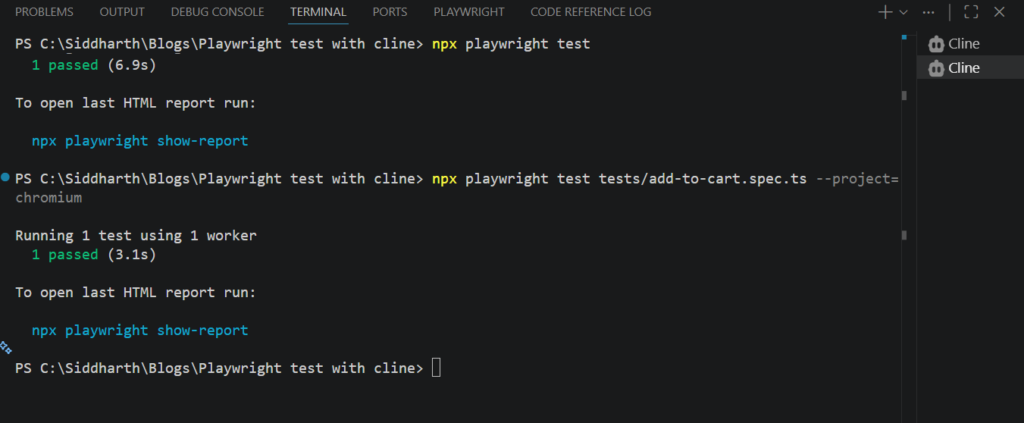
Run it immediately to confirm everything connects end to end:
npx playwright test tests/add-to-cart.spec.ts --headedUpdating and iterating on Playwright tests with Cline
Treat generation as a short pipeline: inspect, draft, run, fix. Skipping inspection is how teams end up with pretty code that fails on the first CI worker.
Prompt pattern that works
Ask Cline to use MCP to open the flow, then generate a spec. Mention your base URL, happy path, and negative cases. Request explicit assertions on URL, headings, and critical text.
Iterate against existing tests
Point to a file that already matches your style:
Update tests/checkout.spec.ts using the same patterns as the existing tests.
Add coverage for applying a coupon. Use MCP to confirm current labels.
Keep codegen honest
AI codegen alone can leave noisy selectors. Pair recorded flows with rule-based refactors. The Playwright test agents article explains planner, generator, and healer style automation, which maps well to how you might prompt Cline across multiple passes.
Suggested screenshots (do not embed assets here)
-
Cline MCP panel showing Playwright server connected. Capture: VS Code with Cline open, MCP Servers list, playwright entry enabled, green or active status. How: Open MCP Servers, expand your Playwright server, screenshot after a successful restart. Place: Section "How to connect Playwright MCP to Cline," after the JSON example, to show readers the UI they should see.
-
.clinerules folder with multiple Markdown files visible in the explorer. Capture: File tree with playwright-locators.md style names. How: Collapse unrelated folders for clarity. Place: Section "Setting up Cline rules for Playwright," near the example rule content.
-
Terminal output of npx playwright test after Cline generated a spec. Capture: Passing run with project name and duration. How: Run a narrow file to keep output short. Place: Section "Generating Playwright tests with Cline," after the sample prompt discussion.
import { test, expect } from '@playwright/test';

const BASE = process.env.BASE_URL ?? 'https://storedemo.cms.testdino.com';

test.describe('account access', () => {
  test('signup then login reaches account area', async ({ page }) => {
    const email = `e2e_${Date.now()}@mailtest.com`;
    await page.goto(`${BASE}/signup`);
    await expect(page.getByRole('heading', { name: 'Create Account' })).toBeVisible();
    await page.getByLabel('First Name *').fill('Jamie');
    await page.getByLabel('Last Name *').fill('Rivera');
    await page.getByLabel('Email Address *').fill(email);
    await page.getByLabel('Password *').fill('Password123');
    await page.getByRole('button', { name: 'Create Account' }).click();
    await expect(page).toHaveURL(`${BASE}/login`);
    await page.getByLabel('Email Address *').fill(email);
    await page.getByLabel('Password *').fill('Password123');
    await page.getByRole('button', { name: 'Sign in' }).click();
    await expect(page).toHaveURL(`${BASE}/`);
    await page.goto(`${BASE}/account`);
    await expect(page.getByTestId('my-account-title')).toHaveText('My Account');
  });
});
This sample mirrors stable patterns: labels and roles, URL assertions, and no arbitrary sleeps. Swap URLs and fields for your app after you confirm them through MCP.
Tip: Ask Cline to explain any locator it introduces. If it cannot point to a role or label from the latest snapshot, send it back to MCP for another pass.
Running and reporting tests with TestDino
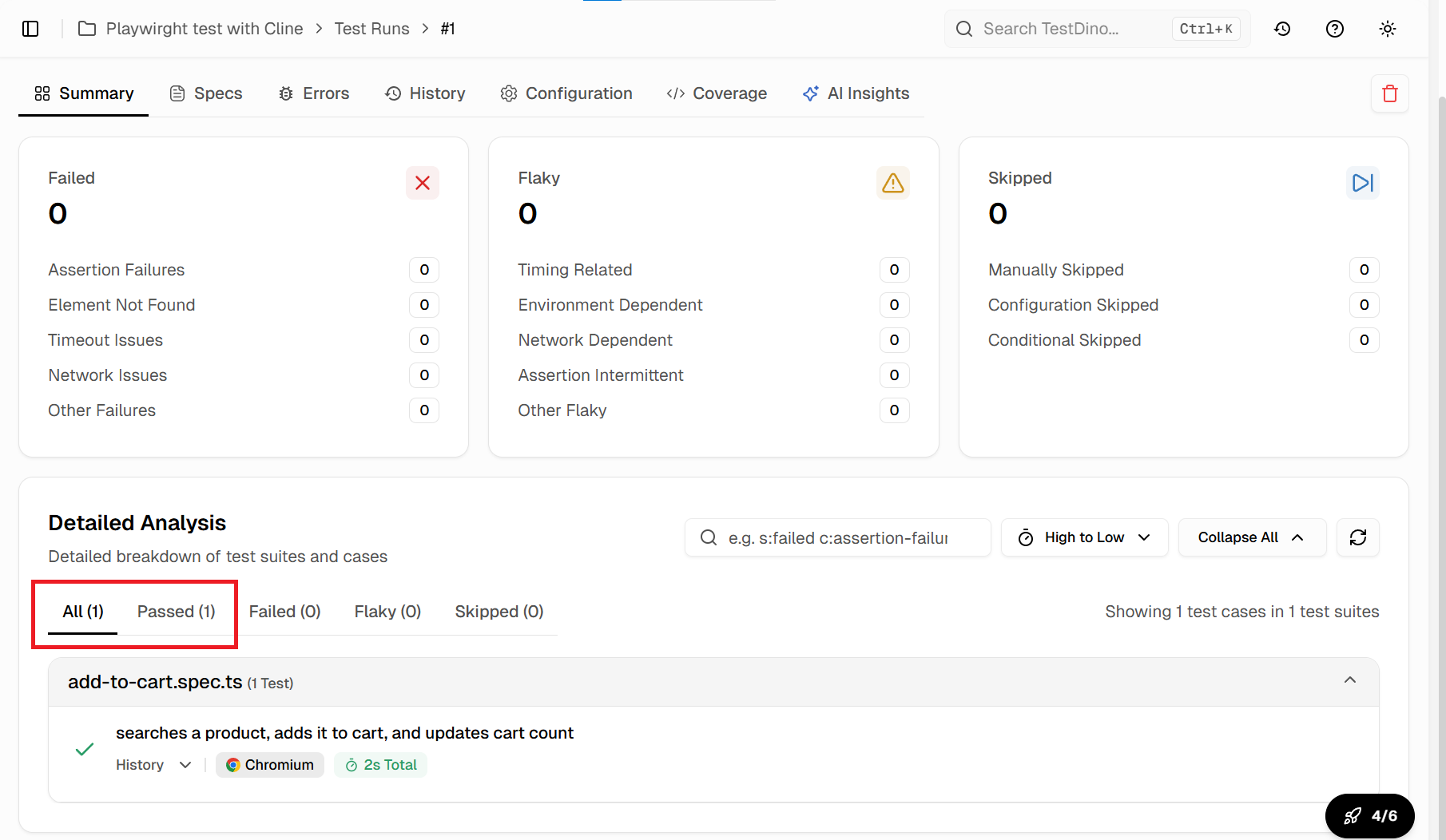
Local list and html reporters help developers. They rarely answer fleet-wide questions about flakes and regressions. Central reporting closes that gap.
Why centralize
Topics like failure grouping and trend visibility show up when suites grow. The software test report angle covers why summaries matter to leads, not only to individual contributors.
Wire a dedicated config
Mirror the usual Playwright plus reporter pattern: extend Playwright config, write JSON for ingestion, guard secrets.
import { defineConfig, devices } from '@playwright/test';
import dotenv from 'dotenv';

dotenv.config();

export default defineConfig({
  testDir: './tests',
  reporter: [
    ['list'],
    ['json', { outputFile: 'test-results/report.json' }],
  ],
  use: {
    baseURL: 'https://storedemo.cms.testdino.com',
    trace: 'on-first-retry',
  },
  projects: [{ name: 'chromium', use: { ...devices['Desktop Chrome'] } }],
});npx playwright test --config=testdino.config.tsUpload steps follow the same tdpw flow as other guides. Store tokens in CI secrets, not in git.
Annotations
Add metadata your dashboard can filter, similar to other Playwright reporting posts. Keep annotations consistent across teams so dashboards stay trustworthy.
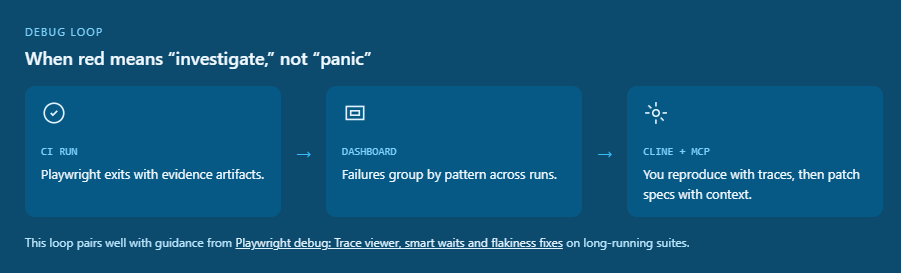
For hands-on debugging habits, Playwright debug: Trace viewer, smart waits and flakiness fixes stays the right companion when a failure is hard to reproduce locally.
Fixing failing and flaky tests with Cline
Start from the artifact
Paste the stack trace and the last snapshot summary into Cline. Ask for a hypothesis tied to timing, navigation, or data, not a generic rewrite.
Use MCP to reproduce
Have Cline walk the flow again with MCP while you watch approvals. Compare the new snapshot to your spec. Often the fix is a missing await on a network call or a heading rename.
Close the loop with reporting
If your dashboard shows a spike on one test, feed that context back into Cline. You shorten the search space compared to cold prompts.
Optional second MCP server
If your org exposes a TestDino MCP integration, adding it alongside Playwright MCP can give Cline historical failure context. Configure a second entry in cline_mcp_settings.json only after secrets and compliance review.
Conclusion
Writing Playwright tests with Cline is less about magical one-shot codegen and more about disciplined context. MCP shows the truth in the browser. .clinerules/ keeps style consistent. Short feedback loops with npx playwright test keep the code honest.
The setup is approachable: install Cline, add Playwright MCP, commit rules, generate from snapshots, then run and report with the same rigor you expect in CI. Teaching the assistant your standards takes less time than rewiring dozens of specs later.
Pair this workflow with solid reporting and debugging habits. Teams that invest there spend less time chasing ghosts and more time improving the product.
FAQs

Jashn Jain
Product & Growth Engineer