QA Touch is a cloud-based test management platform (TMS) known for being affordable and accessible to startups and agile teams. It offers test case creation, execution tracking, Jira integration, and basic AI assistance for writing test steps. Starting at roughly $5 to $7 per user/month, it is a budget-friendly option for teams moving away from spreadsheets.
But when teams scale up automated testing, particularly with frameworks like Playwright, QA Touch begins to show limits. It offers a Playwright reporter plugin to sync pass/fail results, yet it lacks the deep observability required to debug modern web applications. There is no built-in Playwright trace viewer, no AI-driven failure classification, and no error grouping by stack trace.
Teams using QA Touch for automation often find themselves context-switching between the TMS and raw CI logs to figure out what went wrong.
In this guide, we compare 5 of the best QA Touch alternatives to consider in 2026 on test management, Playwright automation integration, AI failure analysis, and pricing transparency.
Best QA Touch Alternatives: How to Choose the Right Tool
We evaluated each tool based on test management capabilities, Playwright automation integration, AI failure analysis, debugging evidence, Jira connectivity, and pricing transparency.
How to Compare QA Touch Alternatives
Here is a quick comparison of the top alternatives to QA Touch to help you identify your preferred test management and reporting tool:
 TestDino |  QA Touch |  TestRail |  Qase |  Xray (Jira Native) | |
|---|---|---|---|---|---|
| PricingLowest paid plan, per the listed billing terms. | $39/month (billed annually) | $7/user/month (Pro) | $37/user/month | $30/user/month (Business) | Jira-based (varies by tier) |
| Best for | Playwright intelligence & modern test management | Affordable manual test management for startups | Enterprise manual testing and compliance | Fast-moving agile teams needing a modern UI | Teams wanting tests inside Jira |
| Playwright integration | Native (trace viewer, error grouping, MCP) | Reporter plugin (basic sync) | Reporter plugin / API | Reporter plugin | JUnit / XML parsing |
| One-step CI setup | One reporter line, streams live | ||||
Dashboards & Reporting | |||||
| Unified Playwright dashboard | |||||
| Multi-tab test run detail | Summary, History, AI Insights & more | Basic summaries | Launch-level view | Suite-level view | Jira issue view |
| Pull request insightsSee test results and history for each pull request. | |||||
| Test ExplorerBrowse tests as a hierarchy, a flat list, or by tag. | Jira JQL based | ||||
| Real-time streaming | Per-shard/worker | ||||
| Scheduled PDF reportsGet report PDFs emailed on a set schedule. | Daily/Weekly/Monthly | Custom exports | Scheduled via email | ||
Test Analytics | |||||
| Analytics: trends & patterns | Basic charts | Extensive reports | Basic trends | Jira gadgets | |
| Code coverage, per-file | Istanbul, run-level | ||||
| Environment analytics | Pass-rate/flaky by env | Via attributes | |||
Debugging & Evidence | |||||
| Built-in Playwright trace viewer | |||||
| Screenshots & video replay | Embedded | If attached | If attached | If attached | If attached to Jira |
| Console logs | Node + browser | ||||
| Visual diff comparison | |||||
| Smart error grouping | Message/stack/location | ||||
| Flaky detectionSpot tests that pass and fail inconsistently, with a stability score. | Basic flagging | ||||
| Playwright tags & annotations | Priority/owner/links/metrics | ||||
CI/CD Optimization | |||||
| GitHub CI Checks quality gates | Per-env + mandatory tags | ||||
| Branch → environment mappingMatch each Git branch to the environment it runs against. | Exact/regex | ||||
| Sharded / parallel run support | Per-shard live view | ||||
| Native CI breadth | GitHub, GitLab, Azure DevOps, TeamCity, Bitbucket, CircleCI, Jenkins | Via API/Webhooks | Via API | Via API | Jenkins, Bamboo |
| Self-managed GitLab | |||||
Test Management | |||||
| Test case management | Jira issue types | ||||
| Bulk test creationGenerate many test cases at once from PRDs, Jira, or user stories. | via MCP | CSV import | CSV/XML import | CSV import | CSV import |
| Release trackingGroup test results by release, cycle, or sprint. | |||||
| Exploratory / manual sessions | |||||
| Import / export test cases | JSON/CSV/ZIP | Via Jira export | |||
AI & Automation | |||||
| Local MCPLet AI coding assistants in your editor act on test data directly. | Cursor/Claude Code/Copilot | ||||
| Remote MCPLet web-based AI tools query your test data. | |||||
| AI test run summary on GitHub PRs | |||||
| AI test suite auditAI scores your test suite and gives a downloadable report. | |||||
| AI failure classification | |||||
Integrations & Collaboration | |||||
| Bug tracking breadth | Jira, Linear, Asana, monday | Jira, GitHub | Jira, Trello, Redmine | Jira, Asana | Native Jira |
| Slack notifications | App + webhooks | ||||
Platform & Security | |||||
| Public API & CLIs | REST + @testdino/playwright | REST API | REST API | REST API | REST API |
| Project-level AI controls | Per-feature toggles | ||||
| Compliance & certifications | ISO 27001, SOC 2 Type II, GDPR | ISO 27001, SOC 2 | ISO 27001, SOC 2 Type II | ISO 27001, SOC 2 | ISO 27001 |
Plans & Pricing | |||||
| Plan tiers | Free · Pro $39 · Team $79 · Enterprise | Startup · Professional · Enterprise | Professional · Enterprise | Startup · Business · Enterprise | Varies by Jira tier |
| Free executions | 5,000/mo | Unlimited manual | Unlimited manual | Unlimited manual | Unlimited manual |
| Support | Chat + Slack Connect + Priority email | Standard + Premium | Email + Chat | Atlassian standard | |
| Try for free | Learn more | Learn more | Learn more | Learn more | |
Best QA Touch Competitors for Test Management & Automation
Here are the 5 best alternatives to QA Touch for teams that want test management alongside deeper automation intelligence:
1. TestDino
Best for:
Teams that need both manual test case management and deep, AI-driven Playwright observability in a single platform.
Platform Type:
Test intelligence, reporting, dashboards, and test management platform for Playwright.
Integrations with:
GitHub Actions, GitLab CI, CircleCI, Azure DevOps, TeamCity, Jira, Linear, Asana, monday, Slack.
Key Features:
 Full test case management with hierarchical suites (up to 6 levels deep)
- AI failure classification into 4 categories (Actual Bug, UI Change, Unstable Test, Miscellaneous)
- Built-in Playwright trace viewer with DOM snapshots and network logs
- Error grouping by message, stack trace, and location
- Flaky test detection with root cause classification (timing, environment, network, assertion)
- MCP Server for bulk test creation and AI agent queries from your IDE
- Real-time results streaming via WebSocket
- 1-click bug filing into Jira, Linear, Asana, and monday

Pros
- Blends manual test management with Playwright automation intelligence
- AI failure classification and trace viewer built directly into the dashboard
- Flat monthly pricing per workspace, not per user
- 1-click bug filing into Jira, Linear, Asana, or monday

Cons
- Purpose-built for Playwright (multi-framework support on the roadmap)
First-Hand Experience
QA Touch is a capable tool for organizing manual test cases, but when your team scales Playwright automation, the gap between your test management system and your CI results becomes painful. QA Touch can ingest pass/fail metrics, but it cannot help you debug. When a test fails, you are left staring at a red X, forced to dig through CI logs to find the root cause.
TestDino removes this gap. It provides the structural test management you expect from QA Touch, including hierarchical suites, run tracking, and manual test execution, paired with automation observability.
The Test Explorer shows both manual and automated tests side by side, sortable by flaky rate, tags, and coverage status. You can execute manual exploratory sessions or trigger automated suites in the same place.
Debugging That Saves You from Re-running Locally
Where QA Touch only syncs basic metrics, each failed test in TestDino comes with screenshots, video, browser console logs, and a trace you can step through action by action.
AI Insights classifies each failure as Actual Bug, UI Change, Unstable Test, or Miscellaneous. Bug filing is 1-click into Jira, Linear, Asana, or monday, pre-filled with error details, stack trace, failure history, and links to the run and CI job.
Flaky Test Detection That Tells You Why
QA Touch lacks advanced flaky test analysis. TestDino's flaky test detection classifies unstable tests by root cause: timing-related, environment-dependent, network-dependent, or assertion-intermittent. Each test gets a stability percentage, so you can isolate infrastructure issues quickly.
MCP Server for AI-Assisted Test Management
TestDino's MCP Server connects your AI assistant (Cursor, Claude Code, Copilot) directly to your test data. You can perform bulk test case generation from Jira tickets, pull debugging context, and organize test suites using natural language right from your IDE, a capability QA Touch does not offer.
Pricing & Value
Pricing may vary. Check the pricing page for the latest details.
Final Verdict
TestDino charges a flat $39/month per workspace. QA Touch charges per user, such as $7/user/month for Pro, which scales up as your team grows. For test intelligence and management combined, TestDino is cost-effective.
TestDino complements your QA workflow by blending test case management with Playwright intelligence. It replaces the automation gap QA Touch leaves behind by adding AI failure classification, trace viewing, and error grouping, all without per-user penalties.
2. TestRail
Best for:
Enterprise teams that need deep customization, legacy system integration, and strict compliance tracking for manual testing.
Platform Type:
Standalone enterprise test management platform.
Integrations with:
Jira, GitHub, GitLab, Trello, Jenkins, various CI tools.
Key Features:
- Highly customizable test cases, plans, and runs
- Extensive REST API for automation syncing
- Auditing and compliance tracking
- Deep two-way Jira integration
- Custom reporting engine with detailed metrics
Pros
- The industry standard with a large feature set for manual testing
- Highly customizable to fit complex workflows
- Reliable and scalable for large enterprise instances
Cons
- UI feels dated and clunky compared to modern tools
- Expensive per-user pricing ($37/user/month)
- No built-in trace viewer or AI failure classification for automation
- Steep learning curve for administration
First-Hand Experience
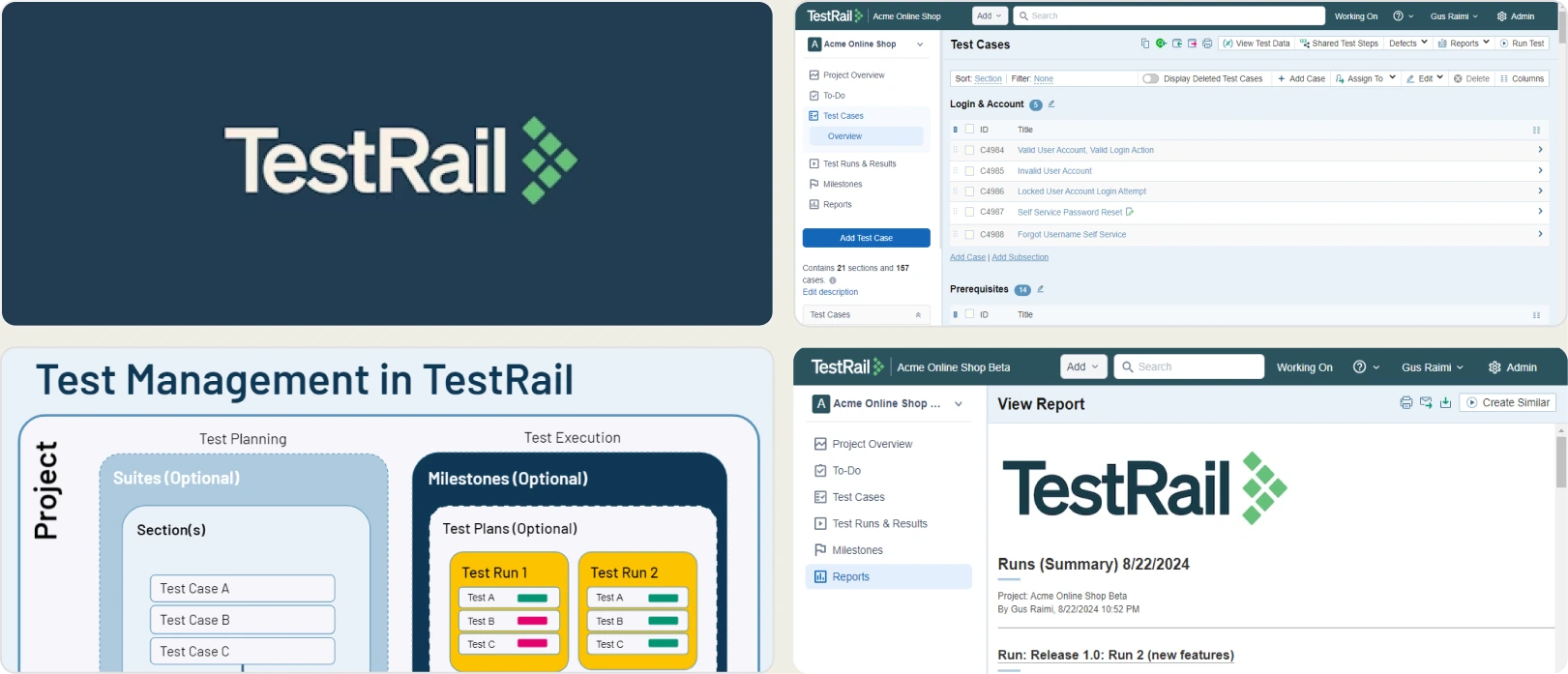
TestRail is the heavyweight of standalone test management. If your team requires strict regulatory compliance, granular user permissions, and highly customized workflows, TestRail delivers. It acts as a single source of truth for quality across large organizations.
However, its automation reporting relies purely on API pushes. Like QA Touch, it ingests pass/fail data but offers no deep observability. When a Playwright test fails, TestRail simply records the failure. You will not find a trace viewer, error grouping, or AI failure classification here. Its interface has not evolved much, making it feel sluggish compared to modern alternatives, and its per-user pricing becomes expensive at scale.
Final Verdict
TestRail is strong for strict enterprise manual testing, but provides no deep intelligence for automation. Playwright teams will still need a tool like TestDino to debug their automated test failures.
3. Qase
Best for:
Fast-moving agile teams that want a clean, modern UI for manual test management and basic CI/CD syncing.
Platform Type:
Modern cloud-based test management platform.
Integrations with:
Jira, Asana, GitHub, GitLab, Slack, Playwright (via reporter).
Key Features:
- Clean, fast, and intuitive user interface
- Shared steps and parameterization for manual cases
- Built-in defect management
- Webhooks and REST API for automation
- Native Jira two-way sync
Pros
- Significantly faster and more modern UI than QA Touch or TestRail
- Good onboarding and easy to adopt
- Solid base integrations with modern developer tools
Cons
- Pricing scales quickly ($30/user/month for Business)
- Lacks deep automation debugging (no trace viewer)
- Flaky test detection is basic compared to dedicated observability tools
First-Hand Experience
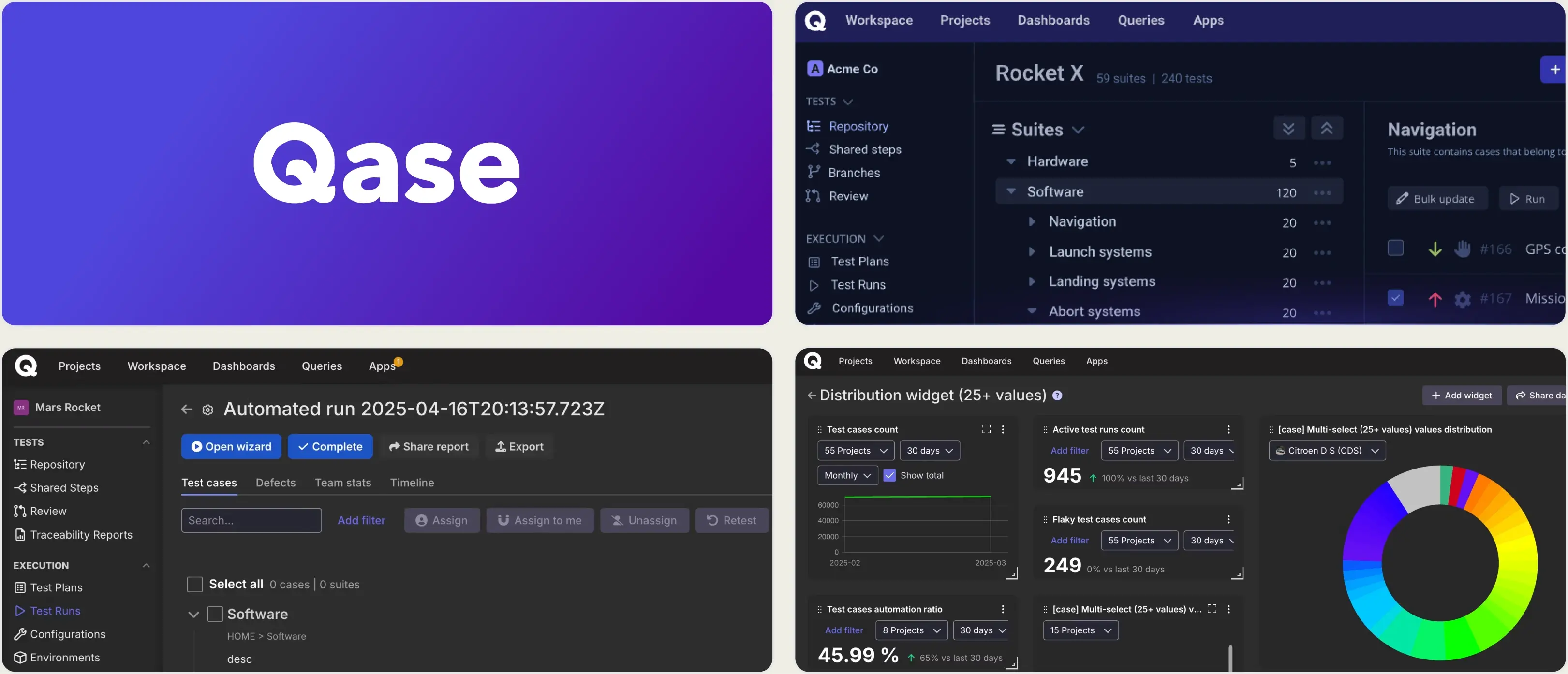
Qase is often the go-to alternative for teams tired of clunky legacy TMS interfaces. It is fast, looks good, and makes organizing test suites and runs frictionless. If your primary goal is to upgrade the manual tester's daily experience from QA Touch, Qase is a strong choice.
On the automation side, Qase hits the same wall as QA Touch. It provides a Playwright reporter that syncs results, but it does not provide the debugging evidence engineers need. You will not get embedded trace viewers, DOM snapshots, or AI-driven root cause analysis. It is a modern TMS, but it is not an automation observability platform.
Final Verdict
Qase is a large UI upgrade over QA Touch for manual testing. But for teams scaling Playwright, it still requires pairing with a dedicated intelligence tool like TestDino to handle automation debugging and failure triage.
4. Xray
Best for:
Teams deeply embedded in the Atlassian ecosystem that want test cases managed natively as Jira issues.
Platform Type:
Jira-native test management app.
Integrations with:
Jira (Native), Jenkins, GitLab, GitHub Actions, Cucumber.
Key Features:
- Test cases are native Jira issue types
- Deep BDD (Behavior Driven Development) support
- Traceability matrices linked to Jira Epics and Stories
- Coverage reports inside Jira
- REST API for CI/CD integration
Pros
- Zero context switching; everything lives inside Jira
- Traceability from requirement to defect
- Strong support for BDD and Cucumber workflows
Cons
- Clutters Jira with thousands of test issue types
- Can slow down Jira performance on large instances
- Automation syncing requires parsing JUnit XML files
- No dedicated UI for deep automation debugging
First-Hand Experience
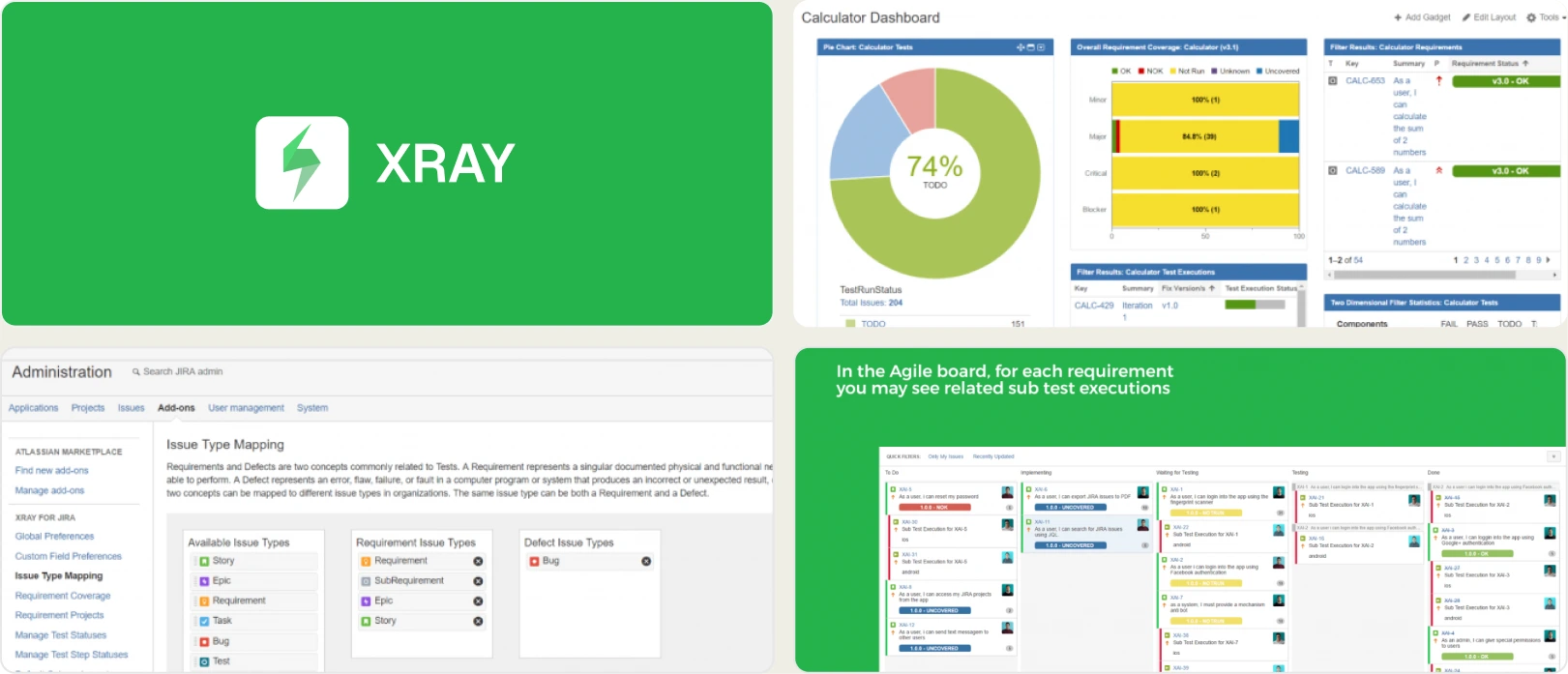
Xray takes a different approach than QA Touch: instead of being a separate platform, Xray turns your test cases into Jira issues. This provides strong traceability. A product manager can look at a Jira Story and instantly see the coverage and execution status of the linked Xray tests.
The downside is Jira clutter. Treating every test execution as a Jira artifact can bloat your Jira instance and slow it down. For automation, Xray generally relies on parsing JUnit XML files generated by your CI server. It provides pass/fail traceability but no debugging context. Xray does not document a Playwright trace viewer, console log viewer, or AI error classification.
Final Verdict
Xray is strong for Jira traceability, but it is a poor environment for debugging automated tests. Teams using Xray for requirements tracking should pair it with TestDino to handle the heavy lifting of Playwright observability.
5. Zephyr Scale
Best for:
Jira users who want a native Atlassian integration but prefer a traditional, folder-based structure rather than creating Jira issues for every test.
Platform Type:
Jira-native test management app.
Integrations with:
Jira (Native), Jenkins, Bamboo, JUnit, Cucumber.
Key Features:
- Structured, folder-based test library inside Jira
- Reusable test steps and parameters
- Cross-project reporting and Jira dashboard gadgets
- CI/CD integration via API
- Better performance at scale than issue-based Jira apps
Pros
- Keeps testers inside Jira without bloating the issue tracker
- Intuitive folder structure familiar to QA Touch users
- Strong reporting gadgets for Jira dashboards
Cons
- Tied entirely to the Jira ecosystem
- Automation integration is limited to standard XML result parsing
- No advanced debugging tools, trace viewers, or AI analysis
First-Hand Experience
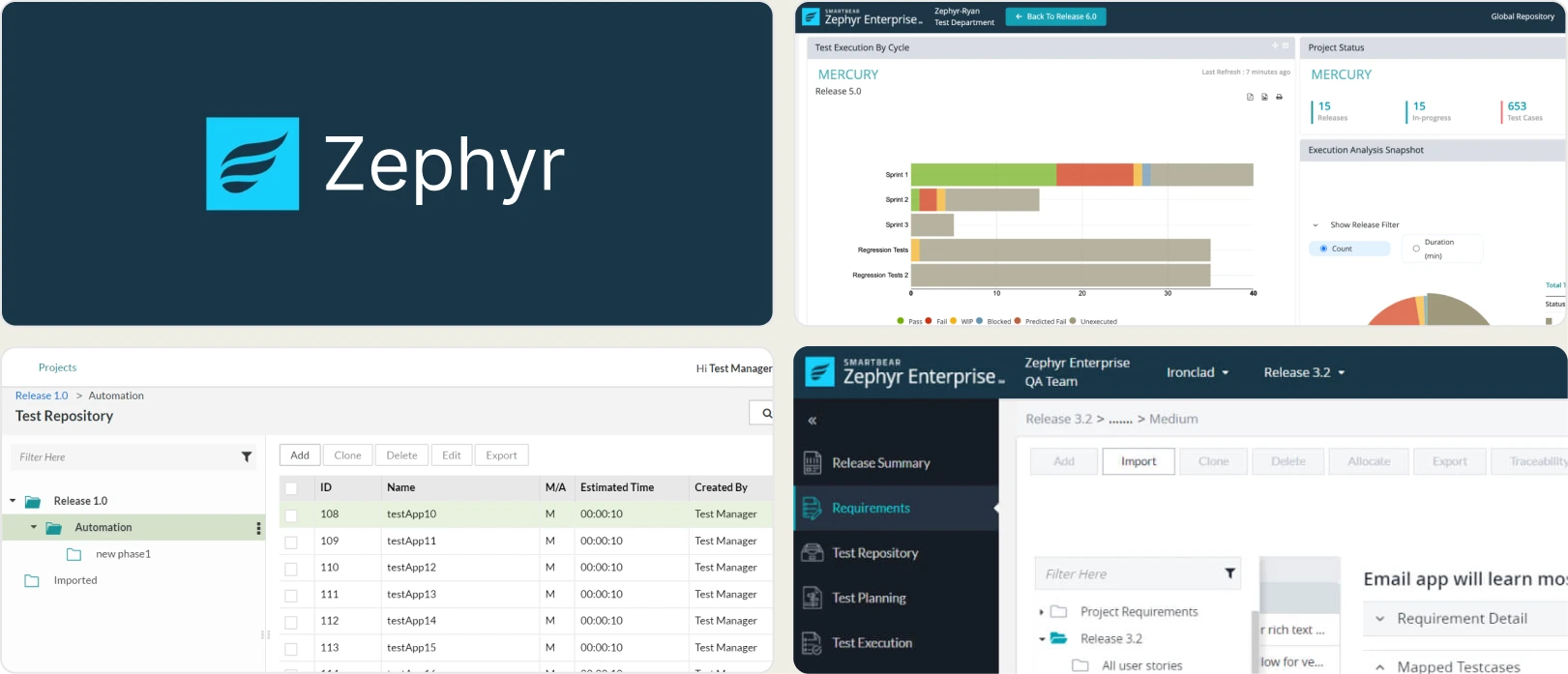
Zephyr Scale (formerly TM4J) solves the main complaint about Xray: it gives you native Jira integration without turning every single test case into a Jira issue. It uses a separate, dedicated UI inside Jira with a traditional folder tree, making it easier to organize large test libraries without degrading Jira's performance.
Like QA Touch and Xray, however, its scope is strictly test management. It ingests automated test results for high-level reporting, but it leaves developers blind when a test fails. Without smart error grouping, trace viewers, or real-time streaming, debugging Playwright failures synced to Zephyr Scale stays a slow, manual process of checking CI logs.
Final Verdict
Zephyr Scale offers structured test management within Jira. However, Playwright engineering teams will still need a specialized observability platform like TestDino to debug and triage test failures.
What to Look for in a QA Touch Alternative
Choosing the right QA Touch alternative depends on what your team needs most. Use this framework to match your priorities to the right tool.
You need deep Playwright intelligence and test management
If your team is scaling Playwright automation and you need a tool that handles both manual test suites and deep automation debugging, including trace viewers, AI classification, and error grouping, TestDino is the clear winner.
You need enterprise manual testing compliance
If automation debugging is secondary to strict regulatory compliance, granular permissions, and large enterprise scalability, look to TestRail.
You want a modern UI for manual testing
If you are looking for a faster, more modern version of QA Touch strictly for manual test case management, Qase offers an excellent user experience.
You want everything inside Jira
If your team prefers to stay in the Atlassian ecosystem, choose Xray for BDD traceability or Zephyr Scale for structured, folder-based management.
You need both Jira management and automation intelligence
Pair a Jira-native tool like Zephyr Scale with TestDino. You can maintain your requirements in Jira while relying on TestDino for AI failure classification, trace viewing, and CI/CD optimization.
Wrapping Up
QA Touch provides affordable manual test management, but as teams scale Playwright automation, the gap between the TMS and CI results widens. Engineers end up checking raw CI logs to understand failures.
TestRail and Qase are standalone test management platforms, while Xray and Zephyr Scale keep tests inside Jira. Each handles test management well, but none provide trace viewing, AI failure classification, or root-cause flaky detection.
For teams that want manual test case management and AI-driven Playwright observability in one platform, TestDino combines test management, reporting, and automation intelligence starting at $39/month per workspace.
Manage tests and debug them in one place
Run manual and automated tests togetherClassify failures by root causeFAQs
Yes. TestDino includes test case management alongside its automation intelligence. You can organize suites, run manual exploratory sessions, and track automated results in one platform, removing the need for a separate TMS like QA Touch.