Playwright Skill: Train Your AI Agent to Write Better Tests
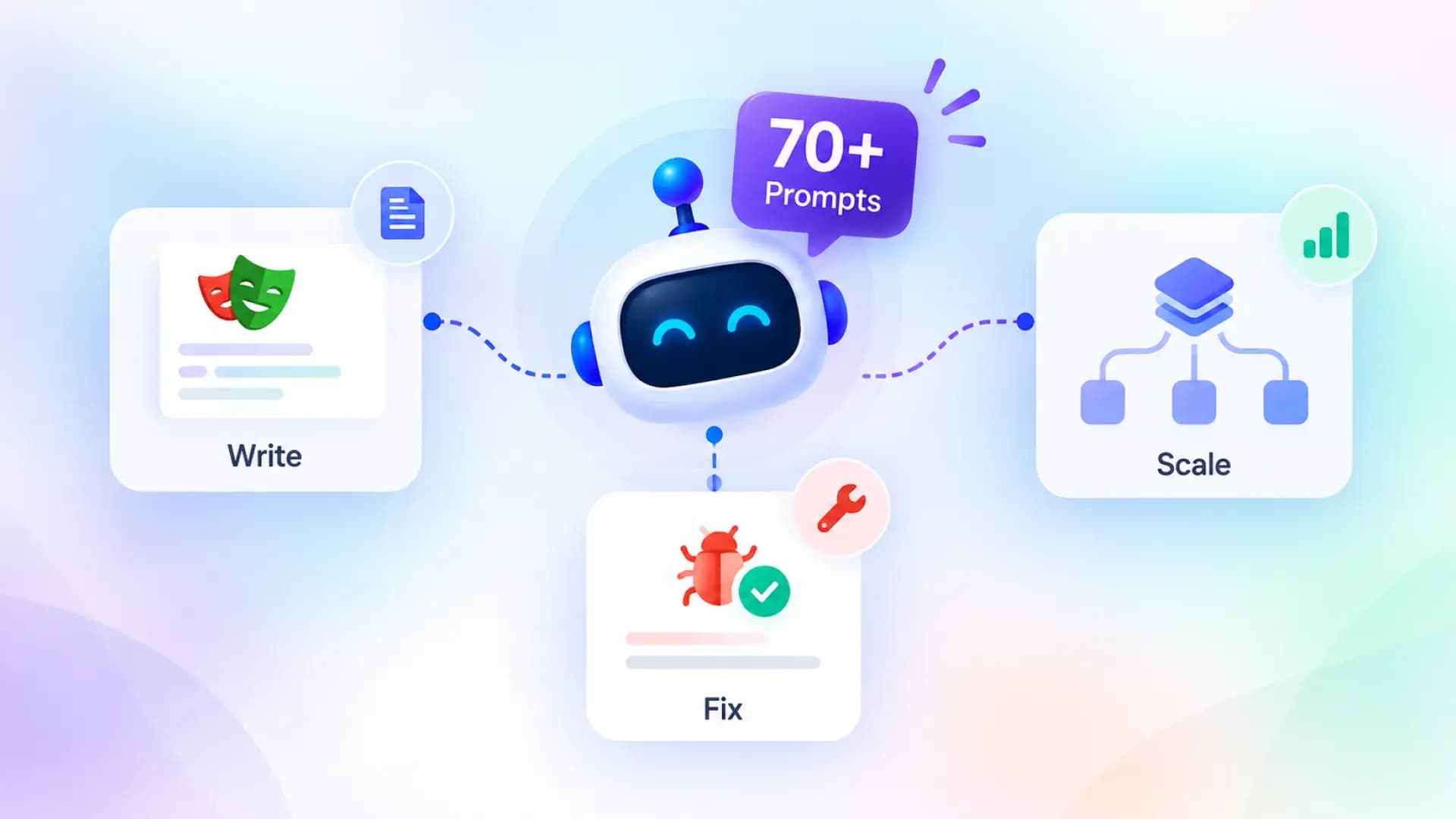
AI agents write decent Playwright tests out of the box, but they fall apart on real-world sites. This article covers what skills are, why they matter, and how to install 70+ production-tested Playwright skills with a single command.
![Playwright Skill: Complete Guide to Master Playwright Testing [2026]](/_next/image?url=https%3A%2F%2Fcms.testdino.com%2Fwp-content%2Fuploads%2F2026%2F02%2FPlaywright-Skill_-Complete-Guide-to-Master-Playwright-Testing-2026-1.webp&w=3840&q=75)
I've been writing end-to-end tests with AI agents, and the output is still hit or miss.
Wrong selectors, broken auth, flaky CI runs.
The problem? Agents don't have context about your app. That's where skills come in, structured guides that tell the agent what patterns to follow instead of guessing.
After working across multiple Playwright projects and getting input from other experts, I created a set of high-quality Playwright skills covering auth flows, visual testing, CI setup and scaling tests. Better context in, better code out.
 Get the Playwright Skill
Install 70+ production-tested skills with a single command:
npx skills add testdino-hq/playwright-skill
What is a Playwright Skill?
A Playwright Skill is a curated collection of markdown guides that teach AI coding agents (and humans) how to write production-grade Playwright tests.
Here is the problem it solves. Playwright's official documentation is excellent. But it is spread across dozens of pages. When you ask an AI agent like Claude Code or GitHub Copilot to write tests, it pulls from its general training data. The output works for tutorials. It falls apart on real sites.
A Skill changes this. It gives the AI agent a structured, battle-tested reference to draw from. Instead of guessing which locator strategy to use or how to handle auth flows, the agent reads the relevant guide and produces code that follows patterns proven in production.
The Playwright Skill is not just for AI agents, though. Every guide is written in plain markdown. Human developers can read them, bookmark them, and use them as a cheat sheet. Think of it as a testing knowledge base that works for both humans and machines.
Why structured skill guides beat scattered documentation
Documentation tells you what an API does. A skill guide tells you when to use it, when to avoid it, and what pattern to follow in a real project.
Every guide in the Playwright Skill follows the same structure:
-
When to use: exact scenarios where the pattern applies
-
Avoid when: anti-patterns and wrong use cases
-
Quick reference: copy-paste code ready to go
-
Full patterns: real-world implementations with context
-
TypeScript and JavaScript examples for both camps
This consistency matters. Whether you are a junior tester opening Playwright for the first time or a senior engineer migrating a Cypress suite, you get the same structure and the same depth across all 70+ guides.
The Playwright Skill repository
The Playwright Skill is an open-source repository maintained by TestDino. It is MIT licensed. Use it however you want. Fork it. Customize it. Share it with your team.
The repo contains 70+ guides organized into five skill packs, each in its own folder:
playwright-skill/
├── core/                    # 46 guides. The foundation.
├── playwright-cli/          # 11 guides. CLI browser automation.
├── pom/                     # 2 guides. Page Object Model patterns.
├── ci/                      # 9 guides. CI/CD pipelines.
├── migration/               # 2 guides. Moving from Cypress or Selenium.
├── LICENSE                  # MIT
├── README.md
└── SKILL.md                 # Metadata for AI agent loading
The rest of this guide walks through each pack in order, from fundamentals to advanced topics.
Getting Started: Install the Playwright Skill
Prerequisite
You'll need an AI coding agent like Claude Code, Cursor, Windsurf, GitHub Copilot etc. installed before getting started.
Step 1: Install
The fastest way is using the skills CLI, you can watch below video to learn How to install Playwright Skill using Claude Code
# Install all 70+ guides
npx skills add testdino-hq/playwright-skill
# Or install individual packs
npx skills add testdino-hq/playwright-skill/core
npx skills add testdino-hq/playwright-skill/ci
npx skills add testdino-hq/playwright-skill/playwright-cli
npx skills add testdino-hq/playwright-skill/pom
npx skills add testdino-hq/playwright-skill/migration
# Clone the repository
git clone https://github.com/testdino-hq/playwright-skill.git
Step 2: Understand the SKILL.md metadata
The root of the repo contains a SKILL.md file. This is the metadata that AI coding agents read to understand what the skill covers and how to use it. It tells the agent which guides are available, what topics they cover, and how to find them.
You do not need to modify this file unless you are building a custom skill. But understanding it helps if you want to see how AI agents discover and load skill guides.
Step 3: Use it with Claude Code
Once the Playwright Skill is installed, Claude Code automatically loads the relevant guides when you ask it to write tests. For example:
-
"Write E2E tests for my login page" triggers Claude to read authentication.md, locators.md, and assertions-and-waiting.md
-
"Set up GitHub Actions for Playwright" pulls in ci-github-actions.md and parallel-and-sharding.md
-
"Migrate my Cypress tests" loads from-cypress.md
The Skill works with any AI coding agent that supports the skills protocol. Claude Code, GitHub Copilot, and Cursor all support loading skills.
I tested this on a live e-commerce store, and the difference was massive. Without the Skill, Claude Code generated tutorial-quality code with brittle CSS selectors. With the Skill loaded, it used getByRole() locators, proper wait strategies, and structured test patterns that actually passed against a real site.
Step 4: Customize for your team
The repo is MIT licensed. Fork it and make it yours. Add your team's naming conventions, remove guides for frameworks you do not use, or add new guides for your internal tools. The structure stays the same. Your AI agent keeps working. But the output matches your team's standards.
1. Core Skill Pack (46 Guides)
The core/ folder is the foundation. It contains 46 guides covering every pattern you need for day-to-day Playwright testing.
| Guide | What It Covers |
|---|---|
| locators.md | Finding elements using role, text, label, test ID, and CSS selectors. Priority order for stable tests. |
| assertions-and-waiting.md | Web-first assertions with auto-retry. When to avoid arbitrary timeouts. |
| fixtures-and-hooks.md | Shared setup/teardown logic using Playwright fixtures and test hooks. |
| configuration.md | Setting up playwright.config.ts for projects, browsers, timeouts, and retries. |
| test-organization.md | File structure, tagging, test.describe grouping, and filtering. |
| authentication.md | Log in once, reuse the session. Multi-role auth and session expiry handling. |
| api-testing.md | Testing REST APIs directly with Playwright's request context. |
| network-mocking.md | Intercepting and mocking network requests. When to mock vs when not to. |
| forms-and-validation.md | Form filling, file uploads, drag-and-drop, and validation error testing. |
| visual-regression.md | Screenshot comparison, threshold config, masking dynamic content. |
| accessibility.md | axe-core integration, WCAG compliance, keyboard navigation, ARIA assertions. |
| component-testing.md | Testing components in isolation with Playwright's component test runner. |
| mobile-and-responsive.md | Viewport testing, device emulation, touch events, responsive breakpoints. |
| debugging.md | Trace viewer, inspector, UI mode, headed mode with slow-mo. |
| error-index.md | Common Playwright errors and how to fix them. |
| flaky-tests.md | Root causes of flakiness (race conditions, animations, network) and fixes. |
| common-pitfalls.md | Mistakes beginners make and how to avoid them. |
| nextjs.md | Testing Next.js apps. App Router, Pages Router, API routes. |
| react.md | Testing React apps. CRA, Vite, component testing patterns. |
| vue.md | Testing Vue 3 and Nuxt apps. |
| angular.md | Testing Angular apps. Zone.js considerations and Angular-specific patterns. |
| browser-apis.md | Geolocation, permissions, clipboard, downloads, and other browser APIs. |
| iframes-and-shadow-dom.md | Cross-frame testing and piercing Shadow DOM boundaries. |
| multi-context-and-popups.md | Multiple browser contexts, popup handling, multi-user testing. |
| websockets-and-realtime.md | Testing WebSocket connections and real-time features. |
| canvas-and-webgl.md | Testing canvas elements and WebGL rendering. |
| electron-testing.md | Testing Electron desktop applications with Playwright. |
| security-testing.md | XSS detection, CSRF validation, header checks, content security policy. |
| performance-testing.md | Core Web Vitals, Lighthouse integration, benchmarking patterns. |
| clock-and-time-mocking.md | Freezing and advancing time. Testing scheduled tasks and countdowns. |
| service-workers-and-pwa.md | Service worker interception, offline mode, PWA install prompts. |
| browser-extensions.md | Loading and testing Chrome extensions. |
| i18n-and-localization.md | Testing multiple locales, RTL layouts, date/number formatting. |
| test-data-management.md | Test data factories, database seeding, cleanup strategies. |
Example: Locator priority
The locators.md guide teaches the locator order that makes tests resilient to DOM changes:
// Most stable to least stable
page.getByRole('button', { name: 'Submit' })    // 1. Role-based
page.getByText('Welcome back')                   // 2. Text-based
page.getByLabel('Email address')                 // 3. Label-based
page.getByTestId('login-form')                   // 4. Test ID
page.locator('.submit-btn')                      // 5. CSS (last resort)
Role-based locators survive redesigns. CSS selectors break the moment a developer renames a class.
Example: Authentication reuse
The authentication.md guide shows how to log in once and share the session across all tests:
async function globalSetup() {
  const browser = await chromium.launch();
  const page = await browser.newPage();
  await page.goto('https://yourapp.com/login');
  await page.getByLabel('Email').fill('user@example.com');
  await page.getByLabel('Password').fill('password');
  await page.getByRole('button', { name: 'Sign in' }).click();
  await page.context().storageState({ path: './auth.json' });
  await browser.close();
}
Every test starts logged in. No repeated login flows. No wasted time.
2. Playwright CLI Skill Pack (10 Guides)
The playwright-cli/ folder covers a different way to use Playwright. Instead of writing .spec.ts files, you drive a real browser through command-line instructions. Microsoft built playwright-cli playwright-cli specifically for AI coding agents because it is far more token-efficient than MCP-based approaches.
| Guide | What It Covers |
|---|---|
| core-commands.md | Every CLI command: open, click, fill, type, select, check, hover, drag, press. |
| request-mocking.md | Intercepting and mocking HTTP requests from the CLI. |
| running-custom-code.md | Executing custom JavaScript in the browser context via CLI. |
| session-management.md | Named sessions for parallel work across multiple browser instances. |
| storage-and-auth.md | Saving and restoring auth state, cookies, and local storage from CLI. |
| test-generation.md | Recording browser interactions and generating Playwright test files from them. |
| tracing-and-debugging.md | Starting/stopping traces, saving trace files, debugging CLI sessions. |
| screenshots-and-media.md | Taking screenshots, recording video, capturing page state. |
| device-emulation.md | Emulating mobile devices, viewports, locales, dark mode, and touch events. |
| advanced-workflows.md | Chaining commands, conditional flows, and complex multi-step automation. |
Example: Snapshot-based automation
The core idea is token efficiency. Instead of streaming the full accessibility tree to an AI agent, the CLI saves a snapshot with short element references. The agent then uses those references in subsequent commands:
# Open a browser and take a snapshot
playwright-cli open https://storedemo.testdino.com/
playwright-cli snapshot

# Interact using element references from the snapshot
playwright-cli click e15
playwright-cli fill e5 "user@example.com"
playwright-cli press Enter
playwright-cli screenshot
Each command is a single line. The AI agent spends tokens on reasoning, not on processing massive browser state dumps.
Page Object Model Skill Pack (2 Guides)
The pom/ folder covers one of the most common architectural decisions in Playwright projects.
| Guide | What It Covers |
|---|---|
| page-object-model.md | How to implement POM in Playwright. Class structure, method patterns, and reuse. |
| pom-vs-fixtures-vs-helpers.md | Decision guide: when to use POM, when fixtures are better, when a simple helper function is enough. |
Example: A basic Page Object
// pages/LoginPage.ts
export class LoginPage {
  constructor(private page: Page) {}
  async login(email: string, password: string) {
    await this.page.getByLabel('Email').fill(email);
    await this.page.getByLabel('Password').fill(password);
    await this.page.getByRole('button', { name: 'Sign in' }).click();
  }
}
POM works best for pages with many interactions reused across test files. Fixtures are better for shared setup logic. Helpers are for one-off utility functions. The pom-vs-fixtures-vs-helpers.md guide walks through the decision criteria so you pick the right pattern.
3. CI/CD Skill Pack (9 Guides)
The ci/ folder covers every major CI platform and deployment pattern.
| Guide | What It Covers |
|---|---|
| ci-github-actions.md | Complete GitHub Actions workflow with caching, artifacts, and retries. |
| ci-gitlab.md | GitLab CI configuration for Playwright tests. |
| ci-other.md | CircleCI, Azure DevOps, Jenkins, and Bitbucket Pipelines. |
| parallel-and-sharding.md | Splitting tests across CI machines. Merging sharded reports. |
| docker-and-containers.md | Running Playwright inside Docker. When it makes sense and when it does not. |
| reporting-and-artifacts.md | HTML reports, JSON output, JUnit XML, and artifact storage. |
| test-coverage.md | Measuring code coverage with Istanbul/V8 and integrating it with CI. |
| global-setup-teardown.md | Running setup scripts before all tests and teardown after. |
| projects-and-dependencies.md | Configuring multiple Playwright projects and managing dependencies between them. |
Example: GitHub Actions workflow
name: Playwright Tests
on: [push, pull_request]
jobs:
  test:
    runs-on: ubuntu-latest
    steps:
      - uses: actions/checkout@v4
      - uses: actions/setup-node@v4
        with:
          node-version: 20
      - run: npm ci
      - run: npx playwright install --with-deps
      - run: npx playwright test
      - uses: actions/upload-artifact@v4
        if: always()
        with:
          name: playwright-report
          path: playwright-report/
The guide covers caching browser binaries to speed up CI and configuring retries for CI-only flakiness.
Example: Sharding across machines
strategy:
  matrix:
    shard: [1/4, 2/4, 3/4, 4/4]
steps:
  - run: npx playwright test --shard=${{ matrix.shard }}
4. Migration Skill Pack (2 Guides)
Lot of teams are moving to Playwright right now - some are coming from Selenium, some others from Cypress.
The migration/ folder maps your existing framework knowledge to Playwright equivalents.
Instead of learning everything from scratch, these guides show you what changes and what stays the same, so your agent rewrites tests using the right Playwright patterns instead of carrying over old habits.
If you're still deciding which tool fits your team, check out the Selenium VS Cypress VS Playwright comparison.
| Guide | What It Covers |
|---|---|
| from-cypress.md | Command mapping, conceptual shifts (chaining vs async/await, in-browser vs external control), and migration steps. |
| from-selenium.md | WebDriver to Playwright mapping for Java, Python, and JavaScript. Auto-waiting replaces explicit waits. |
Cypress to Playwright: quick reference
| Cypress | Playwright |
|---|---|
| cy.visit('/page') | await page.goto('/page') |
| cy.get('.btn').click() | await page.locator('.btn').click() |
| cy.contains('Submit') | await page.getByText('Submit') |
| cy.intercept('GET', '/api/*') | await page.route('**/api/*', handler) |
| cy.wait('@alias') | await page.waitForResponse('**/api/*') |
Selenium to Playwright: quick reference
| Selenium | Playwright |
|---|---|
| driver.findElement(By.id("email")) | page.getByLabel('Email') |
| driver.get(url) | await page.goto(url) |
| WebDriverWait + ExpectedConditions | Built-in auto-waiting (no explicit waits needed) |
| driver.manage().window().setSize() | Configured in playwright.config.ts |
The biggest shift for Selenium users is auto-waiting. Playwright handles element readiness automatically, so most explicit waits can be removed entirely.
5. Last step: Integrate TestDino for Real-Time Streaming
You have the Playwright Skill loaded. Your tests are written, running, and passing in CI. But there is a gap.
npx playwright test generates an HTML report on your machine. That report disappears after the CI pipeline finishes. Your team cannot see it. You cannot compare it against last week's run. And when a test fails at 2 AM, you are digging through CI logs instead of looking at a dashboard.
This is where TestDino fits.
What is TestDino?
TestDino is a Playwright-first AI reporting and analytics platform. It takes your existing Playwright test output and gives it a permanent home with real-time result streaming, AI-powered failure categorization (Bug, Flaky, or UI Change), flaky test tracking over time, GitHub PR integration with AI summaries, one-click Jira and Linear ticket creation, and Slack notifications when tests fail.
Quick setup
The integration takes about two minutes.
1. Install the package
npm install @testdino/playwright
2. Run tests with the TestDino wrapper
# Replace npx playwright test with:
npx tdpw test -t "your-api-token"
Every Playwright CLI flag works the same. --project, --grep, --workers, --shard, --headed. Nothing changes except results now stream to the TestDino dashboard in real time.
3. For CI, use an environment variable
- name: Run Playwright Tests
  run: npx tdpw test --project=desktop-chrome
  env:
    TESTDINO_TOKEN: ${{ secrets.TESTDINO_TOKEN }}
That is it. Your test results now have a permanent, searchable dashboard. AI categorizes every failure. Your team sees results as tests finish, not after the entire suite completes.
For a detailed walkthrough with screenshots and advanced configuration, see our full TestDino integration guide full TestDino integration guide.
Conclusion
With 70+ production-tested guides across five skill packs, the Playwright Skill provides a complete reference for building reliable Playwright test suites. It covers everything from element locators and authentication to CI pipelines and framework migrations.
The repository is open source and fully customizable, allowing teams to adapt it to their workflows. AI coding agents also benefit by using structured guides instead of generic examples, which improves the quality of generated tests.
By providing clear patterns, proven practices, and organized coverage of all key testing areas, the Playwright Skill helps teams scale Playwright testing with confidence and maintain long-term test reliability.
FAQs
A Playwright Skill is a curated collection of markdown guides that teach AI coding agents and human developers how to write production-grade Playwright tests. The Playwright Skill by TestDino contains 70+ guides across five skill packs covering core testing patterns, CLI automation, CI/CD setup, the Page Object Model, and migration from other tools.
Run npx skills add testdino-hq/playwright-skill to install all 70+ guides. You can also install individual packs like npx skills add testdino-hq/playwright-skill/core. Alternatively, clone the repo from GitHub.
Start with the core skill pack. Read locators.md first to understand how to find elements, then assertions-and-waiting.md for verification patterns, then configuration.md to set up your project. The common-pitfalls.md guide helps you avoid beginner mistakes early.
The test-organization.md guide in the core skill pack covers file structure, tagging, test.describe grouping, and test filtering. The general recommendation is to organize by feature or page, use descriptive file names, and keep each test file focused on a single area of the application.
The migration/from-cypress.md guide provides a direct command mapping, conceptual differences, and a step-by-step migration path. Key differences include Playwright's async/await model (vs Cypress chaining), external browser control (vs Cypress running inside the browser), and built-in multi-browser support.
The migration/from-selenium.md guide covers the transition from WebDriver-based testing. The biggest change is auto-waiting. Playwright handles element readiness automatically, so most explicit Selenium waits can be removed entirely.
The Page Object Model (POM) encapsulates page-specific selectors and interactions in reusable classes. The pom/page-object-model.md guide covers implementation patterns, and pom/pom-vs-fixtures-vs-helpers.md helps you decide when POM is the right choice versus fixtures or simple helper functions.
The ci/ skill pack has guides for GitHub Actions, GitLab CI, CircleCI, Azure DevOps, and Jenkins. Each guide provides a minimal working configuration plus optimizations for caching, artifacts, parallelization, and Docker.
The core/flaky-tests.md guide covers root causes (race conditions, animation timing, network variability) and stabilization patterns. The core/debugging.md guide covers Playwright's trace viewer, the inspector, UI mode, and headed mode with slow-mo for step-by-step debugging.
Snapshot-based automation is the approach used by Microsoft's playwright-cli. Instead of streaming full page state to an AI agent, the CLI saves a snapshot to disk with short element references (like e1, e15). The agent then uses these references in subsequent commands. This is much more token-efficient than MCP-based approaches.
Install the @testdino/playwright package and replace npx playwright test with npx tdpw test. Results stream to the TestDino Dashboard in real time via WebSocket. AI categorizes every failure as Bug, Flaky, or UI Change. No changes to your existing Playwright config are needed.
Yes. The Playwright Skill repository is MIT licensed. You can use it in personal projects, commercial products, internal training, or as a base for your own customized skill collection.
TestDino is a Playwright-first AI reporting and analytics platform. It consumes standard Playwright test output, provides centralized dashboards, AI failure categorization, flaky test tracking, GitHub PR integration, and one-click Jira/Linear issue creation. It wraps the Playwright CLI transparently, so your existing config and test files work unchanged.
The Playwright Skill is open source and maintained by TestDino. Contributions, feedback, and pull requests are welcome.

Pratik Patel
Co-founder