Playwright Email Testing: Verifying Notifications End-to-End Guide
Struggling to verify emails in Playwright tests? This guide covers tools, code, and patterns to test notifications end-to-end reliably.
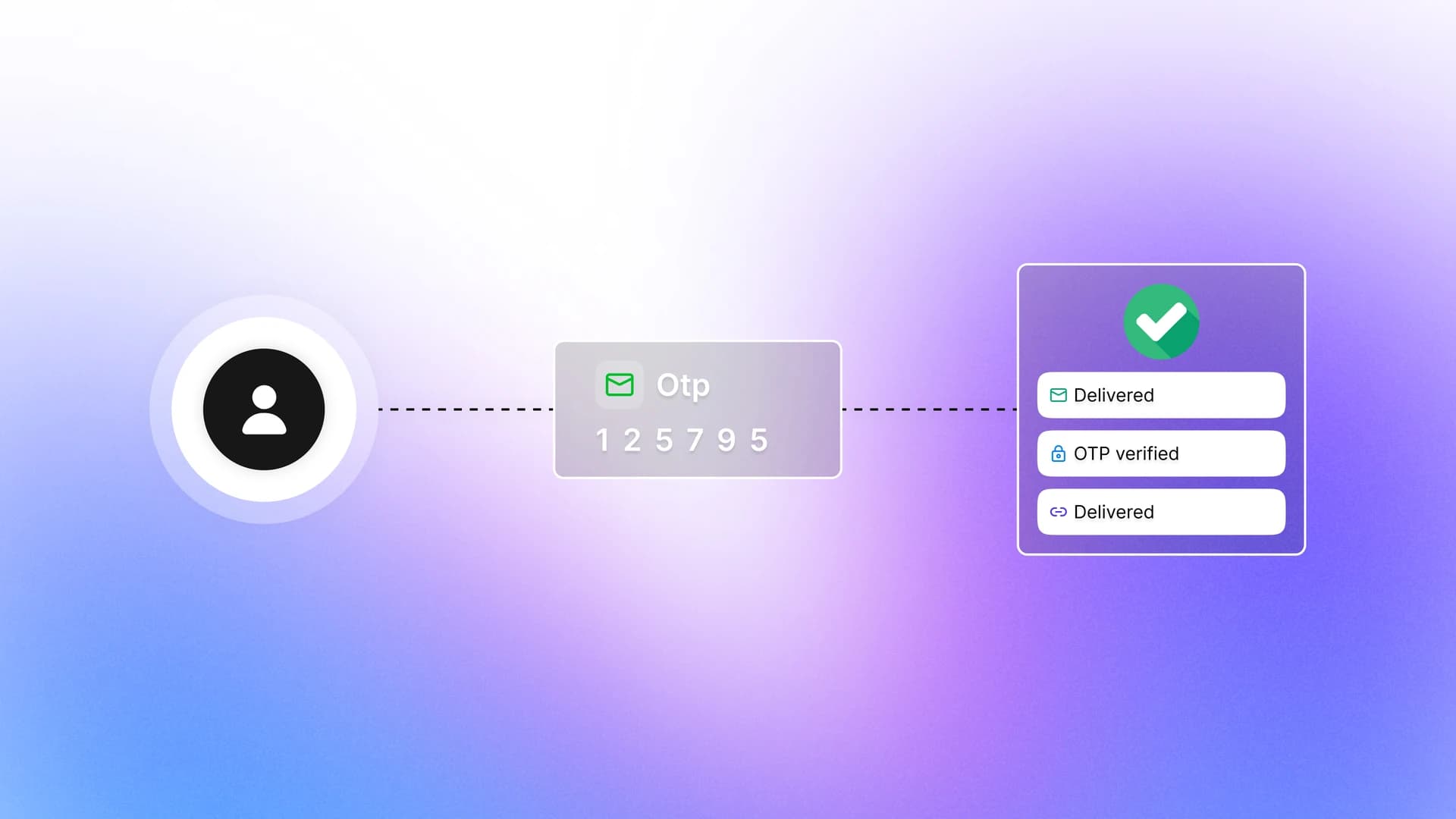
Picture this: a user signs up on your app, waits for a verification email, clicks the link, and gets into their account. Your automated test checks all the browser steps, marks the test green, and everyone is happy. But what actually validates that the email arrived, that the link inside it works, and that the subject line says the right thing? Most test suites skip that part entirely.
Teams today ship product faster than ever, and email notifications sit at the core of almost every user journey. Sign up, reset password, invite a teammate, purchase confirmation. If any of these break silently, users notice before your tests do.
This guide shows you exactly how to close that gap. You will see how playwright email testing works end-to-end, which tools integrate cleanly with Playwright, and how to write tests that verify real email delivery, OTP codes, and clickable links without any manual inbox checks.
Why email testing gets skipped
The short answer: it is harder than testing a button click.
Playwright lives inside the browser. Email delivery happens outside it, on a mail server that your test has no direct access to. So many teams take one of two shortcuts:
- They mock the email sender function and just verify it was called.
- They skip email verification entirely and test only what happens after the user "assumes" the email arrived.
Both approaches are technically passing tests that hide real bugs.
Playwright email testing is the practice of automating the full user journey that involves email, where Playwright handles browser interactions and an external API-backed service handles inbox access. Together, they verify that the email was sent, delivered, and actionable.
Here is what mocking misses:
- Your SMTP configuration is broken in staging but no test catches it.
- The email template has a typo or broken link that only shows in the rendered HTML.
- The OTP code in the email does not match what the app generated.
- The email goes to spam because of a missing SPF record.
None of these get caught by a mock. They get caught by a real end-to-end test. This is the same gap that shows up in broader software testing
How playwright email testing actually works
Playwright cannot read emails natively. So the approach relies on connecting your test to an external service that can receive emails and expose them through an API.
Here is the general flow every reliable implementation follows:
- Generate a unique inbox at the start of the test (e.g., [email protected]).
- Use that address in the browser when filling out a signup or login form in Playwright.
- Submit the form, which triggers your backend to send an email.
- Poll the external API for the incoming email, with a bounded timeout.
- Extract what you need from the email body (OTP code, verification link, etc.).
- Feed it back into the browser and complete the user journey.
- Assert the final state (e.g., redirect to dashboard, account activated).
Note: This approach tests your actual SMTP path, your email template rendering, link validity, and subject line content. Mocking your email sender function tests none of these things.
This is the same pattern used for testing things like playwright authentication flows where an OTP or magic link is the entry gate into the app.
Choosing the right email testing tool
Not all tools work the same way. Some are hosted sandboxes, some spin up local servers, and some give you API-backed disposable inboxes. The choice depends on whether your tests run locally, in CI, or in production-like environments.
Here is a comparison of the most commonly used tools:
| Tool | Type | API Access | Best For | Free Tier |
|---|---|---|---|---|
| Mailosaur | Hosted SaaS | Yes (REST + SDK) | Enterprise E2E, OTP, SMS testing | Limited (trial) |
| MailSlurp | Hosted SaaS | Yes (REST + SDK) | Automation-heavy workflows, parallel tests | Yes (100 emails/mo) |
| Mailtrap | SMTP Sandbox | Yes (Testing API) | Dev/staging environments, visual debugging | Yes (1 inbox) |
| Mailinator | Hosted SaaS | Yes (REST API) | High-volume parallel testing, private domains | Public inboxes only |
| Mailpit | Self-hosted | Yes (REST) | Local dev, no external dependency | Open-source |

Tip: For parallel test execution in CI, go with a hosted tool like Mailosaur or MailSlurp. Generating a unique inbox per test worker prevents race conditions where multiple tests try to claim the same email. Local SMTP servers like Mailpit are great for local dev but require more CI setup.
Step-by-step: testing OTP emails with Mailosaur
Mailosaur is one of the most widely adopted tools for playwright test automation involving email. It provides a Node.js SDK that works naturally inside Playwright's test runner.
Step 1: install the SDK
npm install mailosaurStep 2: set up environment variables
MAILOSAUR_API_KEY=your_api_key_here
MAILOSAUR_SERVER_ID=your_server_id_here
Step 3: write the OTP verification test
import { test, expect } from '@playwright/test';
import MailosaurClient from 'mailosaur';

const mailosaur = new MailosaurClient(process.env.MAILOSAUR_API_KEY!);
const serverId = process.env.MAILOSAUR_SERVER_ID!;

test('user can sign up and verify OTP from email', async ({ page }) => {
  // Generate a unique test email for this run
  const testEmail = mailosaur.servers.generateEmailAddress(serverId);

  // Step 1: Navigate and fill signup form
  await page.goto('https://your-app.com/signup');
  await page.fill('input[name="email"]', testEmail);
  await page.fill('input[name="password"]', 'SecurePass123!');
  await page.click('button[type="submit"]');

  // Step 2: Verify the OTP send confirmation appears
  await expect(page.locator('text=Check your email')).toBeVisible();

  // Step 3: Poll the Mailosaur inbox for the OTP email (30s timeout)
  const email = await mailosaur.messages.get(
    serverId,
    { sentTo: testEmail },
    { timeout: 30000 }
  );

  // Step 4: Assert the email content
  expect(email.subject).toContain('Your verification code');

  // Step 5: Extract the 6-digit OTP using regex
  const otpMatch = email.html?.body?.match(/\b\d{6}\b/);
  expect(otpMatch).not.toBeNull();
  const otp = otpMatch![0];

  // Step 6: Enter OTP in the browser and verify
  await page.fill('input[name="otp"]', otp);
  await page.click('button[data-testid="verify-otp"]');

  // Step 7: Assert successful redirect
  await expect(page).toHaveURL(/.*dashboard/);
});
Note: Mailosaur's SDK automatically parses numeric codes from the email body via email.html.codes[0].valueif you prefer a cleaner approach over regex. The regex method shown above is more portable across different email tools.
Testing magic links and welcome emails with MailSlurp
Not every email contains an OTP. Many apps send a magic link for passwordless login, or an activation link in a welcome email. Testing those requires a slightly different extraction approach.
MailSlurp's createInbox() method gives you a fresh disposable inbox per test. This pairs well with Playwright's parallel workers.
Setting up MailSlurp
npm install mailslurp-clientWriting the magic link test
import { test, expect } from '@playwright/test';
import { MailSlurp } from 'mailslurp-client';

const mailslurp = new MailSlurp({ apiKey: process.env.MAILSLURP_API_KEY! });

test('user can log in using a magic link from email', async ({ page }) => {
  // Step 1: Create a fresh inbox for this test
  const inbox = await mailslurp.createInbox();
  const testEmail = inbox.emailAddress;

  // Step 2: Request magic link in the browser
  await page.goto('https://your-app.com/login');
  await page.fill('input[name="email"]', testEmail);
  await page.click('button[data-testid="send-magic-link"]');

  await expect(page.locator('text=Magic link sent!')).toBeVisible();

  // Step 3: Wait for the email to arrive (30s timeout)
  const email = await mailslurp.waitForLatestEmail(
    inbox.id,
    30000,
    true
  );

  // Step 4: Assert subject
  expect(email.subject).toContain('Your login link');

  // Step 5: Extract the magic link from the email body
  const linkMatch = email.body?.match(
    /https:\/\/your-app\.com\/auth\/magic\?token=[a-zA-Z0-9_-]+/
  );
  expect(linkMatch).not.toBeNull();
  const magicLink = linkMatch![0];

  // Step 6: Visit the magic link in Playwright
  await page.goto(magicLink);

  // Step 7: Assert successful authentication
  await expect(page).toHaveURL(/.*dashboard/);
  await expect(page.locator('[data-testid="user-menu"]')).toBeVisible();
});
Tip: When extracting links from email bodies, make your regex specific to your domain and path pattern. A too-broad regex might match unsubscribe links or footer links and cause the test to navigate to the wrong URL.
This same pattern applies to testing welcome emails, password reset flows, and subscription confirmation emails. The underlying structure is identical: trigger from the browser, catch from the API, and feed back into the browser.
Teams that follow solid playwright best practices already structure their test helpers well enough to abstract this email fetch logic into a reusable utility function.
Using Mailtrap for sandbox email testing
Mailtrap takes a different approach. Instead of giving you an inbox you query via API after the fact, it acts as a virtual SMTP server. You point your application's email configuration at Mailtrap's SMTP credentials, and all outbound emails land inside your Mailtrap sandbox instead of going to real inboxes.
This is particularly useful in development and staging environments where you want to test email rendering without risking delivery to real users.
Configure your app to use Mailtrap SMTP
const nodemailer = require('nodemailer');

const transporter = nodemailer.createTransport({
  host: 'sandbox.smtp.mailtrap.io',
  port: 2525,
  auth: {
    user: process.env.MAILTRAP_USER,
    pass: process.env.MAILTRAP_PASS,
  },
});

module.exports = transporter;
Query emails via the Mailtrap Testing API in Playwright
import { test, expect, request } from '@playwright/test';

test('password reset email is sent and contains reset link', async ({ page }) => {
  const testEmail = `reset-test-${Date.now()}@yourdomain.com`;

  // Step 1: Trigger password reset in the browser
  await page.goto('https://your-app.com/forgot-password');
  await page.fill('input[name="email"]', testEmail);
  await page.click('button[type="submit"]');

  await expect(page.locator('text=Reset email sent')).toBeVisible();

  // Step 2: Create an API request context for Mailtrap
  const apiContext = await request.newContext({
    baseURL: 'https://mailtrap.io',
    extraHTTPHeaders: {
      'Api-Token': process.env.MAILTRAP_API_TOKEN!,
    },
  });

  // Step 3: Poll for the email (simple retry after a short wait)
  await page.waitForTimeout(3000);

  const response = await apiContext.get(
    `/api/v1/inboxes/${process.env.MAILTRAP_INBOX_ID}/messages`
  );
  const messages = await response.json();

  expect(messages.length).toBeGreaterThan(0);

  const latestEmail = messages[0];

  // Step 4: Assert email content
  expect(latestEmail.subject).toBe('Reset your password');
  expect(latestEmail.to_email).toBe(testEmail);
  expect(latestEmail.html_body).toContain('reset-password');
});
A virtual SMTP server (like Mailtrap sandbox) accepts all outbound emails from your app but never forwards them to real recipients. It is designed for testing and development environments where you need to inspect email content without real delivery risks.
Mailtrap is also useful for visual debugging. The sandbox UI shows you how your HTML email renders across email clients, its spam score, and the raw message headers. This catches template issues that would otherwise only surface in production.
Best practices for reliable email tests in CI/CD
Getting email tests to pass locally is one thing. Getting them to pass consistently across 10 parallel workers in a CI pipeline is another. These are the patterns that make the difference.
Always generate a unique inbox per test
Never share an inbox across tests. If two tests run in parallel and both send a signup email to the same address, you cannot reliably know which test should claim which email.
// Good: unique email per test run
export function generateTestEmail(serverId: string): string {
  return `test-${Date.now()}-${Math.random().toString(36).slice(2, 8)}@${serverId}.mailosaur.net`;
}

// Bad: shared email across tests (causes flaky parallel test failures)
// const SHARED_EMAIL = '[email protected]';
This is directly related to why flaky test detection surfaces email tests so often in CI pipelines. Shared inboxes in parallel runs are a leading cause of non-deterministic failures.
Use polling with bounded timeouts, never fixed waits
// Bad: hardcoded sleep is slow and fragile
await page.waitForTimeout(10000);

// Good: bounded poll that fails fast if the email does not arrive
const email = await mailosaur.messages.get(
  serverId,
  { sentTo: testEmail },
  { timeout: 30000 } // fail if email does not arrive within 30s
);
Understanding how Playwright handles async waits in general helps here. The playwright tips on avoiding hard waits apply equally to email fetch logic.
Store API keys as CI secrets, never hardcode them
env:
  MAILOSAUR_API_KEY: ${{ secrets.MAILOSAUR_API_KEY }}
  MAILOSAUR_SERVER_ID: ${{ secrets.MAILOSAUR_SERVER_ID }}
  MAILTRAP_API_TOKEN: ${{ secrets.MAILTRAP_API_TOKEN }}
Teams already running playwright in GitHub Actions can follow the same secrets pattern for email service API keys without any additional setup.
Assert content, not just presence
A passing test should verify more than "an email arrived." It should confirm:
- The subject line is correct.
- The email was sent to the right address.
- The OTP or link inside is valid and usable.
- Any dynamic content (like the user's name) renders correctly.
// Shallow assertion (not enough to catch regressions)
expect(email).toBeDefined();

// Deep assertions (these catch real production bugs)
expect(email.subject).toBe('Verify your email address');
expect(email.to[0].email).toBe(testEmail);
expect(email.html?.body).toContain('Welcome to YourApp');

const verifyLink = email.html?.links?.find(
  (l) => l.href?.includes('/verify')
);
expect(verifyLink).toBeDefined();
Use Playwright global setup to pre-warm external connections
If you use Mailosaur or MailSlurp, initializing their client in playwright global setup prevents cold-start latency on the first test that runs.
import { FullConfig } from '@playwright/test';
import MailosaurClient from 'mailosaur';

async function globalSetup(config: FullConfig) {
  const client = new MailosaurClient(process.env.MAILOSAUR_API_KEY!);
  // Verify the connection is valid before any test starts
  const servers = await client.servers.list();
  if (!servers.items?.length) {
    throw new Error(
      'Mailosaur connection failed. Check your API key and server ID.'
    );
  }
  console.log('Mailosaur connection verified.');
}

export default globalSetup;
Note: Adding connection validation in global setup makes failures explicit and immediate. If your Mailosaur API key expires or the service has an outage, your test suite fails once with a clear error instead of every single email test timing out after 30 seconds each.
This kind of upfront validation is part of what good playwright framework setup looks like in practice. Catch infrastructure problems before they become noise inside your test results.
Common email flows and how to test them
| Email Flow | Trigger in Browser | What to Extract from Email | Final Assertion |
|---|---|---|---|
| Signup verification | User submits signup form | 6-digit OTP or activation link | Account activated, redirect to dashboard |
| Password reset | User clicks "Forgot password" | Reset link with token | New password set, user logged in |
| Magic link login | User requests passwordless login | Full login URL | User authenticated, session started |
| Purchase confirmation | Successful checkout | Order ID, line items in body | Correct order details present in email |
| Team invite | Admin sends invite | Invitation link | New member joins via link |
When you are dealing with complex multi-step flows like these, structuring them using the playwright page object model keeps your test files clean and your email helpers reusable across multiple specs.
Adding email tests to your suite is also one of the cleaner ways to tick off requirements in a playwright automation checklist. It is a concrete, high-value test that covers a real user path most teams leave untested.
Conclusion
Email notifications are not a side feature. They are the bridge between your app and your users for some of the most critical moments: account creation, password recovery, purchase confirmation, team collaboration. When that bridge breaks silently, users notice before your tests do.
Playwright email testing closes that gap. With the right tool depending on your context (Mailosaur, MailSlurp, or Mailtrap), you can test the full round-trip: browser triggers the action, backend sends the email, API retrieves it, and Playwright validates the outcome back in the browser.
The three things that matter most:
- Unique inboxes per test to avoid race conditions in parallel runs.
- Bounded polling instead of fixed waits to keep tests reliable and fast.
- Deep assertions on subject, content, and links to catch real regressions.
These are not optional extras. They are the difference between a test suite that reports green and one that actually protects your users.
If you are building out or scaling a Playwright-based test automation setup and want visibility into how your tests perform over time, especially when email flows are involved, solid playwright test reporting is the next piece to get right. Silent flakes in email tests are particularly hard to catch without proper history and trend data. The playwright debugging guide is also worth keeping open while you wire up your first email test.
FAQs

Krupa Gandhi
QA Tester