
Organize, filter, and gate tests with tags.
Annotations and tags from your Playwright code become filters, quality gates, and report scopes.

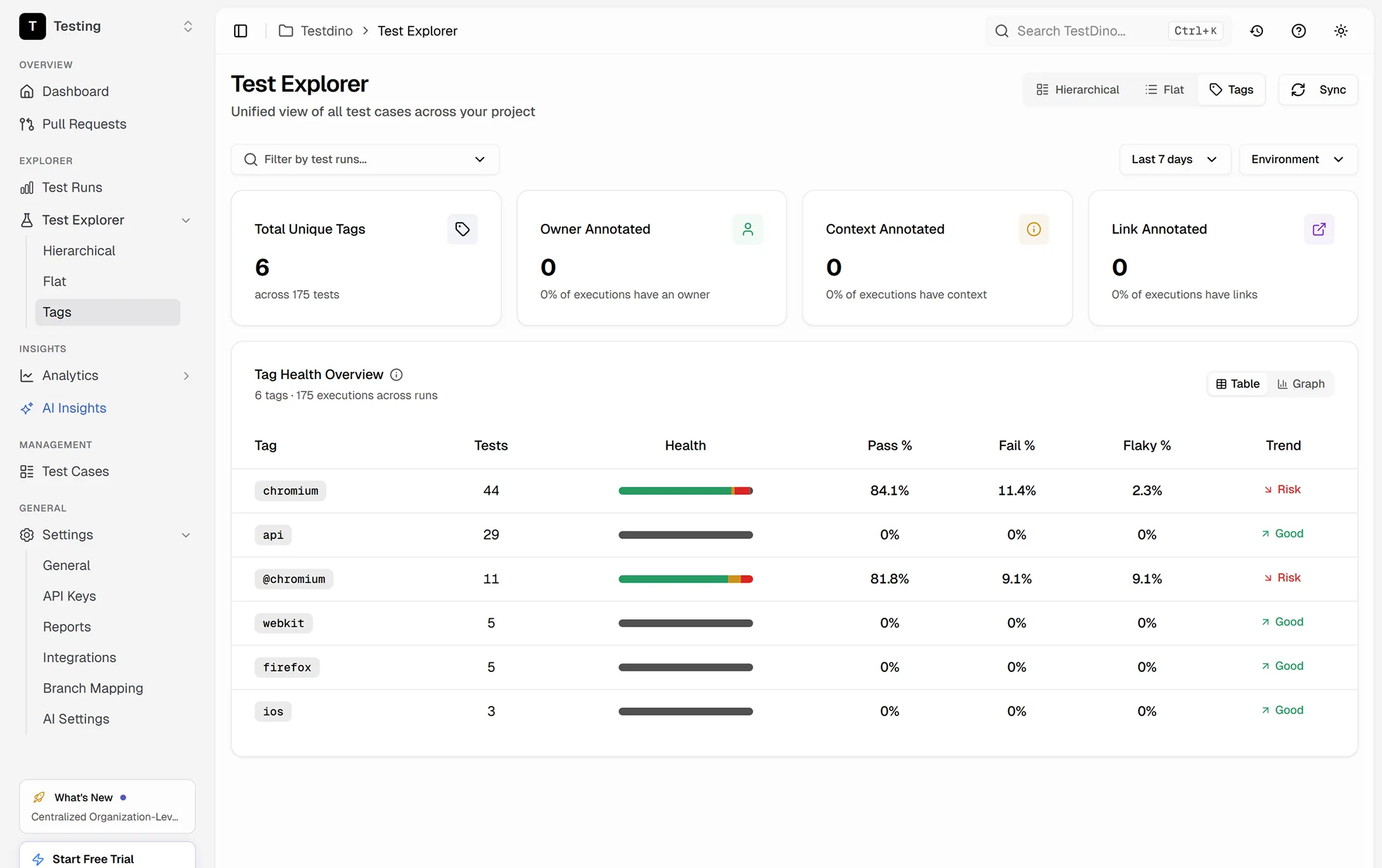







400 tests and no way to slice
them by feature or priority
Everything is organized by file name, not by what it actually tests.

Cannot filter results by feature, priority, or team
CI finishes and you see 12 failures. Three are checkout, two are auth, seven are flaky. But the test report does not know any of that. You scan test names and mentally categorize each failure.
Tag conventions vary across the team
One engineer uses @smoke, another uses @Smoke, a third uses @smokeTest. Your CI grep command only catches one of them. Critical tests get skipped because nobody enforced a standard.
Annotations exist in code but never surface in reports
You add test.fixme(), test.slow(), and custom annotations to your Playwright tests, but your reporting tool ignores them. The metadata you added has zero visibility outside source code.
No way to enforce mandatory tags
New tests get merged without any tags. Over time, half your suite is untagged, making every filter useless. There is no gate in CI that catches missing tags before they reach main.
Three failures. You still do not know what matters.
Tests failed. Who fixes what?
Priority, feature, owner. All visible.
How annotations and tags work
Get annotations and tags working across your test suite, reports, and AI tools in four steps.
Add the TestDino reporter
One line in your Playwright config. Every annotation and tag from your Playwright tests is captured automatically. Your code is the source of truth.

reporter: [
  ['@testdino/playwright', {
    token: process.env.TESTDINO_TOKEN
  }],
]
npx playwright testTag and annotate your tests
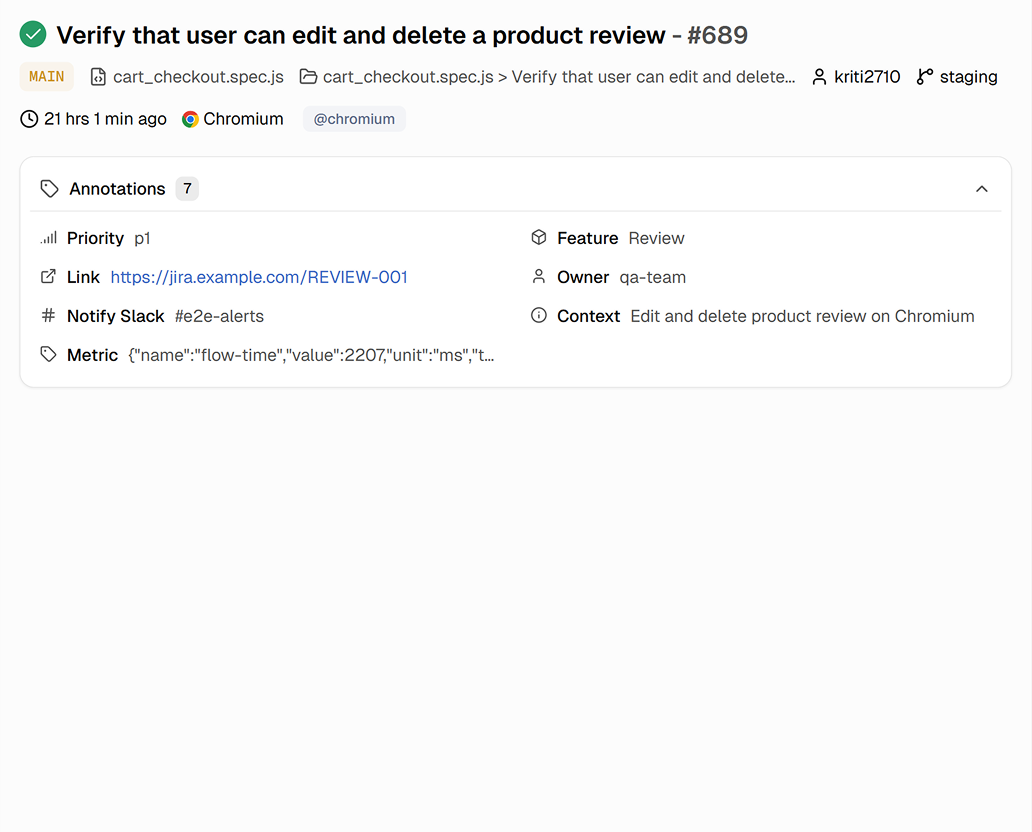
Add testdino: annotations to your Playwright tests to set priority, feature area, owner, and Slack routing. TestDino reads them on every run and makes them filterable in the dashboard.

Filter and set quality gates
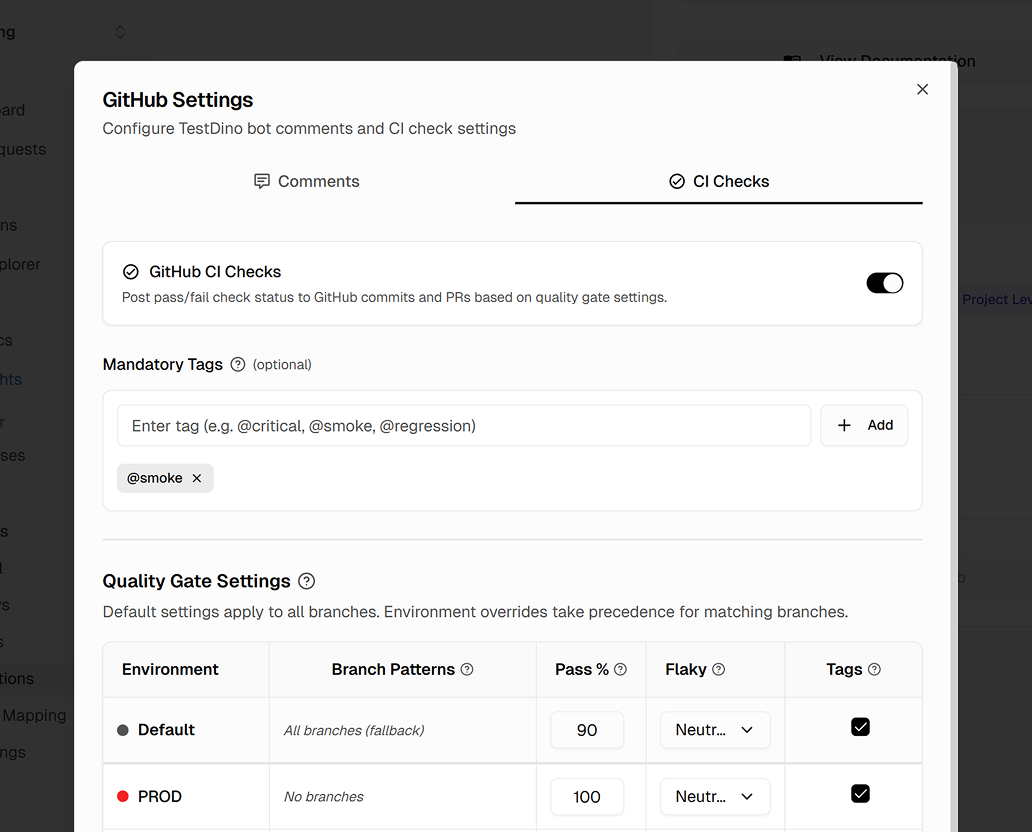
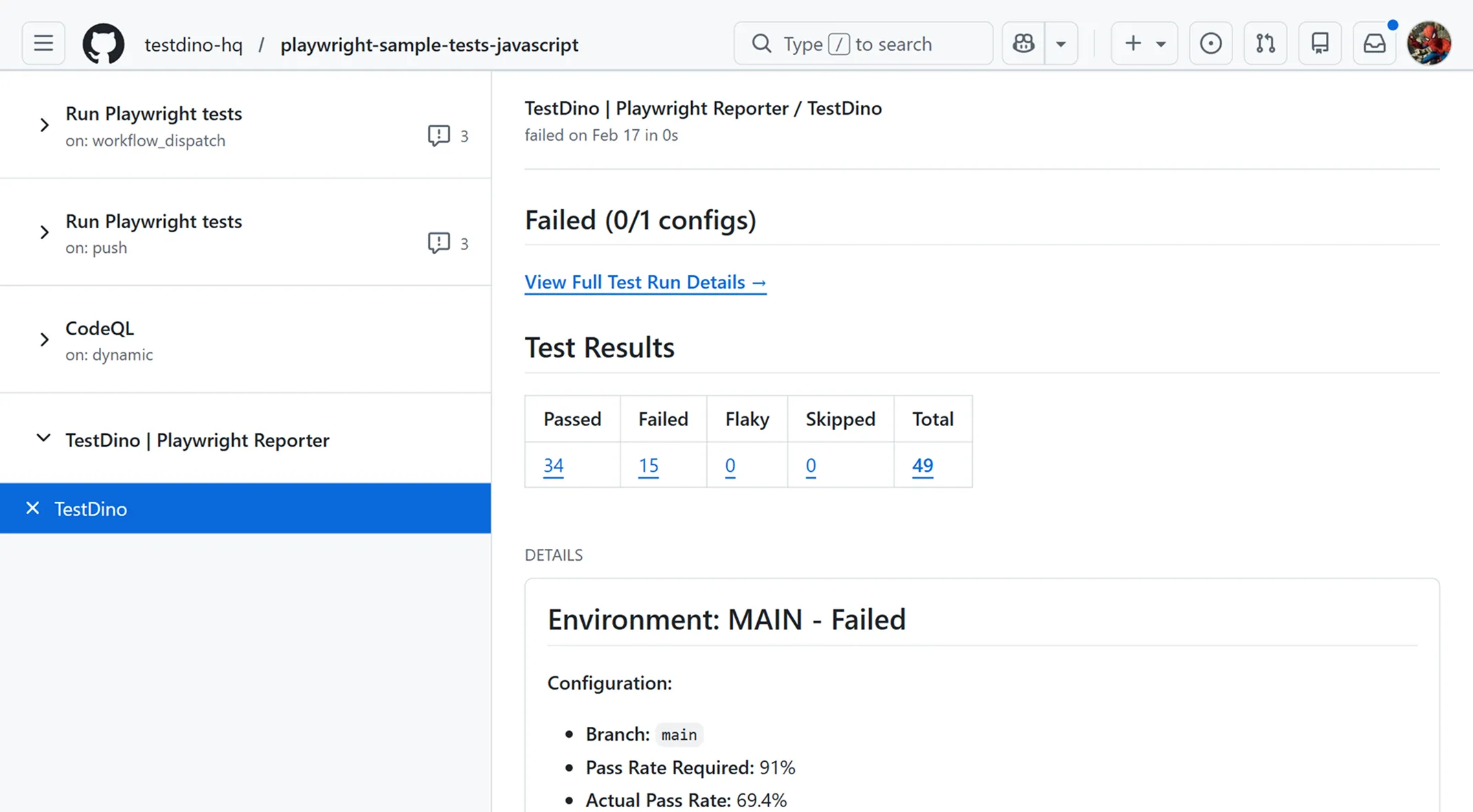
Configure mandatory tags and quality gates in your GitHub settings. Set pass rate thresholds, flaky limits, and required tags per environment. Merges are blocked when tests fail the gate.
Query tagged tests via MCP
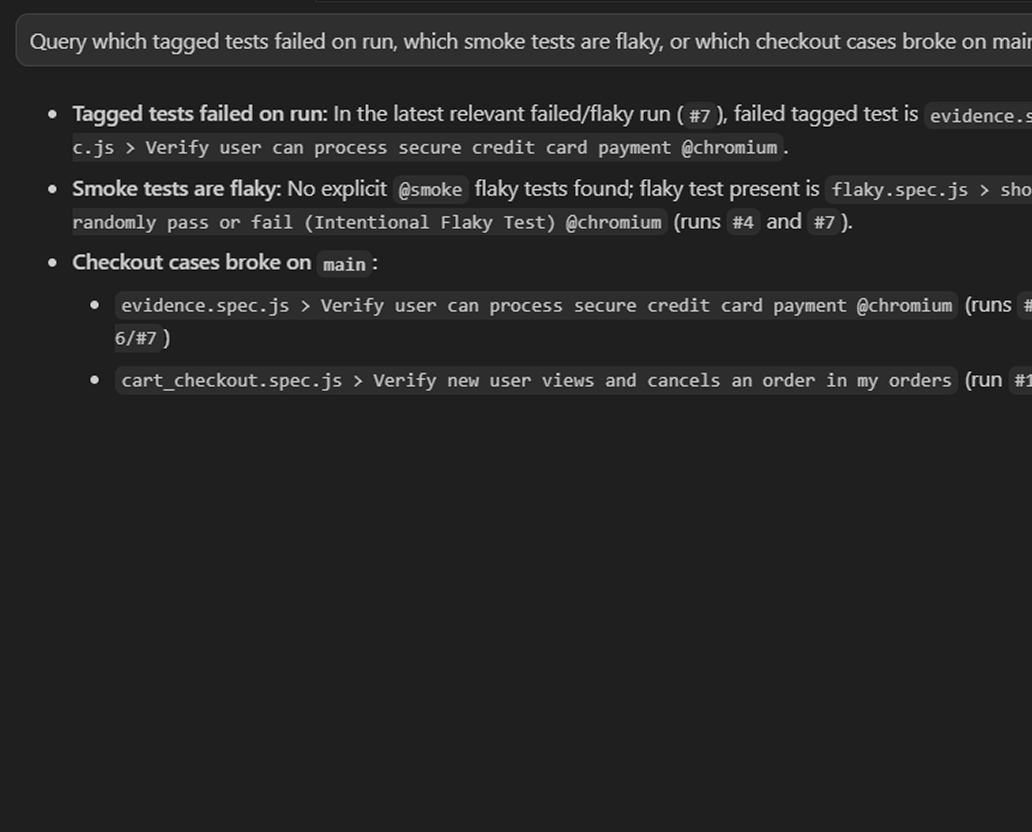
Connect the TestDino MCP server to your editor and query which tagged tests failed on the last run, which smoke tests are flaky, or which checkout cases broke on main, without opening the dashboard.

Everything you need to organize
tests with annotations and tags
Automatic tag sync from your test code
Tags from your Playwright test titles sync on every run. No separate tagging tool, no manual steps.
testdino: annotations for structured metadata
Set priority, feature, owner, Slack channel, and ticket link directly in your test code using testdino: annotations.
Tag-based filtering across all views
Test runs, case lists, flakiness reports, and trend dashboards are all filterable by any tag or annotation value.
Mandatory tag enforcement in CI checks
Define which tagged tests must pass in CI. If a tagged test fails, the check fails and the merge is blocked.
Tag-based reporting and dashboards
Scope reports and dashboards to specific tags, like a weekly summary of only smoke tests or checkout failures.
Custom annotation metadata
Supported annotation fields include priority, feature, owner, link, notify-slack, context, flaky-reason, and metric.
What you get with annotations and tags
A structured, filterable test suite you can navigate in one click.
Consistent tagging enforced across the team
Mandatory tag rules and CI quality gates ensure every test has the tags it needs. No more half-tagged suites where filters only work if you know which tests are missing labels.
Custom metrics tracked as time-series data
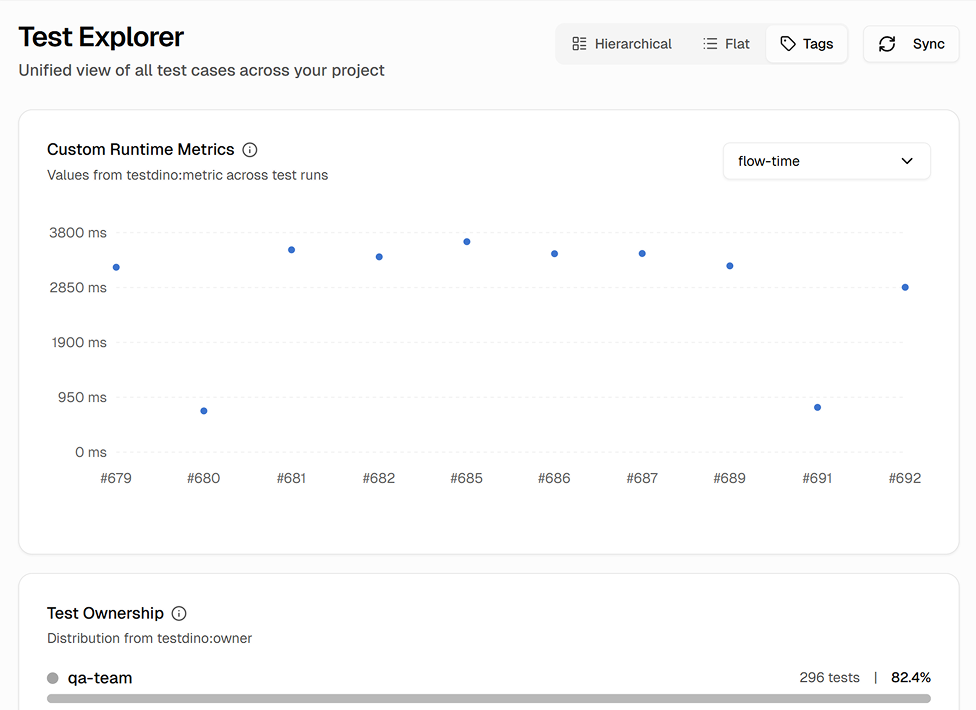
Use testdino:metric to track numeric values like page load time, API latency, or Lighthouse scores per test. Set thresholds, units (ms, s, mb, %), and track trends over time alongside your test results.
Slack alerts routed by annotation
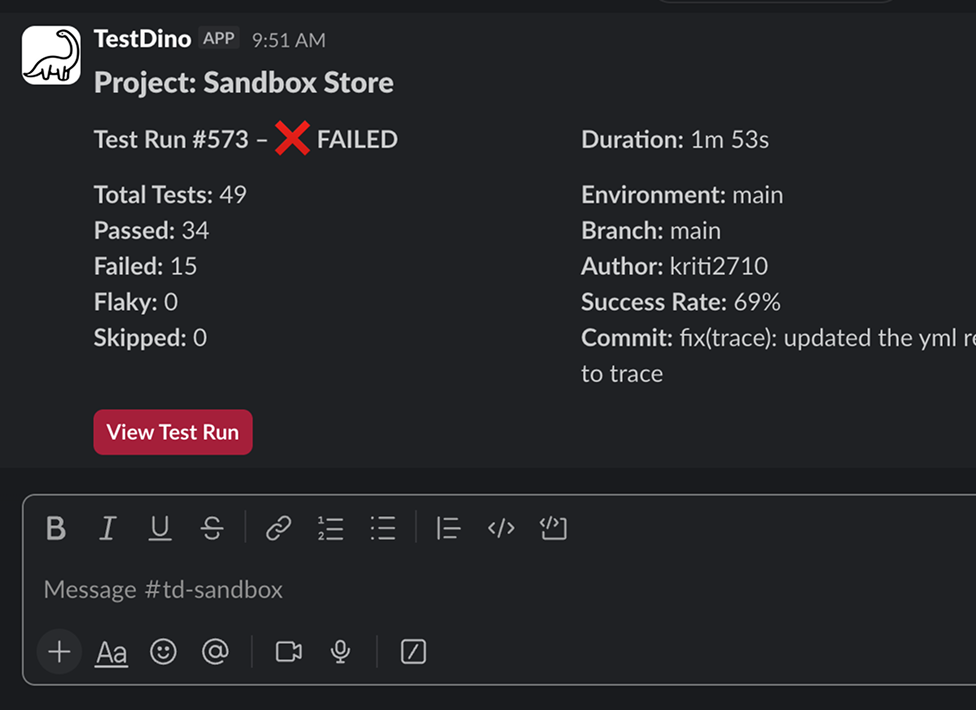
Use testdino:notify-slack to route failure alerts to specific channels or users. Annotate a test with #checkout-alerts or @jane and that person or channel gets notified when the test fails.
Works with your favourite tools
Connect Jira, Slack, GitHub, Linear, Azure DevOps, Asana, and monday to keep your workflow smooth and your team aligned.





FAQs
The TestDino reporter reads tags from your Playwright test titles on every run and syncs them to the dashboard automatically. For richer metadata, add testdino: annotations to your test code to set fields like priority, feature, owner, and Slack routing.