Bug Life Cycle in Software Testing: Every Stage, Role and Status Explained
Follow a bug from the first report to a verified close, with every status, owner and handoff explained clearly.
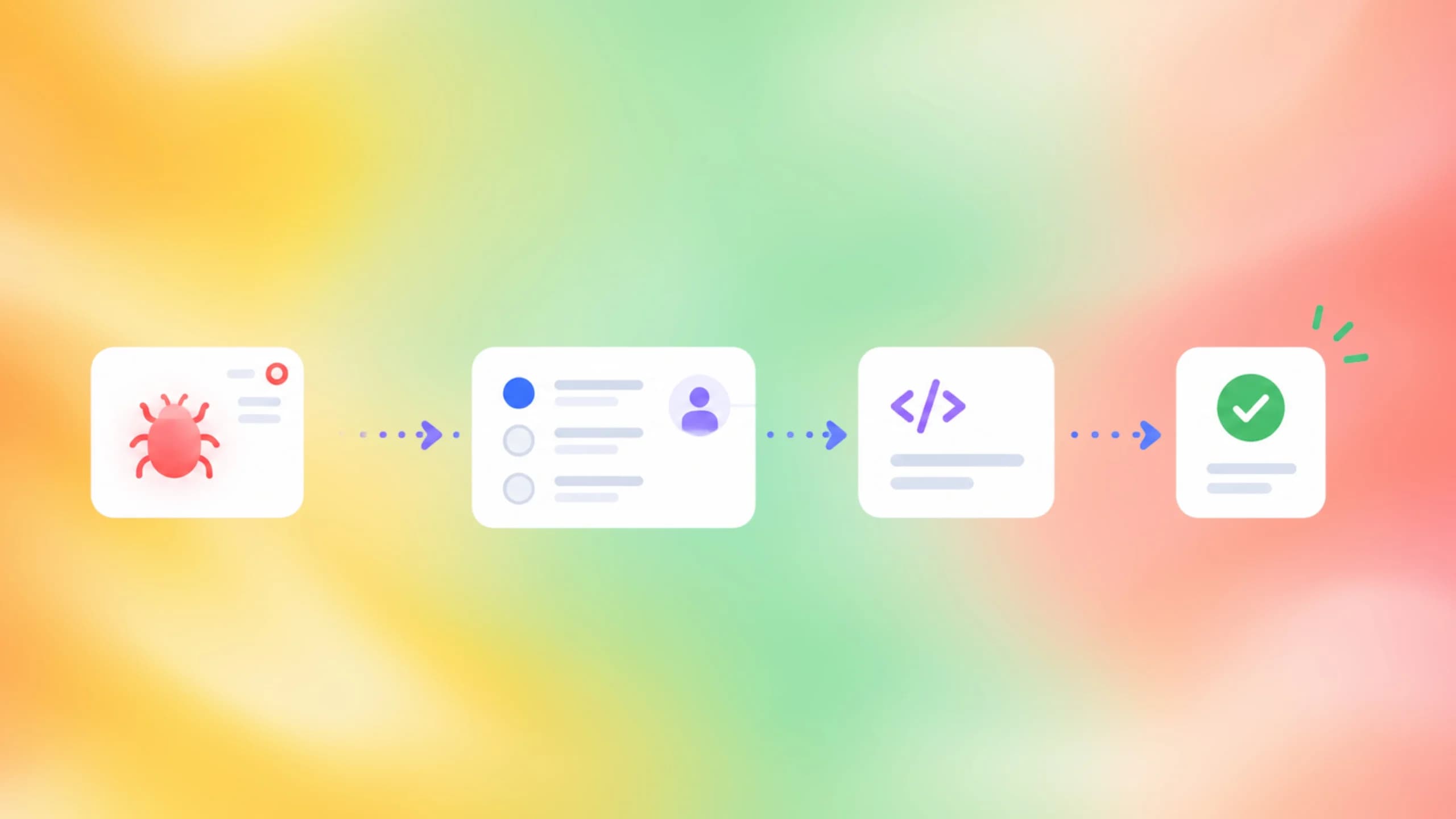
Learn the bug life cycle in software testing: every stage from New to Closed, who owns each one, severity vs priority, and tracker mappings.A bug is born the moment someone notices that software did something it should not have, and it only dies when someone else proves the problem is gone. Everything between those two moments is the bug life cycle, and in 2026 that journey runs across more tools, more people and more automated test runs than ever before.
The trouble is that most teams never agree on what each step means. One person's "fixed" is another person's "unverified", a duplicate sits open for weeks, and nobody can say how long the average defect takes from report to close. That confusion shows up directly in test failure analysis, where a failing test has no clear owner or next step.
This guide walks through every stage, every side exit, and the roles that own each handoff. It also maps the cycle onto Jira, Bugzilla, Azure Boards and GitHub Issues, backs the cost argument with NIST and CISQ data, and shows how to write reports that developers can act on immediately.
What is the bug life cycle in software testing?
The bug life cycle, also called the defect life cycle, is the sequence of statuses a reported defect passes through from the moment it is logged until it is verified and closed. Each status has a clear owner and a clear exit condition, so everyone knows what happens next.
The ISTQB Foundation syllabus frames it in the same way. It says a defect management process must, at a minimum, include "a workflow for handling individual anomalies from their discovery to their closure and rules for their classification", per the ISTQB CTFL v4.0 syllabus. The workflow logs the anomaly, analyses and classifies it, decides on a response, and closes the report.
Notice the word "anomaly". The syllabus is careful to say that a reported issue may turn out to be a real defect, a false positive, or a change request. Deciding which one it is happens inside the cycle, not before it starts.
Error, defect and failure are 3 different things
The same syllabus separates three terms that everyday speech blurs together. A human makes an error, the error produces a defect in code or documentation, and executing that defect may produce a failure that a user or a test observes.
This matters for the life cycle because a test only ever sees the failure. The report describes the failure, the developer hunts for the defect, and a good retrospective looks for the error behind it. That last step is what root cause analysis really means, and it is how teams stop the same class of bug from returning.
Where the defect life cycle sits inside testing
The defect life cycle in software testing is not the same as the software testing life cycle. The testing life cycle covers planning, design, environment setup, execution and closure for a whole test effort. The bug life cycle starts inside the execution phase, each time a test or a person finds a failure, and it runs in parallel for every open defect.
Because it sits inside execution, the cycle looks slightly different across the types of software testing a team runs. An exploratory session produces bugs by hand. An automated regression suite produces them at scale, which is exactly why the individual statuses need to be crisp before the volume arrives.
The 8 stages of the bug life cycle explained
Ask ten teams to list the stages of the bug life cycle and you will get ten slightly different lists. The core path below is the one most trackers implement by default, with some merging two steps into one.
- New: the defect is logged with steps, expected and actual results, environment and evidence.
- Assigned: triage confirms it is real and not a duplicate, then hands it to a developer or team.
- Open: the developer reproduces the failure and works on a fix. Many tools call this In Progress or Active.
- Fixed: the code change is merged and tagged with the build that carries it.
- Pending retest: the fix is waiting for a tester to check it on that build.
- Retest: the tester reruns the original steps and checks nearby behaviour for regressions.
- Verified: the retest passes and the fix is confirmed by someone other than its author.
- Closed: the report is closed with a resolution, and the defect drops out of the active list.

From New to Open: the detection phase
The first three stages are about making sure the right person gets a report they can act on. A bug in New is a claim, not a fact. Triage turns it into a fact by reproducing it once, checking for duplicates, and setting severity and priority before anyone writes code.
Automation changes the shape of this phase. When a suite of hundreds of end-to-end tests runs on every pull request, most "new" bugs arrive as failed test results rather than hand-written reports. Attaching the Playwright trace viewer output to the report replaces a paragraph of prose with a recording the developer can scrub through.
From Fixed to Closed: the verification phase
The second half of the cycle exists for one reason: the person who wrote the fix should not be the person who declares it fixed. Retest runs the exact steps from the original report on the build that contains the fix. It also probes around the change, because fixes often shift a problem rather than remove it.
For automated suites, this phase can be almost free. The failing test that opened the bug is rerun against the fix, and if the team can rerun only failed tests, the verification takes minutes instead of a full pipeline. Looking at the test's test history over several runs also proves the fix is stable and not a lucky pass.
Note: Status names are not standardised. Bugzilla ships UNCONFIRMED, CONFIRMED, IN_PROGRESS, RESOLVED and VERIFIED. Azure Boards uses New, Active, Resolved and Closed for its Agile process. Map your team's names onto the 8 roles above rather than arguing about labels.
The happy path is only half the story, though. A large share of reports never reach Fixed at all, and the statuses that handle them are where most process arguments start.
Alternate statuses: rejected, duplicate, deferred and more
Every tracker has side exits from the main path. They are not failures of the process. They are the process working, because a bug that is not a bug should leave the queue quickly and with a written reason.
| Status | What it means | Who usually sets it | Typical next step |
|---|---|---|---|
| Rejected / Not a bug | The behaviour is correct or the report is invalid | Developer or triage lead | Close with a reason; reporter may reopen with new evidence |
| Duplicate | The same defect already has a report | Triage lead | Link to the original and close |
| Deferred | Valid bug, but not for this release | Product owner | Tag with target release and revisit at planning |
| Cannot reproduce | Nobody can trigger the failure with the given steps | Developer | Request more information or close |
| Need more information | The report lacks steps, environment or evidence | Developer | Return to reporter; auto-close after a set period |
| Reopened | The failure returned after a fix or close | Tester | Back to Assigned with a new build number |
These labels are backed by real tools, not just textbooks. Bugzilla's default resolutions include FIXED, INVALID, WONTFIX, DUPLICATE and WORKSFORME, where WORKSFORME means "all attempts at reproducing this bug were futile", according to the Bugzilla documentation. Jira's default resolutions include Done, Won't Do, Duplicate and Cannot Reproduce.
When a bug should be deferred instead of rejected
Deferred and Rejected get confused constantly, and the confusion has a cost. Rejected says the software is behaving correctly. Deferred says the software is wrong, but fixing it now is not worth the risk or the schedule hit. Marking a real defect as Rejected hides it forever. Marking it Deferred keeps it visible for the next planning session.
A useful rule is that only a product owner can defer, while a developer can reject. That split keeps release trade-offs with the person accountable for the release, and keeps technical judgment with the person who read the code.
Cannot reproduce is often a flaky test in disguise
In automated suites, Cannot Reproduce is the most abused exit. A test fails once on CI, passes locally, and the report is closed. Two weeks later it fails again. Those are not two bugs. That is one intermittent defect, and it belongs in the flaky tests category rather than the closed pile.
The fix is procedural. Before closing as Cannot Reproduce, check the failure rate of that test across recent runs. Dedicated flaky test detection tools surface a test that fails 1 run in 8 as a pattern rather than as eight unrelated reports.
With the statuses settled, the next question is who is allowed to move a bug between them, and that is a question about people rather than tools.
Who owns each stage of the bug life cycle
A status without an owner is a status where bugs go to wait. The clearest life cycles assign exactly one role to each transition, so the "who moves this next" question never needs a meeting.
| Transition | Owner | What they must provide |
|---|---|---|
| Log as New | Tester, developer or user | Steps, expected vs actual, environment, evidence |
| New to Assigned | Triage lead or product owner | Confirmation, severity, priority, assignee |
| Assigned to Open | Developer | Acknowledgement and a first reproduction |
| Open to Fixed | Developer | Merged change and the build number that carries it |
| Fixed to Verified | Tester (not the fix author) | Retest result on the named build |
| Verified to Closed | Tester or triage lead | Resolution and any follow-up links |
| Any state to Reopened | Tester | New evidence and the build where it returned |
Microsoft's guidance for Azure Boards follows this split exactly. In the Agile and CMMI processes, the developer sets the bug to Resolved, and then "the person who created it verifies the fix and closes it", as described in Manage bugs in Azure Boards. The tracker enforces the separation that the process depends on.
The tester's job does not end at New
Testers own both ends of the cycle. They write the report that starts it and they run the retest that ends it. Good test reporting makes both ends cheaper, because the same failure artefacts that describe the bug also prove the fix.
Testers also own the link between bugs and tests. Tagging a test with the bug it guards, for example through Playwright annotations, means that when the bug is fixed, the tracker can point straight at the test that should now pass.
The developer's job does not end at Fixed
Developers own reproduction, root cause and the fix. They also own one piece of paperwork that teams skip constantly: the build number. Without it, the tester cannot know which build to retest, and "Fixed" becomes a guess. Azure Boards gives this a dedicated field called Integrated in Build for that exact reason.
Ownership tells you who moves a bug. It does not tell you which bug to move first, and that is where two fields that everyone confuses come in.
Severity vs priority in the bug life cycle
Severity measures damage. Priority measures urgency. They are set by different people, for different reasons, and a bug can score high on one and low on the other without any contradiction.
Azure Boards spells out the severity scale in its bug template. Severity 1, Critical, is a defect that causes "termination of one or more system components or the complete system, or causes extensive data corruption" with no acceptable workaround. Severity 4, Low, is "a minor or cosmetic defect that has acceptable workarounds". Its priority scale runs from 1, "must resolve before the product ships, address soon", to 3, "resolution is optional".
Jira's default priority names carry similar meaning. Highest is a problem that "will block progress", while Lowest is a "trivial problem with little or no impact on progress", per Atlassian's statuses, priorities and resolutions documentation.
| Combination | Example | Handling |
|---|---|---|
| High severity, high priority | Checkout charges the wrong total | Fix now, block the release |
| High severity, low priority | Crash in a legacy export used twice a year | Schedule for a later sprint, document workaround |
| Low severity, high priority | Company name misspelled on the login page before a launch | Fix before launch, trivial effort |
| Low severity, low priority | Tooltip off by 2 px in one browser | Backlog, defer if needed |

Tip: Let the tester set severity at report time and let the product owner set priority at triage. When one person sets both, the fields collapse into a single "how much I care" score and lose their value.
Track the metrics that expose a slow cycle
Severity and priority also drive the numbers a team should watch. Time from New to Assigned shows whether triage is keeping up. Time from Fixed to Verified shows whether testers have the builds they need. Reopen rate shows whether fixes are real. These sit alongside broader test quality metrics such as escaped defects per release.
Reopen rate deserves special attention. Every reopen means the whole verification half of the cycle ran twice, and it usually means the original fix addressed a symptom. Pairing reopen data with the cost of bugs in each area of the product tells you where root-cause work pays back fastest.
Every one of those fields lives in a tracker, and each tracker implements the cycle in its own vocabulary. Knowing the mapping saves hours when you switch tools or work across teams.
How Jira, Bugzilla, Azure Boards and GitHub run the cycle
Four tools dominate bug tracking, and they agree on the shape of the cycle far more than their labels suggest. The infographic below lines up their default names for the same eight situations.

Bug life cycle in Jira
Jira separates status from resolution, and the distinction is the whole point. A status, in Atlassian's words, "indicates its current place in the space's workflow", while a resolution describes how the work was completed. A bug can sit in Done with a resolution of Fixed, Won't Do, Duplicate or Cannot Reproduce, and reports can filter on either field.
Default software projects ship with To Do, In Progress and Done, and teams add In Review, Ready for QA or Reopened as needed. The catch is that Jira will happily let a status be renamed to anything, so a shared vocabulary matters more than the tool. Teams that manage test cases in Jira usually link each bug to the test that found it, which makes the retest step a one-click jump.
For a broader look at how test cases, runs and defects can live together in the same workspace, the roundup of Jira test management tools compares the options.
Bugzilla, Azure Boards and GitHub in brief
Bugzilla is the tracker most textbook diagrams are drawn from. Its default flow moves UNCONFIRMED to CONFIRMED to IN_PROGRESS to RESOLVED to VERIFIED, and its docs describe VERIFIED as the point where "QA has looked at the bug and the resolution and agrees that the appropriate resolution has been taken". Bugzilla also zeroes the remaining-time estimate the moment a bug hits RESOLVED.
Azure Boards gives each process its own state names and attaches a Reason to every transition. Closing a bug in the Agile process offers Fixed, Deferred, Duplicate, As Designed, Cannot Reproduce, Obsolete and Copied to Backlog. Microsoft also gives a piece of advice worth adopting everywhere:
Note: Azure Boards documentation recommends that teams do not reopen closed bugs for regressions. Open a new bug and link it to the original with a Related link instead, so the history of each fix stays intact.
GitHub Issues keeps the model minimal. An issue is Open or Closed, and since 2022 a closed issue carries a reason of completed or not planned. GitHub added a third reason, duplicate, in its December 2024 Issues changelog. Everything else, including severity and priority, is done with labels.
GitHub does automate the Fixed transition, though. Using a closing keyword in a pull request description closes the linked issue when the PR merges into the default branch, per GitHub's linking a pull request to an issue docs.
Fixes #4821
Coupon SAVE10 is now applied to the cart total before tax.
The supported keywords are close, closes, closed, fix, fixes, fixed, resolve, resolves and resolved. Teams that run Playwright in GitHub Actions often pair this with a required check, so the merge that closes the bug is the same merge that proves the regression test passes.
Whichever tool you use, the cycle is only as fast as the stage where the bug was found. That is not an opinion. It is one of the most measured facts in software engineering.
Why catching bugs early shortens the whole cycle
The cost of a bug rises with every stage it survives, because more code depends on the defect and more people are involved in fixing it. The most cited primary source is a 2002 study for the National Institute of Standards and Technology, which surveyed developers about the hours needed to investigate and fix a bug depending on where it was found.

In that survey, a bug found during coding or unit testing took an average of 2.4 hours to fix. The same kind of bug found after release took 13.1 hours, more than five times longer. Respondents also reported that 85% of errors were caught in the coding and integration stages, per NIST Planning Report 02-3. The report estimated the national cost of inadequate testing infrastructure at between $22.2 billion and $59.5 billion per year in 2002 dollars.
The trend has not reversed. The Consortium for Information and Software Quality estimated the cost of poor software quality in the United States at $2.41 trillion for 2022, with accumulated technical debt of roughly $1.52 trillion, in its Cost of Poor Software Quality in the US: A 2022 Report. The same report states that "the cost of finding and fixing deficiencies is the largest single expense element in the software development lifecycle".
What this means for the life cycle itself
The data changes how a team should think about each stage. Reducing the time a bug spends in New and Assigned matters, but the stage that matters most is the one before New: the point at which the failure is detected. A defect caught by a unit test on a developer's laptop never enters the tracker at all.
That is the argument for running end-to-end suites on every pull request rather than nightly, even though it costs CI minutes. Work on Playwright CI cost optimization is usually about keeping that per-PR feedback loop affordable, not about running fewer tests.
Put a number on your own bugs
Generic multipliers are useful for arguments and useless for budgets. A production bug in a payments flow for a large user base costs a very different amount from a cosmetic bug in an internal admin tool. You can estimate the dollar cost of a production bug from its severity, industry and user base with TestDino's free Bug Cost Calculator, and use the result to justify the testing that would have caught it earlier.
Once a team accepts that early detection is the cheapest stage, the next question is how to make every report that does enter the tracker move as fast as possible.
How to write a bug report that moves fast
A bug report is a handoff document. Its only job is to let a developer who has never seen the failure reproduce it in the first attempt. The ISTQB Foundation syllabus lists what a defect report logged during dynamic testing typically includes, and the infographic below shows those fields the way a developer wants to read them.

The syllabus items are a unique identifier, a title with a short summary, the date, organisation and author, the test object and environment, the context such as the test case being run, a description of the failure with steps and any logs or recordings, expected and actual results, severity, priority, status, and references. Trackers fill in several of these automatically, which leaves the reporter responsible for the steps, the results and the evidence.
Steps, results and evidence do the heavy lifting
Reproduction steps should be numbered, start from a known state, and use concrete data. "Apply a coupon" is a guess. "Apply code SAVE10 to a cart containing 2 items totalling 100.00" is a test. Expected and actual results should be two separate lines so the gap between them is visible at a glance.
Evidence is where automation earns its place. A Playwright trace captures every action, network call, console message and DOM snapshot leading up to a failure, and it can be attached to the report as a single file.
export default defineConfig({
  use: { trace: 'retain-on-failure', screenshot: 'only-on-failure', video: 'retain-on-failure' },
});
With that configuration, every failed test already produces the evidence section of its own bug report. The Playwright debugging guide covers how to read those traces to move a bug from New to a confirmed root cause quickly.
Tip: When a bug is deferred, mark the test that exposes it as an expected failure and reference the bug ID. The suite stays green, the bug stays visible, and the day the fix lands the test flips to "unexpectedly passed" and tells you to retest.
test('coupon reduces cart total', async ({ page }) => {
  test.fail(true, 'BUG-4821: SAVE10 not applied before tax, deferred to 2.15');
  // ... steps that currently fail
});
Let the tracker and the test results talk to each other
The slowest part of many bug life cycles is not fixing. It is the manual copying between a failed CI run and a tracker ticket, then back again at retest. Modern AI test management tools close that gap by grouping failures by root cause, attaching artefacts automatically, and keeping the link between a test and its bug alive across runs.
TestDino approaches this as a test intelligence platform for Playwright teams. Failures from CI arrive already classified as product bugs, test bugs or flaky runs, with traces attached, so the New and Assigned stages are largely automated. For teams that write and repair tests with AI coding agents, the open-source playwright-skill at github.com/testdino-hq/playwright-skill gives those agents the conventions to produce traces and annotations that fit this flow.
That last piece matters more each year. When agents can be pointed at fixing Playwright tests with AI, the distinction between a product bug and a test bug has to be made before the agent touches anything, and a clean life cycle is what makes that distinction visible.
Conclusion
The bug life cycle is a simple idea with a lot of surface area. A defect is reported, confirmed, assigned, fixed, retested and closed, with side exits for reports that are duplicates, invalid, deferred or impossible to reproduce. Every one of those moves needs one owner and one written reason.
The tools differ in vocabulary but not in shape. Jira splits status from resolution, Bugzilla runs UNCONFIRMED through VERIFIED, Azure Boards attaches a reason to every state change, and GitHub keeps Open and Closed with three close reasons. Mapping your own team's labels onto the same eight situations removes most of the arguments.
The evidence on cost points in one direction. NIST's survey found post-release bugs took more than five times the hours of bugs caught during coding, and CISQ still names finding and fixing defects as the largest single expense in the development lifecycle. The cheapest stage of the bug life cycle is the one a bug never reaches, which is why fast, well-instrumented test runs and a clear software testing report are part of defect management, not separate from it.
FAQs

Pratik Patel
Co-founder