LLM Agent in Playwright QA: 3 Practical Checks Before You Merge
Struggling with a red Playwright job? Learn how an LLM agent plans, generates, and heals tests without breaking CI.

You already run Playwright. An LLM agent is a model that can call tools, read a page or a CI log, and take the next step without you spelling out every click.
You know the next part. Local is green. GitHub Actions is red. The agent rewrites getByRole('button', { name: 'Apply coupon' }) while a real checkout bug still sits underneath.
You'll get three practical checks for an LLM agent: what it can see, how Playwright's test agents write files, and how to take one failed coupon test from a timeout to a patch you review.
What an LLM agent does in Playwright QA
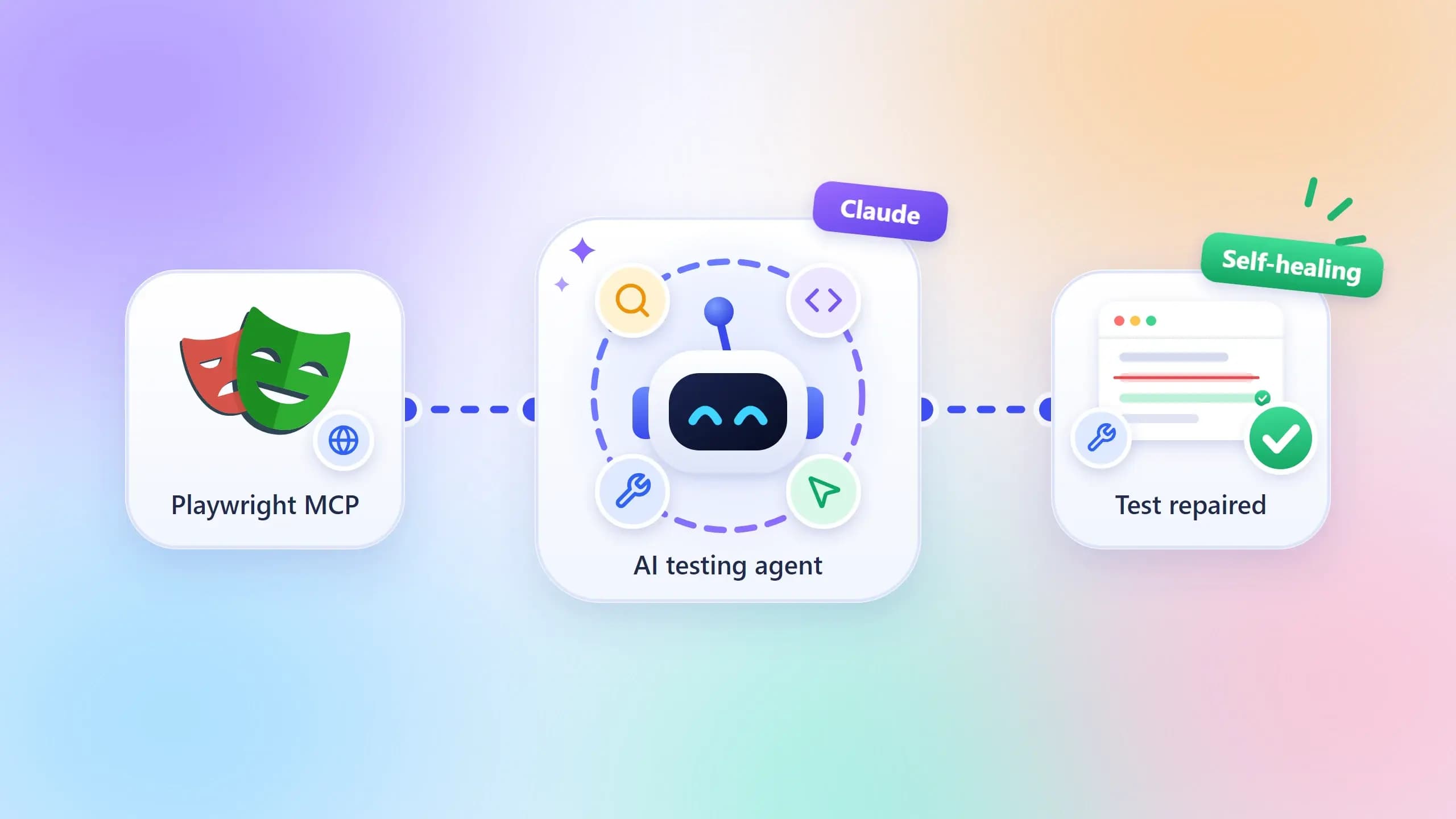
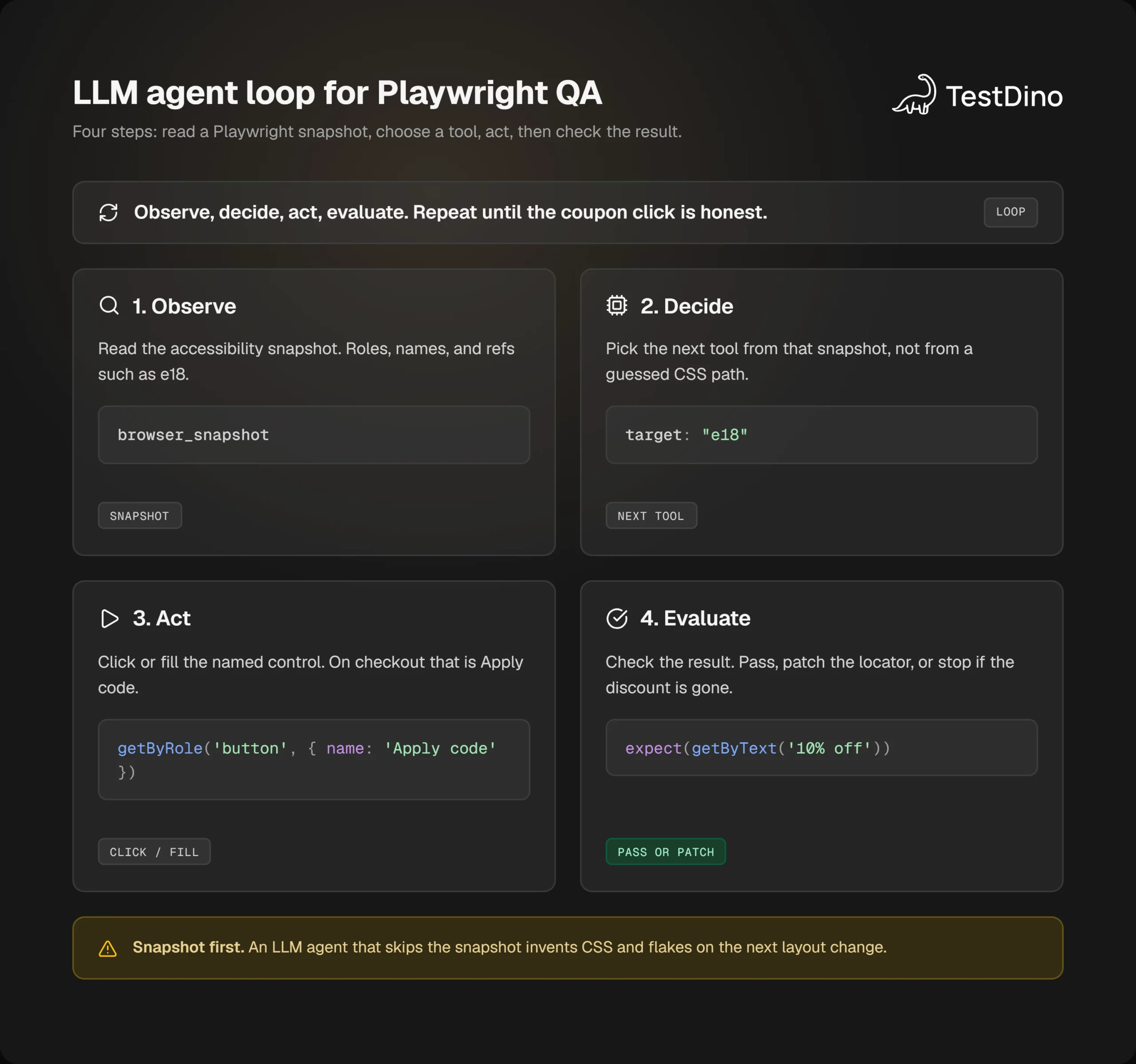
You hired a model to look. An LLM agent in Playwright QA is a model plus tools. It observes the app or the failure, chooses an action, then checks what changed.
An LLM agent is a language model that can call named tools (browser snapshot, click, test run) and pick the next step from the result. A chatbot that only pastes a spec from memory is not an agent.
That is different from a chatbot that dumps a .spec.ts file from memory. The agent has to look. If it cannot look, it guesses locators, and you pay for that guess in CI.
MCP is a common plug for those tools. Your editor talks MCP. The browser server talks MCP. The model never drives Chromium by magic. It calls a named tool, gets text back, and decides the next call.
Playwright ships two agent-facing surfaces that people mix up:
| Surface | What it is for | What you get | What you still own |
|---|---|---|---|
| Playwright MCP (@playwright/mcp) | Let the model drive a live browser | Accessibility snapshots, clicks, fills, optional test assertions | Which steps become a committed spec |
| Playwright Test Agents (planner, generator, healer) | Plan, write, and repair Playwright Test files | Markdown plans under specs/, specs under tests/, patches on failure | Review of every generated file |
| Playwright CLI for coding agents | Token-cheap browser commands from a terminal agent | Concise CLI output instead of huge tool schemas | Same review rule as MCP |
MCP is the long browser session. The CLI is the cheaper path when the repo is already huge and you cannot afford a full page tree in every turn.
Test Agents have been in Playwright for a while. They are planner, generator, and healer. This write-up matches current Playwright Test and @playwright/mcp flags.
Here is the job you actually hire an LLM agent to do:
Explore a flow you have not specced yet, such as guest checkout.
Turn a Markdown plan into a spec that used real Playwright locators on a live page.
Open a failed test, read the timeout, and propose a one-line locator fix.
Leave the PR job alone. CI still runs npx playwright test. The agent is not the runner.
If someone sells you "the agent is the test," walk away. A model can take a different path tomorrow. Playwright Test is the record you can rerun.
Keep one example in your head for the rest of this page. You have tests/checkout/apply-coupon.spec.ts. CI on Chromium says the Apply coupon button never showed up. You are tired. You want the LLM agent to tell you whether the label moved, the page hung, or the assertion was always wrong.
How an LLM agent sees the page
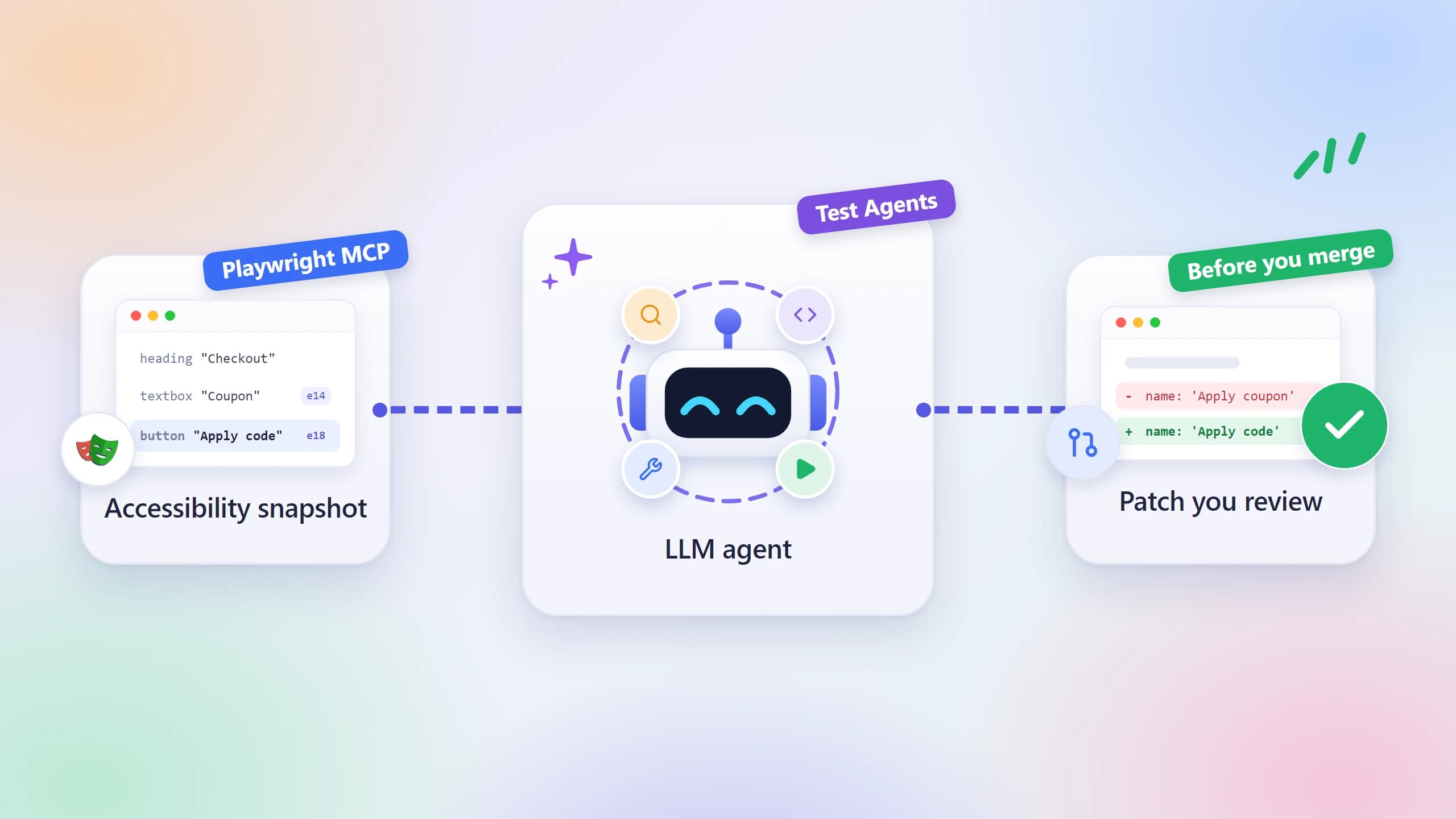
You need the agent to see the coupon button the way Playwright sees it. The agent does not see pixels first. Playwright MCP reads the accessibility tree and returns a snapshot: roles, names, and refs such as e5.
Note: Playwright MCP works from the accessibility tree, not a screenshot. The model clicks ref=e5 because the snapshot named that node, not because it guessed pixels.
No vision model is required for the default loop. The model types into ref=e5 because the snapshot said that ref is the textbox named "What needs to be done?"
Ask it to open the Playwright TodoMVC demo and you get a loop like this:
→ browser_navigate { url: "https://demo.playwright.dev/todomvc" }
  heading "todos" [level=1]
  textbox "What needs to be done?" [ref=e5]
→ browser_type { target: "e5", text: "Buy groceries", submit: true }
  checkbox "Toggle Todo" [ref=e10]
  text: Buy groceries
For your coupon test, the useful snapshot looks like this:
heading "Checkout" [level=1]
textbox "Coupon" [ref=e14]
button "Apply code" [ref=e18]
text: Order summary
Your spec still waits on Apply coupon. The page now says Apply code. That is a UI copy change, not a missing button. An LLM agent that only reads the stack trace will pad the timeout. An LLM agent that reads the snapshot will rename the locator.
Enable the testing capability when you want the server to emit Playwright assertions instead of only driving the UI. Pass --caps=testing. You get visibility checks and a locator helper, which is enough for an LLM agent writing a spec.
{
  "mcpServers": {
    "playwright": {
      "command": "npx",
      "args": ["@playwright/mcp@latest", "--caps=testing"]
    }
  }
}
Fewer tools mean fewer tokens and fewer wrong calls. Turn on testing when you generate specs. Leave extra capabilities off until you need them.
One method most MCP roundups skip: snapshot, then generate the locator, then write the spec. Do not let the model invent div.checkout > button:nth-child(2).
# Prompt the agent with this, verbatim.
# 1. Open /checkout as a guest.
# 2. Call browser_snapshot.
# 3. Call browser_generate_locator on the apply button.
# 4. Write the click using getByRole, not CSS.
Tip: Make the agent snapshot the checkout page, then generate the locator, then write getByRole. If it skips the snapshot, it will invent CSS and your coupon test will flake on the next layout change.
Start with user-facing locators: getByRole(), then text, label, placeholder, then getByTestId(). CSS and XPath sit at the bottom on purpose.
And treat browser_run_code_unsafe as a loaded gun. It runs arbitrary JavaScript in the Playwright process. Only enable it on your machine, for a client you trust. Skip it on a shared CI runner or any client you do not control.
Cursor users add the same server under Settings, MCP, Add new MCP Server, command npx @playwright/mcp@latest. That Playwright MCP path is enough to explore a page. Test Agents, next, are how you turn exploration into files your suite already understands.
Set up Playwright test agents in a live suite
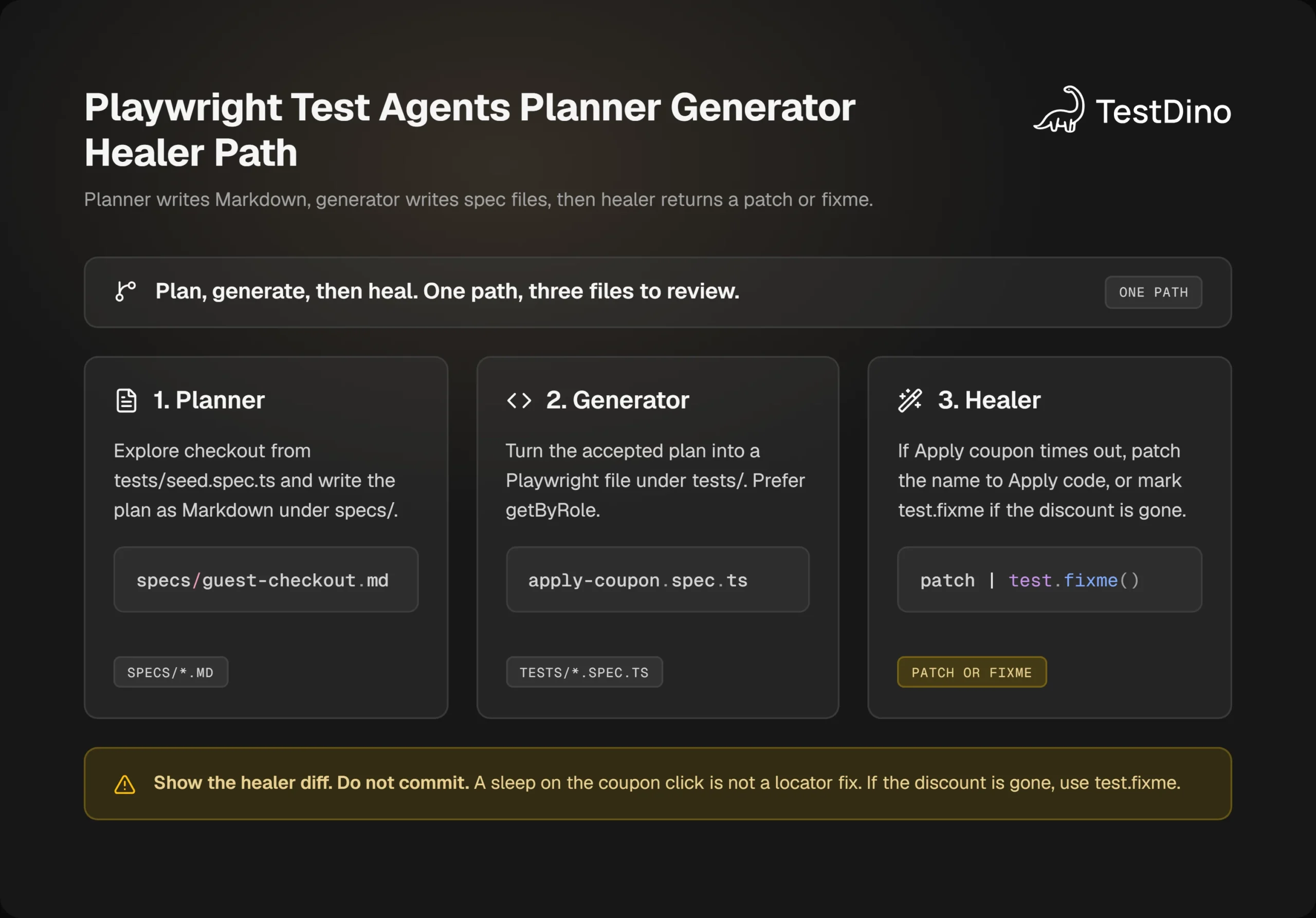
Playwright Test Agents are three instruction packs: planner, generator, healer. They are not a new test runner. An LLM agent uses them to write into specs/ and tests/.
You need an existing Playwright project, Node.js 20 or newer, and a coding agent. The usual init-agents loops are vscode, claude, codex, and opencode. Cursor has no special loop flag. Add Playwright MCP, then ask for planner, generator, and healer in chat.
Regenerate the definitions whenever you bump Playwright. Old agent files miss new tools.
npm install -D @playwright/test@latest
npx playwright install
npx playwright init-agents --loop=claude
VS Code needs v1.105 or later for the agentic experience. Playwright called that out when agents shipped, and the current Test Agents page still requires it.
The piece most setup posts skip is the seed test. Planner does not start from a blank browser. It runs tests/seed.spec.ts so global setup, fixtures, and login actually happen. If your checkout needs a guest session cookie, put that in the seed. If you skip the seed, the planner lands on /login and writes a plan for the wrong page.
import { test } from '@playwright/test';
test('seed', async ({ page }) => {
  await page.goto('/checkout');
  // Fixtures from this file are the pattern generated tests will copy.
});
Note: Planner runs tests/seed.spec.ts first. If checkout needs a guest session, put that in the seed. An empty seed sends the agent to /login, and the plan will be for the wrong page.
Prompt planner with a narrow job, not "cover the app."
Generate a plan for guest checkout applying coupon SAVE10.
Use tests/seed.spec.ts.
Save the plan under specs/guest-checkout.md.
You should get Markdown with steps and expected results, in the shape Playwright shows for TodoMVC: click the coupon field, type SAVE10, press the apply button, expect the discount line. Read that plan like a PR. Cut any step the agent invented (gift wrap, store credit) that your product does not have.
Then hand the same file to generator:
Turn specs/guest-checkout.md into Playwright tests.
Prefer getByRole and getByLabel.
Do not use waitForTimeout.
Generator walks the live UI and writes something close to this:
// spec: specs/guest-checkout.md
// seed: tests/seed.spec.ts
import { test, expect } from '@playwright/test';
test.describe('Checkout > guest flow', () => {
  test('applies a coupon', async ({ page }) => {
    await page.goto('/checkout');
    await page.getByLabel('Coupon').fill('SAVE10');
    await page.getByRole('button', { name: 'Apply code' }).click();
    await expect(page.getByText('10% off')).toBeVisible();
  });
});
If your older spec still says Apply coupon, that is the drift healer will see later.
Config for CI stays boring, and that is the point. Use trace: 'on-first-retry' so you only pay for a trace.zip when a test already failed once.
import { defineConfig } from '@playwright/test';
export default defineConfig({
  retries: process.env.CI ? 2 : 0,
  use: {
    trace: 'on-first-retry',
    screenshot: 'only-on-failure',
    video: 'retain-on-failure',
  },
});
A test that fails then passes is marked flaky. A test that fails every attempt is failed. Your LLM agent needs that distinction later. If you retry forever, the healer will "fix" noise.
Playwright test agents do not replace test automation you already trust. They generate candidates. You still run npx playwright test tests/checkout/apply-coupon.spec.ts on Chromium before the PR.
Who should skip this setup: a suite with no owner for generated diffs. If nobody reads specs/ or the healer patch, you will merge locator churn and skip real bugs. Also skip healer on payment, refund, and permission tests until a person has confirmed the expected result in writing.
Work the red checkout job from error to patch
Your GitHub Actions job is red. The HTML report points at tests/checkout/apply-coupon.spec.ts. The error is a timeout, not an assertion mismatch.
TimeoutError: locator.click: Timeout 30000ms exceeded.
Call log:
  - waiting for getByRole('button', { name: 'Apply coupon' })
Tip: Do not let the healer add waitForTimeout(5000) to this coupon click. Open the trace, read the accessible name, and patch getByRole. A sleep will go green and still miss a missing discount.
Do not paste that into a generic chat and accept a waitForTimeout(5000). Open the Trace Viewer first, then let the LLM agent read the same evidence.
npx playwright show-trace test-results/checkout-apply-coupon-retry1/trace.zipIn the trace you want three facts: the locator on the failed action, the DOM snapshot after the last click, and whether /api/coupon returned 200. Those sit in Actions, Snapshots, Network, Console, and Errors.
Now give the healer a tight prompt. Run the test, inspect the snapshot, patch, re-run. If the product itself is broken, mark test.fixme() instead of lying.
tests/checkout/apply-coupon.spec.ts failed in CI:
TimeoutError waiting for getByRole('button', { name: 'Apply coupon' })
Open the trace if present.
Do not add waitForTimeout.
If the button accessible name changed, update getByRole.
If the discount is gone from the page, do not weaken the assertion. Use test.fixme and say why.
Show the diff. Do not commit.
The honest patch for a rename is one locator:
await page.getByRole('button', { name: 'Apply code' }).click();The dishonest patch looks like this. Reject it.
await page.waitForTimeout(5000);
await page.locator('button.btn-primary').click();
await expect(page.getByText('10% off')).toBeVisible({ timeout: 60000 });
That version will go green on a slow runner and still miss a missing discount. Playwright best practices exist because flaky tests train the team to ignore red.
Re-run the single file locally with retries off so you see the first failure, not the retry:
npx playwright test tests/checkout/apply-coupon.spec.ts --project=chromium --retries=0If it passes with Apply code, the CI timeout was locator drift. That is an LLM agent earning a one-line keep. If the snapshot has no apply button at all, stop healing. That is a product bug. File it with the trace, the URL, and the coupon code.
Healer will keep looping until the test passes or it gives up. That is useful on a locator rename. It is dangerous on a missing heading. If it thinks the feature is broken, it skips. A skip can hide a checkout regression if you merge it on Friday.
So the review rule is simple. Locator rename, wait replacement with a web-first assertion, test-id add: maybe. Assertion deleted, timeout inflated, test.fixme() on a money flow: no, unless you agree the app is wrong.
You now have a patch. Next is where that patch is allowed to run.
Keep the LLM agent out of the PR gate
An LLM agent is a debug and generate loop. It is not a merge gate. PR CI should still be npx playwright test with the same Chromium build, the same shards, and zero model calls.
Keep it in the editor, not in the runner. Triage can happen after the job. It should not replace the test process with a prompt.
If you put the healer on every pull request, you get three costs you can already feel:
- Time: each snapshot round trip is slower than a spec.
- Money: tool schemas and accessibility trees eat tokens.
- False greens: a heal that deletes 10% off will pass, merge, and ship a checkout that no longer discounts.
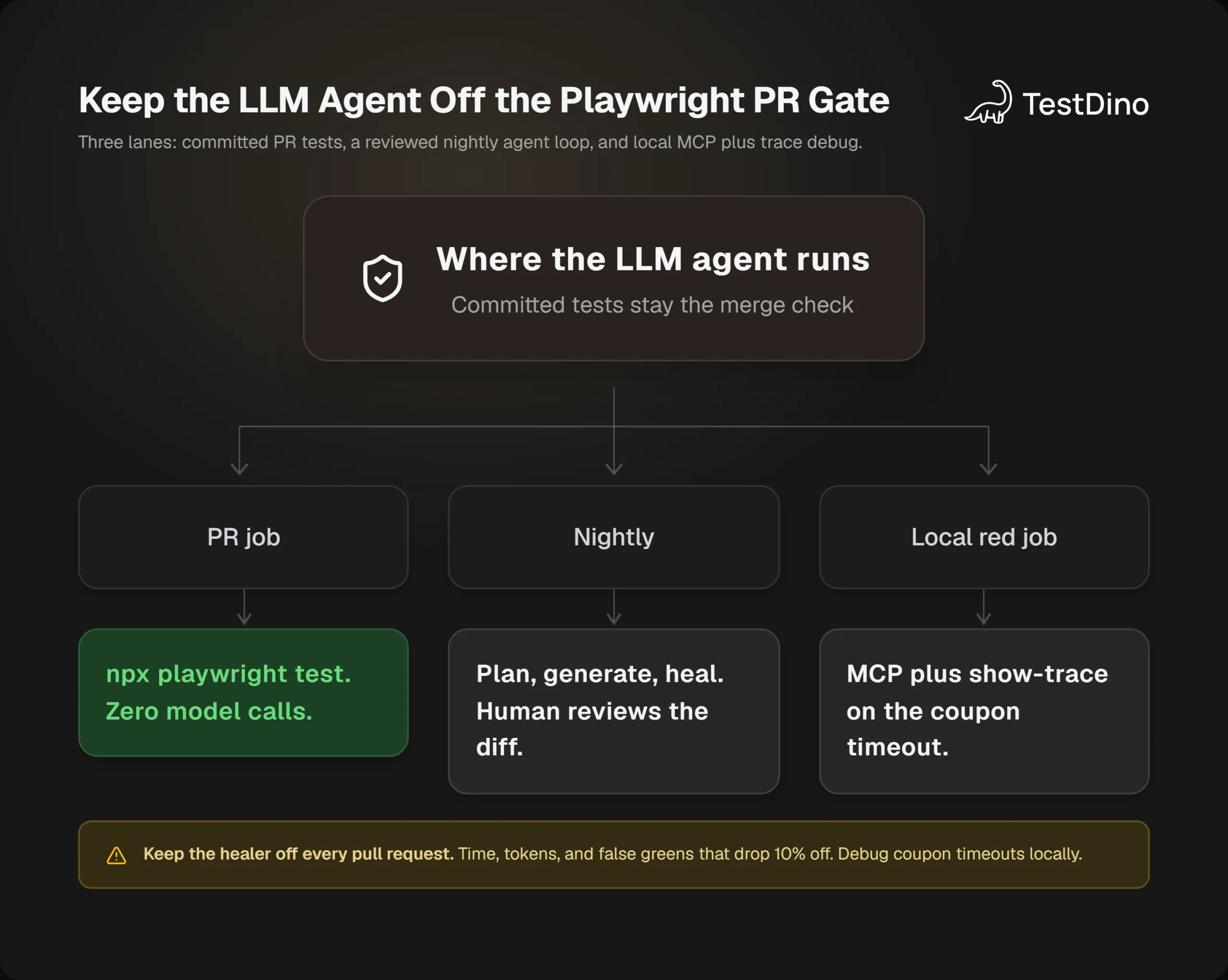
A split that holds up:
| Job | When | What runs |
|---|---|---|
| PR | Every push | Committed Playwright tests only |
| Nightly or manual | When you ask | Planner, generator, healer, with a human on the diff |
| Local | When CI is red | MCP snapshot plus show-trace |
Playwright sharding stays on the deterministic job. npx playwright test --shard=1/4 through --shard=4/4 still splits the suite. Do not shard an agent session. The agent needs one browser context and one page.
Keep Playwright debugging skills in the loop. UI mode, Inspector, and traces still beat a vague "fix my tests" prompt. An LLM agent is faster when you hand it the failing title, the spec path, and the trace.zip.
Original recommendation, with a skip: use healer on locator drift in non-critical flows (copy changes, extra wrappers, renamed buttons). Skip healer auto-apply on anything that moves money, grants a role, or deletes data. Skip MCP --caps that include browser_run_code_unsafe for every teammate. Give that only to people who already have prod-like credentials on the machine.
If your coding agent prefers CLI skills over MCP, use the CLI for repo work. MCP still wins when you need to stare at one page for a long pass. A headless browser can go idle and drop the session. If that happens, the LLM agent looks like it forgot the login. Open the page again and keep going.
When CI is red, query the failed coupon run from the editor instead of hunting job logs.
Give the agent CI history, traces, and flake evidence
A local LLM agent sees the page in front of it. It does not see last Tuesday's CI. That gap is why a healer reruns locally, gets a pass, and you still have a red shard on main.
Playwright marks a test flaky when it fails then passes on retry, inside one run. That does not tell you the same test flipped on three branches last week. For that you need stored runs.
After the suite streams results, an agent can ask a results MCP server for the failed title, the retry verdict, and artifact links. TestDino's Playwright companion does that over MCP: query the failed test, open traces, screenshots, and video, and read flake history without leaving the editor.
Ask the LLM agent whether applies a coupon failed the same way on every retry, and when it last passed. That question is small enough to answer from stored runs.
You will usually see three verdicts: deterministic (every attempt failed the same way), flaky (an attempt passed), and inconclusive (too few attempts, or different errors). A flaky verdict means do not rewrite the assertion. The test already passed once. A deterministic verdict means a longer timeout is the wrong fix.
Playwright marks a test flaky when it fails, then passes on retry, inside one run. Cross-run flips on the same coupon spec need stored history. The agent cannot see last Tuesday from a fresh browser snapshot.
Artifact links from that evidence call expire in minutes. Download the trace right away, or ask again for a fresh URL. An expired link is not a missing trace.
Why did Checkout > guest flow > applies a coupon fail in the latest run on main?
Give the retry verdict, the last passing run, and the trace.
Do not edit files until I say so.
If the verdict is flaky and the network tab shows /api/coupon toggling 200 and 504, you have an environment or network problem. Root-cause buckets you can use in triage: timing, environment, network, assertion, other. Fix the wait with a web-first assertion or mock the route. Do not rename the button.
If the verdict is deterministic and the snapshot says Apply code, land the locator patch from the previous section.
If that evidence call returns flaky, stop rewriting the coupon assertion. Pull the trace, look at /api/coupon, and fix the environment or the wait. The button rename is the wrong change for a 504.
For Cursor, keep Playwright MCP for the page and TestDino MCP for history. The Playwright MCP on Cursor setup is the browser half. Give the LLM agent both halves so it stops healing a flake that already passed on retry.
No public dataset supports a chart here. There is no citable public series for healer success rates or LLM agent token cost on Playwright suites, so this page does not draw one.
An AI testing agent that only generates specs will keep writing Apply coupon from stale copy. One that can read CI history will notice the rename on the failing run and stop there.
Conclusion
You already run Playwright. The LLM agent earns a seat when it looks at the same page and the same trace.zip you would open at 6 p.m. on a red job.
Use MCP snapshots and getByRole so the coupon button is a name, not a CSS guess. Use planner and generator for new flows, with a seed test that actually reaches checkout. Use healer for locator drift, then reject timeout padding and skipped money assertions.
Keep CI deterministic. Give the agent history when the local rerun lies. Review the diff.
Open tests/checkout/apply-coupon.spec.ts, run it with --trace on, and ask your agent to explain the timeout using the snapshot, not a longer wait. If the accessible name changed, patch that one string. If the discount is gone, stop and file the bug.
If this cut a night of log diving, leave the error text you still cannot map. Then run npx playwright init-agents on the suite you actually own.