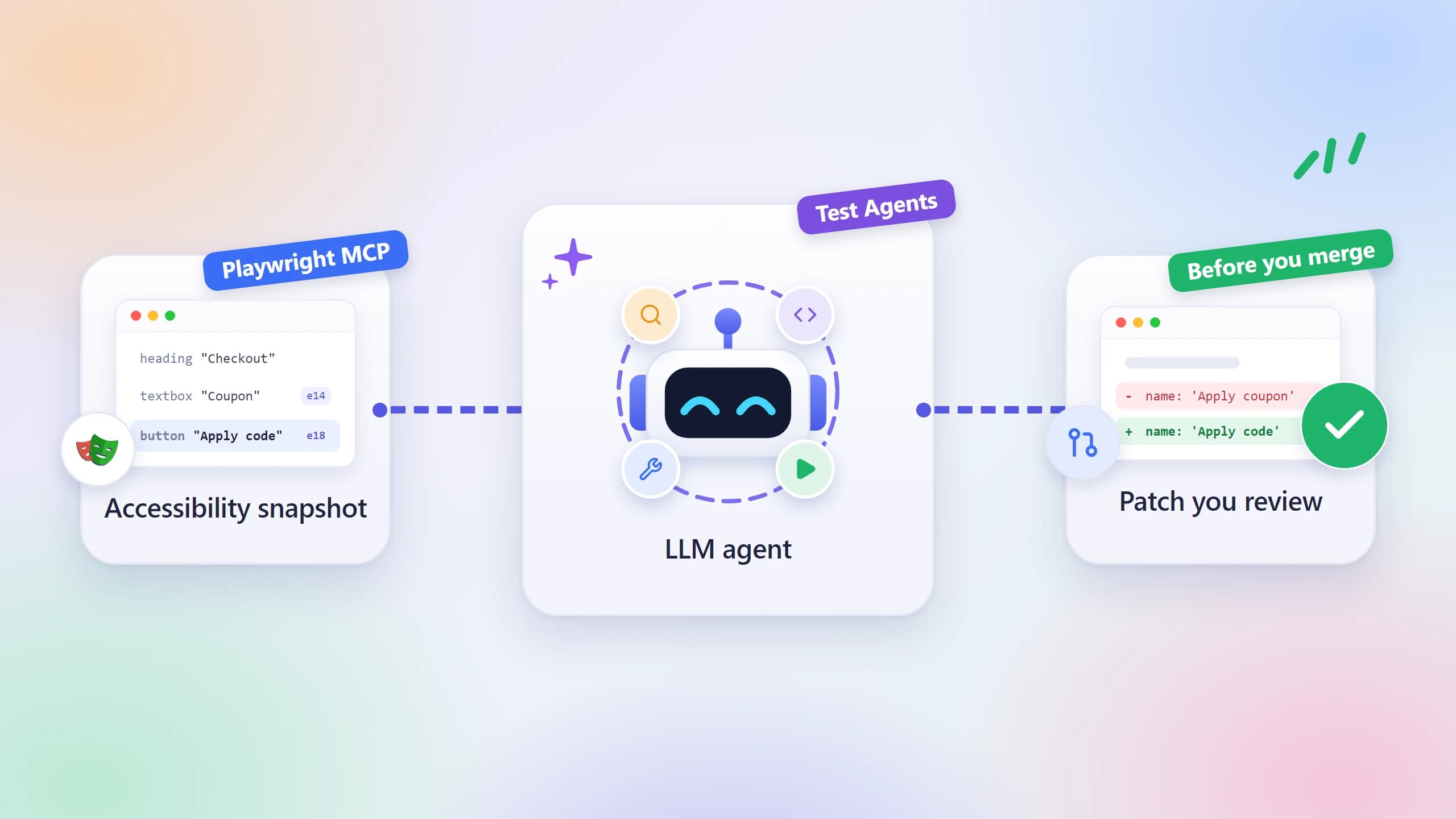
Building an AI Testing Agent with Claude and Playwright
Most test suites break the moment your UI changes. Learn how to build an AI testing agent that fixes itself using Claude and Playwright.
You tell your test suite "click the submit button" and it runs fine for months. Then a designer renames one CSS class, and suddenly fifteen tests fail overnight. Your entire CI pipeline blocks the release and someone has to spend a morning hunting locators.
That's the state of most test automation today. Fragile, hand-coded scripts that need constant care. Every UI change, every redesign, every new feature breaks something. Teams are spending more time maintaining tests than writing new ones.
This guide shows you exactly how to build an ai testing agent using Claude and Playwright's Model Context Protocol. You'll set it up from scratch, understand the three-agent architecture that makes it work, and see how it generates, runs, and repairs tests with minimal human input.
What even is an AI testing agent?
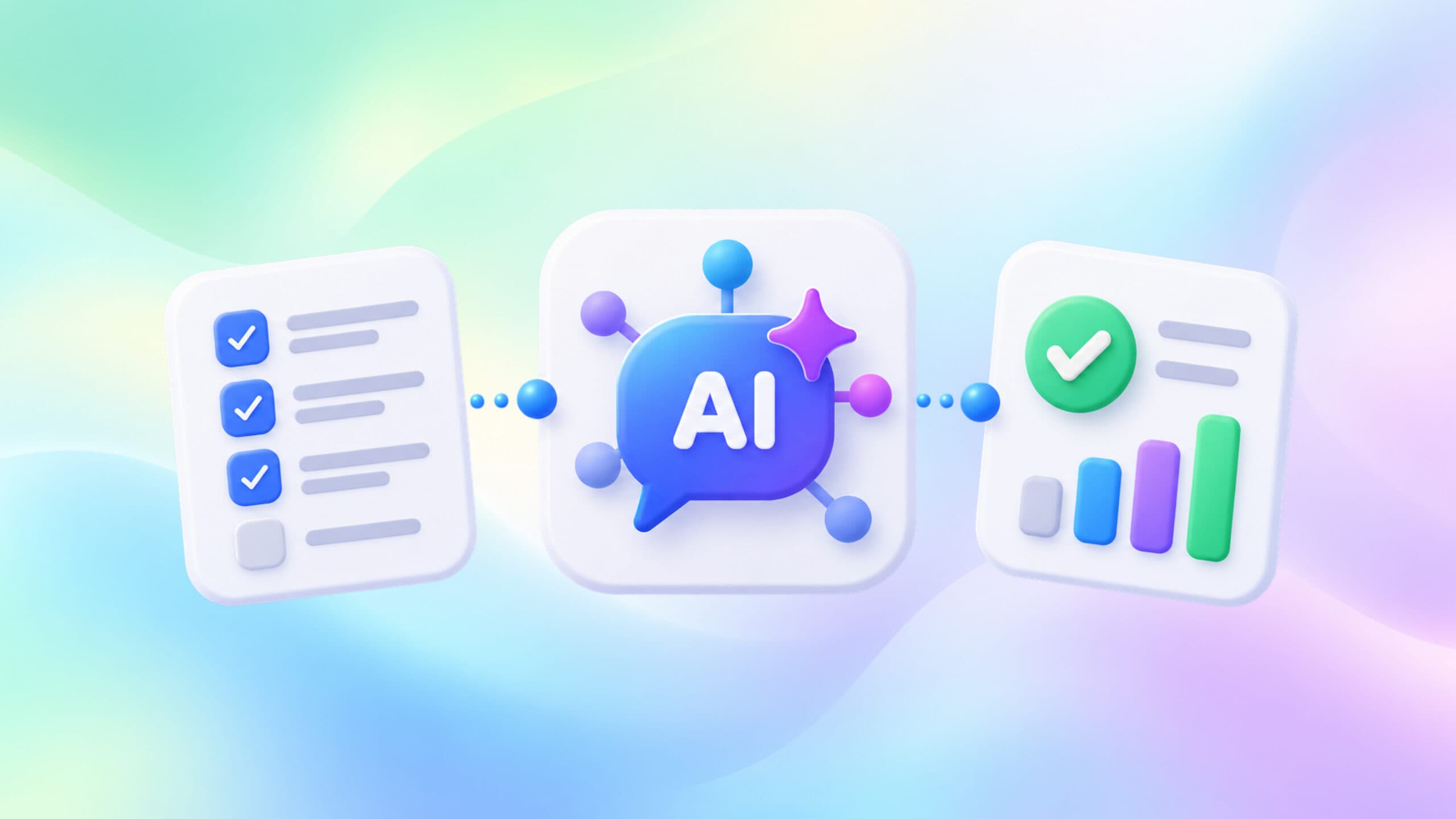
An AI testing agent is a software system where an LLM (like Claude) actively controls a browser, reasons about what it sees, and writes or repairs test code without step-by-step instructions from a human.
Regular AI code assistants just write code when you ask them to. An ai testing agent is different. It can:
- Open a live browser and explore your app on its own
- Understand the page structure by reading the accessibility tree
- Write Playwright test code based on what it actually sees (not what it guesses)
- Run those tests and fix them when they break
The key difference from earlier tools is agency. The agent makes decisions in a loop, takes actions, observes results, and adapts. It's not just auto-completing code. According to the State of Automation 2026 report, over 60% of QA teams are now evaluating or actively using AI agents in their testing pipelines.
Why the old way of writing tests is breaking down
Writing Playwright tests the traditional way has one persistent problem: tests are brittle. Here's why:
- You pick a selector like div.submit-btn-v2 and it works today
- A developer refactors the component and renames it to button[data-action='submit']
- Your test fails during a deployment
- Someone pages the on-call engineer to investigate a "test failure"
This is the locator maintenance problem, and it affects teams of all sizes. A study from the Playwright tips and advanced techniques guide community consistently shows that brittle selectors are the #1 cause of flaky tests.
There's also the coverage gap problem. Writing tests is slow. Even experienced engineers writing clean Playwright scripts can only cover so many flows per day. Most apps have hundreds of user paths. Most test suites cover dozens.
An ai testing agent addresses both. It uses role-based locators (getByRole, getByLabel) by default because it reads the accessibility tree. And it can generate test scenarios at a speed no human can match.
The stack: Claude + Playwright MCP explained
The Model Context Protocol (MCP) is an open standard (now governed by the Linux Foundation) that lets AI models connect to external tools like browsers, file systems, and APIs through a common interface. Think of it as USB-C for AI tool connectivity.
Here's how the pieces fit together:
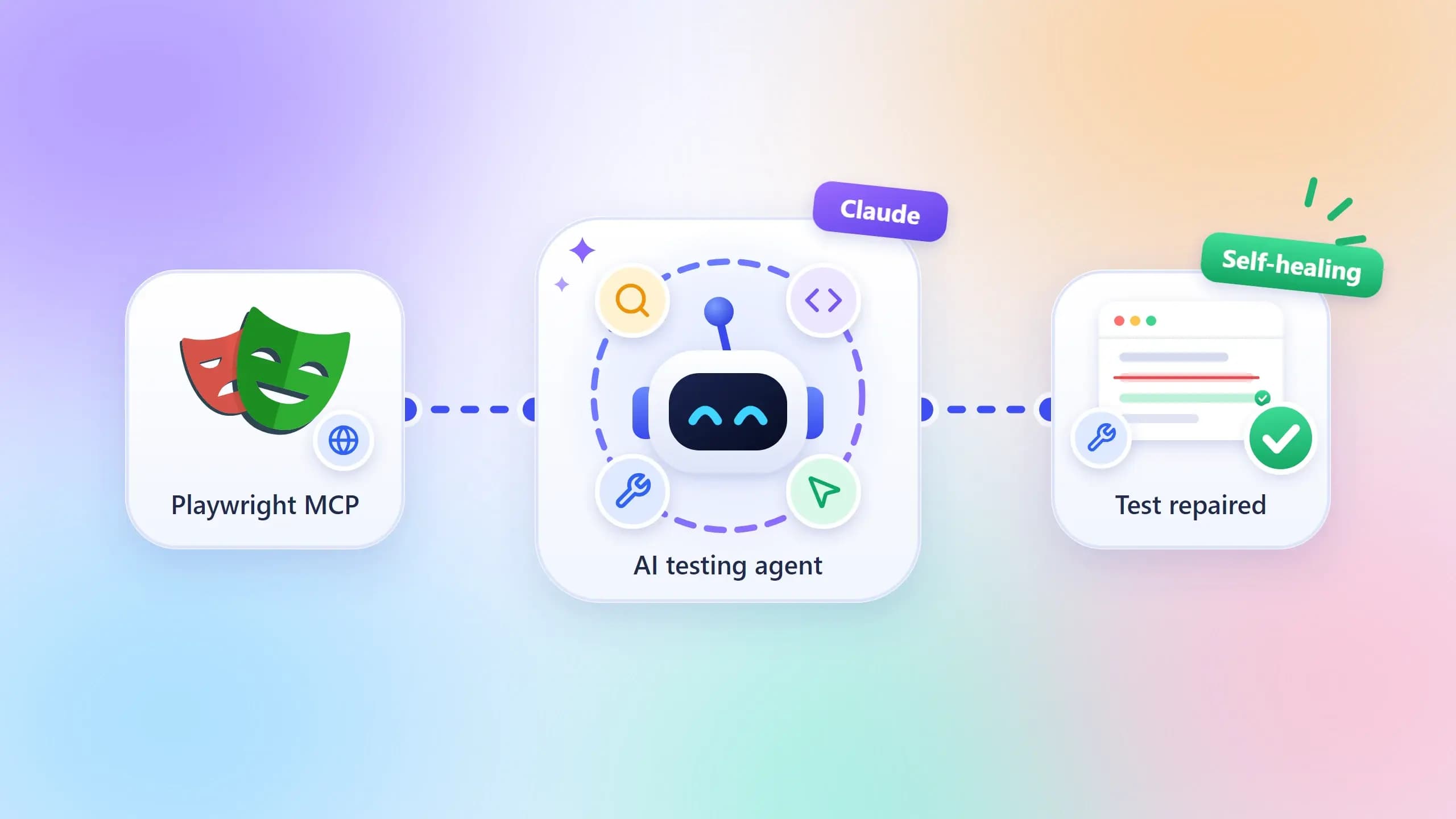
Claude is the reasoning layer. It reads what's on screen, decides what to do next, and writes the test code.
Playwright MCP is the bridge. It gives Claude a live Chromium instance to control. Claude can navigate pages, click elements, read the DOM, and take screenshots through MCP tool calls.
Your codebase is the context. When you give Claude your existing Playwright framework setup and component documentation, it writes tests that match your existing patterns.
The Playwright MCP server reached over 97 million monthly SDK downloads by December 2025, according to data tracked by the MCP ecosystem. It's now supported natively in Claude, VS Code, and Cursor.
Note: The Playwright MCP server communicates via the accessibility tree by default, not screenshots. This means Claude finds elements the same way a screen reader would, producing more stable and semantic locators than CSS-selector-based approaches.
Compare this to other approaches in agentic testing tools like QA.tech or Momentic. Those are fully managed black boxes. Claude + Playwright MCP gives you a transparent, code-first setup where you own the output.
Setting up your AI testing agent: step-by-step
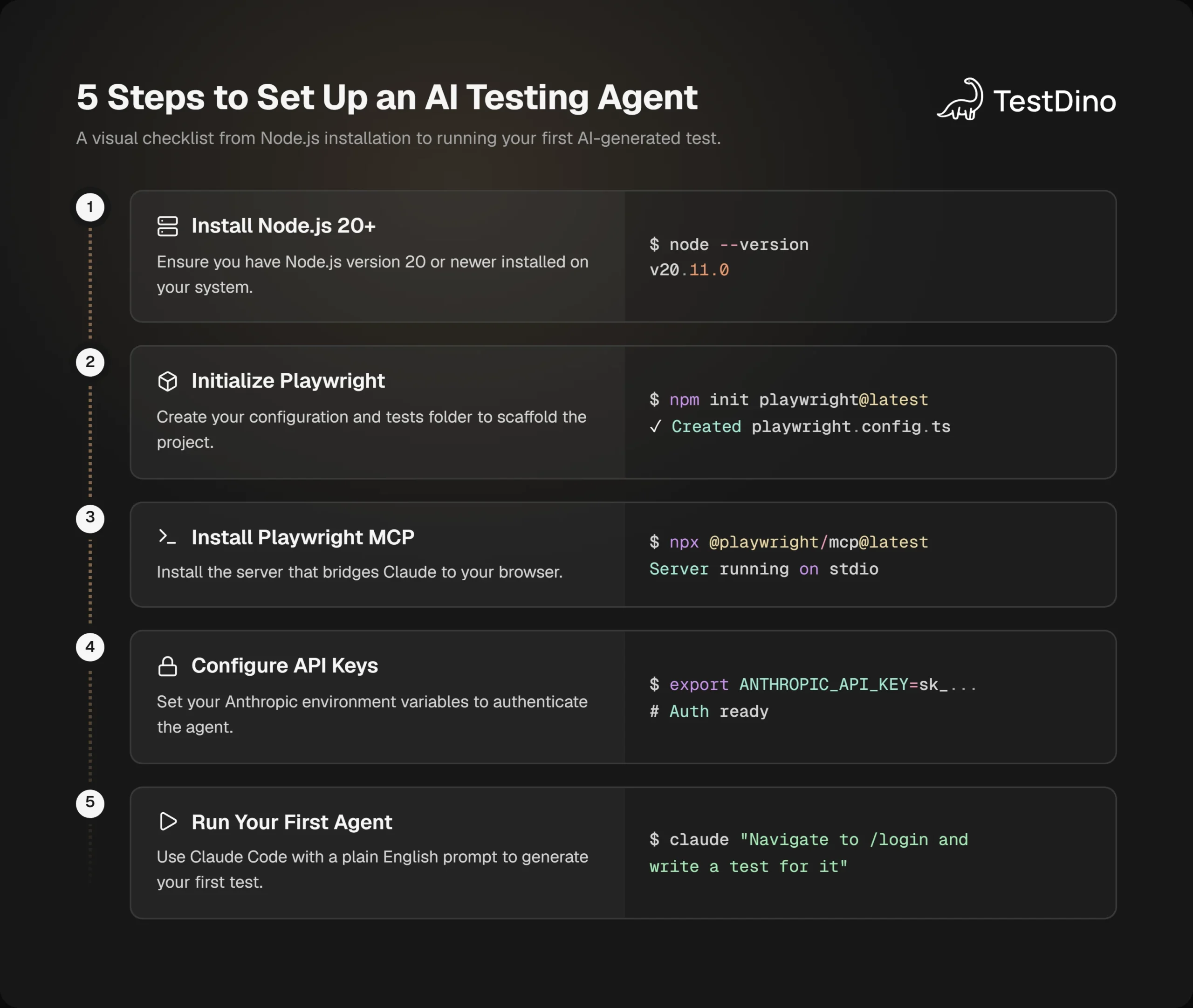
Let's build this. You need Node.js 20 or newer installed first.
Step 1: Initialize a Playwright project
npm init playwright@latestWalk through the setup wizard. Choose TypeScript if you want stronger type safety. This creates your playwright.config.ts and a test/ folder.
Step 2: Install the Playwright MCP server
npx @playwright/mcp@latestThis installs the MCP server that bridges Claude to your browser. You can run it in headed mode (you see the browser) or headless mode for CI.
Step 3: Configure Claude Code with the MCP server
claude mcp add playwright npx @playwright/mcp@latestThis registers the Playwright MCP server with Claude Code for your project directory. Claude Code is Anthropic's CLI agent that runs in your terminal.
Alternatively, for Claude Desktop, open your config file at %APPDATA%\Claude\claude_desktop_config.jsonon Windows and add:
{
  "mcpServers": {
    "playwright": {
      "command": "npx",
      "args": ["@playwright/mcp@latest"]
    }
  }
}
Restart Claude Desktop after saving.
Step 4: Set your API key
export ANTHROPIC_API_KEY=your_key_hereOn Windows (PowerShell):
$env:ANTHROPIC_API_KEY = "your_key_here"
Tip: Add your API key to a .env file and use dotenv to load it. Never commit API keys to your repository. Use environment variable injection in CI through GitHub Actions secrets or GitLab CI variables.
Step 5: Give Claude context about your app
Create a file called app.context.md at the root of your project. Describe:
- What your app does
- Key user flows (login, checkout, form submission)
- Any existing naming conventions in your test suite
This is how the playwright skill approach works. Context-first. The more context Claude has, the better the tests.
Step 6: Run your first prompt
claude "Navigate to http://localhost:3000/login and write a Playwright test that logs in with test@example.com and password test123, then verifies the dashboard loads"Claude opens the browser, navigates to the login page, inspects the actual elements, and writes a test file using what it finds.
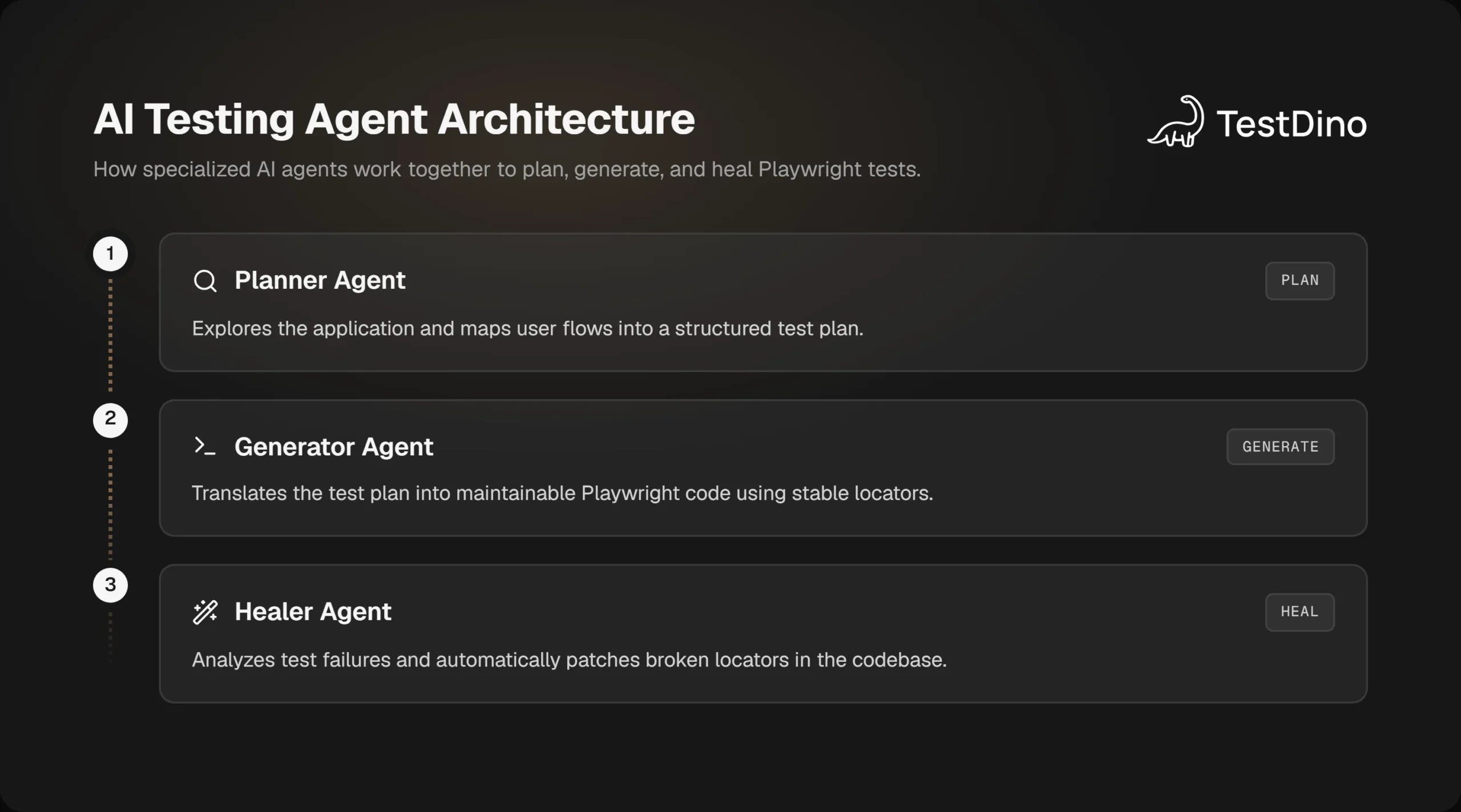
The 3-agent architecture that actually works
Single-agent setups work for simple flows. For real applications, the most reliable pattern uses three specialized agents working in a loop. This is documented in the Playwright MCP ecosystem and used by teams running production-scale test suites.
The Planner Agent
The Planner Agent explores your app without writing any code. It:
- Clicks through every page
- Maps user flows and edge cases
- Generates a structured test plan (in JSON or markdown format)
You give it the app URL and a list of features to cover. It returns a list of test scenarios with acceptance criteria.
The Generator Agent
The Generator Agent takes the test plan and writes code. It:
- Follows your existing Page Object Model structure if you have one
- Uses getByRole,getByLabel,and getByTestId for stable locators
- Groups tests logically by feature
This is where the AI test data generation approach intersects. You can tell the Generator to use Faker.js for dynamic data or pull from fixtures.
The Healer Agent
This is the most valuable one for production teams.
When a test fails in CI, the Healer Agent:
- Reads the error message and the trace file
- Opens the live page in its current state
- Compares the expected locator to what's actually in the DOM
- Patches the test file with the corrected locator
- Re-runs the test to verify the fix
Note: The Healer Agent works best with Playwright's trace files. Run your tests with --trace on-first-retry to capture DOM snapshots and network calls on failure. The agent uses these traces to understand what the page looked like at the time of failure.
This loop means your test suite becomes self-maintaining for locator changes. Human engineers still need to review complex business logic assertions, but the mechanical maintenance overhead drops significantly.
Writing your first AI-generated Playwright test
Here's a full example of what Claude generates when you give it a clear prompt against a real e-commerce app.
Prompt you send:
Navigate to https://shop.example.com, add the first product in the Shoes category to the cart, then verify the cart shows 1 item.What Claude generates:
import { test, expect } from '@playwright/test';
test('adds first shoe product to cart', async ({ page }) => {
  await page.goto('https://shop.example.com');
  // Navigate to Shoes category
  await page.getByRole('navigation').getByRole('link', { name: 'Shoes' }).click();
  await expect(page).toHaveURL(/\/categories\/shoes/);
  // Click the first product card
  const firstProduct = page.getByRole('article').first();
  const productName = await firstProduct.getByRole('heading').textContent();
  await firstProduct.getByRole('button', { name: /add to cart/i }).click();
  // Verify cart count updates
  const cartButton = page.getByRole('button', { name: /cart/i });
  await expect(cartButton).toContainText('1');
  // Verify cart drawer shows correct item
  await cartButton.click();
  await expect(page.getByRole('dialog')).toContainText(productName!);
});
Notice what Claude does here automatically:
- Uses getByRole throughout (no CSS selectors)
- Uses regex patterns for flexible text matching
- Captures dynamic data (product name) to verify later
- Follows Playwright best practices around web-first assertions
Tip: Always review AI-generated assertions before merging. The agent is excellent at structural assertions (element visible, URL matches) but may miss domain-specific business rules like "verified users see a 10% discount price".
For running these tests in CI, the setup is the same as any Playwright project. Check out the guide on Playwright in GitHub Actions to wire it into your pipeline.
Self-healing tests and the healer agent
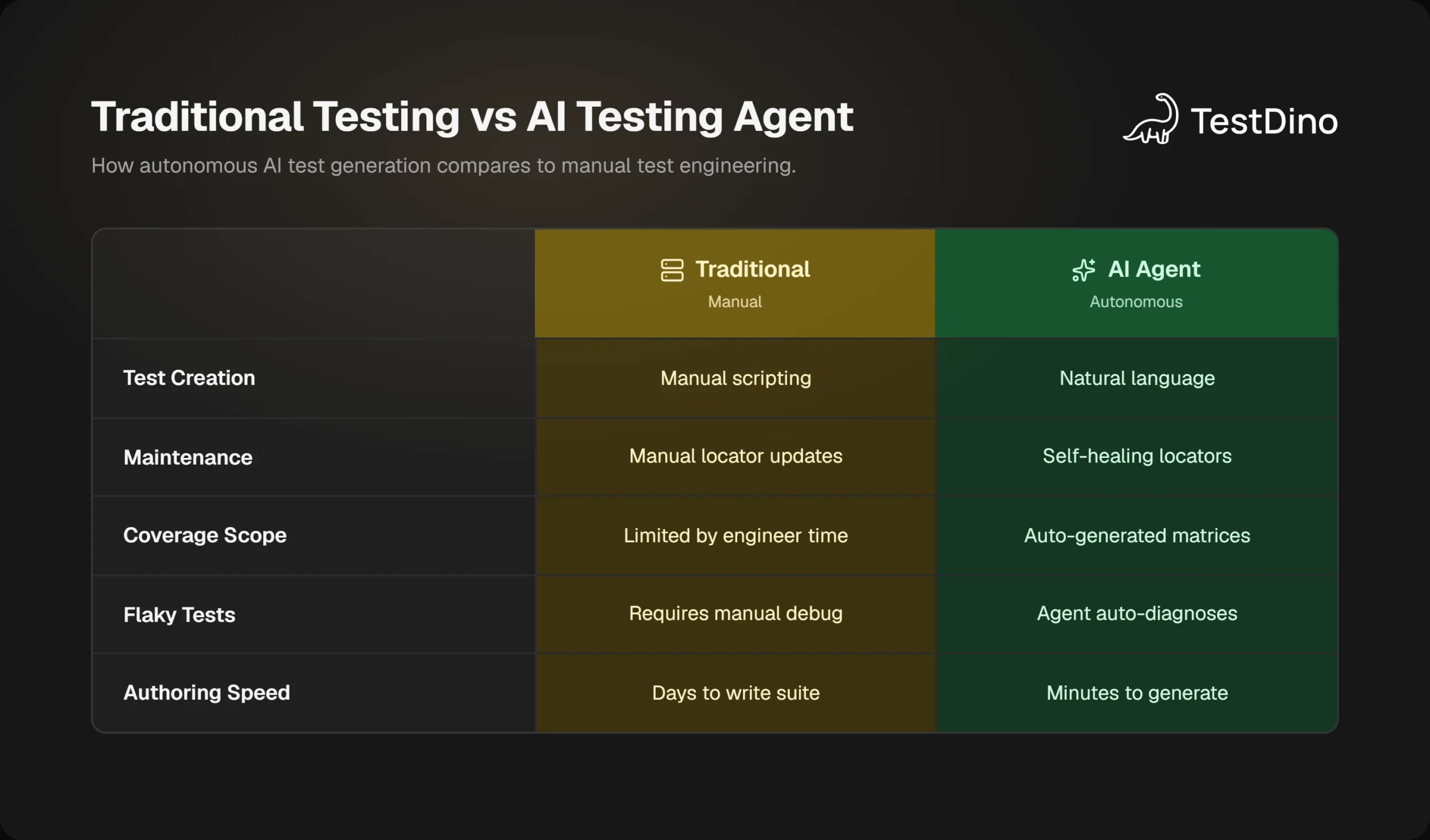
Self-healing is the feature most teams want first. Here's exactly how it works in practice.
Say you run your suite after a UI refresh and get this error:
Error: strict mode violation: getByRole('button', { name: 'Submit Order' }) resolved to 2 elementsIn a traditional setup, an engineer opens the test file, opens the app in a browser, hunts for the right selector, and updates the code. With the Healer Agent active in your pipeline, the flow looks like this:
- The CI job detects a test failure and triggers the healer
- The healer reads the Playwright trace (DOM snapshot, error, network state)
- It opens the current page in its controlled browser
- It finds both elements matching the old selector
- It determines which one is the correct target based on visual position and ARIA context
- It updates the test file with a more specific selector:page.getByRole('button', { name: 'Submit Order' }).last()
- It re-runs the test to confirm it passes
- It opens a PR with the fix
Note: Self-healing works well for locator changes and element restructuring. It does not automatically fix tests where the expected business behavior has changed. Those still need a human review.
For teams dealing with persistent flaky test detection challenges, combining the Healer Agent with a platform like TestDino gives you both automated fixing and historical tracking of which tests are chronically unstable.
Using TestDino's test intelligence platform alongside your ai testing agent gives you the monitoring layer the agent lacks. The agent fixes. TestDino tracks patterns over time and tells you which areas of your app consistently cause test failures.
What your AI testing agent can and cannot do
This section matters. The ai testing agent category has real strengths and real limits. Both are worth knowing before you decide how to use it.
What it handles well
| Capability | Explanation |
|---|---|
| Locator generation | Reads live DOM, produces stable role-based selectors |
| Test scaffolding | Creates full spec files from plain English descriptions |
| Locator healing | Automatically patches broken selectors after UI changes |
| Test plan creation | Explores app and maps flows without manual input |
| Regression coverage | Generates broad test matrices faster than human engineers |
| CI integration | Same Playwright output, runs anywhere Playwright runs in Docker |
Where humans still lead
- Business logic assertions: The agent knows a form submitted. It doesn't know whether the discount calculation is correct.
- Cross-feature dependencies: If User A's action affects User B's view, the agent needs explicit instructions to test that.
- Non-deterministic flows: Flows with random data, A/B tests, or feature flags need context the agent can't infer alone.
- Security and compliance assertions: Whether an endpoint returned a 403 for an unauthorized user requires domain knowledge.
Tip: Treat the AI testing agent as a senior QA engineer who's great at repetitive mechanical work but needs briefing on business rules. Write your test strategy document as context for the Planner Agent, and it will cover flows you might have forgotten.
The agentic testing tools landscape is still evolving. Tools like QA.tech, Momentic, and Spur offer more opinionated setups. Claude + Playwright MCP gives you maximum control and visibility at the cost of more initial configuration. The TestDino playwright skill for Claude Code community has also built a reusable skill that can shortcut most of this setup. Check the playwright-skill GitHub repo for the latest version.
For teams evaluating models, Playwright tests with Cursor and Playwright tests with Codex are also worth comparing. Each model has different strengths in selector generation and reasoning about complex flows.
Here's a quick comparison of approaches:
| Approach | Control | Setup Effort | Self-healing | Cost |
|---|---|---|---|---|
| Claude + Playwright MCP | High | Medium | Yes (with Healer Agent) | API usage |
| QA.tech / Momentic | Low | Low | Built-in | SaaS subscription |
| Copilot + Playwright | Medium | Low | IDE subscription | |
| Manual Playwright | Full | High | Engineer time |
Conclusion
The ai testing agent built on Claude and Playwright MCP is one of the most practical uses of LLMs in engineering today. It doesn't replace your test strategy. It handles the mechanical work that eats engineer time: writing locators, scaffolding spec files, and fixing broken selectors after UI changes.
The three-agent pattern (Planner, Generator, Healer) gives you a complete lifecycle. You start with a test plan generated from real app exploration, convert it to Playwright code that follows your conventions, and then keep it healthy with automated healing.
A few things to remember as you build this out:
- Always review generated assertions for business logic correctness
- Use trace files to give the Healer Agent the best context for repairs
- Combine the agent with a monitoring tool like TestDino to track patterns over time
- Start small: one flow, one agent, one verified test before scaling
The teams winning in test automation right now are not the ones who fully automated everything. They are the ones who identified exactly where AI helps and where human judgment is irreplaceable. That distinction is what makes an ai testing agent actually useful in production.
FAQs

Vishwas Tiwari
Software Engineer