Best Salesforce Test Management Tools for QA Success
Dealing with unreliable Salesforce tests? Explore our guide to the best test management tools and expert flaky test analysis.
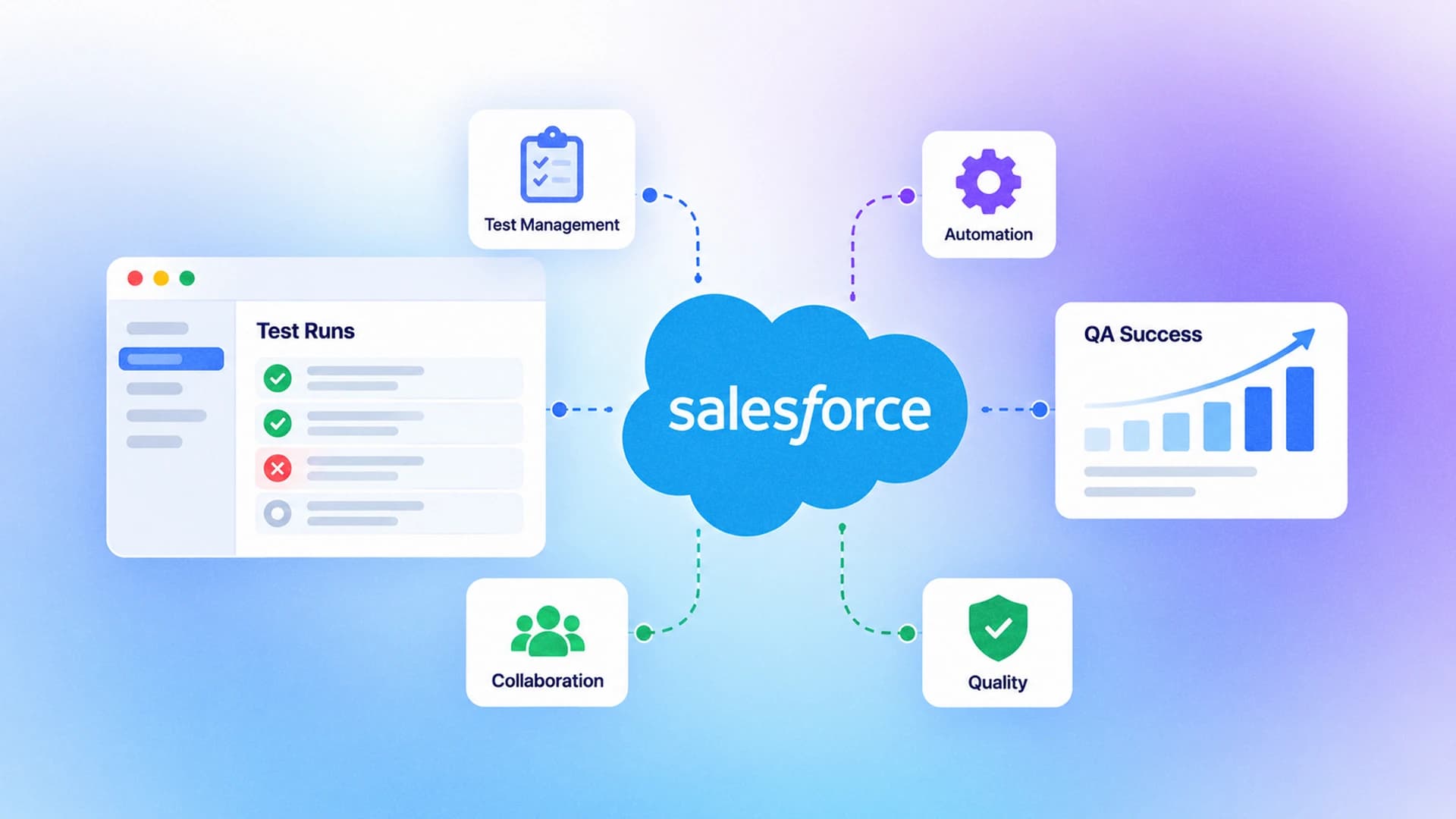
Salesforce updates roll out three times a year, constantly shifting the ground beneath your QA processes with new features and hidden DOM changes. You might write a perfect automation script on Monday, but by Friday, a minor platform update turns it into a glowing red failure.
The real pain point here is dealing with unreliable automation runs that pass one minute and fail the next, burning through your team's valuable time. Engineers end up spending hours trying to figure out if it is a real bug or just a broken locator instead of building new features.
This guide breaks down exactly how to tackle flaky test analysis and choose the best Salesforce test management tools to keep your release pipelines running smoothly.

The true cost of flaky tests in Salesforce environments
Before we dive into the solutions, we need to understand the magnitude of the problem. Flaky tests are not just a minor annoyance; they are a massive drain on engineering resources and company finances. Every single time a test flakes, it triggers a chain reaction of wasted effort across your entire organization.
Every time a CI/CD pipeline fails due to a false positive, development grinds to a halt. Your team has to stop what they are doing, switch context, and investigate the failure. This context switching destroys productivity, as engineers must leave their flow state to debug a pipeline that failed for no legitimate reason.
Furthermore, when tests fail constantly for no apparent reason, your team develops alert fatigue. They start assuming every failure is just another flaky test, which means genuine bugs easily slip through the cracks and end up in production. This erosion of trust in the automation suite is one of the most dangerous side effects of ignoring test instability.
Using a flaky test cost calculator can vividly demonstrate how these seemingly small delays compound into thousands of dollars of wasted engineering time every single month. When you calculate the hourly rate of the developers investigating the issue, combined with the cost of delayed deployments, the financial impact is staggering.

Why Salesforce testing is inherently flaky
Salesforce is a highly dynamic platform, which makes it notoriously difficult to automate using traditional web testing techniques. Elements on the page frequently lack static IDs, rendering traditional XPath or CSS locator strategies completely useless.
A flaky test is an automated test script that yields both passing and failing results across multiple runs, despite no changes being made to the underlying application code or the test itself.
When you run tests against modern Lightning Web Components (LWC), the Shadow DOM encapsulates these elements, effectively hiding them from standard querying methods. This encapsulation is great for component isolation but terrible for test automation, as your framework struggles to find the button it successfully clicked just yesterday. You cannot simply use
document.querySelector to find an element inside a shadow root, adding significant complexity to your test scripts.
Additionally, Salesforce operates in a multi-tenant cloud environment. This means that server response times can vary wildly depending on the time of day and the overall load on the instance. A test might try to interact with an element before it has fully rendered, leading to a timeout exception. Traditional tools often rely on static waits or sleep() commands, which either slow down the suite unnecessarily or fail when the server is exceptionally sluggish.
If you are currently modernizing your automation stack, setting up robust salesforce testing with playwright is a significant step forward. Modern frameworks handle the Shadow DOM natively without requiring complicated workarounds, piercing through the encapsulation to find the exact elements you need to interact with.
Essential features of the best Salesforce test management tools
Selecting the right platform is critical for maintaining sanity in your QA processes. You simply cannot rely on generic tools when dealing with a specialized and complex CRM like Salesforce. You need a toolchain that is specifically designed to handle the quirks and unique architecture of the platform.
First, you need native metadata integration. Tools that understand Salesforce metadata do not rely on brittle locators; they interact with the application based on its underlying structure, which rarely changes even when the UI gets a major overhaul. This means that when a seasonal Salesforce update rolls out, your tests are far more likely to survive without requiring massive rewrites.

Tip: Always prioritize test management tools that offer automated AI-driven self-healing locators to significantly reduce the ongoing maintenance burden of your test suite.
Second, comprehensive visibility into your CI/CD pipeline is essential. Leveraging specialized test orchestration platforms ensures that your test suites run efficiently across distributed environments, handling parallel execution and retries flawlessly. You need to be able to manage execution across multiple sandboxes seamlessly.
Third, look for deep analytical capabilities. Your tool should automatically flag tests that exhibit inconsistent behavior and provide detailed insights, such as DOM snapshots and network logs, to explain why they are failing. Without deep analytics, you are essentially guessing at the root causes of your pipeline failures.

Evaluating the top tools for Salesforce test management
There are several platforms leading the charge in 2026. If you are exploring the broader market, evaluating the Top 10 Salesforce Testing Tools in 2026 can help you narrow down your options comprehensively.
Here are the standout options specifically tailored for managing complex Salesforce environments:
1. Provar
Provar is built specifically for Salesforce from the ground up. It natively understands Salesforce metadata, meaning it bypasses the need for fragile UI selectors. It is highly resilient to seasonal updates, making it a favorite for teams struggling with maintenance overhead. Provar's deep integration with the Salesforce ecosystem allows it to handle complex scenarios like CPQ and Service Cloud with ease.
2. ACCELQ
ACCELQ offers a powerful codeless, AI-driven approach. It excels at adapting to Salesforce UI changes dynamically and provides seamless integration with various DevOps toolchains. For teams that want to involve business analysts in the test creation process, ACCELQ provides an intuitive interface that removes the barrier to entry while maintaining technical rigor under the hood.
3. Copado Robotic Testing
For teams already heavily invested in the Copado ecosystem, this tool integrates flawlessly. It provides visual test creation and robust test reporting tools that track quality metrics directly alongside deployment pipelines. The synergy between their release management platform and robotic testing ensures that quality is deeply embedded into every stage of the deployment lifecycle.
4. Gearset Automated Testing
Gearset is known for its incredible DevOps capabilities. Their testing solution integrates directly into the deployment pipeline, acting as a strict quality gate that prevents bad code from ever reaching production. Gearset focuses heavily on developer experience, ensuring that testing does not slow down the rapid pace of continuous integration.
5. TestDino
TestDino offers unparalleled visibility into test stability and orchestration. It provides specialized dashboards for flaky test report generation, allowing teams to identify, analyze, and quarantine unstable tests instantly before they block a critical release. TestDino's ability to correlate test failures with historical CI data makes it an indispensable tool for large-scale enterprise teams.
Summary comparison of top tools
| Tool Name | Best Use Case | Key Differentiator |
|---|---|---|
| Provar | Salesforce-centric teams | Deep native metadata integration |
| ACCELQ | Rapid codeless automation | AI-led self-healing capabilities |
| Copado | Unified DevOps pipelines | Seamless release management integration |
| Gearset | Strict deployment quality gates | Pipeline-first automation approach |
| TestDino | Flaky test analysis & orchestration | Advanced stability metrics and quarantine |
How to conduct proper flaky test analysis
Identifying a flaky test is only the first step of the journey. You must analyze it deeply to understand the underlying root cause and implement a permanent fix. Doing this effectively requires a structured, scientific approach to debugging.
Start by isolating the test. Run it in a loop locally to see if you can reproduce the inconsistency. It is crucial to vary the conditions; try running it while throttling your network speed or CPU to simulate the constrained environments often found in CI runners. Many tests that pass perfectly on a high-end developer laptop will immediately fail when executed on a shared cloud container with limited resources.
Note: Running a single test 50 to 100 times in a row might seem excessive, but it is frequently the only reliable way to reproduce a rare, elusive timing issue in a dynamic application.
Next, dive into the network logs. Very often, a test fails because a backend Salesforce API call took slightly longer than usual, causing the UI to render slower than the test expected. Using the best test automation tools will allow you to capture and inspect this network traffic automatically during a test run, highlighting exactly which endpoint caused the bottleneck.
Analyze the DOM state at the exact moment of failure. Modern tools capture interactive DOM snapshots, which are infinitely more useful for debugging than a static, flat screenshot. A DOM snapshot allows you to inspect the HTML structure retroactively, seeing exactly how the application was rendered when the test framework attempted to click a specific button.
If your team utilizes modern frameworks, mastering playwright flaky test debugging techniques will give you a massive advantage in pinpointing these elusive bugs quickly and efficiently. Playwright's native tracing tools are unparalleled in providing deep context into every single action taken during the test execution.
Integrating test orchestration platforms for better stability
A robust tool is useless without a solid execution strategy. You need to establish clear rules for how your team handles automation runs and failures, ensuring that the process scales as your engineering organization grows.
First, implement a strict test quarantine policy. If a test flakes more than twice in a single week, automatically move it out of the main execution pipeline. It should not block deployments while it is under investigation. Instead, funnel it into a dedicated quarantine suite that runs on a schedule solely for observation and debugging purposes.
Second, standardize your testing environments. Running tests against a poorly configured, shared Salesforce sandbox is a recipe for disaster due to data collisions. Utilizing scratch orgs for isolated testing is highly recommended, as it ensures a clean state for every single pipeline execution, removing environmental contamination as a variable.
Third, leverage advanced testops platforms to gain a high-level, aggregate view of your testing health. These platforms collect data across all your testing tools and environments, providing a single pane of glass for QA metrics. This visibility is crucial for leadership to make informed decisions about resource allocation and release readiness.
If you are executing tests in enterprise cloud environments, ensuring you configure your playwright tests in azure correctly is paramount for maintaining consistent execution speeds and avoiding environmental flakiness caused by misconfigured runners or insufficient compute resources.
The role of AI in test management and analysis
Artificial intelligence is fundamentally changing how we approach quality assurance. It is no longer just a marketing buzzword; it is a practical necessity for scaling automation in massive, complex codebases like Salesforce.
We are seeing a rapid industry shift towards ai test management tools that can accurately predict which tests are likely to fail based on historical execution data and recent code changes. This predictive capability allows teams to preemptively address instability before it impacts the main deployment pipeline.
These intelligent tools analyze source code commits and automatically trigger only the specific subset of tests relevant to those exact changes, rather than running the entire massive test suite. This process, often called Test Impact Analysis (TIA), saves enormous amounts of compute time and provides faster feedback loops for developers.
This targeted, predictive approach drastically reduces pipeline execution time. Understanding the current state of ai automation is absolutely crucial for QA teams looking to stay competitive and efficient in 2026. The teams that adopt these workflows early are the ones shipping features faster and with higher confidence.

Comparing generic tools versus Salesforce specific tools
Many engineering teams try to force generic testing tools to work seamlessly with Salesforce. While tools like Cypress or standard Selenium are exceptional for typical consumer web applications, they often struggle against the weight of Salesforce's massive, nested DOM architecture.
Salesforce specific tools understand the underlying data model natively. They can rapidly create required test data via the API before executing the slower UI steps, ensuring the environment is perfectly staged without relying on slow, brittle UI navigation to set up the test state.
This hybrid approach of API setup and UI validation is significantly faster and more reliable. However, if you are evaluating options and prefer a pure code-first approach, looking into dedicated playwright test management tools can offer a highly effective middle ground, combining developer-friendly syntax with robust orchestration.
// Example of hybrid testing: Setting up data via API before UI testing
const { test, expect } = require('@playwright/test');
test('Create and verify new opportunity', async ({ request, page }) => {
  // Setup data quickly via Salesforce API
  const response = await request.post('/services/data/v60.0/sobjects/Opportunity/', {
    data: { Name: 'Q3 Enterprise Deal', StageName: 'Prospecting', CloseDate: '2026-09-30' }
  });
  // Navigate to UI to verify rendering and user flow
  await page.goto('/lightning/o/Opportunity/list');
  await expect(page.locator('text=Q3 Enterprise Deal')).toBeVisible();
});
For developers actively utilizing Playwright, integrating the official Playwright skill into your AI coding assistants can significantly speed up test creation, maintenance, and debugging workflows. This ensures your team is always adhering to the latest best practices without having to scour documentation manually.
Building a resilient culture around automation
Ultimately, the best tools in the world cannot fix a broken engineering culture. To truly conquer flaky tests, your organization must adopt a mindset where test stability is treated as a first-class citizen alongside feature development and performance optimization.
Engineers must understand that a flaky test is not a QA problem; it is an engineering problem. When a test is quarantined, the responsible team must prioritize fixing it during the very next sprint. Leaving quarantined tests to languish creates technical debt that will eventually overwhelm the QA team and drag down overall velocity.
Leadership must also play a role by allocating dedicated time for test maintenance. Expecting developers to pump out new features at breakneck speed while simultaneously maintaining a pristine automation suite is a recipe for burnout and, ironically, lower quality software.
By fostering a culture that respects automation and actively utilizes the insights provided by modern test management platforms, teams can transform their QA processes from a tedious bottleneck into a powerful enabler of continuous delivery.
The importance of clear reporting and metrics
Raw data is completely useless if you cannot easily understand and act upon it. Your chosen test management tool must provide clear, actionable reporting out of the box, translating raw execution logs into meaningful business intelligence.
You need to know your overall pass rate, the specific flakiness percentage of individual test suites, and the average execution time at a quick glance. Without these precise metrics, your QA leadership is effectively flying blind, making decisions based on gut feelings rather than empirical evidence.
Teams that prioritize visibility, measure their outcomes, and actively manage their test health always ship faster and with significantly fewer critical bugs reaching the end user. They use data to prove the ROI of their testing efforts and secure further investment in quality infrastructure.
Conclusion
Salesforce testing needs more than good automation code. Environmental instability, dynamic interfaces, and distributed execution demand a strategic approach. Rigorous flaky test analysis separates real bugs from broken script noise, keeping developer trust in CI/CD intact. The right test management tools let your team automate with confidence, so a passing build actually means production-ready software. Stop letting unreliable tests dictate your release schedule. Invest in solid orchestration and analysis platforms, build accountability around test stability, and take control of your QA pipeline.
FAQs

Savan Vaghani
Product Developer