How to Test Salesforce Flows and Apex End-to-End
A practical guide to test Salesforce flows and Apex end-to-end using built-in frameworks, test classes, and CI/CD automation strategies.
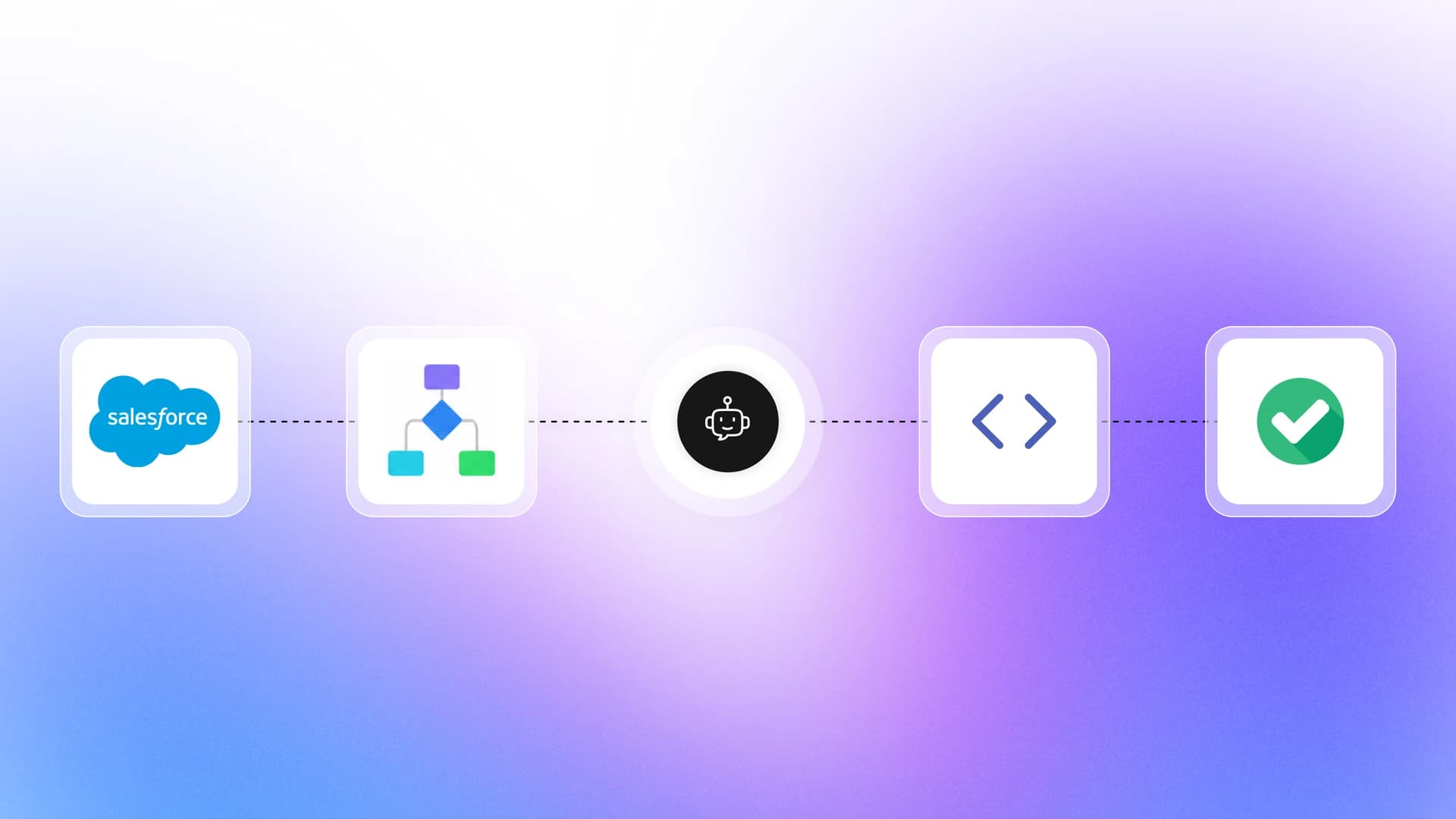
Salesforce orgs run on a mix of clicks and code. Flows handle the automation that admins build visually, and Apex handles the custom logic that developers write in code. When something breaks in production, it is usually because one of those layers was never tested properly, or tested in isolation while the real trigger path crosses both.
The pain point used to be structural: Salesforce required 75% Apex code coverage to deploy, but nothing forced you to test your flows. That gap has narrowed fast. Winter '26 shipped a unified Application Test Execution page and a sf flow run test CLI command, and Spring '26 added sf logic run test (beta) so both run in a single request.
Summer '26 then flipped Apex database operations to user mode by default in API version 67.0. That one change quietly invalidates a lot of test suites written against the old permissions model.
This guide walks you through exactly how to test Salesforce flows and Apex end-to-end on the current platform: flow tests and their real limits, production-grade Apex test classes using the modern Assert class, the unified CLI test runners, and a working CI pipeline. Every section includes the actual code and configuration, not just theory.
What Salesforce flows and Apex actually do
A Salesforce flow is a point-and-click automation tool that lets admins build business logic without writing code. You can create record-triggered flows that fire on create or update, screen flows that collect user input, autolaunched flows called from other automation, and Data Cloud-triggered flows.
Flows are now the only supported declarative automation tool. Salesforce ended support for Workflow Rules and Process Builder on 31 December 2025. Existing rules keep running but get no bug fixes and no support, so anything business-critical should already be migrated.
Apex is the server-side programming language that Salesforce developers use when flows cannot handle complex logic. It runs triggers, batch jobs, web service callouts, and custom controllers. Every Apex deployment to production must clear 75% org-wide coverage plus at least 1% coverage on every trigger.
That hard gate makes Apex testing non-negotiable, but it also breeds hollow tests written just to clear the bar. Tracking real test quality metrics separates a suite that protects you from one that only unblocks deployments.
Why testing both layers matters
Here is the scenario that catches most teams off guard. An admin builds a record-triggered flow on the Account object to update a custom field. A developer writes an Apex trigger on the same object that fires a callout. Both work fine in isolation.
In production, the trigger fires first, then the flow fires, then the trigger fires again because the flow updated a field, and the org hits a governor limit exception.
End-to-end testing in Salesforce means verifying the full execution path from a user action through every flow, trigger, and Apex class that fires as a result, confirming the final data state matches expectations.
This is why you need a strategy that covers both layers together. Testing flows alone gives you confidence in the click-built logic. Testing Apex alone gives you code coverage numbers.
Testing both end-to-end tells you the production system actually works, and picking the right mix of Salesforce testing tools is what makes that practical at scale.
The real cost of skipping tests in Salesforce

When teams skip proper salesforce flow testing, the consequences do not show up as a deployment failure. They show up later, in production, where they cost significantly more to fix.
Deployment blockers you only discover at the worst time
Salesforce enforces its 75% code coverage requirement at the org level during deployment. If you clear that bar with low-quality tests, assertions that check nothing or tests that rely on seeAllData=true, they will eventually fail when someone else's changes shift the data under them. A routine deployment is blocked, and the release queue stalls.
Flaky tests in Salesforce are especially expensive because they block every developer in the org, not just the person who introduced the flakiness.
And unlike a Jest suite, you cannot simply rerun only the failed tests locally and move on. A validation deployment reruns the whole local test set every time.
Data corruption from untested flow logic
Flows that are never tested against edge cases silently corrupt data. A record-triggered flow that updates a parent Account whenever a child Opportunity changes stage seems harmless.
Then a data migration updates 10,000 Opportunities in one batch. The flow fires 10,000 times, hits the governor limit, and either fails silently or partially updates records, leaving your data inconsistent.
You can quantify what those production incidents cost using TestDino's free tools. The Flaky Test Cost Calculator and the Cost of Shipping a Bug calculator put dollar figures on a year of that damage.
Structured test failure analysis then helps your team separate genuine code bugs from data-dependent failures faster.
The financial argument alone should convince any team to invest in proper testing. But the real reward is the ability to deploy with confidence, knowing that every flow path and every Apex method has been exercised against realistic data before it touches production.
What changed in Salesforce testing between Winter '26 and Summer '26
If your Salesforce testing playbook was written before 2026, three platform changes have already invalidated parts of it. Read this section before you write another test class.
| Release | API | What shipped | Why it matters for testing |
|---|---|---|---|
| Winter '26 | 65.0 | Application Test Execution page in Setup, Test Discovery and Test Runner APIs, sf flow run test | Apex and flow tests can finally be discovered and run from one place, including CI |
| Spring '26 | 66.0 | sf logic run test (beta), RunRelevantTests test level (beta), @IsTest(critical=true) and @IsTest(testFor=...) | One request runs Apex + flow tests; deployments can run only the tests that matter |
| Summer '26 | 67.0 | Apex DML/SOQL default to user mode, classes default to with sharing, WITH SECURITY_ENFORCED removed, @IntegrationTest (developer preview) | Tests written against system-mode defaults can pass in a sandbox and fail for real users |
The Summer '26 change is the one that bites hardest. Before API 67.0, SOQL, SOSL, DML, and Database methods ran in system mode, bypassing the running user's object permissions and field-level security. From 67.0 onward they enforce those permissions by default, and a class with no sharing keyword compiles as with sharing.
The risk is silent. A test class that only ever ran in the admin-privileged test context passes happily while the same code throws for a standard user in production.

Tip: When you raise a class to API version 67.0, add at least one System.runAs() test that executes it as a minimum-permission user with only the permission sets your real users have. That single test catches the FLS and sharing regressions the version bump introduces.
How to test Salesforce flows using the Flow Test Framework
Salesforce introduced flow tests in Spring '23 (API version 57.0), and they have expanded steadily since. Today you can build automated tests for record-triggered, autolaunched, and Data Cloud-triggered flows, define the initial record state and expected outcome inside Flow Builder, and run them from Setup, the CLI, or your pipeline.
Setting up your first flow test
Here is how you create a flow test for a record-triggered flow on the Opportunity object:
- Open Setup and navigate to Flows.
- Select the record-triggered flow you want to test.
- Click View Tests in the top toolbar, then New Test.
- Set the Trigger type (Create or Update).
- Define the Initial Record values (the record state before the flow runs).
- Define the Updated Record values if it is an update trigger.
- Set the Expected Outcome: define which fields the flow should have changed and what their final values should be.
- Save and run the test.
Since Winter '26 you no longer have to click through Setup to do this at scale. The Salesforce CLI ships a dedicated flow test runner:
# Run every local flow test in the org
sf flow run test --test-level RunLocalTests --target-org my-sandbox
# Run tests for specific flows by name
sf flow run test --target-org my-sandbox --class-names Account_Enrichment_Flow --class-names Opp_Close_Notification_Flow
# Run named tests synchronously and write JUnit output for CI
sf flow run test \
  --tests Account_Enrichment_Flow.Enterprise_Tier_Test \
  --test-level RunSpecifiedTests \
  --synchronous \
  --result-format junit \
  --output-dir test-results \
  --target-org my-sandbox
Note the quirk in the flag names: --class-names takes flow names here, and --tests takes fully qualified FlowName.TestName values. Flow tests run asynchronously by default and return a run ID, so add --synchronous when you want the command to block, which is what you usually want in a pipeline.
Winter '26 also added the Application Test Execution page in Setup, backed by the Test Discovery and Test Runner APIs. It lists Apex tests and flow tests together, which is the first time the platform has treated declarative and coded logic as one test surface.
Understanding flow test limitations
The framework still has hard boundaries you need to plan around:
- Supported flow types only. Record-triggered, autolaunched, and Data Cloud-triggered flows. Screen flows, scheduled flows, and platform event-triggered flows are not covered.
- Maximum 200 tests per flow.
- No callouts or wait elements. Autolaunched flows containing either cannot be tested this way.
- No delete triggers. Flows that run when a record is deleted are unsupported.
- No asynchronous paths. Anything on a scheduled or async path is skipped.
- Fixed values only. Formulas are not supported when setting test data.
- Coverage does not carry over. Flow tests do not count toward flow test-coverage requirements, and they do not roll into your 75% Apex coverage either. If a flow calls an invocable Apex method, that Apex executes during the flow test, but the coverage does not count.
For the flow types the framework cannot reach, you still need UI-level end-to-end testing or manual verification.
Screen flows in particular need a UI tool that can traverse Lightning's Salesforce Shadow DOM and cope with dynamic IDs that change between releases, which is what the Salesforce Shadow DOM in Playwright guide walks through.
Still, flow tests provide something no manual process can: repeatable, automated validation that your flow logic produces the correct output every time you deploy.
How to write Apex test classes that actually catch bugs
Meeting the 75% code coverage bar is not the goal. The goal is to write Apex test classes that verify your code does what it should and break loudly when it does not.
Structure of a solid Apex test class
Every Apex test class should follow a consistent pattern: set up data, execute the code under test, and assert the results. Salesforce calls this the "Arrange-Act-Assert" pattern, and it maps directly to how unit tests work in every other language covered in this breakdown of types of software testing.
Use the Assert class rather than the legacy System.assertEquals methods. The old methods still work and are not being retired, but Assert produces clearer failure messages and reads far better in review.
@isTest
private class AccountTriggerHandlerTest {
    @TestSetup
    static void createTestData() {
        Account testAccount = new Account(
            Name = 'Test Corp',
            Industry = 'Technology',
            AnnualRevenue = 500000
        );
        insert testAccount;
    }
    @isTest
    static void shouldUpdateAccountRatingWhenRevenueExceedsThreshold() {
        Account acc = [SELECT Id, Rating FROM Account WHERE Name = 'Test Corp'];
        Test.startTest();
        acc.AnnualRevenue = 2000000;
update acc; Test.stopTest();
Account result = [SELECT Rating FROM Account WHERE Id = :acc.Id];
Assert.areEqual('Hot', result.Rating,
'Account rating should be Hot when revenue exceeds 1M');
}
}A few things to notice. The @TestSetup method creates data once and makes it available to every test method in the class, which keeps your tests fast.
Test.startTest() and Test.stopTest() reset governor limits so the code under test runs with a fresh set, exactly as it would in production. The assertion message tells you what went wrong when the test fails.
Testing under user mode (API 67.0 and later)
This is the highest-value test you can add in 2026. Since API version 67.0, your queries and DML enforce the running user's permissions, so a test that only runs in the default admin-privileged test context proves almost nothing about real users.
@isTest
private class AccountAccessTest {
    @isTest
    static void shouldRespectFieldLevelSecurityForStandardUser() {
        User standardUser = TestDataFactory.createStandardUser('Standard User');
        Id accountId = TestDataFactory.createAccount('Acme', 'Retail').Id;
        System.runAs(standardUser) {
            Test.startTest();
            try {
                AccountService.updateInternalScore(accountId, 90);
                Assert.fail('Standard user should not be able to write Internal_Score__c');
            } catch (System.NoAccessException e) {
                Assert.isTrue(
                    e.getMessage().contains('Internal_Score__c'),
                    'Exception should name the inaccessible field'
                );
            }
            Test.stopTest();
        }
    }
}
Assert.fail() and Assert.isTrue() come from the same Assert class. If you previously relied on WITH SECURITY_ENFORCED in your SOQL, note that it no longer compiles at 67.0. Use WITH USER_MODE instead, which handles polymorphic fields and reports every violating field through getInaccessibleFields().
Using test data factories instead of seeAllData=true
One of the most common mistakes in salesforce apex test class best practices is setting @isTest(seeAllData=true). This flag makes your test read real org data, so results depend on whatever happens to exist today.
When someone deletes that record or changes a field value, your test breaks for reasons completely unrelated to your code.
@isTest
public class TestDataFactory {
    public static Account createAccount(String name, String industry) {
        Account acc = new Account(Name = name, Industry = industry);
        insert acc;
        return acc;
    }
    public static Opportunity createOpportunity(Id accountId, String stageName) {
        Opportunity opp = new Opportunity(
            Name = 'Test Opp',
            AccountId = accountId,
            StageName = stageName,
            CloseDate = Date.today().addDays(30)
        );
        insert opp;
        return opp;
    }
    public static User createStandardUser(String profileName) {
        Profile p = [SELECT Id FROM Profile WHERE Name = :profileName LIMIT 1];
        User u = new User(
            ProfileId = p.Id,
            LastName = 'Tester',
            Email = 'e2e.tester@example.com',
            Username = 'e2e.tester' + DateTime.now().getTime() + '@example.com',
            Alias = 'etest',
            TimeZoneSidKey = 'America/Los_Angeles',
            EmailEncodingKey = 'UTF-8',
            LanguageLocaleKey = 'en_US',
            LocaleSidKey = 'en_US'
        );
        insert u;
        return u;
    }
}
A test data factory gives you full control over the data your tests use. Every test starts from a known state, and no external change can introduce flaky behavior into your suite. For orgs with complex data relationships, proper test data management tooling becomes essential to keep sandbox data clean and tests deterministic.
Testing bulk operations and governor limits
Salesforce processes records in batches of up to 200. A trigger that works for 1 record can fail catastrophically for 200 records because of governor limits. Every Apex test should include a bulk test that inserts or updates at least 200 records.
@isTest
static void shouldHandleBulkOpportunityInsert() {
    Account acc = TestDataFactory.createAccount('Bulk Corp', 'Finance');
    List<Opportunity> opps = new List<Opportunity>();
    for (Integer i = 0; i < 200; i++) {
        opps.add(new Opportunity(
            Name = 'Opp ' + i,
            AccountId = acc.Id,
            StageName = 'Prospecting',
            CloseDate = Date.today().addDays(30)
        ));
    }
    Test.startTest();
    insert opps;
    Test.stopTest();
    List<Opportunity> results = [SELECT Id FROM Opportunity WHERE AccountId = :acc.Id];
    Assert.areEqual(200, results.size(),
        'All 200 opportunities should be inserted without hitting governor limits');
}
If this test passes, you know your trigger can handle a data loader import, a batch job, or any other bulk operation without hitting a governor limit. If it fails, you caught a production-level bug before it ever reached your users.
Integration tests with live callouts (developer preview)
Summer '26 added an @IntegrationTest annotation in developer preview. Unlike a normal @isTest method, it can make live callouts and commit data mid-transaction through IntegrationTest.commitTestOnly(), with cleanup handled in @TearDown methods.
It targets Agentforce and Data 360 scenarios where mocking the callout defeats the purpose. You need ApexIntegrationTests in your scratch org definition file, and because it writes real data, keep it out of the suite you run on every pull request.
Connecting flow tests and Apex tests into a single end-to-end strategy
Running flow tests and Apex tests separately tells you each layer works in isolation. Running them together tells you the system works as a whole.
Mapping the execution order

When a record is saved in Salesforce, the platform follows a specific order of execution:
- System validation rules
- Before-save record-triggered flows
- Before triggers (Apex)
- Custom validation rules
- Record saved to the database, but not yet committed
- After triggers (Apex)
- Assignment rules and auto-response rules
- After-save record-triggered flows
- Escalation rules
- Roll-up summary fields and cross-object formula fields
- Repeat the save sequence if fields were updated
- Database commit, then post-commit logic such as email and async paths
Two details matter more than the list itself. First, when several before-save or after-save flows exist on the same object, you control their sequence with a trigger order value from 1 to 2,000, so "the flow wins" is not the whole story when two flows disagree.
Second, Workflow Rules still appear in most published versions of this diagram. They have been out of support since 31 December 2025 and should not be part of any new design.
Understanding this order is what makes cross-automation testing possible. If your Apex trigger updates a field and your after-save flow updates the same field, the flow's value wins because it runs later.
Misunderstanding this order causes most cross-automation bugs, and it is the best argument for using Salesforce test automation tools that exercise the whole chain rather than one layer.
Note: Before-save record-triggered flows run before Apex before-triggers. After-save record-triggered flows run after Apex after-triggers. This means a before-save flow's field update can be overwritten by an Apex before-trigger, and an after-save flow can trigger the entire save sequence again.
Writing an Apex test that exercises both layers
The most effective way to test Salesforce flows and Apex together is to write an Apex test class that triggers the same DML operation that activates both your trigger and your flow.
@isTest
private class EndToEndAccountTest {
    @isTest
    static void shouldProcessAccountThroughTriggerAndFlow() {
        // This insert will fire:
        // 1. AccountTriggerHandler (Apex before trigger)
        // 2. Account_Enrichment_Flow (record-triggered flow, after save)
        Test.startTest();
        Account acc = new Account(
            Name = 'E2E Test Corp',
            Industry = 'Technology',
            AnnualRevenue = 5000000
        );
        insert acc;
        Test.stopTest();
        Account result = [SELECT Rating, Customer_Tier__c, Enrichment_Status__c
                          FROM Account WHERE Id = :acc.Id];
        // Assert Apex trigger result
        Assert.areEqual('Hot', result.Rating,
            'Apex trigger should set Rating to Hot for revenue > 1M');
        // Assert Flow result
        Assert.areEqual('Enterprise', result.Customer_Tier__c,
            'Flow should set Customer_Tier__c to Enterprise for Hot accounts');
        // Assert combined result
        Assert.areEqual('Complete', result.Enrichment_Status__c,
            'Enrichment_Status__c should be Complete after both layers execute');
    }
}
This single test exercises the Apex trigger, the record-triggered flow, and the final combined data state. If either layer changes or breaks, this test catches it.
Running Apex and flow tests in one request
Spring '26 added sf logic run test (beta), which is the command you actually want once both layers have tests. It runs Apex and flow tests together and returns a single result set, so interoperability failures show up in one report instead of two:
# Run every local Apex test and flow test in one request
sf logic run test \
  --test-level RunLocalTests \
  --test-category Apex \
  --test-category Flow \
  --synchronous \
  --code-coverage \
  --target-org my-sandbox
# Mix a specific Apex test and a specific flow test
sf logic run test \
  --tests EndToEndAccountTest,FlowTesting.Account_Enrichment_Flow.Enterprise_Tier_Test \
  --target-org my-sandbox
# JUnit output for a CI reporter
sf logic run test --result-format junit --output-dir test-results --synchronous --code-coverage
# Retrieve results from an asynchronous run
sf logic get test --test-run-id 707xx0000000001
Creating a test matrix for complex orgs
For orgs with many flows and triggers on the same objects, create a test matrix that maps every DML operation to every automation that fires:
| Object | DML Event | Apex Triggers | Record-Triggered Flows | E2E Test Class |
|---|---|---|---|---|
| Account | Insert | AccountTriggerHandler | Account_Enrichment_Flow | EndToEndAccountTest |
| Account | Update (Rating) | AccountTriggerHandler | Account_Tier_Update_Flow | EndToEndAccountUpdateTest |
| Opportunity | Update (Stage) | OppStageTrigger | Opp_Close_Notification_Flow | EndToEndOppStageTest |
| Case | Insert | CaseRoutingTrigger | Case_Auto_Response_Flow | EndToEndCaseTest |
This matrix becomes your regression map. Every time someone adds a new flow or modifies a trigger, you check the matrix, identify which E2E test classes need updating, and run them before deploying. Keeping that map alongside your results in a Salesforce test reporting view is what turns it from a wiki page nobody updates into a working control.
Automating Salesforce tests inside a CI/CD pipeline
Running tests manually in Setup is fine during development. For production-grade orgs, you need tests that run automatically every time someone pushes a change, which is the whole point of a CI/CD pipeline.
Running tests with Salesforce CLI
Salesforce CLI (the sf command) is the foundation for any Salesforce automation pipeline:
# Run all local Apex tests
sf apex run test --target-org my-sandbox --test-level RunLocalTests --wait 30 --result-format human
# Run a specific test class
sf apex run test --target-org my-sandbox --class-names EndToEndAccountTest --wait 10
# Run tests with code coverage, polling less aggressively to save API calls
sf apex run test --target-org my-sandbox --test-level RunLocalTests --code-coverage --poll-interval 5 --wait 30
The --test-level RunLocalTests flag runs all test classes in your org except those from managed packages. This is the standard for deployment validation.
Speeding up deployments with RunRelevantTests
Spring '26 added a RunRelevantTests test level (beta) that analyzes the deployment payload and runs only the tests related to what changed. In a large org this turns a 90-minute validation into a few minutes:
sf project deploy start --target-org my-sandbox --source-dir force-app --test-level RunRelevantTestsTwo annotations give you control over what "relevant" means, and both require the Apex class to be on API version 66.0 or later in its -meta.xml file:
// Always run this test, no matter what is being deployed
@IsTest(critical=true)
private class CoreBillingRulesTest { /* ... */ }// Run this test whenever AccountService is in the payload
@IsTest(testFor='ApexClass:AccountService')
private class AccountServiceContractTest { /* ... */ }Mark your cross-object E2E test classes as critical=true. They are exactly the tests a payload-based heuristic will miss, because the flow they protect is not part of the metadata being deployed.
GitHub Actions workflow for Salesforce testing
Here is a complete GitHub Actions workflow that authenticates to a Salesforce sandbox, deploys metadata, and runs both Apex and flow tests:
name: Salesforce Test Pipeline
on:
  pull_request:
    branches: [main]
    paths:
      - 'force-app/**'
jobs:
  test:
    runs-on: ubuntu-latest
    steps:
      - name: Checkout code
        uses: actions/checkout@v7
      - name: Set up Node
        uses: actions/setup-node@v7
        with:
          node-version: 22
      - name: Install Salesforce CLI
        run: npm install -g @salesforce/cli
      - name: Authenticate to sandbox
        run: |
          echo "${{ secrets.SFDX_AUTH_URL }}" > auth.txt
          sf org login sfdx-url --sfdx-url-file auth.txt --alias ci-sandbox
          rm auth.txt
      - name: Deploy source to sandbox
        run: |
          sf project deploy start \
            --target-org ci-sandbox \
            --source-dir force-app \
            --test-level RunLocalTests \
            --wait 60
      - name: Run Apex and flow tests together
        run: |
          sf logic run test \
            --target-org ci-sandbox \
            --test-level RunLocalTests \
            --test-category Apex \
            --test-category Flow \
            --synchronous \
            --code-coverage \
            --output-dir test-results \
            --result-format json > test-results.json
      - name: Check coverage threshold
        run: |
          COVERAGE=$(jq -r '.result.summary.orgWideCoverage' test-results.json | tr -d '%')
          echo "Org-wide coverage: ${COVERAGE}%"
          if [ "${COVERAGE%%.*}" -lt 75 ]; then
            echo "Coverage below 75%. Failing build."
            exit 1
          fi
This pipeline gates every pull request on both layers. No code reaches the main branch without passing all flow tests and Apex tests.
If you also run UI tests against Lightning, the walkthrough on Playwright in GitHub Actions covers wiring that job into the same workflow, and the broader CI/CD integration guide covers the GitLab, Jenkins, and Azure equivalents.
Tip: Store your Salesforce authentication URL as a GitHub Actions secret and delete the file after login. Never commit credentials to your repository. Generate the auth URL using sf org display --verbose --json and copy the sfdxAuthUrl value.
Automating your Salesforce tests inside a pipeline is what separates teams that move fast from teams that spend every Friday afternoon manually running tests before a weekend deployment. Once the pipeline is in place, every commit is validated automatically, and the confidence it provides pays for itself within the first week.
Tools that help you test Salesforce flows and Apex faster
The native Salesforce tools cover the core workflow. As your org grows, you will need additional tooling to maintain speed and reliability across hundreds of tests.
Salesforce-native testing tools
Salesforce CLI is the foundation. It runs Apex tests (sf apex run test), flow tests (sf flow run test), and both together (sf logic run test), deploys metadata, and integrates with every CI platform.
Application Test Execution in Setup is the Winter '26 unified test surface. It lists Apex and flow tests in one place through the Test Discovery and Test Runner APIs, which is also what you would call if you were building custom test management tooling on top of the platform.
UTAM (UI Test Automation Model) is Salesforce's open-source framework for writing UI tests against Lightning components. It generates page objects from Lightning component metadata, so your tests use stable selectors rather than brittle CSS paths. It is the native answer for screen flows, which flow tests cannot reach.
Salesforce DevOps Center became a core app in Spring '26 rather than a standalone add-on, with an Agentforce assistant that handles merge conflicts and change promotion through natural language. It suits teams that want change tracking and deployment pipelines without managing external CI.
Agentforce Testing Center is now a tab inside Agentforce Studio alongside Agent Builder and Observability. If your flows invoke agents, this is where you define custom scoring evals, run multi-turn conversation tests, and compare agent versions. Testing AI agents in Salesforce is a genuinely different discipline from asserting on field values, and it needs its own scorecards.
External automation tools
For test automation beyond what Salesforce provides natively, several tools specialize in Salesforce:
Provar is built specifically for Salesforce. It understands the Salesforce metadata model and generates test steps from your org's configuration, and non-technical QA analysts can build tests without writing code. Teams that outgrow its licensing model, or that want their Salesforce suite in the same framework as the rest of their web tests, often look at migrating from Provar to Playwright.
Copado Robotic Testing (the rebranded Qentinel product) focuses on UI-level automation for Salesforce Classic and Lightning, with self-healing scripts that adapt to metadata and flow changes, plus unlimited parallel execution.
Playwright works for Salesforce orgs that need cross-browser functional testing of their Lightning UI. Shadow DOM traversal is native, so Playwright test automation handles Lightning components without custom selector plumbing. The Salesforce with Playwright guide covers the overall setup, and Playwright Salesforce setup walks through login and MFA handling, which is the first thing that blocks most teams.
Choosing the right tool for your testing layer

| Testing Layer | What to Test | Best Tool |
|---|---|---|
| Flow logic (record-triggered, autolaunched, Data Cloud) | Data transformations, field updates | Flow tests + sf flow run test |
| Apex unit tests | Triggers, services, batch jobs | Apex test classes + sf apex run test |
| End-to-end (flow + Apex) | Combined execution paths | E2E Apex test classes + sf logic run test |
| Permissions and sharing (API 67.0+) | FLS, object access, sharing rules | Apex tests wrapped in System.runAs() |
| Screen flow UI | User-facing flow screens | UTAM or Playwright |
| Cross-browser Lightning UI | Custom components, full pages | Playwright |
| Agentforce agents invoked by flows | Agent responses, scoring, multi-turn conversations | Agentforce Testing Center |
| Full regression suite | All of the above, scheduled | Salesforce CLI in a CI/CD pipeline |
The right combination depends on your org's complexity. Small orgs can get by with flow tests plus Apex test classes. Large enterprise orgs typically need all of these, coordinated through a pipeline and evaluated against a shortlist of test automation tools rather than adopted one at a time.
Common mistakes teams make when testing Salesforce
Even teams that commit to testing Salesforce flows and Apex end-to-end fall into patterns that silently undermine their test suite.
Writing tests that assert nothing
The most common mistake is writing Apex tests that execute code but never check the result. These tests exist only to inflate code coverage numbers. They pass when the code is correct and they pass when the code is broken, which makes them worse than useless because they create false confidence.
// BAD: This test asserts nothing
@isTest
static void testAccountInsert() {
    Account acc = new Account(Name = 'Test');
    insert acc;
    // No assertions - this test always passes
}// GOOD: This test verifies behavior
@isTest
static void shouldSetDefaultIndustryOnInsert() {
Account acc = new Account(Name = 'Test');
insert acc;
Account result = [SELECT Industry FROM Account WHERE Id = :acc.Id];
Assert.areEqual('Other', result.Industry,
'Default industry should be set to Other on insert');
}Every test method should have at least one Assert call that verifies the expected outcome. If you cannot articulate what the test is checking, the test should not exist. Watching assertion density alongside pass rate in your test automation analytics is the fastest way to spot a suite that is padding coverage.
Assuming your tests still hold after the API 67.0 version bump
This is the newest failure mode and the least visible. Bumping a class to API version 67.0 changes its runtime behavior: queries and DML now enforce the running user's permissions, and the class defaults to with sharing.
Tests that never wrap execution in System.runAs() keep passing, so the suite reports green while standard users hit NoAccessException in production. Bump API versions deliberately, one batch at a time, and add a user-mode test with each batch.
Ignoring the order of execution
Teams often test their Apex trigger in one test class and their flow in the Flow Test Framework, and assume everything is covered. Neither test accounts for the fact that both automations fire on the same DML event in a specific order.
Catching these conflicts early in development rather than after a production incident is what predictive QA approaches are built for. Map every automation on each object, set explicit trigger order values on your flows, and write E2E tests that exercise the full chain.
Relying on seeAllData=true
Tests that read production data are inherently fragile. The data changes, the test breaks, and now you are debugging a test failure that has nothing to do with your code. Always create your own test data using a factory pattern. The only exception is standard price book entries and other system-generated data that cannot be created in test context.
Note: If you must use seeAllData=true for a specific test method, isolate it in its own test class. Do not set it at the class level where it affects every method.
Not testing negative paths
Most test suites only cover the happy path. But production data is messy. Fields are blank, picklist values are unexpected, and users find creative ways to break assumptions.
Write tests for null values, empty strings, records that do not meet filter criteria, and bulk operations that push against governor limits. These negative-path tests are where you find the bugs that actually reach production.
Conclusion
Testing Salesforce flows and Apex end-to-end in 2026 comes down to four things: flow tests for declarative logic, Apex test classes that assert real behavior with the Assert class, System.runAs() coverage for the user-mode defaults in API 67.0, and a pipeline that runs all of it through sf logic run test.
Testing each layer in isolation is not enough. Flows and triggers fire on the same objects, and their interactions cause the bugs single-layer tests cannot catch.
Map the automations on your critical objects, write E2E test classes that cover the full execution chain, mark them critical=true so RunRelevantTests never skips them, and track test quality metrics to spot gaps before they hit production.
FAQs

Krupa Gandhi
QA Tester