Salesforce Test Automation Tools Compared 2026: 8 Platforms Ranked for Real Teams
Compare 8 Salesforce test automation tools ranked by Shadow DOM handling, AI self-healing, CI/CD fit, and real-world maintenance cost for 2026.
Salesforce pushes 3 mandatory platform updates every single year, and each one silently rewrites chunks of the DOM your test scripts depend on. That reality alone has made choosing the right Salesforce test automation tools a make-or-break decision for QA teams in 2026.
The core pain point is maintenance. A suite of 200 tests that passed on Monday can collapse on Tuesday morning after a Lightning component update changes an internal ID or shifts a button inside a new Shadow DOM boundary. Teams end up spending more hours fixing broken selectors than writing new coverage.
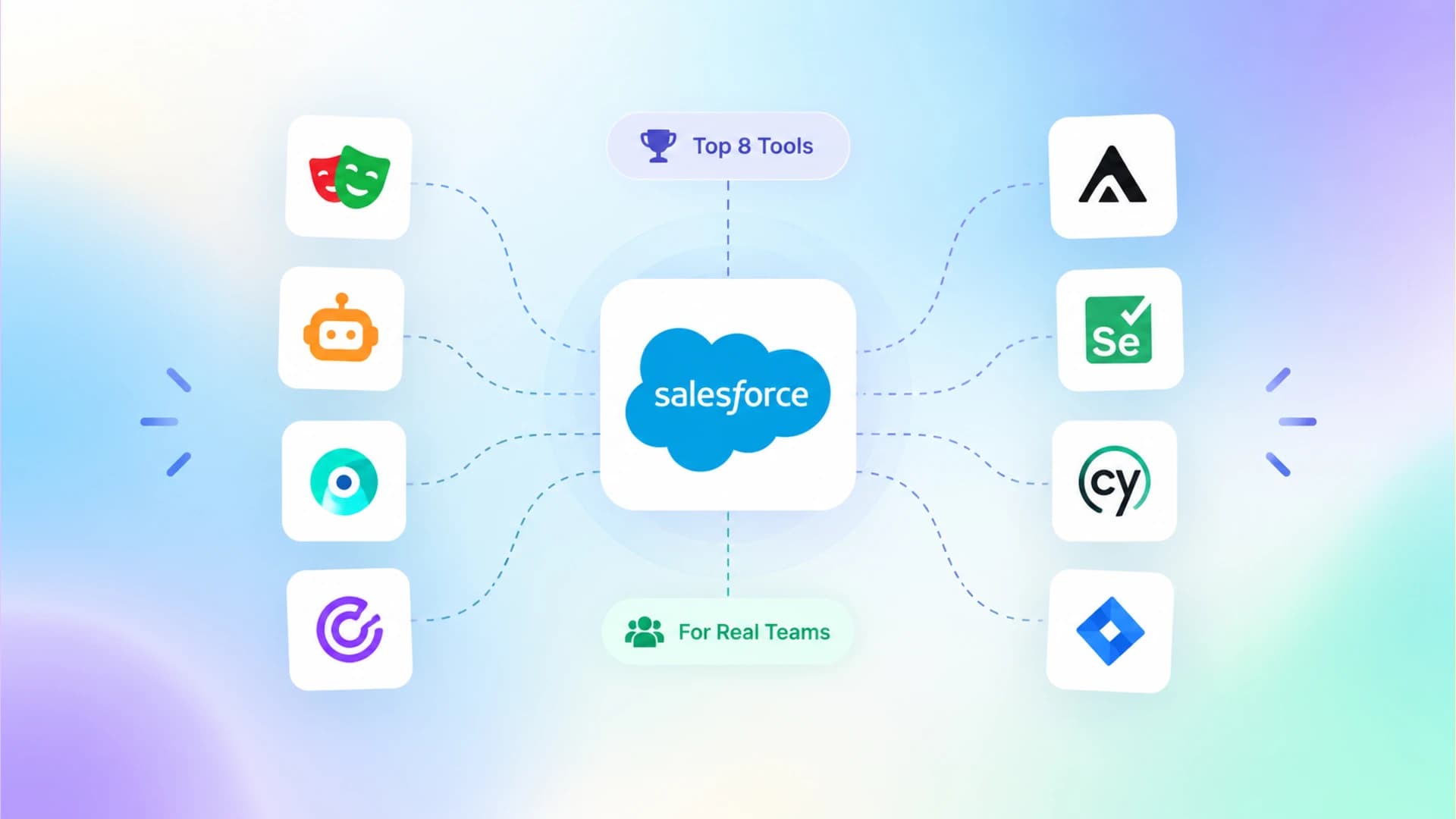
This guide compares 8 Salesforce test automation tools across the criteria that actually matter: Shadow DOM handling, self-healing AI, metadata awareness, CI/CD fit, and total cost of ownership. By the end, you will know exactly which platform matches your team size, technical depth, and release velocity.
Why Salesforce breaks your tests 3 times a year

Salesforce ships its Spring, Summer, and Winter releases on a fixed calendar (February, June, and October, according to Salesforce release documentation). Each release is mandatory. Your org gets updated whether you are ready or not.
The problem is structural. Salesforce Lightning uses Shadow DOM to encapsulate component internals, which means standard CSS selectors and XPath queries cannot reach inside those boundaries. When Salesforce restructures a component's internal DOM during an update, every test that depended on that path breaks instantly.
Shadow DOM is a web standard that lets a component hide its internal HTML structure from the rest of the page. Salesforce Lightning Web Components (LWC) use it extensively, which is why generic browser automation scripts struggle to locate elements inside Salesforce pages.
On top of that, Salesforce avoids giving elements stable, predictable IDs. Button identifiers change between releases, dynamic tables regenerate their structure on every page load, and iframes wrap critical workflows in ways that differ across orgs. This is not a minor inconvenience. According to Salesforce's own developer documentation, teams should avoid building tests that depend on internal DOM implementation details because those structures change without notice.
The result? Teams that rely on generic automation tools routinely report spending 40-60% of their testing budget on maintenance rather than coverage expansion. That maintenance tax is the core reason Salesforce-specific testing tools exist as a category worth comparing separately from general-purpose test automation tools.
What makes Salesforce test automation tools different from generic ones
Generic browser automation frameworks such as Selenium or Playwright give you full control over the browser, but they treat Salesforce like any other web application. That assumption breaks down in 3 specific areas.
Shadow DOM piercing
Standard Selenium cannot natively pierce Shadow DOM boundaries. You need custom JavaScript workarounds or the UTAM (UI Test Automation Model) framework that Salesforce open-sourced specifically for this problem. Dedicated Salesforce test automation tools handle this out of the box. Provar, for example, reads Salesforce metadata directly to locate elements, bypassing the DOM entirely. Playwright also offers native Shadow DOM support, which is why Salesforce testing with Playwright has gained traction among teams that want open-source flexibility with Lightning compatibility.
Metadata awareness
Salesforce-native tools like Provar understand your org's metadata: custom objects, fields, validation rules, and page layouts. This means they can construct locators that survive DOM changes because they reference the Salesforce data model rather than raw HTML paths.
Release-cycle alignment
Salesforce-specific tools time their own updates to match Salesforce's 3 releases per year. They pre-test against sandbox previews (available 4-5 weeks before production rollout) and ship compatibility patches before the release hits your org. Generic tools have no awareness of this cycle, leaving the compatibility burden entirely on your team.

Tip: If you are already using Playwright for non-Salesforce apps and want to extend it to Salesforce, check the Playwright Salesforce setup guide. It walks through Shadow DOM configuration and authentication handling specific to Salesforce orgs.
Understanding these 3 differentiators is the starting point for a meaningful comparison, which is exactly what the next section delivers.
8 Salesforce test automation tools compared side-by-side

Here is a breakdown of 8 platforms that teams actively use for Salesforce test automation in 2026. Each summary covers what the tool does best, where it falls short, and who should consider it.
1. Provar
Provar is the most Salesforce-native tool on this list. It reads your org's metadata schema directly and builds locators from it, so tests reference Salesforce objects and fields instead of brittle DOM paths. Provar supports both Classic and Lightning, handles Shadow DOM without configuration, and ships maintenance updates aligned with every Salesforce release.
-
Best for: Enterprise teams with complex, heavily customized Salesforce orgs
-
Pricing: Quote-based; enterprise contracts typically range from $15,000 to $40,000+ per year
-
Limitation: Steep learning curve and higher cost than codeless alternatives
2. ACCELQ
ACCELQ is the only continuous test automation platform listed on the Salesforce AppExchange. Its codeless interface lets admins and business analysts write tests using natural language. The AI-driven self-healing engine adapts to UI changes automatically, and ACCELQ claims it reduces maintenance effort by up to 70% (per their official product documentation at accelq.com).
-
Best for: Teams that need non-developers to contribute test cases
-
Pricing: Quote-based; mid-tier compared to Provar
-
Limitation: Less flexibility for custom scripting compared to code-first tools
3. Copado Robotic Testing
Copado Robotic Testing (CRT) fits naturally into teams already using Copado for DevOps. It targets human-visible labels instead of XPath selectors, which makes tests resilient to Salesforce UI changes. The v3.16.0 release in early 2026 added AI-generated test data, parallel data-driven execution, and Agentforce (Salesforce AI agent) validation support.
-
Best for: Teams already using Copado for Salesforce DevOps and CI/CD
-
Pricing: Bundled with Copado DevOps or standalone license
-
Limitation: Primarily valuable within the Copado ecosystem; less compelling as a standalone tool
4. Playwright (open-source)
Playwright is not Salesforce-specific, but its native Shadow DOM piercing, auto-waiting, and multi-browser support make it a strong option for teams that want full code-level control. Teams can use it alongside UTAM for Salesforce-specific page objects. Playwright's community and AI ecosystem, including tools for AI-assisted test generation, make it highly extensible.
-
Best for: Developer-heavy teams comfortable writing TypeScript/JavaScript tests
-
Pricing: Free and open-source
-
Limitation: Requires manual effort to handle Salesforce-specific patterns like authentication flows and org-specific metadata
5. Tricentis Testim
Testim uses AI-powered smart locators that learn element patterns rather than relying on fixed selectors. For Salesforce, it provides metadata-aware locator strategies that adapt when Lightning components change. The broader Tricentis ecosystem (including Tosca) gives enterprise teams access to SAP and multi-platform testing from one vendor.
-
Best for: Enterprise QA teams needing stability across complex Lightning customizations
-
Pricing: Enterprise license; contact Tricentis for quotes
-
Limitation: Can be complex to configure for smaller teams
6. Testsigma
Testsigma takes a natural language approach. You write tests in plain English, and the platform converts them into executable automation. It covers Web, Mobile, API, and Salesforce from a single interface, which reduces tool sprawl. Its agentic AI can discover and map business flows automatically.
-
Best for: Agile teams wanting fast, codeless setup across multiple platforms
-
Pricing: Starts around $499/month for teams
-
Limitation: NLP interpretation can struggle with highly customized Salesforce page layouts
7. Gearset
Gearset is a Salesforce DevOps platform with integrated testing, not a standalone test automation tool. Its strength is embedding test execution directly into deployment pipelines. It handles Shadow DOM natively and targets user-journey validation rather than fine-grained unit testing.
-
Best for: Salesforce Admins and Developers who want testing inside their existing DevOps workflow
-
Pricing: Tiered subscription; testing included in DevOps plans
-
Limitation: Not suitable as a general-purpose test automation solution
8. Selenium (with UTAM)
Selenium remains the most widely adopted browser automation framework in the world. For Salesforce, pairing Selenium with UTAM (Salesforce's open-source page object framework) is the officially recommended approach. It offers maximum flexibility but demands significant engineering investment to build and maintain.
-
Best for: Teams with strong Java/Python development resources and existing Selenium infrastructure
-
Pricing: Free and open-source (UTAM is also open-source)
-
Limitation: Highest maintenance overhead; no built-in AI self-healing
The range of options here shows how differently teams can approach Salesforce test automation. The next section puts them in a single table so you can compare features at a glance.
Feature-by-feature comparison table
| Tool | Shadow DOM | AI self-healing | Codeless | Metadata-aware | CI/CD native | AppExchange | Pricing model |
|---|---|---|---|---|---|---|---|
| Provar | Native | Low-code | Quote-based | ||||
| ACCELQ | Native | Quote-based | |||||
| Copado CRT | Native | Low-code | Quote/bundle | ||||
| Playwright | Native | Via plugins | Free/open-source | ||||
| Tricentis Testim | Native | Hybrid | Enterprise license | ||||
| Testsigma | Native | Yes (NLP) | Subscription | ||||
| Gearset | Native | Low-code | Built-in | Subscription | |||
| Selenium+UTAM | Via UTAM | Via UTAM | Free/open-source |
This table reveals a pattern: every tool now handles Shadow DOM natively, but they diverge sharply on AI capability, metadata awareness, and pricing structure. Your choice depends less on feature checkboxes and more on how your team actually works, which the next section addresses.
How to pick the right tool for your team size and stack
Salesforce test automation tools are not interchangeable. The right choice depends on 3 variables: your team composition, your existing toolchain, and your org's complexity.
Small teams (1-5 people, admin-heavy)
If your team consists mostly of Salesforce admins and business analysts with limited coding experience, prioritize codeless platforms. ACCELQ and Testsigma let non-developers author and maintain tests without writing scripts. Gearset is another option if you already use it for deployments and want testing integrated into the same workflow without adding another vendor.
Mid-size teams (5-15 people, mixed roles)
Teams with a mix of developers and QA engineers benefit from hybrid tools like Copado CRT or Tricentis Testim, where business users can handle routine tests while developers write custom logic for complex flows. Monitoring test suite health through test automation analytics becomes critical at this scale because hidden instability compounds fast with more contributors.
Large teams (15+ people, developer-heavy)
Developer-heavy enterprise teams often prefer Provar or Playwright. Provar gives you deep metadata integration with a managed experience. Playwright gives you full open-source flexibility and the ability to integrate into any CI/CD system, including setups covered in Playwright CI/CD integrations. The tradeoff is that Playwright requires your team to build the Salesforce-specific layer themselves.
Note: Regardless of which Salesforce test automation tools you evaluate, always run a proof-of-concept against your actual org. Feature lists do not capture how a tool handles your specific custom objects, page layouts, and Flow-driven processes.
Even the right tool, however, can fail if you make common evaluation mistakes. The following section covers the ones that trip up teams most often.
Common mistakes teams make when choosing Salesforce test automation tools
Picking a tool based on demo environments
Most tool demos use a clean, standard Salesforce org. Your org has 200 custom objects, 14 managed packages, and validation rules that fire in sequences the tool vendor has never seen. Always evaluate against a full sandbox copy of production, not a demo environment.
Ignoring the cost of flaky tests
A tool might be cheap to license but expensive to operate if it generates flaky tests at scale. Flaky failures slow down CI pipelines, erode team trust in the suite, and consume debug hours that could be spent on new coverage. You can estimate this hidden cost using tools like TestDino's free flaky cost calculator, which puts a dollar figure on flakiness based on debug hours, CI reruns, and engineer days lost per year.
Underestimating post-release maintenance
The cheapest Salesforce test automation tools on paper can become the most expensive in practice if they do not update their locator strategies ahead of Salesforce's seasonal releases. Ask every vendor the same question: "How many of my tests will break after the next Salesforce release, and how quickly does your tool recover?" The answer reveals more than any feature comparison.
Overlooking reporting and observability
Writing tests is only half the problem. You also need clear reporting on pass/fail trends, execution duration, and failure root causes. Tools that lack built-in analytics force you to stitch together external test reporting tools and dashboards manually, which adds complexity and delays triage.
What AI-powered testing actually changes in practice

The state of AI in test automation has shifted dramatically in 2026. Nearly every tool on this comparison list now advertises some form of AI. But the practical impact varies widely.
Self-healing locators
This is the most mature AI capability. When a Salesforce release moves a button or changes an element's ID, self-healing tools attempt to re-identify the element using alternative attributes (text content, ARIA labels, proximity to other elements). Provar, ACCELQ, Copado, and Testim all offer this. Playwright achieves similar resilience through its auto-waiting and role-based locator strategy, though it is not marketed as "AI self-healing."
AI test generation
ACCELQ's Autopilot and Testsigma's agentic AI can scan a Salesforce page and generate test scenarios automatically. Copado's latest release adds AI-generated test data for data-driven execution. These features accelerate initial suite creation but still require human review. Generated tests often cover happy paths well but miss edge cases tied to business-specific validation rules.
Tip: If your team uses Playwright, you can use the Playwright skill for AI agents to generate tests from specifications. It is an open-source skill file built by TestDino for coding agents like Claude Code and Cursor.
Predictive failure analysis
A few platforms now analyze test history to predict which tests are likely to fail in the next run, allowing teams to prioritize fixes before they block a pipeline. This is where test intelligence platforms add the most value because they process historical failure data across thousands of runs.
AI does not eliminate the need for thoughtful test design, but it does reduce the mechanical burden of maintaining a large Salesforce test suite. The question then becomes how to integrate your chosen tool into a reliable CI/CD workflow.
Setting up Salesforce test automation in your CI/CD pipeline
Regardless of which tool you pick, Salesforce test automation only delivers value when tests run automatically on every deployment. Here is a streamlined approach.
Step 1: Isolate your test environment
Create a dedicated Salesforce sandbox for automated testing. Do not run automated tests against a shared developer sandbox where manual changes can introduce unpredictable state.
# Example: setting the test target org via Salesforce CLI
sf org login web --alias test-automation-sandbox --instance-url https://test.salesforce.com
Step 2: Authenticate without manual intervention
Salesforce test automation tools need to log into your org programmatically. Most support OAuth 2.0 connected app flows. For Playwright-based setups, the Playwright authentication guide covers session reuse patterns that avoid logging in before every test.
Step 3: Run tests on every PR and deployment
Connect your test suite to your CI system (GitHub Actions, GitLab CI, Azure DevOps, or Jenkins). Trigger the full regression suite on pull request merges and schedule nightly runs for broader coverage.
name: Salesforce Test Automation
on:
  pull_request:
    branches: [main]
  schedule:
    - cron: '0 2 * * *'
jobs:
  test:
    runs-on: ubuntu-latest
    steps:
      - uses: actions/checkout@v4
      - name: Run Salesforce tests
        run: npx playwright test --project=salesforce
Step 4: Monitor and triage failures
Flaky tests are inevitable in Salesforce environments. Build a triage process that distinguishes between genuine failures (a real bug or regression) and environment-related flakes (sandbox sync delays, network timeouts). Tools with built-in flaky test detection capabilities save significant triage time.
A well-configured pipeline transforms Salesforce test automation tools from a cost center into a quality gate that protects every deployment.
Conclusion
Choosing between Salesforce test automation tools in 2026 comes down to 3 honest questions: How complex is your Salesforce org? How technical is your testing team? And how much maintenance overhead can you absorb after each of Salesforce's 3 annual releases?
Provar and Selenium+UTAM sit at the code-heavy, maximum-control end of the spectrum. ACCELQ and Testsigma serve teams that need codeless, AI-driven efficiency. Copado and Gearset make sense when testing must live inside an existing Salesforce DevOps pipeline. Playwright offers the most flexibility for developer-led teams willing to build the Salesforce integration layer themselves. Testim delivers enterprise stability through AI-powered locators.
No single tool wins in every scenario. The comparison table and decision criteria in this guide should help you narrow the list to 2-3 options worth a proof-of-concept in your actual sandbox. For teams that use Playwright or any open-source framework, pairing your test suite with a test intelligence platform like TestDino adds the analytics, flaky test debugging, and CI observability layer that open-source reporters do not provide natively.
Start with the comparison table, run a proof-of-concept in a real sandbox, and let your results, not a vendor demo, drive the decision.
FAQs

Savan Vaghani
Product Developer