Agent Skills vs MCP for Playwright: When to Use Each (and When to Use Both)
Agents guess checkout selectors and miss CI flakes. Use a skill, Playwright MCP, and TestDino MCP so specs survive main.
Your coding agent can write Playwright tests from a ticket. It still cannot see your checkout page, and it cannot see last night's red GitHub Actions job, unless you give it those sockets.
That is why Skills vs MCP keeps showing up in Cursor, Claude Code, and Copilot threads. People pick one, ship a spec, then watch checkout.spec.ts fail on main with a timeout nobody can replay from the log.
This guide walks through what each layer does, when you need only one, and when the working setup is a Playwright skill plus a live browser plus live CI data.
| Playwright skill | Playwright MCP | TestDino MCP | |
|---|---|---|---|
| What it is | On-demand SKILL.md pack (Agent Skills) | MCP server that drives a live browser | MCP server that reads recorded Playwright runs |
| Install | npx skills add testdino-hq/playwright-skill | npx @playwright/mcp@latest | npx -y @testdino/mcp |
| What the agent gets | How to write locators, waits, auth, CI-safe tests | Accessibility snapshots and clicks on the current page | CI failures, flakes, traces, screenshots, video |
| Credential | None | None | Personal Access Token (TESTDINO_PAT) |
| Sees last night's GitHub Actions job? | Yes, after results stream in | ||
| Replaces npx playwright test? | |||
| Skip it when | Agent already ships getByRole and storageState | No browser beside the agent, or you already use playwright-cli | No Playwright results in TestDino yet |
That table is the short Skills vs MCP answer. The rest of the page is the checkout spec that fails when you pick only one row.
What skills vs MCP actually means for Playwright
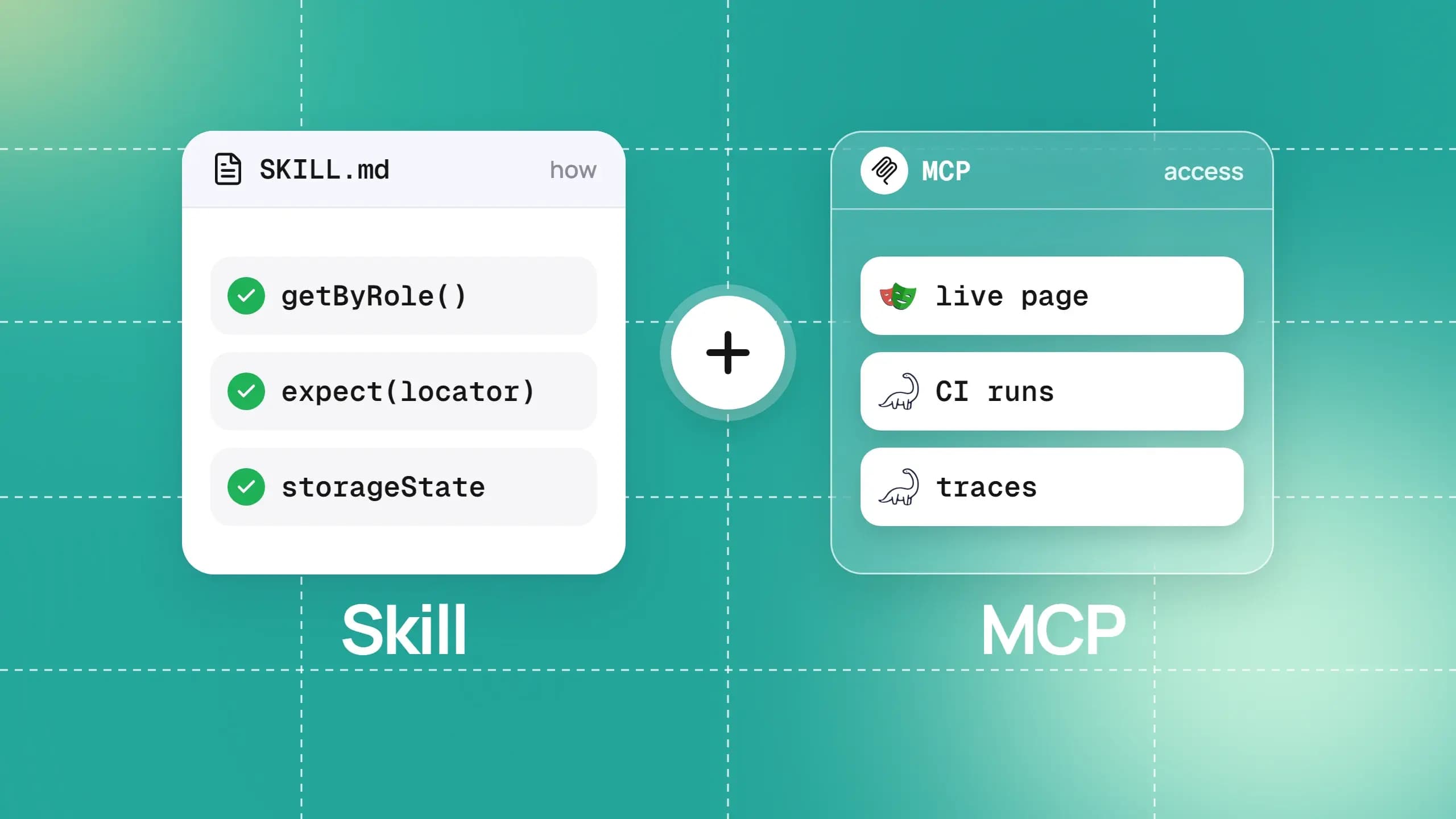
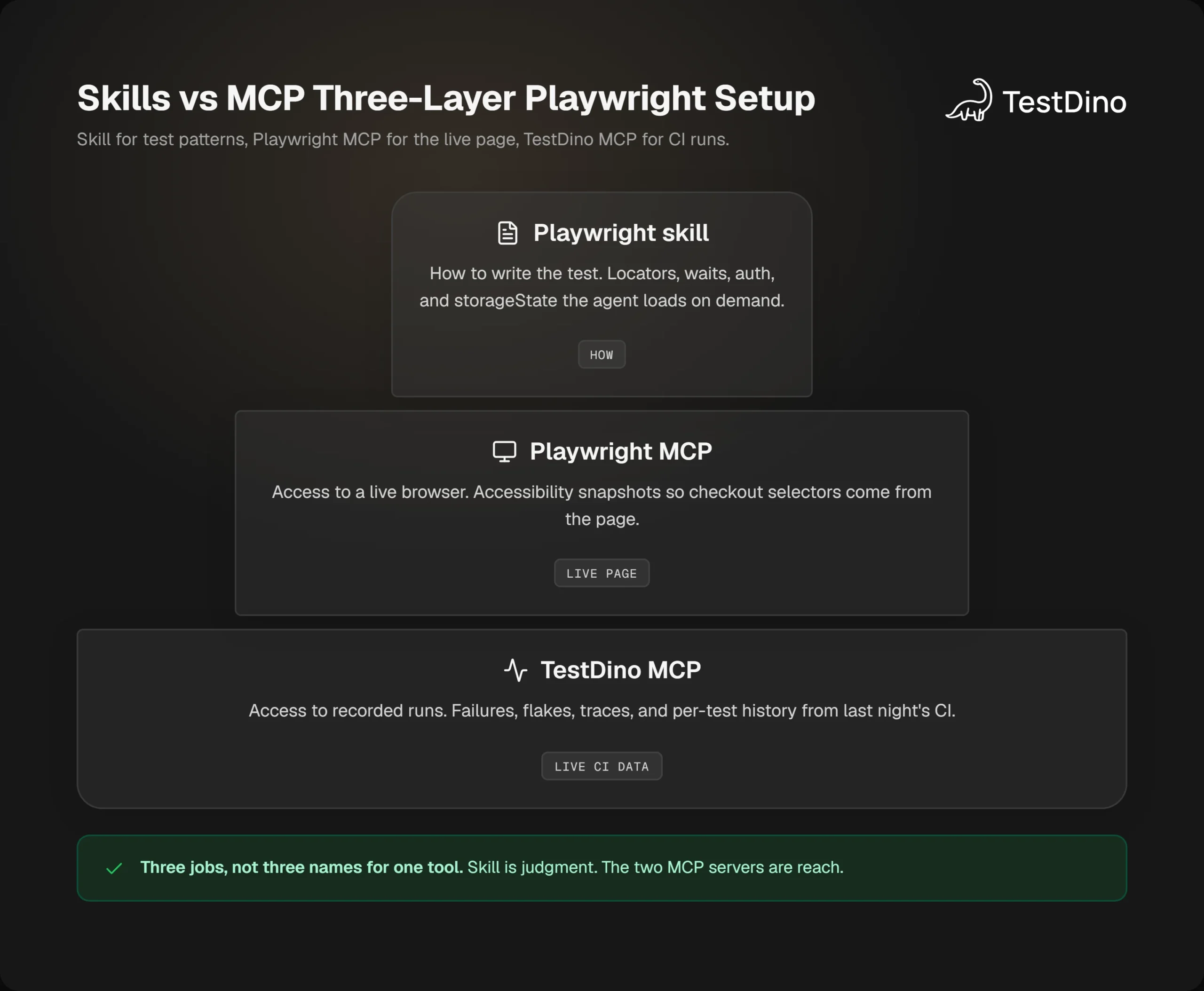
A skill teaches the agent how to write the test. MCP gives the agent a live connection to something it cannot see from the repo alone. Skills vs MCP, in one sitting, is how versus access.
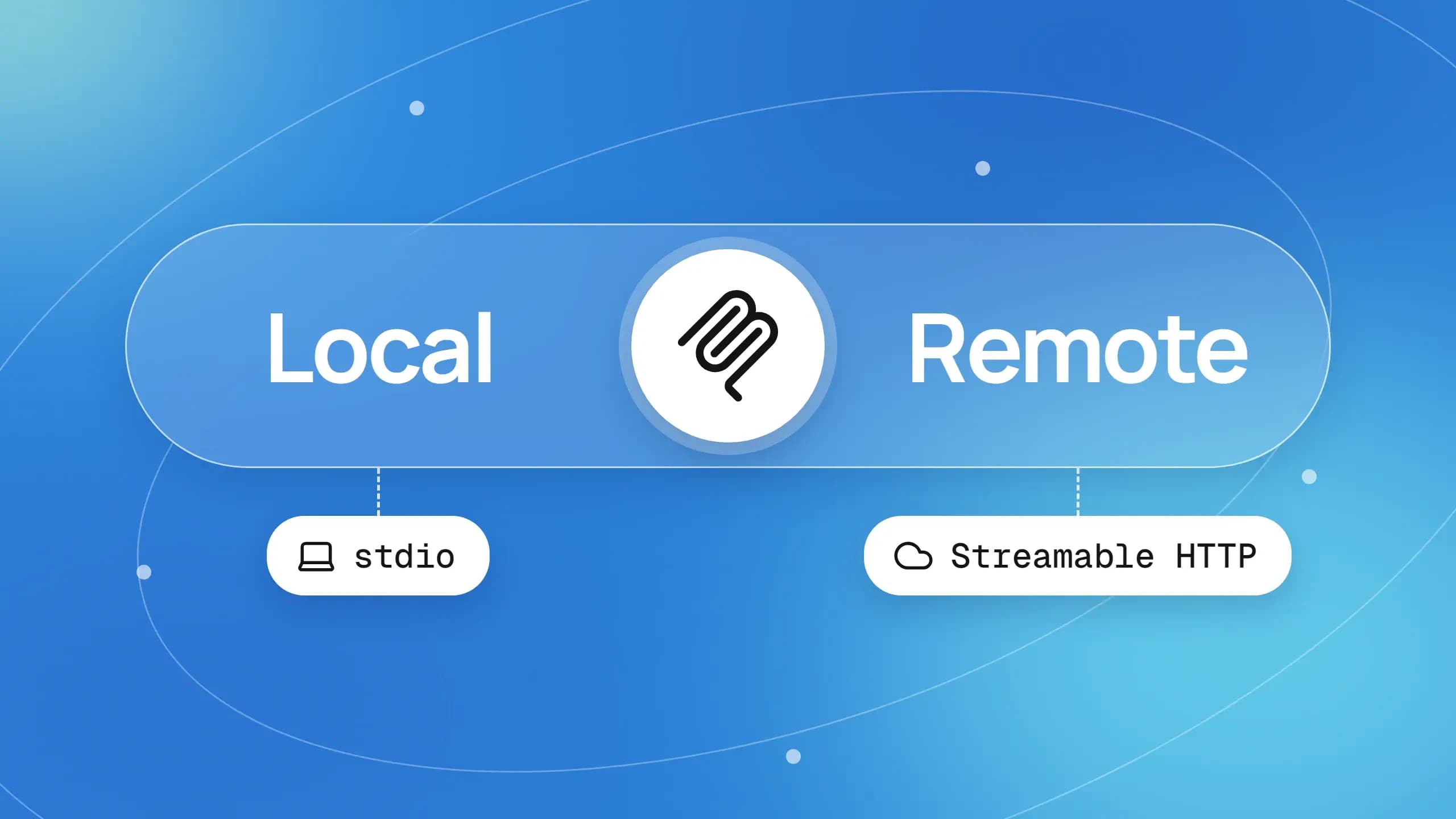
That split is the whole argument. Anthropic's own comparison says skills hold procedural knowledge and MCP holds tool connectivity, and that they work together (Skills explained). The Agent Skills format is a folder with a SKILL.md file. MCP is a protocol that exposes tools and data to the client.
If you treat them as rivals, you will wire the wrong socket and then blame the model.
A skill is a SKILL.md folder the agent reads on demand. MCP is a live server the agent calls for tools and data. For Playwright, the skill is how. MCP is access.
Skill = how to write the test
A skill is markdown the agent loads on demand. Name and description sit in context first. The full SKILL.md body loads when the task matches. Extra guides load one at a time (Agent Skills overview).
For Playwright, that knowledge is locators, waits, auth, fixtures, and CI shape. Without it, the agent falls back on training data. You get page.locator('.btn-checkout'), waitForTimeout(3000), and a login pasted into every spec.
Ask for "cover the Pay now path" with no skill loaded and you will see that guesswork. The syntax compiles. The test will not survive a class rename.
MCP = access to a live browser or live test data
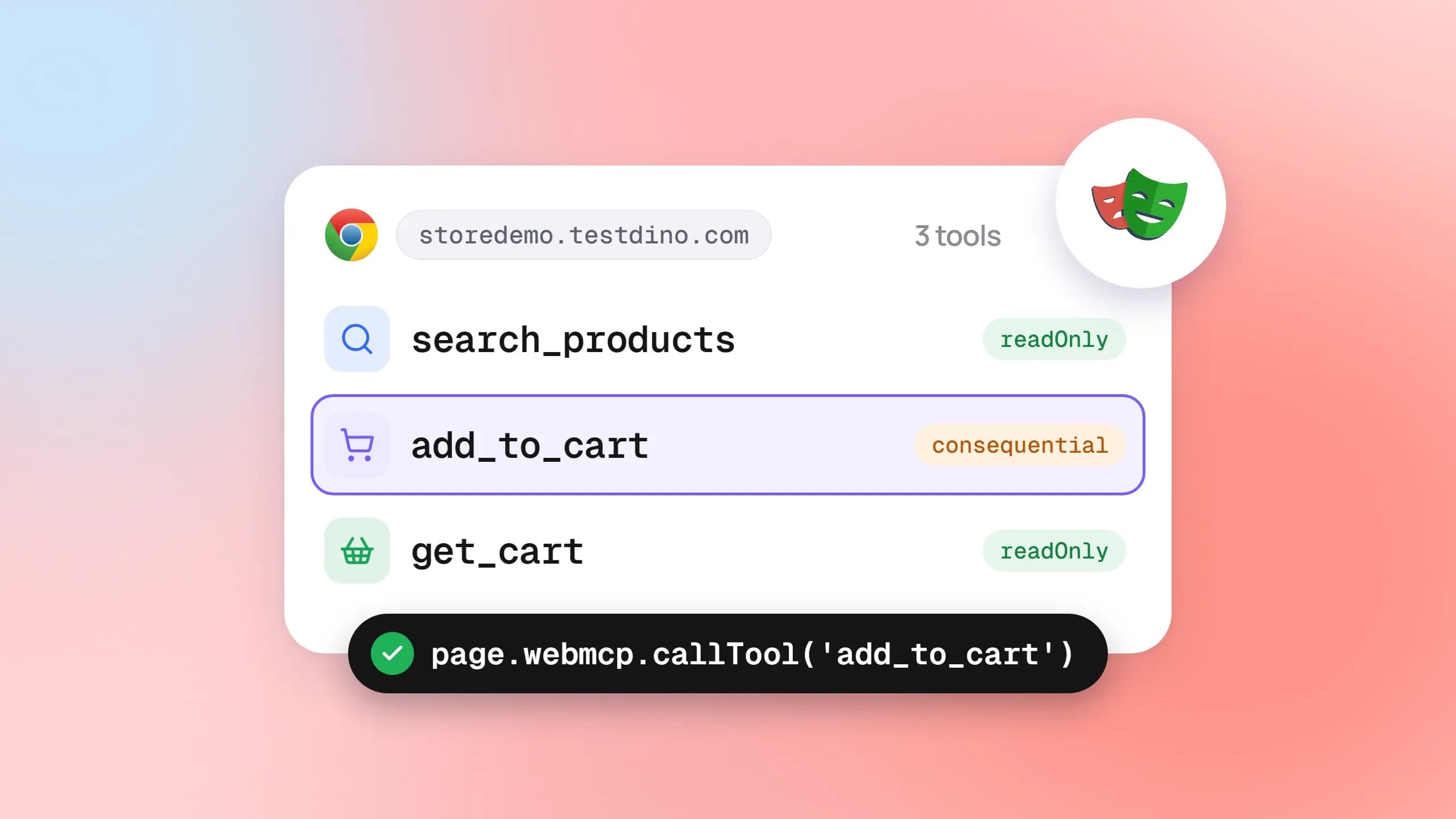
MCP is how the agent reaches a running system. Playwright MCP opens a real browser and returns an accessibility snapshot, not a screenshot guess (Playwright MCP). Another MCP server can expose CI runs, flakes, and traces.
The agent still has to know what to do with that snapshot. Access without judgment writes a test that clicks ref=e17 once and never becomes a stable spec.
Why picking one usually leaves a hole
Picture tests/checkout.spec.ts. The test is "guest pays with a saved card and sees the order confirmation."
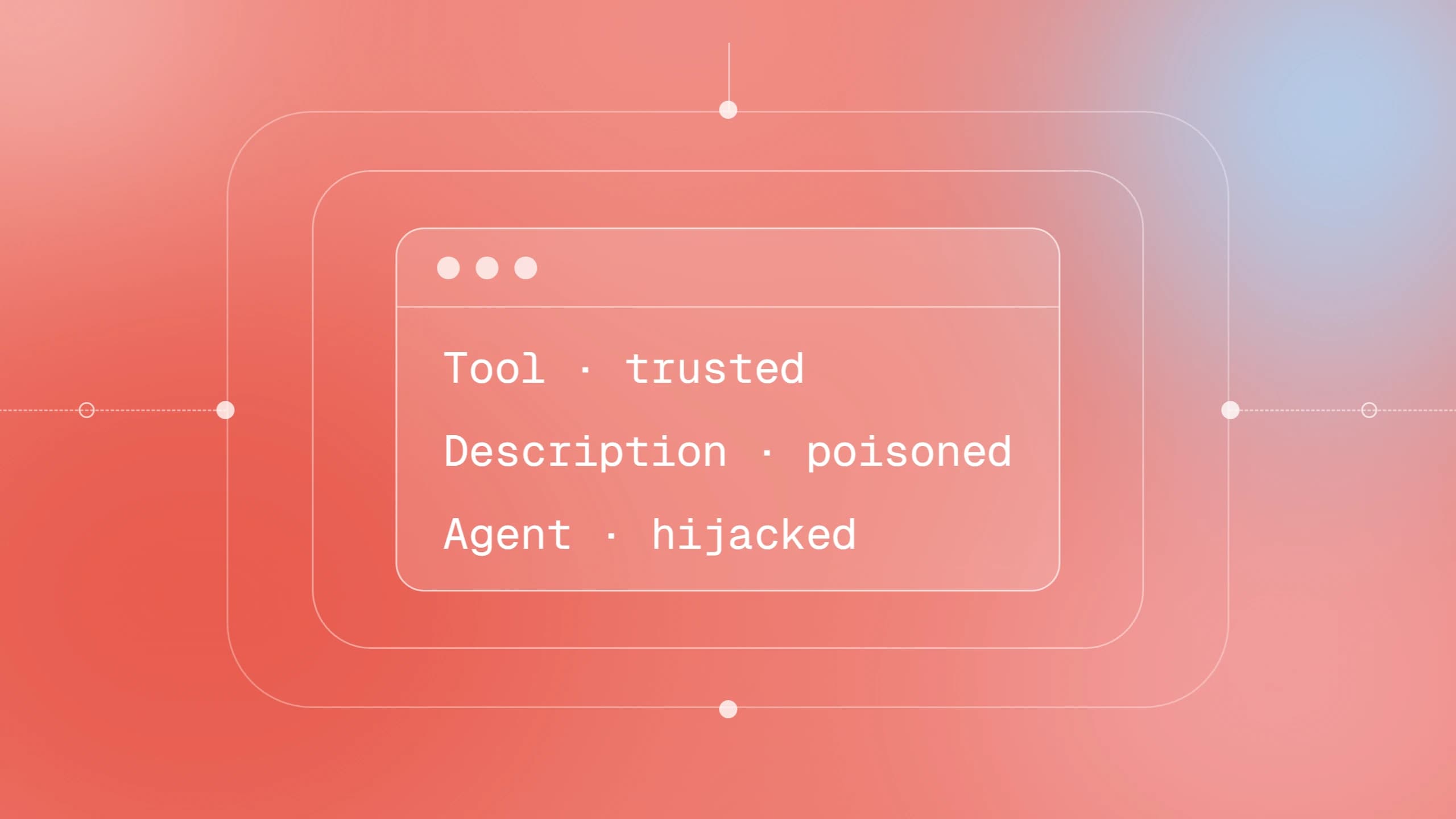
Skill only: the agent writes a clean spec against your repo conventions, then invents the button name. MCP only: the agent sees the live "Pay now" button, then still emits a CSS selector and a shared let page from beforeAll.
You already know the cost. The PR is green locally. The Playwright in GitHub Actions job is red. You lose the morning in TimeoutError logs.
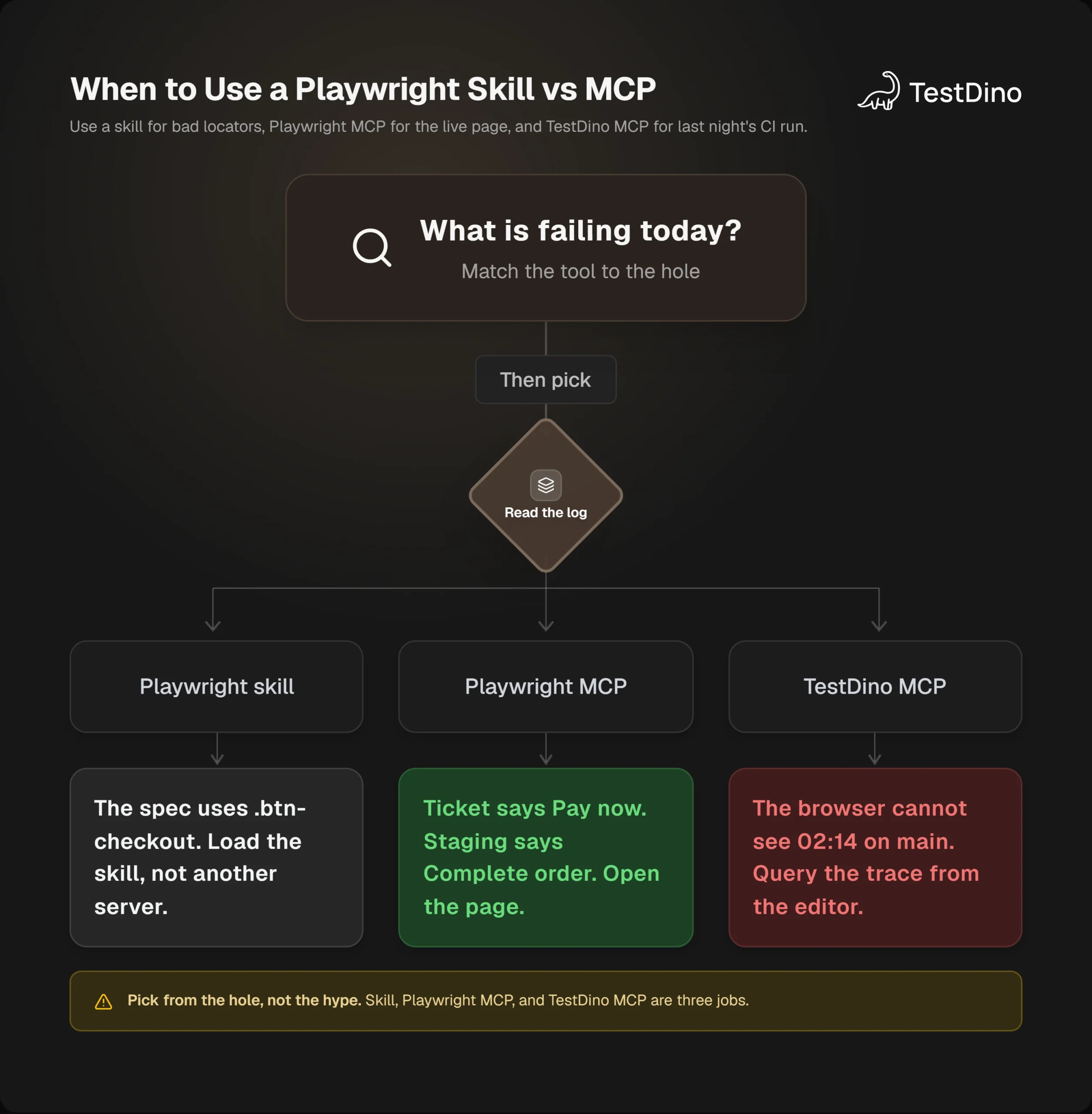
So the useful Skills vs MCP question is which hole you have today.
Playwright skill vs Playwright MCP
The Playwright skill is a knowledge pack. Playwright MCP is a browser server. They share a product name and almost nothing else.
Confusing them is the usual Skills vs MCP mistake. A third thing, Playwright CLI skills, sits next to both and makes the thread worse. Keep the three names separate.

Tip: If someone says "just add Playwright MCP," ask which server they mean. @playwright/mcp is the browser. @testdino/mcp is CI data. The skill is neither.
What the Playwright skill teaches the agent
Install the open pack with:
npx skills add testdino-hq/playwright-skillThat command is the current install from the Playwright skill docs (v2.5.0, written against Playwright 1.63). The repo is MIT licensed at testdino-hq/playwright-skill. Cursor, Claude Code, VS Code Copilot, and Gemini CLI all document Agent Skills support.
The root SKILL.md indexes the packs. Core covers Playwright locators, Playwright assertions, auth, fixtures, and flake diagnosis. CI, POM, migration, and Playwright CLI each have their own pack.
The golden rules match what you already want in review. Prefer getByRole() over CSS and XPath (Playwright locators). Never page.waitForTimeout(). Use web-first expect(locator) so the check retries. Isolate tests. Put baseURL in config. Retries 2 in CI and 0 locally (test retries). Traces 'on-first-retry'. Fixtures over globals. One behavior per test. Mock external services only.
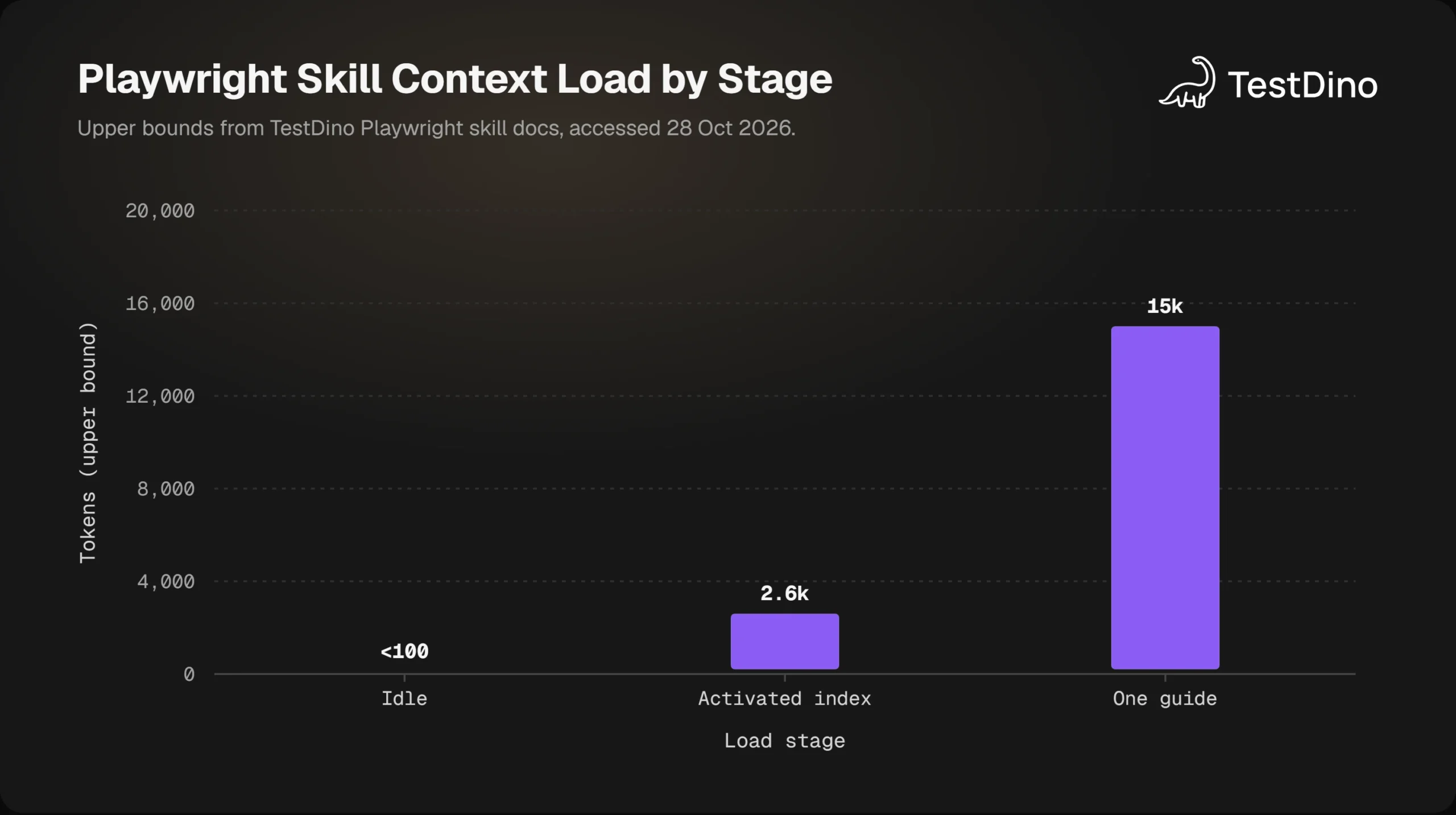
The skill stays cheap until a task needs it. TestDino's skill docs publish the load stages as approximate token bands, not a marketing survey. That load pattern is why Skills vs MCP is not a token-cost contest on day one.
Here is the checkout spec the agent writes when those rules are in context:
import { test, expect } from '@playwright/test';
test('guest pays with saved card and sees confirmation', async ({ page }) => {
  await page.goto('/checkout');
  await page.getByRole('button', { name: 'Pay now' }).click();
  await expect(page.getByRole('heading', { name: 'Order confirmed' })).toBeVisible();
});
That is test automation you can keep. It is still blind to whether the live button is actually named "Pay now".
What Playwright MCP gives the agent
Playwright MCP is Microsoft's MCP server, @playwright/mcp. Current getting started requires Node.js 20 or newer. Standard client config:
{
  "mcpServers": {
    "playwright": {
      "command": "npx",
      "args": ["@playwright/mcp@latest"]
    }
  }
}
In Claude Code the same server is claude mcp add playwright npx @playwright/mcp@latest (Playwright MCP).
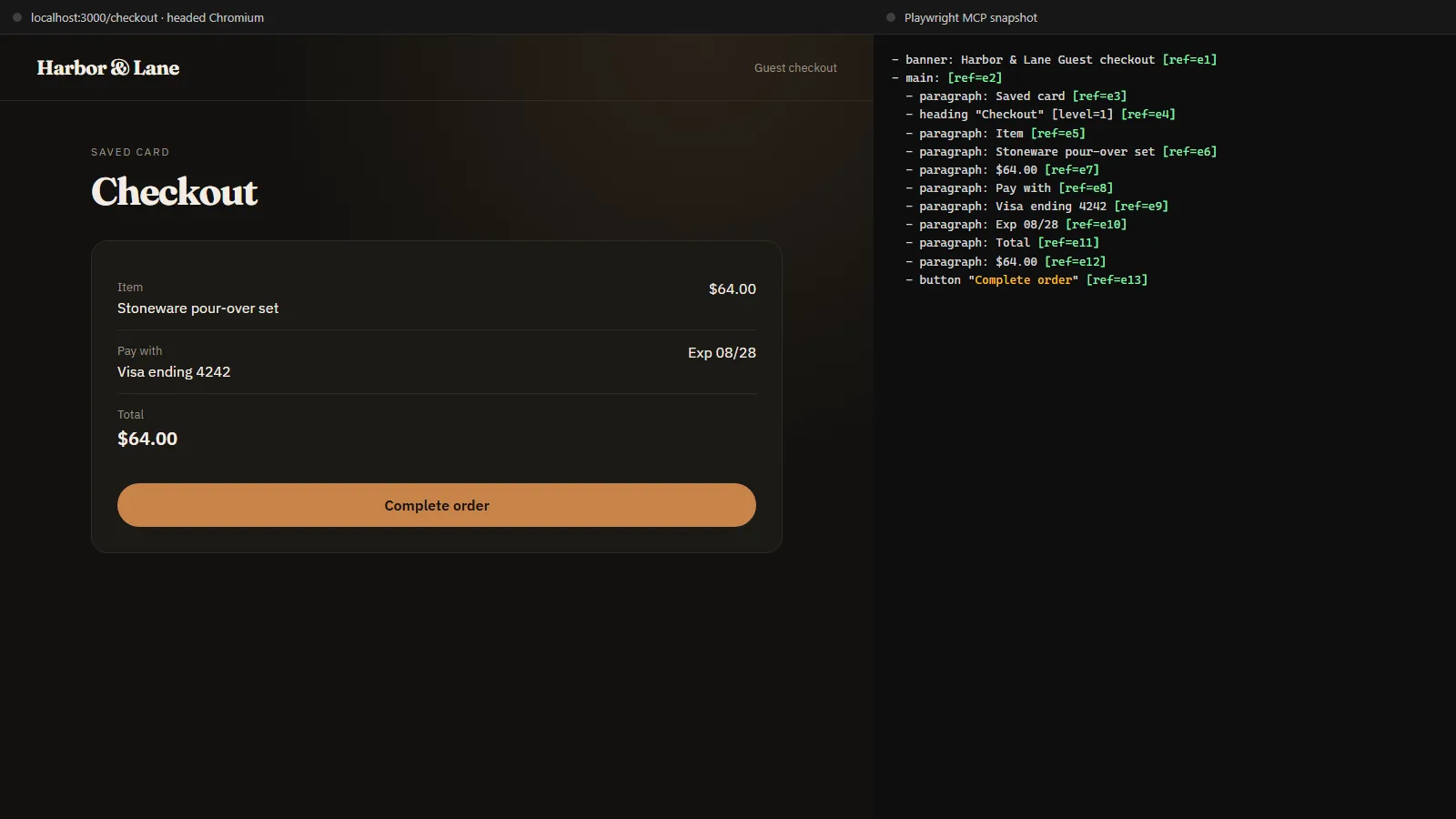
Once it is connected, you can say: open http://localhost:3000/checkout and write a test for the Pay now path. The agent navigates, reads the accessibility tree, and clicks by ref. Headed mode is the default, so you can watch it.
That is how you stop guessing selectors. It is also how you write Playwright tests with AI against the page in front of you, not a tutorial shop.
Playwright MCP does not run your suite. It does not replace npx playwright test. It does not upload trace.zip from last night's shard. It drives a browser in this session. Skills vs MCP still matters after the snapshot: the skill has to turn those refs into a spec you can keep.
Note: Playwright MCP is a browser for the agent. Your suite still runs with npx playwright test. Commit the spec only after that command passes on checkout.spec.ts.
Where Playwright CLI skills fit
Microsoft also ships playwright-cli plus installable skills (playwright-cli install --skills) so a coding agent can drive the browser through shell commands (Playwright CLI skills). Their MCP intro still positions MCP for exploratory loops and CLI plus skills for coding agents in large repos (Playwright MCP introduction).
That is a Playwright CLI vs MCP choice about how the agent talks to a browser. It is not the TestDino Playwright skill, and it is not TestDino MCP.
Checkly ran the same demo-shop task in Claude Code on both paths. MCP ended at 48k to 50k tokens. CLI plus skill ended at 45k to 48k. That is one published session set, not a universal law.
If your agent already uses playwright-cli well, you can skip Playwright MCP for generation. You still want the TestDino Playwright skill if the CLI session dumps a spec full of CSS and hard waits. And you still cannot query CI flakes from either browser path. Checkly's range does not close Skills vs MCP for last night's flake.
When to use a skill, when to use MCP
Use a skill when the agent can already see the repo and still writes tests you would reject in review. Use Playwright MCP when the agent must open the app. Use both when the spec has to match the live page and still follow your locator and auth rules.
That is the Skills vs MCP decision. The rest is which pain you are in this afternoon.
Use a skill when the agent can already see the repo and still writes bad locators, waits, or auth
You hit this after "write E2E for checkout" produces:
test('checkout', async ({ page }) => {
  await page.goto('http://localhost:3000/checkout');
  await page.waitForTimeout(3000);
  await page.locator('.btn-checkout').click();
  expect(await page.locator('.success').count()).toBeGreaterThan(0);
});
The file is in git. The agent had the source. It still missed Playwright locators, web-first Playwright assertions, and session reuse from global setup.
If the spec looks like that, Skills vs MCP is already decided: you need the playbook. Official locator docs put role, label, and placeholder ahead of CSS (Playwright locators). expect(locator) retries. expect(await locator.textContent()) does not. A Playwright cheatsheet will not load into the agent unless it lives in a skill.
Skip the skill only if your last ten agent specs already used getByRole, storageState, and no waitForTimeout. If that is you, the bottleneck is the page or CI, not the playbook.
Use Playwright MCP when the agent must open the app and read the current page
You hit this when the ticket says "Pay now" and staging actually renders "Complete order". Or when the flow hides the button until /api/cart returns.
Without a live snapshot, the agent hardcodes a name from the Figma comment. With Playwright MCP, it reads the tree and writes against the accessible name that is there. When that name drifted, Skills vs MCP points at the live browser.
Use it to explore an unfamiliar checkout, to confirm a selector before you commit, and to reproduce a UI change that only happens after a real click. The Playwright MCP setup path is the same idea: browser tools in the client, then a prompt that names the URL.
Skip Playwright MCP when you cannot run a browser next to the agent, or when playwright-cli already covers that loop for you. Skip it for suite execution. npx playwright test is still the runner.
Use both when you want a test that matches the page and still follows your patterns
The combined sitting looks like this.
- Install the Playwright skill so review rules are in the repo.
- Connect Playwright MCP and point it at local or staging checkout.
- Prompt: write tests/checkout.spec.ts for guest saved-card payment. Use the live page. Follow the skill. Reuse storageState. No waitForTimeout.
- Run npx playwright test tests/checkout.spec.ts.
The agent sees "Complete order". The skill still blocks .btn-checkout. You get one spec, not two drafts. Checkout work is usually Skills vs MCP together, in one prompt.
Playwright E2E testing still needs isolation, baseURL, and CI artifacts after that. The agent did not replace the pipeline. It just stopped guessing.
If you only generate from a description and never open the app, skip Playwright MCP. If you only poke the page and never commit tests, skip the skill. Most SDET work does both in the same hour.
The piece most "skills vs MCP" posts skip
Playwright MCP cannot see last night's CI run. A skill cannot either. That is the hole that remains after you write a better spec. The run already finished. Skills vs MCP write-ups that stop at the browser miss this.
Your checkout.spec.ts can follow every golden rule and still go red on main. The runner on GitHub Actions is slower, colder, and missing the cookie you had locally. The log says:
TimeoutError: locator.click: Timeout 30000ms exceeded.
Call log:
  - waiting for getByRole('button', { name: 'Complete order' })
Now the job is Playwright debugging, not generation. You need the trace, the retry history, and whether this is a one-off or a flake.
Playwright MCP cannot see last night's CI run
The MCP browser is this session. Last night's shard already exited. The trace.zip is an artifact on the workflow, or it is sitting in a dashboard, or it is gone because nobody uploaded it.
You can open checkout locally with Playwright MCP and stare at a green button. That does not tell you the CI worker waited 30s on /api/pay. Traces from the failed retry do.
Playwright marks a test flaky when it fails, then passes on retry (test retries). That signal lives in the report. The agent in your editor does not have it unless something feeds the run back.
TestDino MCP is the live-run, flake, and trace layer
TestDino MCP is a different server from Playwright MCP. It connects the same client to recorded Playwright runs: failures, flaky tests, artifacts, and per-test history (TestDino MCP).
Auth is a Personal Access Token (TESTDINO_PAT), not your Playwright config. Results still have to get into the product first, through @testdino/playwright and TESTDINO_TOKEN on the CI job.
Once both exist, you can ask the agent: what failed on main, is guest pays with saved card flaky, and what did the trace show on the timeout. That is MCP as test data, not MCP as a browser. Skills vs MCP still needs that third socket when the failure lived in CI.
Tip: TESTDINO_TOKEN streams the CI reporter. TESTDINO_PAT lets the agent query those runs. Mixing them up is why health returns empty projects.
Worked thread: checkout.spec.ts is red on main
Keep the same spec. CI retries twice. Attempt 1 times out on Complete order. Attempt 2 passes. Playwright reports flaky, not failed (test retries).
A skill tells the agent how to replace a timeout and how to read a trace. Playwright MCP can open staging and click the path again. Neither one knows this title failed-then-passed on main at 02:14.
So you download the artifact, unzip, and run npx playwright show-trace by hand. Or you let the agent query the run. The second path is why TestDino MCP exists in this stack.
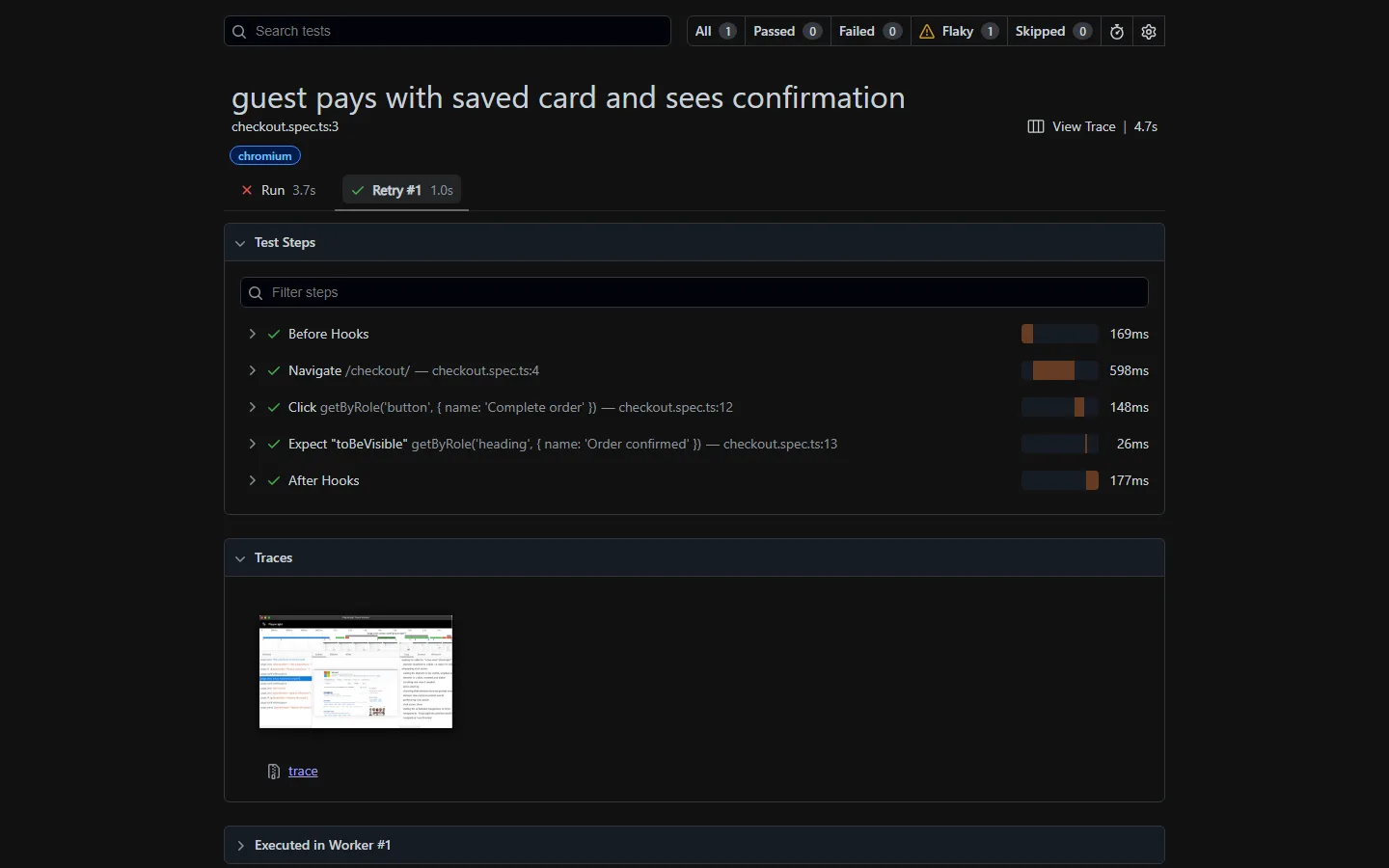
The report is the proof. The agent still needs a server that can read it from the editor.
The setup that matches how TestDino actually works
The setup that matches a real Playwright team is the skill, plus Playwright MCP, plus results in TestDino, plus TestDino MCP in the editor.
Write with the skill. Confirm the page with Playwright MCP. Run the suite in CI. Debug the red job from the same chat.
Install the Playwright skill
npx skills add testdino-hq/playwright-skillStart with core if you want a smaller pack: npx skills add testdino-hq/playwright-skill/core. Add ci when the agent starts editing workflows. Details stay in the Playwright Skill walkthrough.
Commit the skill folder so Cursor, Claude Code, and Copilot on the next laptop load the same rules.
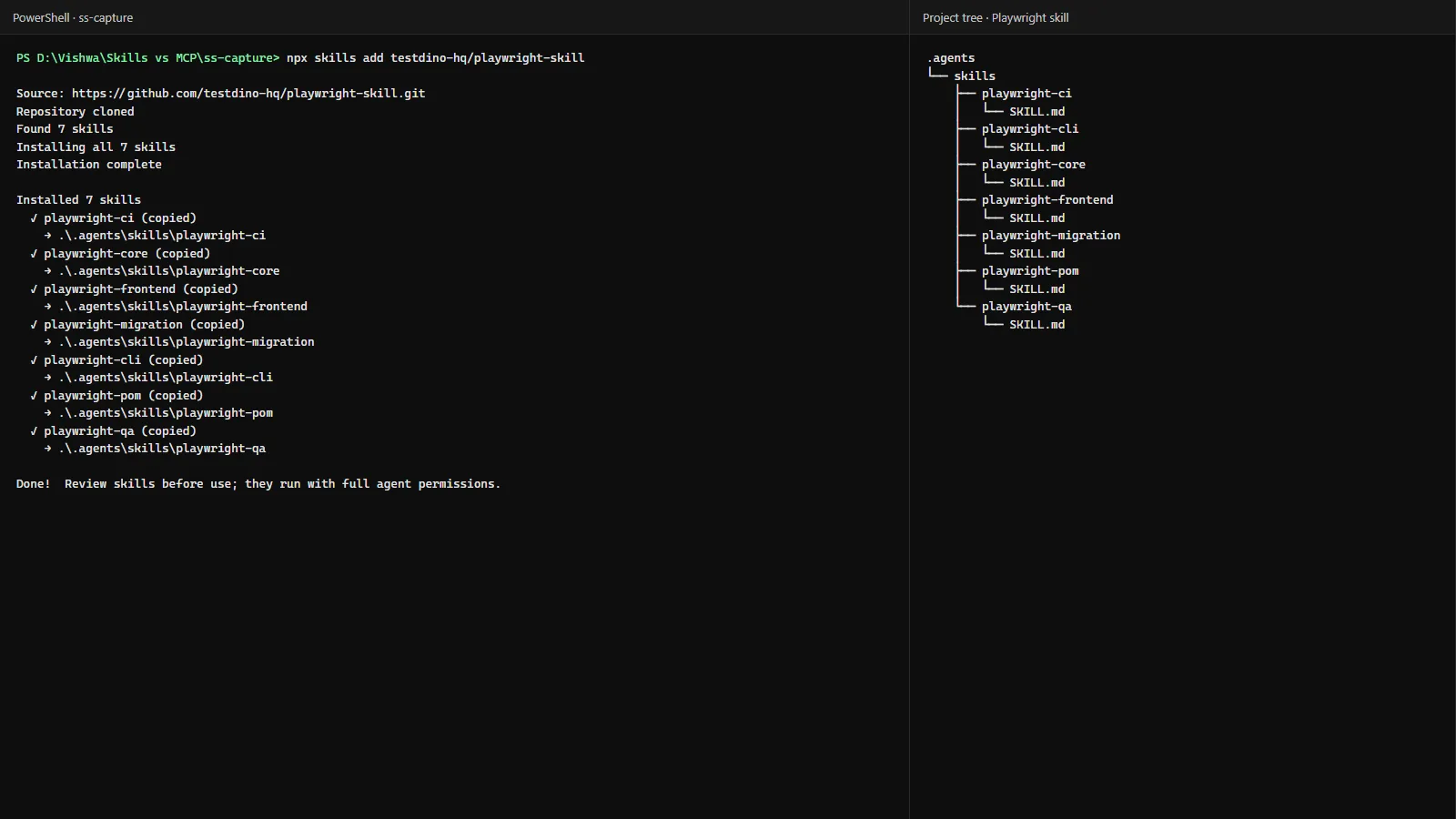
The folder is the whole install. No token. No server process.
Connect Playwright MCP
Use the official client config for @playwright/mcp@latest (getting started). For a clean test account, isolated mode plus a storage state file is the usual pattern:
{
  "mcpServers": {
    "playwright": {
      "command": "npx",
      "args": [
        "@playwright/mcp@latest",
        "--isolated",
        "--storage-state=playwright/.auth/user.json"
      ]
    }
  }
}
Do not point it at your daily browser profile. Do not commit the auth file.
Stream results, then connect TestDino MCP
Install @testdino/playwright, put it in the reporter array, and set TESTDINO_TOKEN on the CI job. Sharded jobs still stream. Then add the TestDino server with a PAT:
{
  "mcpServers": {
    "playwright": {
      "command": "npx",
      "args": ["@playwright/mcp@latest"]
    },
    "TestDino": {
      "command": "npx",
      "args": ["-y", "@testdino/mcp"],
      "env": {
        "TESTDINO_PAT": "td_pat_your_token_here"
      }
    }
  }
}
Ask the agent to run health and list your projects. Then ask about the latest failed run on main. Client steps live in AI onboarding and the MCP overview.
Keep traces on in the runner so there is something to open:
import { defineConfig } from '@playwright/test';
export default defineConfig({
  retries: process.env.CI ? 2 : 0,
  use: {
    baseURL: 'http://localhost:3000',
    trace: 'on-first-retry',
    screenshot: 'only-on-failure',
    video: 'retain-on-failure',
  },
});
That config is the Playwright default story for CI: retries in CI only, trace on the first retry (test retries, trace viewer).
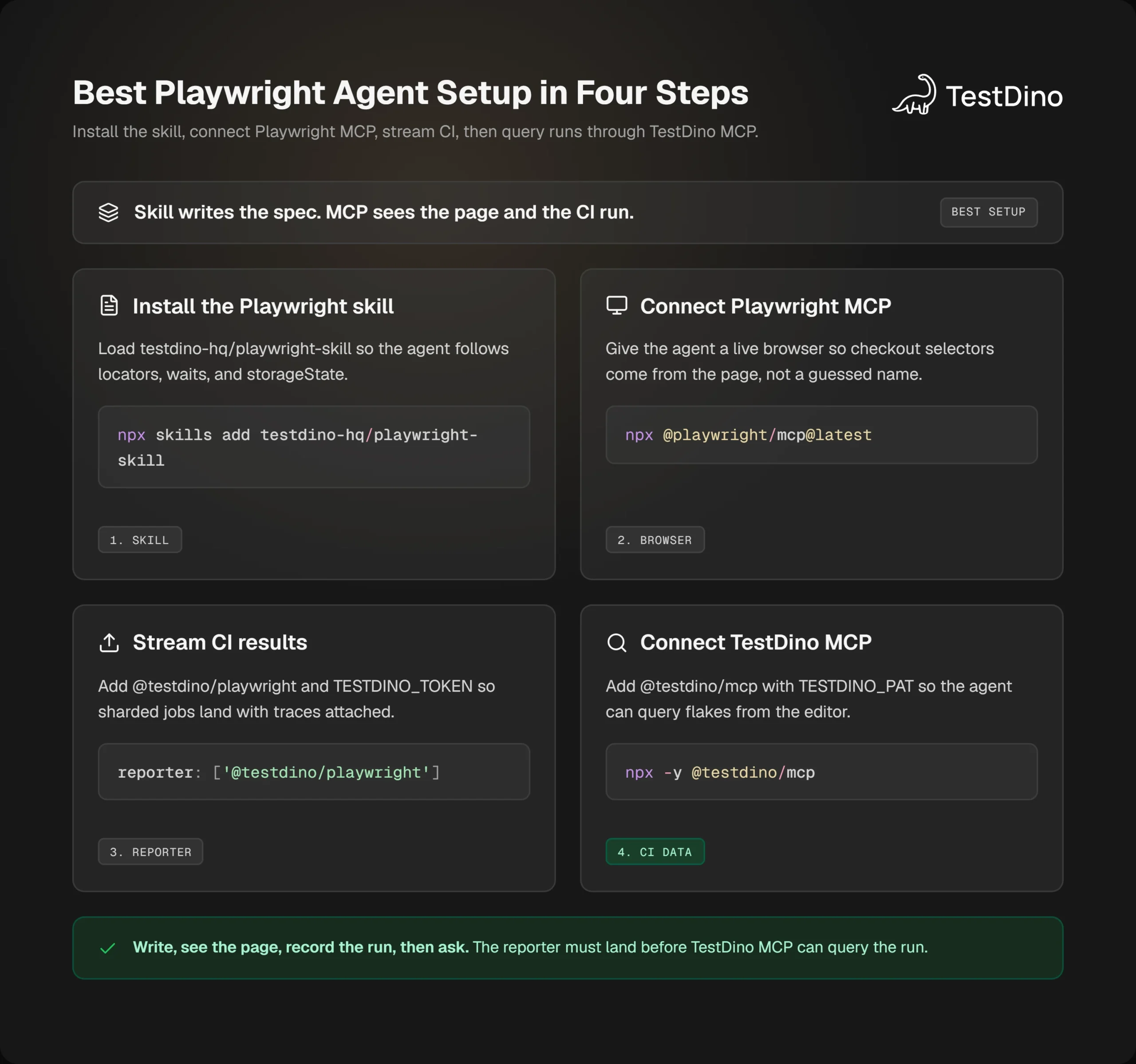
The reporter has to land before the PAT is useful. Empty projects are a setup miss, not an MCP bug.
Who should skip which piece
Skip the Playwright skill if your agent already ships getByRole, storageState, and CI-safe waits, and review rarely bounces locator strategy.
Skip Playwright MCP if you cannot launch a browser beside the agent, or if playwright-cli already gives you snapshots for generation.
Skip TestDino MCP if no Playwright results are reaching TestDino yet. Connect the reporter first. An empty workspace teaches the agent nothing.
Skip all three only if you are not using an agent. Then you are back to writing checkout.spec.ts yourself, which is still a valid week.
Wire it in Cursor, Claude Code, and Copilot
Same three pieces in each tool. The files move. The jobs do not. In the editor, Skills vs MCP is still a skill folder plus the servers that can see the page and the run.
Skill folder in the repo. Playwright MCP for the page. TestDino MCP for the run. Prompt the checkout path the same way in all three.
Cursor: skill folder plus mcp.json
Cursor loads skills from .agents/skills/, .cursor/skills/, and the Claude or Codex skill dirs for compatibility (Cursor Agent Skills). npx skills add testdino-hq/playwright-skill drops the pack where the CLI targets for that project.
MCP servers go in .cursor/mcp.json for the repo or ~/.cursor/mcp.json for your user (Cursor MCP). Put both Playwright and TestDino there. Restart if the tools do not show.
Then: write tests/checkout.spec.ts from the live /checkout page. Follow the Playwright skill. After CI, ask why the saved-card test is flaky on main.
Claude Code: skills add plus claude mcp add
Claude Code reads Agent Skills from .claude/skills/ (Claude Code skills). Install the Playwright skill, then:
claude mcp add playwright npx @playwright/mcp@latestAdd TestDino with TESTDINO_PAT in that server's env, matching the local MCP docs. Claude Code's MCP guide is the client reference (Connect via MCP).
Same checkout prompt. Same npx playwright test after the spec lands.
Copilot: Agent Skills plus MCP server config
VS Code Copilot loads project skills from .github/skills/, .claude/skills/, and .agents/skills/ (Copilot Agent Skills). After npx skills add, confirm the pack is in one of those trees, or copy it into .github/skills/.
For the browser, Playwright documents code --add-mcp with @playwright/mcp@latest. Workspace config can live in .vscode/mcp.json. Portable Copilot config uses .mcp.json with a top-level mcpServers object (MCP in VS Code).
Add TestDino in the same file with TESTDINO_PAT. Then run the checkout prompt in Agent mode, not Ask mode. MCP tools do not fire if the chat cannot call tools.
The next step is not another comparison post. It is one prompt against a real red title.
Conclusion
Skills vs MCP is a wiring question, not a winner. The Playwright skill is how the agent writes checkout.spec.ts. Playwright MCP is how it sees Complete order. TestDino MCP is how it reads the flaky retry on main.
Install the skill, connect the browser server, stream CI, then ask the agent about the last red job. If a piece does not match how you work this week, skip that piece and keep the other two.
If this still feels muddy, paste one failing title and whether you have Playwright MCP, TestDino MCP, or only the skill connected. That is enough to pick the next socket.
FAQ

Vishwas Tiwari
Software Engineer