Playwright 1.64 Release: WebMCP, Shuffle, and locator.within() Explained
Playwright 1.64 adds WebMCP tool testing, shuffled runs, locator.within(), and VP9 videos. Every change explained, with code and upgrade notes.
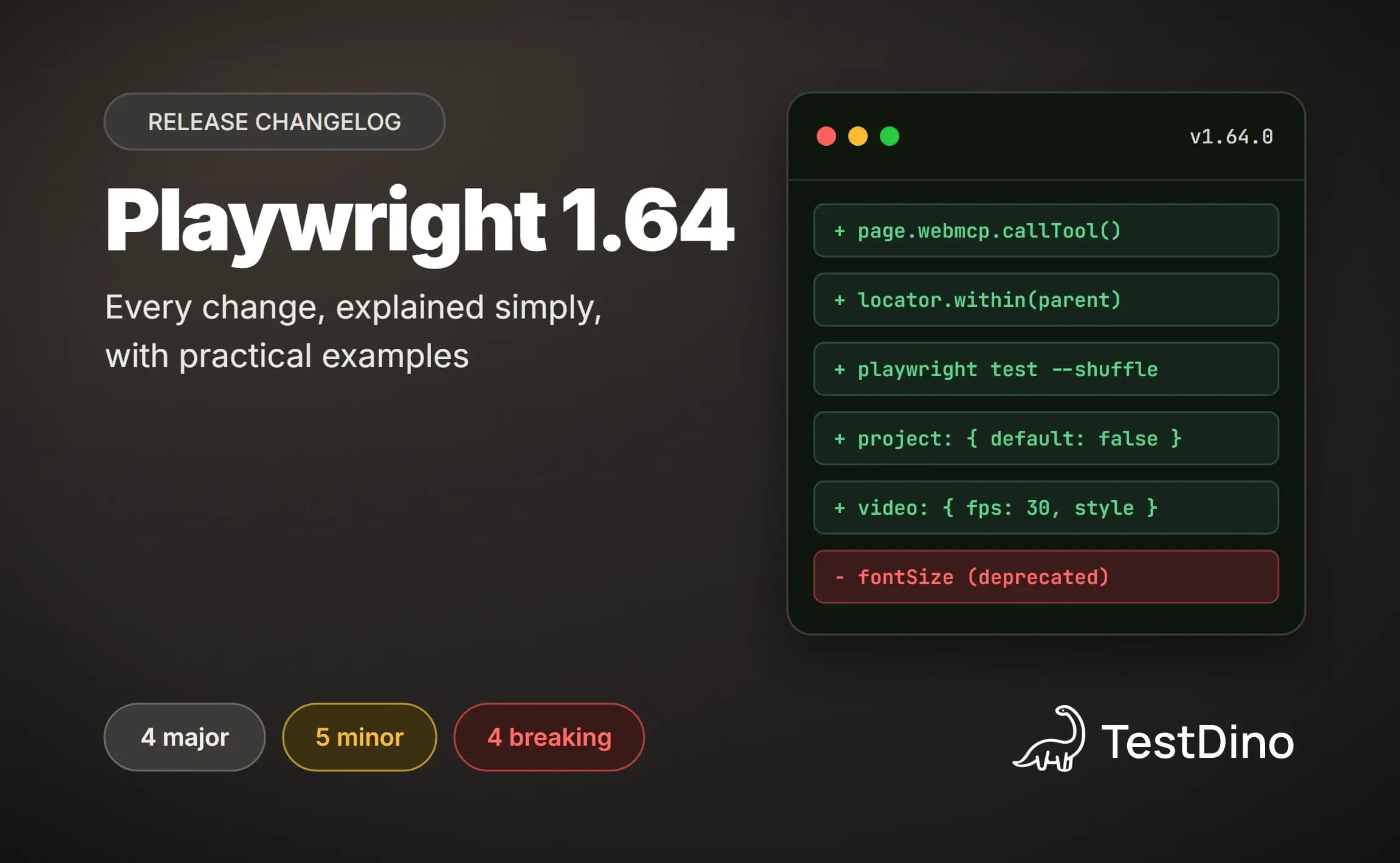
Playwright can now see the small set of actions a web page sets aside for AI assistants, and test them the same way it tests a login form. That is the headline of Playwright 1.64, which shipped on October 7, 2026, 33 days after 1.63.
The official notes squeeze 5 feature groups, 5 new APIs, and 4 breaking changes into 1 page written for people who read changelogs for fun. Skim it and you will miss the single line that quietly changes what window.screen reports in every emulated device.
This guide walks through every change in the playwright 1.64 release notes in plain language, with the problem each one solves and code you can paste into your suite. If you skipped the last version, the playwright 1.63 release guide covers test locks, which 1.64 extends to whole files.
What's new in Playwright 1.64 at a glance
Playwright 1.64 is the October 2026 release of Microsoft's Playwright test framework. It adds WebMCP tool testing, custom frame rate VP9 videos, default projects, a shuffle option, locator.within(), and 5 smaller APIs. It ships Chromium 156, Firefox 157, and WebKit 27.2, and carries 4 breaking changes around device emulation, JSX, snapshots, and hidden iframes.
If you only have 2 minutes, the table below is the whole release. Each row maps to a section further down where the feature gets a problem statement, a code sample, and the caveats the notes leave out.
| Feature | What it does | Where it helps |
|---|---|---|
| WebMCP tools | page.webmcp lists and calls the tools a page registers for AI agents | Agent-ready apps, Playwright MCP, playwright-cli |
| Better videos | Custom fps, CSS-styled action markers, a persistent cursor, VP9 encoding | Failure videos, demo recordings, CI artifacts |
| Default projects | default: false keeps a project in the config but out of a plain run | Multi-browser configs, slow suites |
| Shuffle | --shuffle randomises test order and prints a seed to replay it | Finding order-dependent tests |
| Group locks | test.describe.configure({ lock }) locks every test in a file or group | Shared accounts and global settings |
| locator.within() | Scopes one locator inside each element matched by another | Dialogs, table columns, repeated widgets |
| WebP screenshots | A type option stores unnamed toHaveScreenshot files as WebP | Visual regression suites |
Alongside those, there are 5 new APIs: page.getByRef(), an includeShadow option for page.content(), signCount for virtual passkeys, fullConfig.filteredProjects, and cookie methods on API request contexts.
Unlike 1.63, this release is not purely additive. Four changes alter behaviour you may rely on, and they get their own section near the end. TestDino tracks every version on its Playwright release notes hub, so you can see how 1.64 fits the pattern.

The feature the Playwright team put first is also the one with the biggest story behind it, because it connects your tests to the way AI agents will drive your app.
1. WebMCP: test the tools your page exposes to AI agents
Web pages are starting to register small, named actions that an AI agent can call directly instead of clicking through the UI. Playwright 1.64 lets a test see those actions and call them, which turns an invisible contract into something you can assert on.
The problem
WebMCP is an experimental browser API where a page registers tools, each with a name, a description, an input schema, and an execute function. The draft spec hangs it off document.modelContext, and it is a Draft Community Group Report, not a web standard, so expect the surface to move.
Until now, the only way to check those registrations was to drive the page through an agent and hope the right tool got picked. A renamed tool, a changed schema, or an execute function that throws would not fail any test, yet every agent built on top of it would break.
For teams already doing AI agent testing, that gap sits exactly where the risk is. The agent is nondeterministic, the tool contract is not, and the contract is the thing worth pinning down.
What Playwright 1.64 does
New page.webmcp and frame.webmcp properties expose 2 methods. tools() returns what the frame has registered, and callTool() runs one with an input object and returns whatever its execute function resolved to.
import { defineConfig, devices } from '@playwright/test';
export default defineConfig({
  projects: [
    {
      name: 'chromium',
      use: {
        ...devices['Desktop Chrome'],
        launchOptions: { args: ['--enable-features=WebMCP'] },
      },
    },
  ],
});import { test, expect } from '@playwright/test';
test('the page exposes a working add tool', async ({ page }) => {
  await page.goto('/calculator');
  const tools = await page.webmcp.tools();
  expect(tools.map(t => t.name)).toContain('add');
  const result = await page.webmcp.callTool('add', { a: 2, b: 40 });
  expect(result.content[0].text).toBe('42');
});
Both methods default to no timeout. Pass { timeout } directly, or set actionTimeout in the config, so a tool that hangs fails the test instead of the whole CI job.
A fixture page that registers a tool
If your app does not register tools yet, a 20-line HTML fixture is enough to see the API work end to end. It registers 1 tool with a JSON schema and a read-only hint, following the shape in the draft spec.
<!DOCTYPE html>
<html lang="en">
<body>
  <h1>WebMCP fixture</h1>
  <script>
    if (document.modelContext) {
      document.modelContext.registerTool({
        name: 'add',
        description: 'Adds two numbers and returns the sum.',
        inputSchema: {
          type: 'object',
          properties: { a: { type: 'number' }, b: { type: 'number' } },
          required: ['a', 'b'],
        },
        annotations: { readOnlyHint: true },
        execute: async ({ a, b }) => ({ content: [{ type: 'text', text: String(a + b) }] }),
      });
    }
  </script>
</body>
</html>
Point a test at it with a file:// URL, or serve the fixtures folder through webServer in the config. The if guard keeps the page from throwing in a browser that was launched without the flag.
What tools() actually returns
Each descriptor carries name, description, an optional inputSchema, and optional annotations. The page declares the annotations as hints, and Playwright reports them under the names in the table below.
| Annotation | Meaning | Why a test should check it |
|---|---|---|
| readOnly | The tool does not modify any state | A read-only tool that writes is a bug an agent cannot see |
| untrustedContent | The output may contain third-party content | Agents should sanitise before acting on it |
| consequential | The tool takes a consequential action, such as placing an order | These tools deserve confirmation steps and extra coverage |
Asserting on inputSchema catches a contract change before an agent trips over it. A snapshot of the full descriptor list, compared with toEqual, is a cheap way to make any change to the tool surface show up in code review.
Note: Chromium needs the --enable-features=WebMCP launch argument, Firefox needs the dom.modelcontext.enabled and dom.modelcontext.testing.enabled preferences, and WebKit does not implement WebMCP yet. Tool names, schemas, and results come from the page, so the docs say to treat them as untrusted input.
Playwright MCP and playwright-cli get it too
The same tools surface in the 2 agent-facing products. Playwright MCP now supports WebMCP by default and offers page-defined tools to the agent under a webmcp_ prefix, so the add tool above shows up as webmcp_add. A --no-webmcp flag or PLAYWRIGHT_MCP_WEBMCP=false opts out.
{
  "mcpServers": {
    "playwright": {
      "command": "npx",
      "args": ["@playwright/mcp@latest", "--no-webmcp"]
    }
  }
}
The playwright-cli gets matching commands, which is handy for a quick check from a shell or a CI step without writing a spec file.
playwright-cli webmcp-list
playwright-cli webmcp-call search_catalog --params '{"query":"cats"}'
Why it matters
If your product ships WebMCP tools, those tools are a public API for agents, and they deserve the same regression coverage as a REST endpoint. A test that lists and calls them is cheap, and it runs in the same suite as everything else.
It also closes a security loop. Because tool output is untrusted, the checks in MCP server security apply here too, and a test is the easiest place to prove that a tool marked read-only really does not change state.
Teams running an agent through Playwright MCP with Claude will notice page tools appear next to the browser tools the moment the page registers them. The test suite is where you decide whether that is a feature or a surprise.
Agents also need to see what happened during a run, which is why the second feature group is about the videos Playwright records.
2. Better videos: custom frame rate, CSS styling, and VP9
Video recording has been in Playwright for years, but the frame rate was not configurable and the output was encoded with VP8. Playwright 1.64 reworks the pipeline in 4 ways, and 2 of them need no code at all.
The problem
A video that drops frames during a scroll or an animation is hard to read in a failure review. Teams that used the playwright screencast API for demos also had to accept a fixed look for the action markers, with only a fontSize knob to turn.
VP8 was the other cost. Encoding happens on the machine running the tests, so every CI worker that records on failure pays for it in CPU, and the resulting files are the ones you upload as artifacts.
What 1.64 does
A new fps option sets the frame rate in testOptions.video, recordVideo, and screencast.start(). A new style option takes CSS declarations for the point marker, the target highlight, and the action title, and it replaces the now-deprecated fontSize.
import { defineConfig } from '@playwright/test';
export default defineConfig({
  use: {
    video: {
      mode: 'retain-on-failure',
      size: { width: 1920, height: 1080 },
      fps: 60,
      show: {
        actions: {
          style: {
            point: 'width: 20px; height: 20px; border-radius: 50%; background: red',
            highlight: 'outline: 2px solid #333; background: rgba(0, 128, 255, .15)',
            title: 'font-size: 16px',
          },
        },
      },
    },
  },
});
Two more changes happen automatically. The cursor now stays visible at the last action point, survives navigations, and travels along an eased path. Videos are encoded with VP9 instead of VP8, which the release notes say takes less CPU and produces smaller files of the same or better quality.
| Video option | Before 1.64 | Playwright 1.64 |
|---|---|---|
| Frame rate | Not configurable | fps option, default 25 |
| Action marker styling | fontSize only | style with point, highlight, and title CSS |
| Cursor | Lost on navigation | Persists across navigations with eased movement |
| Codec | VP8 | VP9 |
| Where it works | Test runner and library | Also Playwright MCP and playwright-cli |

Tip: Setting fps: 60 only pays off on Chromium. The docs note that Firefox and WebKit currently capture up to 25 frames per second, so a higher value costs encoding CPU there without adding real frames. Keep the default of 25 for those projects.
The same options in the library and the screencast API
Outside the test runner, fps sits next to dir and size in recordVideo. The video is written when the context closes, so await context.close() is still the line people forget.
import { chromium } from 'playwright';
const browser = await chromium.launch();
const context = await browser.newContext({
  recordVideo: { dir: 'videos/', size: { width: 1280, height: 720 }, fps: 60 },
});
const page = await context.newPage();
await page.goto('https://example.com');
await context.close(); // the .webm file is written here
await browser.close();
The screencast API takes the same option for a single page, which suits walkthrough recordings that start and stop mid-test.
await page.screencast.start({ path: 'walkthrough.webm', fps: 30 });
await page.getByRole('link', { name: 'Pricing' }).click();
await page.screencast.stop();
Migrating from fontSize to style
The old fontSize still works but is deprecated. The replacement is 1 CSS declaration on style.title, and the same place accepts any other font or colour rule.
// Before 1.64 (deprecated)
show: { actions: { fontSize: 14 } }
// Playwright 1.64
show: { actions: { style: { title: 'font-size: 14px' } } }
Why it matters
Because the video options are now shared with Playwright MCP and playwright-cli, an agent session records with the same settings as a test run. The MCP server's browser_start_video tool takes the same fps argument, which makes it easier to review what an agent did when you are fixing Playwright tests with AI.
Videos complement rather than replace traces. The Playwright trace viewer shows what the DOM looked like at each step, while a 60 fps video shows what a user would have seen between steps, including the animation that swallowed a click.
Higher frame rates mean bigger artifacts, so retain-on-failure remains the sensible CI default, and 60 fps belongs on the Chromium project where it adds frames rather than across the whole suite.
Recording what happened is one half of debugging. The other half is controlling how tests are scheduled in the first place, and that is where the test runner changes come in.
3. Test runner: default projects, shuffle, group locks, and WebP snapshots
Four runner changes land in Playwright 1.64. None of them touches test code, and each one is a single key in the config or a single flag on the command line.
Default projects with testProject.default
Most configs list 3 browsers, yet most local runs only need 1. The old fix was commenting projects out or remembering to type --project=chromium, and both get forgotten.
A project can now set default: false. It stays in the config, so CI and explicit --project calls still see it, but a plain npx playwright test skips it.
import { defineConfig, devices } from '@playwright/test';
export default defineConfig({
  projects: [
    { name: 'chromium', use: devices['Desktop Chrome'] },
    { name: 'firefox', use: devices['Desktop Firefox'], default: false },
    { name: 'webkit', use: devices['Desktop Safari'], default: false },
  ],
});npx playwright test # runs chromium only
npx playwright test --project=firefox # runs firefox
npx playwright test --project="*" # runs all three, for example on CITip: A project with default: false still runs when another running project lists it in dependencies or teardown. So a setup project that logs in can stay out of the default list and still run before the browsers that need it.
That dependency rule is what makes the option practical. A typical config has a setup project that signs in once and saves storage state, and it never made sense for that project to show up as a separate line in a local run.
export default defineConfig({
  projects: [
    { name: 'setup', testMatch: /auth\.setup\.ts/, default: false },
    { name: 'chromium', use: devices['Desktop Chrome'], dependencies: ['setup'] },
    { name: 'firefox', use: devices['Desktop Firefox'], dependencies: ['setup'], default: false },
  ],
});
Cross-browser coverage gets cheaper to keep around. The Browser Compatibility Matrix on TestDino's free tools page shows which Playwright features differ across Chromium, Firefox, and WebKit, which helps decide which project earns a spot in the default run.
Shuffle the order with --shuffle
Tests that pass only because another test ran first are among the hardest playwright flaky tests to find. They look fine locally, fail in CI when a worker picks a different file, and pass again on retry.
The new --shuffle option schedules tests in a random order. Files are shuffled, and so are individual tests in parallel mode, while serial groups keep their internal order. The seed is printed at the start, and passing it back reproduces the same order.
npx playwright test --shuffle
# Running 42 tests using 4 workers, shuffle seed 271828182
# Pass the seed to reproduce the same order.
npx playwright test --shuffle 271828182
A sensible rollout is a nightly job rather than the PR pipeline, so a newly exposed order dependency does not block merges while someone fixes it. The job below runs everything shuffled inside the official Docker image.
name: nightly-shuffle
on:
  schedule:
    - cron: '0 2 * * *'
jobs:
  shuffle:
    runs-on: ubuntu-latest
    container: mcr.microsoft.com/playwright:v1.64.0-noble
    steps:
      - uses: actions/checkout@v4
      - run: npm ci
      - run: npx playwright test --shuffle --project="*"
When a seed produces a failure, that seed goes into the bug report, and the fix usually belongs in a fixture rather than in the test. Running Playwright in GitHub Actions this way keeps the shuffle log next to the normal run for comparison.
Locks for a whole file or group
Playwright 1.63 introduced test locks, where tests sharing a lock name never run at the same time. In 1.64, test.describe.configure() accepts a lock option that applies the lock to every test in the file or group, and repeated calls add locks instead of replacing them.
import { test, expect } from '@playwright/test';
test.describe.configure({ lock: 'user-settings' });
test('enable email alerts', async ({ page }) => { /* ... */ });
test('change the display name', async ({ page }) => { /* ... */ });
test.describe('billing', () => {
  test.describe.configure({ lock: 'billing' }); // adds a second lock to this group
  test('change the plan', async ({ page }) => { /* ... */ });
});
This fits the playwright parallel execution model well. The rest of the suite keeps all its workers, and only the tests that touch the shared resource queue up behind each other.
WebP for unnamed screenshots
A new type option for toHaveScreenshot in testConfig.expect stores all unnamed screenshots as WebP. It is 1 line in the config, and it applies across the suite.
export default defineConfig({
  expect: {
    toHaveScreenshot: { type: 'webp' },
  },
});
Teams running playwright visual testing at scale should plan 1 baseline refresh after switching, since the stored files change format.
Why it matters
Each of these 4 options removes a workaround. Commented-out projects, workers: 1 to hide order bugs, serial mode to protect a shared account, and PNG baselines that bloat the repo all have a 1-line replacement now.
The shuffle option is the one to try first, because it is the only one that can tell you something you do not already know about your suite. Pair it with the playwright fixtures that create isolated state and most order dependencies disappear at the root.

Every change so far is about when and where tests run. The next one changes how you write the locator inside them.
4. Locator.within(): read locators in the natural order
Playwright locators have always nested parent first. You find the dialog, then the button inside it. Playwright 1.64 adds locator.within(), which lets you write the button first and the container second, and it resolves relative locators in a way the old chain could not.
The problem
Page objects tend to hold reusable locators like saveButton. To scope one inside a container you could write dialog.locator(saveButton), which works but reads backwards when the test is about the button.
The sharper limitation was nth(). page.getByRole('cell').nth(2) is the third cell in the whole table, not the third cell of each row, so checking a column meant a CSS nth-child selector or a loop. Neither fits the semantic playwright locators style the docs recommend.
What 1.64 does
The new within() method takes a parent locator and returns a locator that matches the original's elements inside each element the parent matches. It reads the way you would say it: this button, within that dialog.
import { test, expect } from '@playwright/test';
test('save from the settings dialog', async ({ page }) => {
  await page.goto('/account');
  await page.getByRole('button', { name: 'Settings' }).click();
  const saveButton = page.getByRole('button', { name: 'Save' });
  const dialog = page.getByTestId('settings-dialog');
  await saveButton.within(dialog).click();
  await expect(page.getByText('Settings saved')).toBeVisible();
});
How nth() and first() behave inside within()
Relative locators such as nth() and first() are resolved separately inside each matched parent. That single rule makes column-style queries a 1-liner.
import { test, expect } from '@playwright/test';
test('the third column lists fruit names', async ({ page }) => {
  await page.goto('/inventory');
  // The third cell of every row, not the third cell in the table.
  const thirdColumn = page.getByRole('cell').nth(2).within(page.getByRole('row'));
  await expect(thirdColumn).toHaveText(['Apple', 'Banana', 'Cherry']);
});
Note: Strictness still applies. An action on a combined locator that matches more than 1 element throws, exactly as it would for any other locator, so narrow the parent or the child before you click.
within() compared with locator() and filter()
Playwright now has 3 ways to express "this thing inside that thing", and they return different elements. The table keeps them straight.
| Call | Returns | Reads as | Typical use |
|---|---|---|---|
| child.within(parent) | The child, inside each matched parent | Child first | Reuse a shared control inside a container, per-row nth() |
| parent.locator(child) | The child, inside the parent | Parent first | One-off nesting written inline in a test |
| parent.filter({ has: child }) | The parent that contains the child | Parent first | Pick a row or a card by what it contains |
Why it matters
For teams on a playwright page object model, the practical win is reuse. Define each control once, and compose it with within() wherever the same control appears inside a different container.
import type { Page, Locator } from '@playwright/test';
export class SettingsPage {
  readonly saveButton: Locator;
  readonly dialog: Locator;
  readonly sidebar: Locator;
  constructor(readonly page: Page) {
    this.saveButton = page.getByRole('button', { name: 'Save' });
    this.dialog = page.getByTestId('settings-dialog');
    this.sidebar = page.getByRole('complementary');
  }
  saveIn(container: Locator) {
    return this.saveButton.within(container);
  }
}
// in a test: await settings.saveIn(settings.dialog).click();
The same page object works for the sidebar's save button without a second locator, and a change to how the button is labelled is a 1-line fix.

That covers the headline features. The remaining additions are small, but 2 of them matter to anyone testing passkeys or shadow DOM.
5 smaller APIs in Playwright 1.64 worth knowing
Each item below is a few lines of code. They are grouped by the part of the API they touch.
Locators and page content
page.getByRef() locates an element by the aria ref, such as e2, that page.ariaSnapshot() reports in 'ai' mode. Refs resolve against the latest snapshot taken in that frame, which is the same mechanism agents use when they navigate through the accessibility tree.
const snapshot = await page.ariaSnapshot({ mode: 'ai' });
console.log(snapshot);
// - button "Submit" [ref=e2]
await page.getByRef('e2').click();The practical use is replaying an agent's trace. When an agent reports "clicked e7", a test can take the same snapshot and click the same ref, which turns a flaky agent run into a deterministic regression test.
page.content() and frame.content() accept includeShadow: true, which serialises open shadow roots as declarative shadow DOM, wrapping each one in a template element with shadowrootmode="open" set. Closed shadow roots are never included. Anyone debugging shadow DOM in Playwright finally gets a complete HTML dump.
const html = await page.content({ includeShadow: true });
// <my-card><template shadowrootmode="open">...</template></my-card>
expect(html).toContain('shadowrootmode="open"');
Passkeys and request contexts
Virtual credentials gain a signCount option in context.credentials.create() that sets the initial signature counter, so a test can continue from the counter the relying party has already seen. Both create() and get() return the current signCount, and it is saved and restored with the storage state.
import { test, expect } from '@playwright/test';
test('sign in with a passkey the server has seen before', async ({ context, page }) => {
  // The relying party last saw counter 5, so the virtual authenticator continues from there.
  await context.credentials.create('example.com', { signCount: 5 });
  await context.credentials.install();
  await page.goto('https://example.com/login');
  await page.getByRole('button', { name: 'Sign in with a passkey' }).click();
  await expect(page.getByRole('heading', { name: 'Dashboard' })).toBeVisible();
  const [credential] = await context.credentials.get({ rpId: 'example.com' });
  console.log('counter now', credential.signCount);
});
That closes a gap left by the playwright 1.61 release, which introduced the virtual authenticator but always started the counter at 0. Servers that reject a non-increasing counter are now testable, which matters for any playwright authentication setup built on passkeys.
APIRequestContext gains addCookies(), cookies(), and clearCookies(), mirroring the browser context methods. That removes a common workaround in playwright API testing where cookies had to be set through headers by hand.
await request.addCookies([{ name: 'session-id', value: '42', url: 'https://example.com' }]);
console.log(await request.cookies('https://example.com'));
await request.clearCookies({ name: 'session-id' });
Reporters and global setup
fullConfig.filteredProjects lists the projects that were selected to run after the --project filter, and it is available in global setup and reporters. A playwright custom reporter can finally tell the difference between a config with 3 projects and a run that used 1.
import type { FullConfig, Reporter } from '@playwright/test/reporter';
class ProjectLogger implements Reporter {
  onBegin(config: FullConfig) {
    console.log('running:', config.filteredProjects.map(p => p.name).join(', '));
  }
}
export default ProjectLogger;
Global setup gets the same list, which is useful when seeding is expensive and only 1 project needs it.
import type { FullConfig } from '@playwright/test';
export default async function globalSetup(config: FullConfig) {
  const names = config.filteredProjects.map(p => p.name);
  if (names.includes('webkit')) {
    // seed WebKit-specific fixtures only when WebKit is actually in the run
  }
}
That is the full feature list. What remains is the part that decides whether the upgrade takes 5 minutes or an afternoon.
Breaking changes and deprecations in Playwright 1.64
Unlike 1.63, this is not a zero-risk bump. Four behaviour changes can turn green tests red, and 1 of them can turn red runs green, which is the more dangerous direction. Each one has a 1-line fix.
1. Device descriptors now forward screen
The screen property is now taken from the device descriptors. If you spread devices['Desktop Chrome'] into use, window.screen and media queries now see the emulated screen size instead of the host machine's.
export default defineConfig({
  use: {
    ...devices['Desktop Chrome'],
    screen: undefined, // keep the pre-1.64 behaviour
  },
});
Who is affected: any suite with responsive layouts driven by window.screen or screen-based media queries, and Playwright mobile testing setups that compared desktop and phone descriptors. In most cases the new behaviour is the correct one, so treat the opt-out as a bridge, not a destination.
2. JSX in test files follows tsconfig.json
Test files with JSX are compiled according to the jsx, jsxFactory, jsxFragmentFactory, and jsxImportSource options, defaulting to the automatic runtime from react/jsx-runtime. Playwright component testing setups with a custom factory should check that file first.
{
  "compilerOptions": {
    "jsx": "react-jsx",
    "jsxImportSource": "react"
  }
}
If your project uses Preact, Solid, or a custom pragma, the fix is to set jsxImportSource or jsxFactory explicitly rather than relying on Playwright's old built-in default.
3. --update-snapshots=missing now passes the run
Tests that only create missing snapshots pass in 'missing' mode, so CI can generate new snapshots and verify existing ones in 1 run. The unflagged mode is now called 'default' and behaves as before: missing snapshots are written and the test fails.
| updateSnapshots mode | Missing snapshots | Mismatched snapshots | Run result |
|---|---|---|---|
| default | Written | Fail | Fails on the tests that wrote files |
| missing | Written | Fail | Passes (new in 1.64) |
| changed | Written | Overwritten | Passes |
| all | Written | Overwritten | Passes, every snapshot rewritten |
| none | Not written | Fail | Fails on anything missing or different |
The risk is a CI job that was configured with missing as a safety net. Before 1.64 it failed loudly when a baseline was absent; now it passes and quietly commits a new baseline, so audit any workflow that sets that mode.
4. Elements inside hidden iframes are hidden
If an iframe has visibility: hidden, the elements inside it are now considered hidden by actions, locator.isVisible(), and toBeVisible(). A test that clicked inside a hidden frame and passed was asserting the wrong thing, and it will now say so.
// The #promo iframe is styled with visibility: hidden.
const claim = page.frameLocator('#promo').getByRole('button', { name: 'Claim' });
await expect(claim).toBeHidden();   // 1.64: hidden. Earlier versions reported it visible.
Deprecations
Only 1 option is deprecated in this release. The fontSize option on action annotations still works, but style.title replaces it, and the migration is the 1-line change shown in the videos section.
Nothing else was removed. The experimental component testing packages that were frozen in 1.63 stay frozen, and the stories model from 1.62 remains the supported path.
Browser versions
Playwright 1.64 bundles new builds of all 3 engines and was also tested against the stable Google Chrome 155 and Microsoft Edge 155 channels.
| Browser | Playwright 1.63 | Playwright 1.64 |
|---|---|---|
| Chromium | 153.0.8010.12 | 156.0.8078.4 |
| Mozilla Firefox | 155.0 | 157.0 |
| WebKit | 26.6 | 27.2 |
Chromium jumped 3 major versions in 1 release, which is a reminder that an upgrade also moves the rendering engine under your tests. The checklist below is ordered so that engine-level surprises surface before anything else.
How to upgrade to Playwright 1.64 in 6 steps
The upgrade is 2 commands, but the breaking changes mean the order of what you do around those commands matters. Here is the sequence that catches problems on a branch rather than on main.
- Pin @playwright/test@1.64.0 on a branch and reinstall browsers with --with-deps.
- Bump the CI Docker image to mcr.microsoft.com/playwright:v1.64.0-noble or the Jammy variant.
- Run the whole suite once with --project="*" so projects marked default: false are included.
- Fix the 4 breaking changes: screen, JSX options, the missing snapshot mode, and hidden-iframe assertions.
- Add --shuffle to a nightly job and record the seed of any failure.
- Adopt within(), fps, and webmcp as you touch the relevant code, not in a sweep.
Steps 1 and 2: pin the version and match the CI image
Pin the exact version so every machine installs the same browsers, and bump any Docker image tag at the same time. The official images for 1.64 come in 3 Ubuntu flavours.
npm install -D @playwright/test@1.64.0
npx playwright install --with-deps| Image tag | Ubuntu release |
|---|---|
| mcr.microsoft.com/playwright:v1.64.0-noble | 24.04 LTS (also the default v1.64.0 tag) |
| mcr.microsoft.com/playwright:v1.64.0-jammy | 22.04 LTS |
| mcr.microsoft.com/playwright:v1.64.0-resolute | 26.04 LTS |
The docs recommend pinning the image to the exact Playwright version, because a mismatch can stop Playwright from finding its browser executables. Anyone running Playwright in Docker has probably hit that error at least once.
Steps 3 and 4: run everything once and fix what breaks
A plain npx playwright test now skips any project you marked default: false, so the first full run after the upgrade should use --project="*". Failures from the hidden-iframe and screen changes show up as ordinary assertion failures, which is the point of running on a branch.
Fix each breaking change with the 1-line answer from the previous section, then run again. If a visual baseline moved because of the screen change, regenerate it deliberately with --update-snapshots=changed rather than letting the missing mode do it silently.
Steps 5 and 6: shuffle nightly and adopt the rest gradually
The nightly shuffle job from the test runner section is the one change that can tell you something new. Every other API in this release is additive, and the best time to adopt it is when you are already editing the file.
Tip: If your config has grown over several versions, generate a fresh one with the Config Generator on TestDino's free tools page and diff it against yours. New keys like default and video.fps stand out, and so do options you no longer need.
Teams that use AI assistants can point them at the playwright-skill repository, which keeps the assistant's knowledge of current APIs such as within() and --shuffle in step with the release. An assistant that still suggests :visible or fontSize is working from an older snapshot of the docs.

Why staying current is cheaper than it looks
Playwright ships roughly every 5 to 6 weeks, and the gap between versions is where surprises accumulate. The last 2 gaps were 42 days and 33 days, and each release moves the bundled browsers as well as the API.
Adoption keeps climbing too, which means each release lands on more suites than the one before, and more teams hit the same breaking change in the same week. That makes release-week issues easy to search for and quick to get fixed upstream.
The chart below sums daily downloads of the @playwright/test package per calendar month from the npm registry API. October 2026 is excluded because it is a partial month.

Source: npm registry downloads API (api.npmjs.org/downloads/range) for the @playwright/test package, daily counts summed per calendar month, retrieved October 10, 2026.
Monthly downloads went from 57.0 million in October 2025 to 261.3 million in September 2026. A suite that skips 3 releases is now 3 browser generations behind the version most of that traffic is installing.
The practical rule is to upgrade within the first 2 weeks of a release, on a branch, with the full suite and a shuffled run. Keeping playwright test history across those runs makes it obvious whether a new failure is the upgrade or the app.
That leaves one question, which is what all of this adds up to.
Conclusion
Playwright 1.64 is a release about reaching further. page.webmcp reaches the tools a page exposes to agents, within() reaches into each parent separately, and --shuffle reaches the order dependencies that retries kept hiding.
The quieter changes add up too. Videos cost less CPU and look better, default projects make a 3-browser config pleasant to run locally, passkey tests can start from a real counter, and request contexts finally manage their own cookies.
Upgrade this week if you can run the suite once on a branch first. Check the 4 breaking changes, especially hidden iframes and device screen, then fold the new APIs into your playwright best practices one at a time, with playwright test reporting that shows whether each one paid off.
FAQs

Pratik Patel
Co-founder