70+ Playwright Prompts for Writing, Fixing, and Scaling Tests (2026)
Stop rewriting the same AI request for every test. These 70+ Playwright prompts cover generation, debugging, MCP, agents, and CI.
Most teams now ask an AI assistant to write their browser tests, and the words they type decide whether the result runs on the first try or gets deleted. Good playwright prompts are the difference, and most people are still improvising them one chat at a time.
The frustration is familiar. The 2025 Stack Overflow Developer Survey found that 66% of developers name "AI solutions that are almost right, but not quite" as their top frustration, and 45.2% say debugging AI-generated code takes more time AI 2025 Stack Overflow Developer Survey. Test code is where "almost right" hurts most, because a test that passes for the wrong reason is worse than no test.
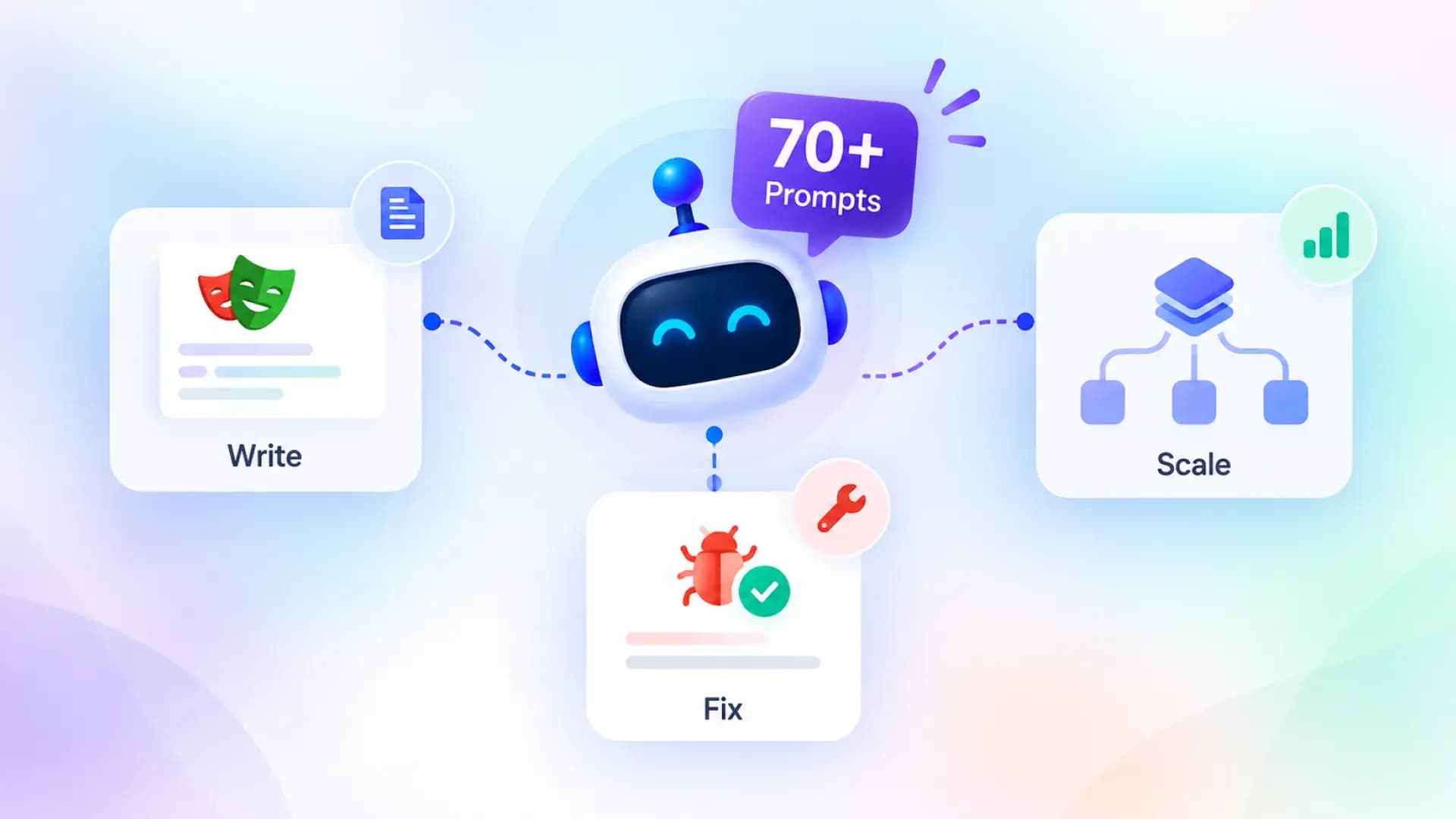
This guide gives you 71 copy-ready prompts, grouped by job: generating tests, fixing locators, migrating from other tools, debugging failures, driving Playwright MCP and the agent CLI, running Playwright's built-in test agents, and hardening CI. Each one states the context to include, the constraints that keep output honest, and what to check afterwards, so you spend less time babysitting AI codegen and more time shipping.
What playwright prompts are and why they matter in 2026
Playwright prompts are structured natural-language instructions given to an AI assistant or agent so it can write, review, repair, or run Playwright tests. A good prompt names the role, supplies project context, states the exact task, sets constraints such as locator rules, and defines the expected output.
A prompt for Playwright is not a magic phrase. It is a short specification. The model can only follow rules it has been told, and it can only match conventions it has seen. Everything in this guide follows from that one idea.
There are 3 kinds of prompts you will use, and they behave differently. Mixing them up is the most common reason people say "AI cannot write Playwright tests".
| Kind of prompt | Where you type it | What the model can see | Typical result |
|---|---|---|---|
| Chat prompt | Copilot Chat, Claude Code, Cursor, ChatGPT | Only the text and files you paste or attach | Test code, refactors, explanations |
| Browser-driving prompt | An agent connected to Playwright MCP or the Playwright agent CLI | Live accessibility snapshots of a real page | Verified locators, recorded flows, working tests |
| Agent prompt | Playwright planner, generator, or healer agents | Your app, seed test, and specs folder | Markdown test plans, spec files, repaired tests |
Why this became urgent in 2026
Playwright shipped the planner, generator, and healer Playwright test agents in version 1.56, added a "Copy prompt" button to the HTML report and trace viewer back in 1.51, and added a terminal debugger plus trace analysis commands built for agents in 1.59 Playwright release notes. The tooling for prompting is now inside the framework itself.
That also means the choice of surface matters. The official docs describe the agent CLI as lower token cost with "concise CLI output, skills loaded on demand", and MCP as higher cost because "tool schemas + snapshots" sit in context Playwright agent CLI introduction. The practical differences are covered in Playwright CLI vs MCP, and several prompts below are written for each.
Once you know which surface you are prompting, the next question is what to put inside the prompt.

A weak prompt and a strong prompt, side by side
The difference is easiest to see with the same request written twice. The first version is what most people type. The second is what gets merged.
Write a Playwright test for the login page.That prompt leaves the model to guess the language, the runner, the URL, the credentials, the locators, the success condition, and the file name. It will guess all seven, and at least two guesses will be wrong.
Role: senior Playwright engineer using @playwright/test in TypeScript.
Context: attached tests/example.spec.ts (copy its style), tests/fixtures.ts, playwright.config.ts with baseURL http://localhost:3000. Test user is in process.env.TEST_USER and TEST_PASSWORD.
Task: write tests/login.spec.ts with 4 tests: valid login lands on /dashboard and shows heading "Welcome back"; wrong password shows alert "Invalid email or password"; empty submit shows both field errors; locked account (user [email protected]) shows "Account locked".
Constraints: getByRole and getByLabel only. No waitForTimeout. No hardcoded hosts. Each test independent.
Output: one complete file, no commentary.
Verification: I will run npx playwright test tests/login.spec.ts and paste failures back.
The strong version is longer to type once and shorter to fix forever. The rest of this guide follows its shape.
The constraints that matter most
The constraints are not arbitrary. They come straight from the official guidance, which tells you to "prefer user-facing attributes to XPath or CSS selectors", to rely on web-first assertions that wait for a condition, and to keep every test isolated with its own storage and cookies Playwright best practices. A deeper walkthrough of those rules lives in Playwright best practices.
Put the constraints in a reusable block and paste it under every prompt. Here is the one used throughout this guide.
Constraints:
- Use @playwright/test with TypeScript.
- Locator priority: getByRole > getByLabel > getByPlaceholder > getByText > getByTestId. No CSS or XPath unless nothing else is unique.
- Never use page.waitForTimeout(). Use web-first assertions (expect(locator).toBeVisible(), toHaveText(), toHaveURL()).
- Use baseURL from playwright.config.ts. No hardcoded hosts.
- Each test must run in isolation. No shared state between tests.
- Mock only external services with page.route(). Never mock our own app.
- Every test needs at least one assertion per user-visible outcome.
- Return one complete file. No explanations unless I ask.
Tip: Paste one real spec from your repo above the constraints block. A single example of your naming, fixtures, and import style usually does more for consistency than three paragraphs of rules.
6 mistakes that quietly ruin playwright prompts
Most bad output traces back to one of these. Check your prompt against the list before blaming the model.
- No example spec attached. The model invents a style, and every generated file looks different.
- Asking for "tests" without listing scenarios. You get one happy path and a title that promises more.
- Not naming the runner. Plain Playwright library code and @playwright/test code look similar and are not interchangeable.
- Letting the model choose locators. Without a priority rule, CSS chains appear because they are common in training data.
- Accepting a whole-file rewrite for a small change. Locators you already stabilised get silently replaced.
- Never running the output. A prompt is a hypothesis. The test run is the experiment.
Many of these are the same errors people make without AI, which is why Playwright mistakes reads like a checklist for reviewing generated code.
Give the model your project, not the internet
If you use Claude Code, Cursor, or Copilot, you can install the playwright skill pack, which ships 70 Markdown guides across core, CI, page object, migration, and CLI topics that the agent loads on demand. The setup for one popular agent is described in Claude Code with Playwright.
With the anatomy in place, the rest of this guide is the prompt library itself. It starts where most people start: writing a test from nothing.
Playwright prompts for generating tests from scratch
These 18 prompts cover the most common test generation requests, from a one-line ticket to downloads, popups, mocked time, and Python. Each assumes you have pasted the shared constraints block from the previous section, and each ends with what to check before you trust the result.
Prompt 1: generate a test from a user story
Use this when a ticket has a one-line story and nothing else. Forcing the model to list scenarios before writing code catches missing cases early.
Role: senior Playwright engineer using @playwright/test in TypeScript.
Context: attached tests/example.spec.ts as the style reference and playwright.config.ts (baseURL is set). Test credentials come from process.env.TEST_USER and TEST_PASSWORD. The login page is /login, success lands on /dashboard.
User story: "As a registered user, I can log in with email and password and land on /dashboard."
Task:
1. First, list the scenarios you will cover (happy path, wrong password, empty fields, locked account, password visibility toggle). Wait for my confirmation.
2. After I confirm, write tests/login.spec.ts with one test per scenario inside a test.describe('Login').
3. Use test.beforeEach to navigate to /login.
4. Assert success with expect(page).toHaveURL(/dashboard/) and a visible heading, not just the URL.
Apply the constraints block. Output: the scenario list first, then the file after confirmation.
Check the output for: a heading assertion on the dashboard, a role-based locator for the submit button, and no test that depends on a previous test having logged in.
Prompt 2: generate tests from acceptance criteria
When the ticket already has Given/When/Then lines, map each one to a test and keep the wording so reviewers can trace coverage back to the ticket.
Role: senior Playwright engineer using @playwright/test in TypeScript.
Context: attached tests/example.spec.ts and tests/fixtures.ts. Products live at /products, the cart at /cart. The cart badge is the element with role "status" and accessible name "Cart items".
Task: convert these acceptance criteria into tests/cart.spec.ts. Use each criterion, word for word, as the test title.
1. Given an empty cart, when I add "Blue Hoodie", then the cart badge shows 1.
2. Given one item in the cart, when I remove it, then the empty-cart message "Your cart is empty" is visible.
3. Given two items, when I change quantity of the first to 3, then the subtotal updates to the unit price times 3.
Rules for the "Given" part: set it up inside the test with UI actions or the request fixture, never by relying on a previous test.
Apply the constraints block. Output: one complete file.
Check the output for: every "then" clause turned into an expect call, and a subtotal assertion that computes the expected value rather than hardcoding a number.
Prompt 3: convert manual test steps into a spec
Manual test cases are a goldmine. This prompt turns them into code without losing the expected results, which are the assertions.
Role: senior Playwright engineer using @playwright/test in TypeScript.
Context: attached tests/example.spec.ts. The app runs at baseURL.
Task: convert these manual steps into tests/password-reset.spec.ts. Treat every "Expected:" line as an assertion, not a comment. Group steps 1 and 2 into one test named "sends a reset link for a valid email" and step 3 into "rejects an invalid email".
Step 1: Open /forgot-password. Expected: heading "Reset your password" is visible.
Step 2: Enter "[email protected]" and click "Send link". Expected: text "Check your inbox" appears and the form is no longer visible.
Step 3: Enter an invalid email "nope" and blur the field. Expected: field error "Enter a valid email" is visible and the "Send link" button is disabled.
Apply the constraints block. Output: one complete file.
Check the output for: toBeDisabled on the button in step 3, and toBeHidden or not.toBeVisible on the form after step 2.
Prompt 4: create a data-driven test from a table
Parameterised tests are easy to get wrong with AI because the model often duplicates the whole test. Ask for a loop over a typed array and descriptive titles.
Role: senior Playwright engineer using @playwright/test in TypeScript.
Context: attached tests/example.spec.ts. The sign-up form is at /signup with fields labelled "Email" and "Password" and a button "Create account".
Task: write tests/signup-validation.spec.ts. Define a typed array of cases and loop with for...of, generating one test per case with a title like "shows '<expectedError>' for email '<email>'".
| email      | password  | expectedError                    |
| ""         | "Abc123!" | "Email is required"              |
| "bad"      | "Abc123!" | "Enter a valid email"            |
| "[email protected]"  | "short"   | "Password must be 8+ characters" |
| "[email protected]"  | "Abc123!" | (no error, lands on /welcome)    |
Assert errors with getByText(expectedError, { exact: true }). For the success row assert the URL. Apply the constraints block. Output: one complete file.
Check the output for: a single test body inside the loop, not four copies, and a type for the case object so a typo in a column name fails at compile time.
Prompt 5: brainstorm edge cases, then generate
Separate thinking from writing. The first answer is a list you can trim before any code exists, which saves you from deleting tests you never wanted.
Role: senior QA engineer who knows Playwright well.
Context: feature is file upload on /documents. Accepts PDF and PNG up to 10 MB, one file at a time, with a progress bar and a cancel button. Sample files exist in tests/fixtures/files/ (small.pdf, big.pdf at 12 MB, image.png, script.exe).
Task, step 1: list 10 edge cases a careful tester would try (size limit, wrong type, cancel mid-upload, duplicate file name, network failure during upload, empty file, very long file name, drag and drop vs picker, upload while another is in progress, refresh during upload). For each, say whether it is automatable with Playwright and how.
Stop and wait for me to pick which ones to automate.
Step 2 (after I reply): write tests/upload.spec.ts for the selected cases using page.setInputFiles and page.route to simulate the network failure. Apply the constraints block.
Check the output for: honest "hard to automate" labels on cases like drag and drop from the desktop, rather than a fake test that always passes.
Prompt 6: match an existing spec's style
If your suite already has conventions, make the model copy them explicitly. This is the single most effective way to get mergeable output.
Role: senior Playwright engineer joining an existing codebase.
Context: attached tests/checkout.spec.ts and tests/fixtures.ts. Notice the authenticatedPage fixture, the test.describe naming, the way steps are wrapped in test.step, and the assertion style.
Task: write tests/wishlist.spec.ts covering: add an item to the wishlist from /products, remove it from /wishlist, and the wishlist persists after page.reload().
Match the attached spec exactly: same imports from './fixtures', same fixture usage, same test.step wrapping, same assertion style.
Do not introduce any helper, import, or pattern that the attached files do not already use. If you think a new helper is needed, say so in one line instead of adding it.
Apply the constraints block. Output: one complete file.
Check the output for: an import from './fixtures' rather than '@playwright/test', and test.step blocks if your example uses them.
Custom fixtures are where most style drift happens, so if your team has not standardised them yet, Playwright fixtures is worth reading before you generate more tests.
Prompt 7: clean up codegen output
The recorder is fast but produces long, literal scripts. This prompt turns a recording into a readable test with real assertions.
npx playwright codegen http://localhost:3000/products -o tests/recorded/add-to-cart.spec.tsRole: senior Playwright engineer reviewing recorder output.
Context: attached tests/recorded/add-to-cart.spec.ts, generated by npx playwright codegen. It has 34 lines of clicks and fills and a single URL assertion at the end.
Task: rewrite it as tests/add-to-cart.spec.ts.
1. Remove redundant navigation and clicks that do not change state.
2. Group actions into test.step blocks with descriptive names.
3. Add an assertion after every state change: cart badge count, item name in the cart, subtotal.
4. Replace any locator that codegen built from text with a role-based locator if one exists.
5. Keep the same flow and the same test data.
Apply the constraints block. Output: the new file plus a 3-line summary of what you removed.Check the output for: the same number of state changes as the recording, so nothing was "cleaned up" that the test needed.
Prompt 8: write an API test with the request fixture
Playwright's request fixture makes API checks part of the same suite. The prompt should name the endpoint contract, not just the URL.
Role: senior Playwright engineer using @playwright/test in TypeScript.
Context: API base URL is in playwright.config.ts under use.baseURL. Bearer token is in process.env.API_TOKEN. Attached: tests/api/example.spec.ts.
Task: write tests/api/orders.spec.ts using the built-in request fixture.
Endpoint: POST /api/orders with JSON { sku: string, qty: number }.
Cases:
1. Valid order returns 201, body has id (string matching /^ord_/), status "pending", and a Location header.
2. qty 0 returns 422 with errors[0].field === "qty".
3. Missing token returns 401 with no body leak of internal errors.
4. Unknown sku returns 404.
Assert status with expect(response.status()).toBe() and body shape with expect(body).toMatchObject(). Clean up any created order in test.afterEach with DELETE /api/orders/{id}.
Apply the constraints block. Output: one complete file.
Check the output for: cleanup that only runs when an order was created, and headers set once through a shared helper rather than repeated in each test.
For teams new to this pattern, Playwright API testing shows how to share the same auth between API and UI tests.
Prompt 9: seed data through the API, assert through the UI
Fast suites create data through APIs and only use the browser to check what users see. Tell the model that division of labour explicitly.
Role: senior Playwright engineer using @playwright/test in TypeScript.
Context: attached tests/api/orders.spec.ts (shows how we call the API with the request fixture) and tests/fixtures.ts (authenticatedPage fixture). Orders page is /orders and lists orders newest first in a table with role "table" and name "Order history".
Task: write tests/orders-history.spec.ts.
Setup in test.beforeEach: POST /api/orders twice with different SKUs and store the returned ids.
Test 1: navigate to /orders and assert both ids are visible in the table, with the newest in the first row.
Test 2: filter by the first SKU using the "Search orders" textbox and assert only one row remains.
Teardown in test.afterEach: DELETE each created order.
Never create orders through the UI. Apply the constraints block. Output: one complete file.
Check the output for: getByRole('row') with a filter for the id rather than nth-child selectors, and teardown that tolerates a test that failed before creating anything.
Prompt 10: set up authentication once with storageState
Logging in through the UI in every test is slow and flaky. This prompt produces the setup-project pattern from the Playwright docs.
Role: senior Playwright engineer using @playwright/test in TypeScript.
Context: attached playwright.config.ts (currently one chromium project, no dependencies). Login form at /login with fields labelled "Email" and "Password". Credentials in process.env.TEST_USER and TEST_PASSWORD.
Task: create an auth setup following the Playwright docs pattern.
1. tests/auth.setup.ts that logs in via the UI, waits for expect(page).toHaveURL(/dashboard/), and saves storageState to playwright/.auth/user.json.
2. Update playwright.config.ts: add a "setup" project with testMatch for auth.setup.ts, and make the "chromium" project depend on it and use that storageState.
3. Add playwright/.auth/ to .gitignore.
4. Explain in a code comment how to force a fresh login for one test with test.use({ storageState: { cookies: [], origins: [] } }).
Apply the constraints block. Output: all three files in full.
Check the output for: the dependency declared on the chromium project and a testMatch that only matches the setup file, so the setup does not run as a normal test.
Variants of this flow for SSO, multi-role users, and token refresh are covered in Playwright authentication.
Prompt 11: mock an external service with page.route
Mock the third party, not your own backend. The prompt must say which requests to intercept and what a realistic payload looks like.
Role: senior Playwright engineer using @playwright/test in TypeScript.
Context: attached tests/checkout.spec.ts. Our checkout calls the external endpoint https://api.shipfast.example/rates during /checkout. Everything else is our own origin.
Task: write tests/shipping-rates.spec.ts.
Test 1: intercept only that host with page.route and fulfil with
{ rates: [{ carrier: "Standard", days: 5, price: 4.99 }, { carrier: "Express", days: 1, price: 14.99 }] }
Assert both carriers render with their prices, and that choosing Express updates the order total by 10.00.
Test 2: the route responds with status 500 and assert the message "Shipping is temporarily unavailable" appears and the "Place order" button is disabled.
Test 3: the route delays 3 seconds before fulfilling; assert the loading indicator is visible first, then the rates.
Register the route before page.goto. Do not mock any request to our own origin. Apply the constraints block. Output: one complete file.
Check the output for: the route registered before navigation, and a URL pattern narrow enough that it cannot catch your own API.
More interception patterns, including HAR replay, are in Playwright network mocking.
Prompt 12: add a visual regression test
Screenshot tests need stable inputs. Ask the model to mask dynamic regions, freeze animations, and explain how baselines are updated.
Role: senior Playwright engineer using @playwright/test in TypeScript.
Context: /pricing shows three plan cards, a live chat widget with data-testid="live-chat-widget", and a countdown with role="timer". We run visual tests only in the chromium project.
Task: write tests/visual/pricing.spec.ts using expect(page).toHaveScreenshot().
1. Navigate to /pricing, wait for the heading "Plans" to be visible, then take a full-page screenshot named pricing.png.
2. Mask the chat widget and the timer.
3. Set animations: "disabled" and maxDiffPixelRatio: 0.01.
4. Add a second test that screenshots only the "Pro" plan card element with toHaveScreenshot on the locator.
5. Explain in a code comment how to update baselines with --update-snapshots and why baselines should be generated in CI's Docker image, not on a laptop.
Apply the constraints block. Output: one complete file.
Check the output for: test.skip or a project filter that keeps the test out of firefox and webkit if you only keep chromium baselines.
The trade-offs between pixel diffs and DOM-based checks are laid out in Playwright visual testing.
Prompt 13: run an accessibility scan inside a test
Accessibility checks are cheap to automate with the axe integration that the Playwright accessibility docs describe. The prompt should state which rules or tags to include so the result is actionable.
Role: senior Playwright engineer using @playwright/test in TypeScript.
Context: @axe-core/playwright is installed. The cookie banner (#cookie-banner) is a third-party widget we cannot fix.
Task: write tests/a11y/home.spec.ts.
1. Scan / with AxeBuilder, withTags(["wcag2a", "wcag2aa"]), and exclude #cookie-banner.
2. Assert accessibilityScanResults.violations is empty.
3. On failure, attach the violations JSON with testInfo.attach so the report is debuggable, and print a table of id, impact, and the first affected selector.
4. Add a second test that scans /checkout after the "Continue as guest" button has been clicked, so the scan covers the form state.
Apply the constraints block. Output: one complete file.
Check the output for: the scan running after the page has finished rendering (assert a heading first), otherwise it scans a loading skeleton.
Reading the results and deciding which violations block a release is covered in Playwright accessibility testing.
Prompt 14: test file downloads and uploads
Downloads are events, not elements. The prompt has to say that, or the model will look for a link and assert nothing about the file.
Role: senior Playwright engineer using @playwright/test in TypeScript.
Context: /reports has a button "Export CSV" that triggers a download named report-<date>.csv. /documents has a file input labelled "Upload document" and lists uploaded files in a list with role "list" and name "Your documents". Sample files are in tests/fixtures/files/.
Task: write tests/files.spec.ts.
Test 1: start waiting for page.waitForEvent('download') before clicking "Export CSV", then assert the suggested filename matches /^report-\d{4}-\d{2}-\d{2}\.csv$/, save it with download.saveAs to test-results, and assert the first line of the file is the header "id,customer,total".
Test 2: upload tests/fixtures/files/small.pdf with setInputFiles on the labelled input and assert a listitem with text "small.pdf" appears.
Test 3: attempt to upload script.exe and assert the error "File type not allowed" is visible and no listitem was added.
Apply the constraints block. Output: one complete file.
Check the output for: the download promise created before the click, and the CSV header read from disk rather than assumed.
Prompt 15: handle popups, new tabs, and dialogs
New pages and native dialogs are where generated tests silently hang. Name the mechanism you expect, and the model will use it.
Role: senior Playwright engineer using @playwright/test in TypeScript.
Context: on /help, the link "Open documentation" opens a new tab to /docs. On /account, the "Delete account" button shows a browser confirm() dialog before deleting.
Task: write tests/popups-and-dialogs.spec.ts.
Test 1: use context.waitForEvent('page') started before the click to capture the new tab, wait for its load, assert its URL contains /docs and its heading is "Documentation", then close it.
Test 2: register page.on('dialog') before clicking "Delete account", assert the dialog message is "This cannot be undone. Continue?", dismiss it, and assert the account is still present.
Test 3: same as test 2 but accept the dialog and assert redirect to /goodbye.
Never leave a dialog handler registered across tests. Apply the constraints block. Output: one complete file.
Check the output for: the event promise created before the click in every case, and a dialog handler that is registered inside each test rather than in beforeEach.
Prompt 16: control time with page.clock
Countdowns, expiry banners, and "posted 5 minutes ago" labels are untestable at real speed. Playwright's clock API fixes that, but only if the prompt asks for it.
Role: senior Playwright engineer using @playwright/test in TypeScript.
Context: /checkout shows a "Your cart is reserved for 10:00" countdown and, when it hits zero, a "Reservation expired" banner. The app reads Date.now() and uses setInterval.
Task: write tests/reservation-timer.spec.ts using page.clock.
1. Call page.clock.install({ time: new Date('2026-09-14T10:00:00Z') }) before page.goto('/checkout').
2. Assert the timer shows "10:00".
3. Advance with page.clock.fastForward('05:00') and assert "05:00".
4. Advance past zero and assert the "Reservation expired" banner is visible and the "Place order" button is disabled.
5. Add a second test that uses page.clock.setFixedTime to render a "posted 2 hours ago" label on /feed deterministically.
Do not use real waits. Apply the constraints block. Output: one complete file.
Check the output for: clock installed before navigation, since installing it afterwards misses timers the page created on load.
Prompt 17: make test data safe for parallel workers
Tests that share a user or a record collide the moment you add workers. This prompt makes data unique per test and cleans it up.
Role: senior Playwright engineer using @playwright/test in TypeScript.
Context: attached tests/fixtures.ts. Our tests currently all log in as [email protected] and edit the same "Acme" customer record, which breaks with workers > 1. The API supports POST /api/users and POST /api/customers.
Task:
1. Add a worker-scoped fixture workerUser that creates a unique user per worker using test.info().parallelIndex in the email, logs in once, and deletes the user after all tests in the worker finish.
2. Add a test-scoped fixture customer that creates a unique customer per test with a name like "Acme-<testId>" and deletes it in teardown.
3. Refactor tests/customers.spec.ts to use both fixtures.
Apply the constraints block. Output: the updated fixtures file and the refactored spec.
Check the output for: the worker fixture declared with { scope: 'worker' }, and teardown code after the use() call in both fixtures.
The reasoning behind worker-scoped data is covered in Playwright parallel execution.
Prompt 18: generate the same test in Python
Not every team uses TypeScript. The Python bindings share the same locator and assertion model, so the prompt only needs to change the runner and the syntax.
Role: senior Playwright engineer using pytest-playwright in Python 3.12.
Context: attached tests/test_example.py (style reference) and conftest.py with a base_url fixture. Login page is /login with fields labelled "Email" and "Password".
Task: write tests/test_login.py with 3 tests: valid login lands on /dashboard, wrong password shows the alert "Invalid email or password", empty submit shows both field errors.
Use the page fixture, page.get_by_role and page.get_by_label, and expect from playwright.sync_api. Use re.compile for the URL assertion. No time.sleep().
Read credentials from os.environ["TEST_USER"] and TEST_PASSWORD.
Output: one complete file, then the single pytest command to run it headed in Chromium.
Check the output for: snake_case locator methods and expect imported from playwright.sync_api, since models often mix the TypeScript names into Python.
Setup for the Python runner, including fixtures and the browser flags, is in Python Playwright tutorial. Generated tests are only as good as the locators and assertions inside them, which is what the next group of prompts fixes.
Prompts for locators, assertions, page objects, and migrations
This is where AI output most often looks fine and is secretly fragile. These 13 prompts turn brittle tests into tests that survive a redesign, and bring tests over from Cypress and Selenium without carrying their habits along.
Prompt 19: rewrite brittle locators as user-facing locators
Paste the exact locators. Do not ask for "better selectors" in the abstract.
Role: senior Playwright engineer reviewing locators.
Context: the app uses Material UI, so class names are generated. Buttons have visible text. Inputs have labels. Table rows contain the invoice number as text.
Task: rewrite each locator below using Playwright's user-facing locators, in priority order getByRole, getByLabel, getByPlaceholder, getByText, getByTestId.
For each one, show the original, the replacement, and one line on why it is more stable.
If no user-facing option exists, say so and propose the exact data-testid to add to the component, with the JSX change.
page.locator('#root > div > form > button.btn-primary')
page.locator('xpath=//input[@type="email"]')
page.locator('.MuiDialog-root .MuiButton-text:nth-child(2)')
page.locator('td:has-text("Pending") + td a')
page.locator('div.card >> nth=3 >> text=Edit')
Check the output for: a role and name on every button locator, and a row-scoped locator for the table case instead of a sibling selector.
You can check the replacements against a live page with the Locator Playground in TestDino's free tools, which reports how many elements each locator matches.
Prompt 20: fix a strict mode violation
Strict mode errors are the most common locator failure with generated tests. The fix is almost always narrowing by role name or scoping to a parent.
Role: senior Playwright engineer.
Context: this locator throws "strict mode violation: getByRole('button', { name: 'Delete' }) resolved to 3 elements". The page shows a table of invoices, one row per invoice, each row has a Delete button, and each row contains the invoice number like INV-1042 as text.
Task: give me 3 fixes ranked by robustness, with code for each:
1. Scope to the row with getByRole('row', { name: /INV-1042/ }) and chain getByRole('button', { name: 'Delete' }).
2. Use getByRole('row').filter({ hasText: 'INV-1042' }) and chain.
3. Use .first() or .nth(1) and explain exactly why this is the weakest option and when it is acceptable.
Then tell me which one you would commit and why.
Check the output for: an explanation that .nth() breaks as soon as sort order changes, and a preference for the row-scoped version.
Prompt 21: locate an icon-only button
Icon buttons have no visible text. The prompt should push toward accessible names first and test ids second.
Role: senior Playwright engineer who cares about accessibility.
Context: two React components. The first renders <button aria-label="Close dialog"><svg .../></button>. The second renders <button><svg .../></button> with no accessible name at all.
Task:
1. Write the Playwright locator for the first button.
2. For the second, propose the smallest component change in two variants: adding aria-label, or adding data-testid. Show the locator for each variant.
3. State which variant also helps screen reader users and should be preferred.
4. Explain why getByRole('button').filter({ has: page.locator('svg') }) is a bad idea here.
Check the output for: a recommendation of aria-label over data-testid, and a clear statement that the locator uses the accessible name, not the SVG.
Prompt 22: replace fixed waits with web-first assertions
Every waitForTimeout is a future flaky test. Ask the model to explain what each wait was covering for, then replace it.
Role: senior Playwright engineer removing flakiness.
Context: attached tests/legacy/report-export.spec.ts, which contains 6 calls to page.waitForTimeout() ranging from 500 to 5000 ms.
Task:
1. For each call, identify the condition it was really waiting for: element visible, network response, URL change, download started, animation finished, or debounce.
2. Replace it with the right web-first assertion or Playwright event: expect(...).toBeVisible(), expect(page).toHaveURL(), page.waitForResponse(), page.waitForEvent('download'), or expect(...).toHaveText().
3. Produce a table with columns: line, original wait, real condition, replacement.
4. Return the full rewritten file with no waitForTimeout left.
Apply the constraints block.
Check the output for: a waitForResponse with a URL predicate where the wait covered an API call, not a generic networkidle.
A full list of auto-waiting assertions, and the ones people miss, is in Playwright assertions.
Prompt 23: add meaningful assertions to a thin test
Generated tests often click through a flow and assert almost nothing. This prompt adds the checks a reviewer would expect.
Role: senior Playwright engineer reviewing a pull request.
Context: attached tests/checkout.spec.ts. It completes a purchase in 22 lines and only asserts the final URL.
Task: add assertions after every meaningful step: cart badge count after adding, subtotal text, shipping option checked, order confirmation number matching /^ORD-\d{6}$/, and the confirmation email text.
Prefer toHaveText, toHaveValue, toBeChecked, toHaveCount over toBeVisible where the content matters.
Do not change any existing locator or action. Return only the diff.
Apply the constraints block.
Check the output for: unchanged locators in the diff context lines, and at least one assertion that would fail if the total were computed wrongly.
Note: Ask for a diff, not a rewritten file, when you are adding assertions to an existing test. Whole-file rewrites let the model quietly change locators you had already stabilised.
Prompt 24: use soft assertions on a summary page
Soft assertions let one test report every mismatch on a page instead of stopping at the first. Use them for read-only summary screens.
Role: senior Playwright engineer using @playwright/test in TypeScript.
Context: /orders/ORD-100200 shows a read-only summary with these fields and expected values: customer name "Ada Lovelace", email "[email protected]", 3 line items ("Blue Hoodie" x1, "Sticker pack" x2, "Mug" x1), subtotal "$54.00", tax "$4.32", total "$58.32". Seed data is already present in the test database.
Task: write tests/order-summary.spec.ts.
1. Open the page and use expect.soft for each field so the report lists every mismatch in one run.
2. Use a definition list or table locator scoped by the field label, not by position.
3. End with a hard assertion that the "Download invoice" button is enabled.
4. Add a comment explaining when soft assertions are wrong to use (anything that gates a later step).
Apply the constraints block. Output: one complete file.
Check the output for: expect.soft on the fields and a plain expect on the button, in that order.
Prompt 25: extract a page object from a spec
Page objects reduce duplication when several specs touch the same screen. Ask the model to keep locators as properties and actions as methods.
Role: senior Playwright engineer introducing page objects.
Context: attached tests/login.spec.ts and tests/password-reset.spec.ts. Both interact with the login screen and duplicate the same 5 locators.
Task: create pages/LoginPage.ts with:
- readonly locators as class properties built in the constructor (getByRole and getByLabel only)
- methods goto(), login(email, password), and expectError(message)
- no assertions inside action methods except expectError
- no waits, since locators auto-wait
Then refactor both specs to use it without changing what they assert. Return the three files.
Apply the constraints block.
Check the output for: locators created in the constructor rather than inside methods, and specs whose assertions are unchanged.
When page objects are worth it, and when they just add layers, is discussed with examples in Playwright page object model.
Prompt 26: turn page objects into fixtures
Fixtures inject page objects automatically and clean up after tests. This prompt produces the test.extend pattern.
Role: senior Playwright engineer using @playwright/test in TypeScript.
Context: attached pages/LoginPage.ts and pages/DashboardPage.ts, plus tests/dashboard.spec.ts which constructs both manually in every test.
Task: create tests/fixtures.ts that exports test and expect from test.extend with:
- loginPage and dashboardPage fixtures, each constructed with the page fixture
- an authenticatedDashboard fixture that logs in with process.env.TEST_USER and TEST_PASSWORD, waits for the dashboard heading, then yields dashboardPage
Update tests/dashboard.spec.ts to import { test, expect } from './fixtures' and use authenticatedDashboard.
Type the fixtures with a Fixtures type so autocomplete works.
Apply the constraints block. Output: both files in full.
Check the output for: the fixture type declared and passed to test.extend, and the login happening inside the fixture rather than in beforeEach.
Prompt 27: write a custom matcher
Repeated assertion logic belongs in expect.extend. Give the model the exact behaviour and the error message you want.
Role: senior Playwright engineer using @playwright/test in TypeScript.
Context: our app shows toasts as elements with role="status". Tests currently repeat a 4-line check for them.
Task: create a custom matcher toHaveToast(page, message) in tests/matchers.ts using expect.extend.
1. Poll for up to 5 seconds for a role="status" element containing the message.
2. Pass when found. Fail with a message that lists the toasts that were actually visible.
3. Support the negated form (expect(page).not.toHaveToast('Error')).
4. Show how to register it in tests/fixtures.ts, add the TypeScript declaration so expect(page).toHaveToast compiles, and use it as await expect(page).toHaveToast('Saved').
Output: matchers.ts, the fixtures change, and one usage example.
Check the output for: a polling loop that respects the timeout rather than a single check, and the module declaration that extends the Matchers type.
Prompt 28: review locators against the official rules
Use this as a pre-merge gate. It produces a checklist review rather than code.
Role: strict reviewer who knows Playwright's official best practices.
Context: attached tests/checkout.spec.ts.
Task: review the file and report a table with columns: line, issue, severity (high, medium, low), fix.
Check specifically for: CSS or XPath locators, waitForTimeout, assertions missing await, tests depending on other tests, hardcoded URLs, requests to third-party hosts that are not mocked, missing expect calls after actions, and test titles that do not describe the assertion.
Do not rewrite the file. Only report. End with a one-line verdict: mergeable or not.
Check the output for: a line number on every finding, so the review can be verified rather than trusted.
The reasoning behind each of those checks, with before and after examples, is in Playwright locators.
Prompt 29: convert a Cypress test to Playwright
Migrations fail when the model translates line by line and keeps Cypress habits such as chained commands and implicit retries. Tell it what changes conceptually.
Role: senior engineer who has migrated suites from Cypress to Playwright.
Context: attached cypress/e2e/checkout.cy.js (uses cy.get with data-cy attributes, cy.intercept, cy.wait('@alias'), and a custom cy.login command). Our Playwright repo uses tests/fixtures.ts with an authenticatedPage fixture and testIdAttribute set to data-cy in playwright.config.ts.
Task: write tests/checkout.spec.ts that covers exactly the same behaviour.
1. Replace cy.login with the authenticatedPage fixture.
2. Replace cy.get('[data-cy=...]') with getByTestId, and prefer getByRole where a role and name exist.
3. Replace cy.intercept and cy.wait('@alias') with page.route or page.waitForResponse as appropriate.
4. Replace should('contain', ...) chains with web-first expect calls.
5. List anything from the Cypress test that has no direct equivalent and how you handled it.
Apply the constraints block. Output: the new file plus the list.
Check the output for: no leftover chained command style, and a waitForResponse only where the Cypress test really depended on the alias.
The full mapping of commands and the config changes to make is in Cypress to Playwright migration.
Prompt 30: convert a Selenium test to Playwright
Selenium code carries explicit waits, driver management, and By locators. The prompt should retire all three.
Role: senior engineer migrating a Java Selenium suite to Playwright with TypeScript.
Context: attached LoginTest.java (uses WebDriverWait with ExpectedConditions, By.id and By.xpath locators, Thread.sleep in two places, and a BasePage class that manages the driver).
Task: write tests/login.spec.ts with the same coverage.
1. Drop all driver management; use the page fixture.
2. Replace every WebDriverWait and Thread.sleep with locator auto-waiting or a web-first assertion. Explain in a comment what each wait was for.
3. Replace By.id and By.xpath with getByRole, getByLabel, or getByTestId.
4. Keep the same test names so the migration is traceable.
5. Output a short table: Selenium construct, Playwright equivalent, line.
Apply the constraints block.
Check the output for: zero explicit waits, and locators that do not depend on ids that were only added for Selenium.
Teams doing this at scale will find the sequencing advice in Selenium to Playwright migration useful.
Prompt 31: explain a Playwright concept with a runnable example
Not every prompt produces a test. When someone on the team is stuck on a concept, a teaching prompt with a runnable example beats a documentation link.
Role: patient senior engineer teaching Playwright to a developer who knows Jest but not browser testing.
Task: explain Playwright fixtures in under 300 words.
1. Start with the problem they solve compared with beforeEach.
2. Show one runnable example: a fixture that creates a todo item through the request fixture and deletes it afterwards, used by one test.
3. Explain test-scoped versus worker-scoped in two sentences with one example of each.
4. End with 3 common mistakes and how to spot them.
Use @playwright/test with TypeScript. Keep the code under 30 lines.
Check the output for: teardown placed after the use() call in the example, which is the detail most explanations get wrong.
More structured learning paths are laid out in learn Playwright. Once tests are stable, the next set of prompts handles the moment they still fail.
Prompts for debugging and fixing failing tests
Debugging prompts work best when you paste real evidence: the error, the relevant test code, and, when possible, the trace or accessibility snapshot. These 11 prompts are built around that evidence.
Prompt 32: explain an error using the built-in copy prompt
Since version 1.51, the HTML report and the trace viewer have a button that copies a pre-filled prompt with the error and context. Paste it, then add a few lines of direction.
[Paste the output of "Copy prompt" from the Playwright HTML report here. It includes the failing step, the error, and a page snapshot.]
Additional instructions:
1. Explain the root cause in two sentences, using the snapshot as evidence. Quote the element from the snapshot that proves your explanation.
2. Give the minimal fix as a diff.
3. If the fix is a locator change, prefer getByRole or getByLabel. If it is a timing issue, use a web-first assertion, not a fixed wait.
4. If the snapshot shows the app is genuinely broken rather than the test, say so and do not change the test.
Check the output for: a quoted line from the snapshot. A diagnosis that does not cite the snapshot is a guess.
The copied prompt already includes the failing step, the error, and a page snapshot, so keep your addition focused. The details of what the trace captures are in Playwright trace viewer.
Prompt 33: diagnose a click timeout
Click timeouts have a small set of causes. Make the model rule them out in order instead of guessing.
Role: senior Playwright engineer debugging actionability.
Context: error is "locator.click: Timeout 30000ms exceeded". The call log says "waiting for getByRole('button', { name: 'Continue' })", then "element is visible, enabled and stable", then "<div class="modal-backdrop"> intercepts pointer events" repeated 14 times.
Code: await page.getByRole('button', { name: 'Continue' }).click();
Task:
1. Work through these causes in order and say which the call log supports: overlay or modal intercepting, element outside viewport, animation not finished, disabled state, duplicate elements, wrong frame.
2. Give the fix that addresses the real cause (for an overlay: wait for it to be hidden, or close it, with a web-first assertion).
3. Do not suggest force: true unless nothing else applies, and if you do, explain what the test would then stop verifying.
Check the output for: a fix that asserts the backdrop is hidden before the click, not a force click that hides the bug.
Timeout tuning, and why raising the number is usually wrong, is covered in Playwright timeout.
Prompt 34: analyse a trace file from the terminal
Playwright 1.59 added terminal commands for opening and inspecting traces so agents can read them without a GUI. Point the model at the file and ask for a timeline.
Role: senior Playwright engineer with terminal access.
Context: test-results/checkout-chromium/trace.zip from the failing test "guest checkout pays with card".
Task: use the Playwright trace commands (npx playwright trace ...) to analyse the file and report:
1. The last 5 actions before failure with their durations.
2. The failing action and its full error.
3. Any console errors and their source.
4. Any network request with status 400 or above, with method, URL, and status.
5. The most likely cause, and the smallest test change that would fix it.
Do not modify the test until I confirm the cause.
Check the output for: durations and statuses that come from the trace, not plausible-sounding numbers; ask for the exact command output if in doubt.
If you prefer a step-by-step walkthrough of what to look for in a trace, debugging Playwright tests covers the same commands with screenshots.
Prompt 35: passes locally, fails in CI
Without structure, this problem turns into guesswork. Build the prompt around the differences between the two environments.
Role: senior Playwright engineer who has debugged many CI-only failures.
Context: tests/export.spec.ts passes locally on macOS in headed mode but fails in GitHub Actions with "Test timeout of 30000ms exceeded" on the step that waits for a CSV download. Attached: playwright.config.ts, .github/workflows/playwright.yml, and the CI log.
Task:
1. List the environment differences that could explain it: headless vs headed, viewport, worker count, slower CPU, missing fonts, download directory permissions, timezone, locale, missing env vars, container user.
2. For each, say how to confirm or rule it out using the attached files, and mark the ones the attachments already rule out.
3. Propose the fix for the most likely cause, and a second fix if the first does not hold.
4. Suggest the one change to the workflow (trace on first retry, artifact upload) that would make the next failure self-explaining.
Check the output for: differences that are actually visible in your config and workflow, rather than a generic list copied from memory.
Prompt 36: reproduce a flaky test on purpose
You cannot fix what you cannot reproduce. Ask for a reproduction plan first.
Role: senior Playwright engineer investigating flakiness.
Context: tests/notifications.spec.ts fails roughly 1 in 15 CI runs with "expected 3 items, received 2". Locally it has never failed.
Task:
1. Give a reproduction plan: the exact commands using --repeat-each 30, first with --workers 1 and then --workers 4, with trace: 'on' and the --project flag for chromium only.
2. Explain what a difference in failure rate between 1 and 4 workers would tell us (shared state versus timing).
3. List what to look at in the trace of a failed repeat.
After I share the results, propose the fix. Do not add a retry or a wait as the fix.
Check the output for: commands that will actually run in your repo, and a refusal to guess the fix before seeing results.
Prompt 37: fix a race between an API call and a list render
Lists that update after a request are a classic race. The prompt should insist on waiting for the response or the resulting state, not for time.
Role: senior Playwright engineer.
Context: this test sometimes fails with "expected 3, received 2":
await page.getByRole('button', { name: 'Refresh' }).click();
expect(await page.getByRole('listitem').count()).toBe(3);
Task:
1. Explain why count() with a plain expect does not retry, in two sentences.
2. Rewrite it with expect(locator).toHaveCount(3).
3. Show a second version that waits for the specific GET /api/items response with page.waitForResponse (promise created before the click) and then asserts.
4. State which version you would keep and why, and when the second is necessary.
Check the output for: the waitForResponse promise created before the click, and toHaveCount as the default recommendation.
Prompt 38: debug an authentication redirect loop
Auth problems usually come from stale storage state or a missing cookie domain. Give the model the config and the symptom.
Role: senior Playwright engineer debugging auth.
Context: after adding storageState to playwright.config.ts, every test opens /dashboard and is redirected to /login, then back to /dashboard, until the navigation timeout. Attached: playwright.config.ts, tests/auth.setup.ts, and playwright/.auth/user.json with secret values replaced by REDACTED but structure intact.
Task: check, in order, and tell me which the attached files point to:
1. Cookie domain and path versus baseURL host.
2. Secure flag on a cookie used over http://localhost.
3. Token expiry inside the saved state.
4. Whether the chromium project actually depends on the setup project.
5. Whether the setup saved state before the redirect to /dashboard completed.
Give the exact change for the cause you find.
Check the output for: a cause tied to a specific line in the attached files, not a list of possibilities with no verdict.
Prompt 39: locate elements inside iframes and shadow DOM
Nested contexts confuse both people and models. Say what the element sits inside.
Role: senior Playwright engineer.
Context: the "Pay now" button lives inside an iframe with title "Secure payment". Inside that iframe, the card number input is rendered in an open shadow root by a web component <card-field>.
Task:
1. Write the locators using page.frameLocator('iframe[title="Secure payment"]') chained with getByRole and getByLabel.
2. Explain in two sentences that Playwright locators pierce open shadow DOM by default, so no special syntax is needed.
3. Explain what changes if the shadow root is closed, and what the only realistic options are then.
4. Show one assertion that proves the input received the typed value.
Check the output for: frameLocator used for the iframe and nothing special for the shadow root, since extra shadow-piercing syntax is a sign of a Selenium habit.
Prompt 40: fix a failure that only happens in one browser
Cross-browser failures often come from timing or from features that differ between engines. The prompt should ask for the browser-specific cause, not a global workaround.
Role: senior Playwright engineer experienced with WebKit and Firefox differences.
Context: tests/date-picker.spec.ts passes in chromium and firefox but fails in webkit with "expected 'Sep 14, 2026', received ''". The test fills an <input type="date"> with page.fill('2026-09-14') and then reads a formatted label. Attached: the test and the component source.
Task:
1. Explain why filling a date input can behave differently across engines, and what the trace would show.
2. Propose a fix that keeps the test meaningful in all three browsers (for example, filling in ISO format and asserting the input value, then the label).
3. If a genuine engine difference remains, show how to skip only in webkit with test.skip(browserName === 'webkit', reason) and explain why that is a last resort.
Apply the constraints block.
Check the output for: a real explanation tied to the input type, and a skip that is browser-specific with a reason, never a blanket skip.
Which features behave differently across the three engines is tracked in browser compatibility issues, and the Browser Compatibility Matrix in TestDino's free tools gives a quick lookup.
Prompt 41: find why a test hangs and never finishes
A test that never ends is usually waiting on an event that will never fire. Ask the model to hunt for unresolved promises.
Role: senior Playwright engineer.
Context: tests/invoice-download.spec.ts hangs until the 30 second test timeout with no assertion error. Attached: the test. It uses page.waitForEvent('download'), page.waitForResponse, and a Promise.all around a click.
Task:
1. List every promise in the test that could stay pending forever and why (event fired before the listener, response URL predicate never matching, dialog blocking, popup never opened).
2. For each, show how to confirm it from a trace or from the --debug=cli output.
3. Rewrite the affected lines so the listener is created before the action that triggers it.
4. Add a comment above each waitFor call stating what triggers it.
Check the output for: every waitFor promise created before its trigger, and a URL predicate for waitForResponse that matches the real request.
Prompt 42: turn a failure report into a fix plan
When several tests fail at once, ask for grouping before fixing. This is what a good triage engineer does.
Role: triage lead for a Playwright suite.
Context: attached results.json from last night's run with 14 failures across 9 files.
Task:
1. Group the failures by probable root cause (same error message, same locator, same page, same time window).
2. For each group: list the tests, the shared symptom, a confidence score from 1 to 5, and the single change most likely to fix the whole group.
3. Order the groups by number of tests affected.
4. Flag any group that looks like a product bug rather than a test problem.
Do not write code yet.
Check the output for: groups that share concrete evidence from the report, not themes invented to make the list tidy.
Manual grouping like this is exactly what test intelligence platforms automate. TestDino clusters failures and runs root cause analysis across runs, and the broader workflow of fixing Playwright tests with AI shows where a prompt ends and a platform begins.
Prompts so far have worked from pasted text. The next group lets the model open a real browser and see the page for itself.
Playwright prompts for MCP, the agent CLI, and test agents
Browser-connected prompts change the game because the model reads a live accessibility snapshot instead of guessing what the page contains. Playwright MCP is described officially as enabling "LLMs to interact with web pages through structured accessibility snapshots, no vision models required" Playwright MCP introduction.
Adoption has been steep. Monthly downloads of the @playwright/mcp package grew from about 2.2 million in September 2025 to a peak of about 27.9 million in July 2026, according to the npm registry downloads API.

The setup is one JSON block in your client config, and the same snippet works for VS Code, Cursor, Claude Desktop, and most other MCP clients.
{
  "mcpServers": {
    "playwright": {
      "command": "npx",
      "args": ["@playwright/mcp@latest"]
    }
  }
}
If the server connects but the model cannot see your page, Playwright MCP troubleshooting lists the usual causes. With it running, these 12 prompts work in any agent chat.
Prompt 43: explore an app and list testable flows
Let the model discover the app before it writes anything. The output is a plan you can prune.
Role: exploratory tester with Playwright MCP tools.
Context: the app is running at http://localhost:3000. A test account is [email protected] / Password123. Do not create real orders; stop before any "Pay" button.
Task: explore as a new user would. Open the main navigation, visit each top-level page, try the primary action on each, and log in once to see the authenticated areas.
Use browser_snapshot rather than screenshots. Do not spend more than 25 tool calls.
Output: a Markdown list of 8 to 12 user flows worth automating. For each: entry URL, 3 to 6 steps, the observable result, a risk rating (high, medium, low), and whether it needs authentication.
Do not write test code yet.
Check the output for: flows with a concrete observable result, since "page loads" is not a test.
Prompt 44: drive a form, then write the test
This pattern does the flow live first so every locator is verified, then generates the spec from what actually happened.
Role: senior Playwright engineer with browser access.
Context: the contact form is at http://localhost:3000/contact. Attached: tests/example.spec.ts for style.
Task:
1. Navigate to the page and take a snapshot.
2. Fill the form: name "Test User", email "[email protected]", topic "Billing" (a select), message "Prompt-driven test". Submit.
3. Confirm the success message appears and note its exact text and role from the snapshot.
4. Write tests/contact.spec.ts that reproduces exactly what you did, using the roles and names you saw. Add a second test for submitting with an invalid email and assert the validation message you observe by trying it.
5. Run npx playwright test tests/contact.spec.ts and paste the result. If it fails, fix and rerun once, then report.
Apply the constraints block.
Check the output for: locators that match names you saw in the snapshot output, and a real test run result at the end.
Client-specific guidance for this flow lives in Playwright tests with Copilot and Playwright tests with Cursor.
Prompt 45: reproduce a bug report
Bug reports become regression tests when the model can confirm the bug first.
Role: QA engineer verifying a bug report with browser access.
Context: bug report says "On /settings, changing the timezone and clicking Save shows a success toast but the value reverts after reload." App at http://localhost:3000, account [email protected] / Password123.
Task:
1. Reproduce it step by step and report, with snapshot evidence, whether it reproduces. Include the value shown before save, after save, and after reload.
2. If it reproduces, write tests/regression/settings-timezone.spec.ts that fails today and will pass once fixed, with a clear assertion on the persisted value after page.reload(). Tag it with { tag: '@regression' } and add test.info().annotations for the issue link.
3. If it does not reproduce, say what differed from the report and stop.
Apply the constraints block.
Check the output for: the three observed values in the report, and a test that asserts the value after reload rather than the toast.
Prompt 46: pull locators from a live snapshot
When you only need locators, ask for a table. It is faster than generating a whole test.
Role: senior Playwright engineer auditing locators.
Task: navigate to http://localhost:3000/checkout and take a snapshot.
For every interactive element on the page (buttons, links, inputs, selects, checkboxes, radios), output a table with columns: role, accessible name, recommended Playwright locator, and whether the name is unique on the page.
Flag any control without an accessible name and propose the aria-label to add.
Then repeat for the state after clicking "Continue as guest", since new controls appear.
Do not write a test.
Check the output for: the uniqueness column filled in from the snapshot, which tells you which locators will hit strict mode later.
Tip: The best playwright prompts for MCP ask for snapshots, not screenshots. A snapshot is text the model can search and quote, so the locators it writes come from real accessible names rather than from a guess about what a pixel means.
Prompt 47: run a lightweight session with the agent CLI
For long sessions in a big codebase, the agent CLI keeps context small. Install it globally and tell the agent to use it instead of MCP.
npm install -g @playwright/cli@latest
playwright-cli install --skillsRole: senior Playwright engineer using the playwright-cli skill.
Context: use playwright-cli instead of MCP for this task to keep context small. Attached: tests/example.spec.ts for style.
Task:
1. Open https://demo.playwright.dev/todomvc in headed mode.
2. Add three todos, mark the second complete, filter by Active, take a snapshot, and screenshot the result.
3. From the snapshot refs, write tests/todo.spec.ts covering add, complete, filter by Active, and clear completed.
4. Run the spec and report the result.
5. Close the browser session when done.
Apply the constraints block.Check the output for: a closed session at the end, and locators derived from the snapshot rather than from memory of the TodoMVC demo.
How the CLI's commands map to test code, and where it beats MCP, is explained in Playwright CLI.
Prompt 48: run the planner agent
Playwright's own agents are initialised per client. The planner explores the app and writes a Markdown plan into the specs folder.
npx playwright init-agents --loop=claudeGenerate a test plan for guest checkout.
Start from tests/seed.spec.ts for environment setup and fixtures.
Cover: add to cart from a product page, edit quantity in the cart, apply a valid coupon (SAVE10) and an invalid one (NOPE), pay with the test card 4242 4242 4242 4242, and reach the confirmation page.
For each scenario include: preconditions, numbered steps, expected result after each step, and test data.
Write the plan to specs/guest-checkout.md. Keep it to the checkout flow; do not plan account or admin scenarios.Check the output for: an expected result after each step, not only at the end, since the generator turns those into assertions.
The loop flag also accepts vscode, codex, and opencode, and the official docs note that the generated definitions "should be regenerated whenever Playwright is updated to pick up new tools and instructions" Playwright test agents.
Prompt 49: run the generator agent
The generator reads the plan and writes specs, verifying locators live as it goes.
Generate tests from specs/guest-checkout.md.
Create one spec file per scenario group under tests/checkout/, named after the group.
Use the fixtures and style in tests/seed.spec.ts. Verify every locator against the live page before writing it.
Turn every "expected result" line in the plan into an assertion.
Apply the constraints block.
Run each generated test once and report which pass, which fail, and the failure messages, so the healer can take over.
Check the output for: a one-to-one mapping between plan scenarios and test titles, so coverage can be traced back to the plan.
Prompt 50: run the healer agent
The healer replays failing steps, inspects the current UI, and proposes a patch. Constrain what it is allowed to change.
Heal tests/checkout/coupon.spec.ts.
Allowed changes: locators, waits replaced by web-first assertions, test data values.
Not allowed: deleting or weakening assertions, adding test.skip or test.fixme, adding retries, or raising any timeout above 30 seconds.
For each change, add a one-line code comment explaining what changed in the UI and why the old locator broke.
If a failure looks like a product bug (the UI genuinely does not do what the plan says), stop, do not patch the test, and report it.
Stop and report if the same test fails 3 times after healing.
Check the output for: comments that describe a UI change, and no diff line that removes an expect.
| Surface | Context cost (per official docs) | Best for | Prompts in this guide |
|---|---|---|---|
| Playwright MCP | Higher, tool schemas and snapshots stay in context | Exploration, reproducing bugs, agentic loops | 43 to 46, 51 to 53 |
| Playwright agent CLI | Lower, concise CLI output and on-demand skills | Coding agents in large codebases | 34, 47 |
| Test agents (planner, generator, healer) | Depends on the loop that runs them | Plan to spec to repair workflows | 48 to 50, 54 |
Prompt 51: audit console and network during a flow
Functional tests miss silent errors. Use the browser tools to catch them while walking a journey.
Role: QA engineer auditing a user journey for silent failures.
Context: app at http://localhost:3000; a dev mail inbox is at /dev/mail.
Task: walk through sign up with a fresh email, open the verification email in /dev/mail, click the link, and complete first login.
After each page, call browser_console_messages and browser_network_requests.
Report every console error and warning, and every request with status 400 or above, with the page it happened on and the request URL.
Then propose which of these should become assertions in our tests (for example, page.on('console') failing the test on errors) and which are noise to ignore.
Check the output for: page names next to each error, so the report can be turned into targeted tests.
Prompt 52: compare staging and production behaviour
Environment drift is a common source of false alarms. This prompt makes the model check both and report differences only.
Role: release engineer verifying environment parity.
Task: open https://staging.example.com/pricing and https://www.example.com/pricing in two tabs.
Take a snapshot of each and compare: plan names, prices, feature bullets, CTA labels, and the footer version string.
Report only differences in a table with columns field, staging, production.
If there are no differences, say so in one line.
Do not take screenshots and do not click any purchase button.
Check the output for: an empty-difference statement when there is nothing to report, rather than padded observations.
Prompt 53: explore a mobile viewport before writing tests
Responsive layouts hide controls behind menus. Letting the model see the mobile snapshot first prevents tests that click a button that does not exist at that width.
Role: senior Playwright engineer covering mobile web.
Context: app at http://localhost:3000. Attached: playwright.config.ts with a "Mobile Chrome" project using the Pixel 7 device.
Task:
1. Resize the browser to 412 by 915 and navigate to /products.
2. Take a snapshot and list which navigation controls are hidden behind a menu button compared with desktop.
3. Add "Blue Hoodie" to the cart through the mobile layout and reach /cart.
4. Write tests/mobile/add-to-cart.spec.ts that runs only in the "Mobile Chrome" project (use test.describe with a project check or a separate testDir) and opens the menu before navigating.
5. Assert the cart badge and the item name.
Apply the constraints block.
Check the output for: the menu opened before the navigation click, and a project filter so the test does not run at desktop width.
Device emulation options, and what they cannot simulate, are explained in Playwright mobile testing.
Prompt 54: chain the three agents with guardrails
Running plan, generate, and heal in one go is tempting. Make the stop conditions explicit so the loop cannot run away.
Run the full loop for the "account settings" feature at http://localhost:3000/settings.
1. Planner: write specs/account-settings.md with at most 6 scenarios.
2. Stop and show me the plan. Wait for my approval before generating.
3. Generator: create tests under tests/settings/ from the approved plan and run them.
4. Healer: attempt to fix failures, at most 2 healing passes per test, following the healer rules (no assertion removal, no skips, no retries).
5. Final report: table of scenario, test file, status, and any test you could not heal with the reason.
Total budget: 60 tool calls. Stop and report if you reach it.
Check the output for: the pause after planning. An agent that skips the approval step should not be trusted with the healing step.
Browser-connected prompts produce tests. Keeping those tests fast and trustworthy in CI is a different job, and the next prompts handle it.
Prompts for CI, flaky tests, and reporting
A suite that only runs on a laptop is not a suite. These 11 prompts cover pipelines, containers, flakiness, speed, cost, and the reports people actually read.
Prompt 55: write a GitHub Actions workflow with sharding
Sharding needs blob reports and a merge job. Spell that out so the model does not produce four disconnected HTML reports.
Role: senior engineer who maintains Playwright pipelines.
Context: repo uses Node 20, @playwright/test 1.63.0, and a webServer defined in playwright.config.ts. Tests take 38 minutes on one machine.
Task: write .github/workflows/playwright.yml with:
1. A matrix of 4 shards running npx playwright test --shard=${{ matrix.shard }}/4 with --reporter=blob.
2. The official mcr.microsoft.com/playwright container image pinned to the same version as @playwright/test.
3. Upload of each blob report as an artifact named blob-report-<shard>.
4. A final job (if: always()) that downloads all blobs into one folder and runs npx playwright merge-reports --reporter html, then uploads playwright-report.
5. Concurrency that cancels older runs on the same branch, and a 30 minute timeout per job.
6. Caching of node_modules keyed on package-lock.json.
Add a one-line comment explaining each non-obvious step.
Check the output for: the container tag matching your package version exactly, and the merge job running even when a shard fails.
How many shards you actually need depends on suite length and your time target. The Sharding Calculator in TestDino's free tools gives a starting number, and Playwright sharding explains the merge step in detail.
Prompt 56: generate a production-ready config
Ask for a config with the reasons in comments. The comments are what your teammates will read in six months.
Role: senior Playwright engineer setting up a new repo.
Context: Next.js app served by npm run dev on http://localhost:3000. CI is GitHub Actions. We want desktop coverage on three engines and one mobile profile.
Task: write playwright.config.ts with:
1. Projects for chromium, firefox, webkit, plus "Mobile Chrome" using devices['Pixel 7'].
2. retries: 2 in CI and 0 locally; workers: 4 in CI and undefined locally; fullyParallel: true; forbidOnly in CI.
3. use: baseURL, trace 'on-first-retry', screenshot 'only-on-failure', video 'retain-on-failure', testIdAttribute 'data-testid'.
4. Reporters: list locally; in CI, blob plus github.
5. webServer that runs npm run dev, waits on the URL, and reuses an existing server only when not in CI.
6. expect.timeout of 10 seconds and a global timeout of 60 seconds per test.
Add a one-line comment above every option explaining the choice.
Check the output for: reuseExistingServer tied to !process.env.CI, and forbidOnly enabled in CI so a stray test.only cannot pass a pipeline.
The Config Generator in TestDino's free tools produces a similar file from a form if you would rather not prompt for it.
Prompt 57: find flaky tests in a JSON report
Retries hide flakiness. A test that failed then passed is marked flaky in the JSON report, and the model can count them.
Role: test reliability engineer.
Context: attached results.json from the JSON reporter for last night's run (retries: 2).
Task:
1. List every test whose status is "flaky" (failed on an attempt, passed on retry) with file, title, project, and the error from the failed attempt.
2. Group them by error message pattern.
3. For each group, say whether it is more likely a product race, a test timing issue, or shared data, and what evidence in the errors supports that.
4. Recommend one group to fix first and why.
Check the output for: the error text quoted from the failed attempt, not from the passing retry.
Note: One report tells you what flaked today. Trends need history. TestDino tracks pass and flake rates per test across runs, so a prompt like this becomes a dashboard rather than a weekly chore.
Prompt 58: quarantine a flaky test properly
Quarantine should be visible, time-boxed, and reversible. Make the model use annotations instead of commenting the test out.
Role: senior Playwright engineer.
Context: the test "user can export report" in tests/reports.spec.ts flakes about 8% of runs. Issue tracker link is https://issues.example.com/QA-421.
Task:
1. Quarantine it with test.fixme and a reason that includes the issue link and today's date. Do not use test.skip and do not comment the test out.
2. Add the tag @quarantine so we can run npx playwright test --grep @quarantine on demand.
3. Give me the command to list all quarantined tests in the repo with --list.
4. Add a comment stating the exit criteria: 50 consecutive green runs on the quarantine job.
Output: the diff and the two commands.
Check the output for: a fixme reason that a reader can act on, with the link and the date.
The wider process, from detection to a service-level target for flake rate, is in Playwright flaky tests.
Prompt 59: speed up a slow suite
Slow suites are rarely slow for one reason. Ask for measurements before changes.
Role: senior engineer optimising CI time.
Context: our suite of 320 tests takes 41 minutes in CI on 2 workers. Attached: playwright.config.ts and results.json with per-test durations.
Task:
1. List the 15 slowest tests and what they have in common (UI login, large fixtures, serial mode, fixed waits, screenshots).
2. Recommend changes in order of impact: storageState reuse, fullyParallel, worker count, sharding, removing serial describes, API seeding, dropping video.
3. Estimate the new duration for each change with your assumptions stated explicitly.
4. Point out any test whose duration suggests a hidden waitForTimeout.
Do not change any file yet.
Check the output for: estimates with stated assumptions, since a number without an assumption is a guess dressed up.
Fixing the "why" behind long runs, including the trade-off between workers and shards, is covered in GitHub Actions for Playwright.
Prompt 60: split smoke from regression
Tags and projects let one repo serve two pipelines. The prompt should ask for both the tagging and the commands.
Role: senior Playwright engineer organising a suite.
Context: tests/ has 320 tests. Login, checkout, and search are the revenue-critical flows.
Task:
1. Tag the 12 tests that cover login, checkout, and search with @smoke using the tag option in test() and test.describe(). Everything else gets @regression.
2. Add npm scripts test:smoke and test:regression using --grep and --grep-invert.
3. Show the GitHub Actions job conditions so smoke runs on every pull request and regression runs on merge to main and nightly.
4. List the 12 tests you tagged so I can review the choice.
Output: the diff for the tagged files, package.json scripts, and the workflow snippet.
Check the output for: tags passed through the tag option rather than embedded in titles, so they show up in reports as tags.
Prompt 61: write a custom reporter
When the built-in reporters do not fit, a small custom reporter is often easier than a plugin. Give the model the destination and the fields.
Role: senior Playwright engineer using @playwright/test in TypeScript.
Context: we want a Slack summary after each CI run. Webhook URL is in process.env.SLACK_WEBHOOK_URL.
Task: write reporters/slack-reporter.ts implementing the Reporter interface.
1. In onEnd, post one message with total, passed, failed, flaky, skipped, and duration.
2. Add one bullet per failed test with its title, project, and the first line of its error.
3. Skip posting when there are no failures unless process.env.ALWAYS_POST is "1".
4. Never throw from the reporter; log and continue if the webhook fails.
5. Show how to register it in playwright.config.ts alongside the HTML reporter.
Output: the reporter file and the config change.
Check the output for: a try/catch around the webhook call, because a reporter that throws can mask the real test result.
A complete walkthrough of the Reporter interface lives in Playwright custom reporter.
Prompt 62: run the suite in Docker and GitLab CI
Not every team is on GitHub. The official image works the same in GitLab, and the prompt only needs the pipeline syntax to change.
Role: senior engineer setting up Playwright in GitLab CI.
Context: @playwright/test 1.63.0. Tests need the app started by npm run start on port 3000 inside the job.
Task:
1. Write a Dockerfile based on mcr.microsoft.com/playwright:v1.63.0-noble that installs dependencies with npm ci and copies the repo.
2. Write .gitlab-ci.yml with a test stage that uses that image, runs npx playwright test with 2 parallel shards using the parallel keyword and CI_NODE_INDEX and CI_NODE_TOTAL, and stores playwright-report and test-results as artifacts for 7 days.
3. Add a merge job that combines blob reports into one HTML report.
4. Explain in comments why the image tag must match the package version.
Check the output for: the image tag and the package version matching, and the shard index derived from the GitLab variables.
Both the image choice and the version-matching rule are explained in Playwright in Docker, and the pipeline details in Playwright in GitLab CI.
Prompt 63: explain a CI failure to a non-engineer
Product managers read failure summaries too. Ask for a plain-language version with a decision attached.
Role: QA lead writing for a non-technical audience.
Context: attached the failed run summary and the errors for the 3 failing tests (all in checkout, all "Place order" button not enabled after selecting Express shipping).
Task: write a 5-sentence update for a product manager covering: what broke from the user's point of view, whether it blocks the release, what we think caused it, who is fixing it, and when we will know more.
No test names, no stack traces, no locator talk. Plain words only.
Check the output for: a clear release decision in the second sentence, since that is the only line the reader really needs.
Prompt 64: run a weekly suite health review
Turn history into decisions. Give the model week-over-week numbers and ask for actions, not observations.
Role: QA lead running a weekly review.
Context: attached a CSV of the last 4 weeks of runs with columns date, test, project, status, duration, retries.
Task:
1. Report pass rate per week, the 10 tests with the highest flake rate, the 10 slowest tests, and any test that has not passed in 7 days.
2. For each list, recommend one action per test: fix, quarantine, delete, or split.
3. Finish with the 3 changes that would most improve the suite next week, with the metric each one moves.
Output: Markdown tables, then the 3 changes.
Check the output for: actions tied to individual tests, since a review that ends in "improve stability" changes nothing.
If you would rather not export CSVs, Playwright test history shows how the same review looks when a platform keeps the data for you.
Prompt 65: put a cost on flakiness to win the time to fix it
Engineering time to fix flaky tests is easier to get when the cost is in money. This prompt builds the estimate from your own numbers.
Role: engineering manager building a business case.
Context: 12 engineers, each triaging about 2 flaky failures a week at roughly 25 minutes each. CI reruns caused by flakes: about 40 per week at 9 minutes of runner time each. Fully loaded engineer cost: $95 per hour. Runner cost: $0.016 per minute.
Task:
1. Compute the weekly and yearly cost of flakiness in engineer hours and dollars, showing every step.
2. Compute the runner cost separately.
3. State the assumptions that most affect the result and give a low and high range.
4. Write a 3-sentence summary I can paste into a planning document.
Do not add costs I did not give you.
Check the output for: arithmetic you can follow line by line, and no invented inputs such as "industry average" numbers.
The Flaky Cost Calculator in TestDino's free tools does the same calculation interactively, and flaky test cost calculator explains the model behind it. You now have 65 prompts. The last section makes sure your team does not have to paste them by hand forever.
Making playwright prompts reusable with prompt files and skills
A prompt in a chat window is lost the moment the tab closes. Three mechanisms keep prompts in the repo, where they can be reviewed and versioned like code.
VS Code describes prompt files as Markdown files that "let you simplify prompting for common tasks" and that you "invoke manually in chat" by typing a slash and the name VS Code prompt files. Instruction files, by contrast, apply automatically to every chat. Agent skills package deeper knowledge that the agent loads only when the task matches.

Prompt 66: a prompt file that generates a test for any route
Prompt files accept arguments, so one file can generate tests for any page. This one wires in the Playwright MCP tools so the agent can verify before it writes.
---
description: Explore a route with Playwright MCP and generate a spec
agent: agent
tools: ['playwright']
argument-hint: 'route to test, e.g. /settings'
---
Act as a senior Playwright engineer.
Navigate to http://localhost:3000${input:route} using the Playwright MCP tools and explore every interactive element with browser_snapshot.
Write tests${input:route}.spec.ts covering the primary user actions on that page, with one assertion per user-visible outcome.
Follow the conventions in tests/example.spec.ts and tests/fixtures.ts.
Locator priority: getByRole, getByLabel, getByPlaceholder, getByText, getByTestId. Never waitForTimeout. Use baseURL. Isolate each test.
Run the new spec with npx playwright test and fix failures before reporting. Report the final run output.
Invoke it with /generate-playwright-test in Copilot Chat and supply the route when prompted.
Check the output for: the tools line, since a prompt file without the MCP tool declared will fall back to guessing locators.
Prompt 67: an instructions file that sets team conventions
Instruction files are where the shared constraints block belongs. Copilot reads copilot-instructions.md, and Claude Code reads CLAUDE.md, so keep one source and copy it.
# Playwright conventions
- Test runner: @playwright/test, TypeScript, tests live in tests/, page objects in pages/.
- Import { test, expect } from './fixtures', never from '@playwright/test' directly in specs.
- Locator priority: getByRole > getByLabel > getByPlaceholder > getByText > getByTestId. No CSS or XPath.
- Never use page.waitForTimeout(). Assert with web-first expect calls.
- Use baseURL from config. Never hardcode hosts.
- Mock only third-party hosts with page.route(). Never mock our own API.
- New tests need at least one assertion per user-visible outcome.
- Tag tests with @smoke or @regression using the tag option.
- When asked to fix a failing test, never remove an assertion or add a skip; explain the cause first.
Check the output for: whether the agent actually follows the file, by asking it to write a small test and looking for a CSS selector.
Prompt 68: a Cursor rules file scoped to test files
Cursor applies rules by file glob, which lets you keep test conventions out of the way when the agent is editing application code.
---
description: Playwright test conventions
globs: ["tests/**/*.ts", "pages/**/*.ts", "playwright.config.ts"]
alwaysApply: false
---
You are editing Playwright tests. Follow these rules:
- Runner is @playwright/test. Import test and expect from tests/fixtures.ts.
- Locators: getByRole, getByLabel, getByPlaceholder, getByText, getByTestId, in that order. No CSS or XPath.
- No page.waitForTimeout(). Use web-first assertions and Playwright events.
- One assertion per user-visible outcome. A test with no expect is not done.
- For a failing test, explain the cause before changing code. Never remove assertions, add skips, or add retries to make it pass.
- Prefer a diff over a whole-file rewrite when the change is small.
Check the output for: the globs matching your actual folders, otherwise the rules silently never apply.
The wider workflow, including how Cursor uses the Playwright MCP server, is in Playwright MCP with Cursor.
| Assistant | Where standing instructions live | Where one-off prompts live | Notes for playwright prompts |
|---|---|---|---|
| GitHub Copilot in VS Code | .github/copilot-instructions.md and *.instructions.md | .github/prompts/*.prompt.md run with a slash | Declare the Playwright MCP tool in the prompt file frontmatter |
| Claude Code | CLAUDE.md at the repo root | Skills and slash commands under .claude/ | Install the playwright-skill pack; use the agent CLI for long sessions |
| Cursor | .cursor/rules/*.mdc with globs | Chat with the rules auto-attached | Scope rules to tests/ so app edits stay unaffected |
| Codex | AGENTS.md | Chat or terminal task | Playwright's init-agents supports a codex loop |
Setup notes for the last row are in Playwright tests with Codex.
Prompt 69: point the agent at installed skills
Skills carry the long-form guidance that does not belong in an instructions file. After installing the TestDino skill pack, tell the agent to use it.
npx skills add testdino-hq/playwright-skillRole: senior Playwright engineer working in this repo.
Before writing any code, load the relevant guides from the installed playwright-skill pack: core for locators and fixtures, ci for the workflow.
Task: add an authenticated project with storageState and a 4-shard GitHub Actions workflow with merged HTML reports.
Follow the skill's golden rules. For each decision (locator choice, fixture scope, shard count, merge step), cite which guide you used in one line.
Output: the config diff, the setup file, the workflow, and the list of cited guides.Check the output for: cited guide names, which tells you the skill was actually loaded rather than ignored.
The pack's structure and how it changes agent output are documented in Playwright skill for Claude Code. For teams writing specs before tests, spec-driven testing shows how the planner agent's Markdown plans fit into that workflow.
Prompt 70: review AI-generated tests before merge
This prompt is a reviewer. Run it on every AI-written pull request and paste the output as the review comment.
Role: sceptical senior engineer reviewing a pull request of AI-generated Playwright tests.
Context: attached the diff and tests/fixtures.ts.
Task: for each test, answer in a table:
1. Would it fail if the feature broke? (yes, no, unsure)
2. Is every assertion tied to a user-visible outcome?
3. Are all locators user-facing?
4. Is there any fixed wait, shared state, or unmocked third-party dependency?
5. Is the test title honest about what it checks?
Add a verdict column (approve, request changes) and the single most important fix.
End with any test you would delete because it cannot fail, with the line that proves it.
Check the output for: the "cannot fail" list. A test that cannot fail is the most expensive kind, because it costs CI time and gives false confidence.
That question, whether the test can fail, is the heart of the guidance in how to test AI-generated code. A prompt can produce the test, but only a run can prove it.
Prompt 71: turn any ticket into a prompt that follows this guide
The last prompt writes prompts. Give it a ticket and the template, and it produces a ready-to-run request that includes the six parts every time.
Role: prompt author for our Playwright team.
Context: our prompt template has six parts: Role, Context (attach tests/example.spec.ts and tests/fixtures.ts), Task, Constraints (paste the shared constraints block), Output, Verification. Attached: the constraints block.
Task: turn the ticket below into a complete prompt that follows the template, ready to paste into Copilot Chat.
Ticket: "QA-518: Users should be able to change their display name on /profile. Name must be 2 to 40 characters. Saving shows a toast 'Profile updated' and the header shows the new name. Empty or too-long names show inline errors."
Include the scenario list in the Task section and name the file tests/profile-name.spec.ts.
Output: the prompt only, in a code block.
Check the output for: all six parts present and the ticket's limits turned into explicit scenarios, including the boundary values 1, 2, 40, and 41 characters.
Conclusion
Playwright prompts work when they read like a specification: a role, real project context, a precise task, hard constraints, a fixed output shape, and a way to verify the result. The 71 prompts above apply that pattern to generating tests, hardening locators, migrating from Cypress and Selenium, debugging failures, driving Playwright MCP and the agent CLI, running the planner, generator, and healer agents, and keeping CI honest.
Start with the constraints block and one example spec, and move the prompts you use most into prompt files, instruction files, and rules so the whole team benefits. Then treat every generated test with the same scepticism you would apply to a new hire's first pull request. If you are preparing for that conversation in an interview instead, the companion set of Playwright interview questions covers the same ground from the other side of the table.
The tools will keep changing. A comparison of the current AI test generation tools is a good place to see which of these prompts each one handles natively. The habit of writing precise prompts, and of running what they produce, will outlast all of them.
FAQs

Savan Vaghani
Product Developer